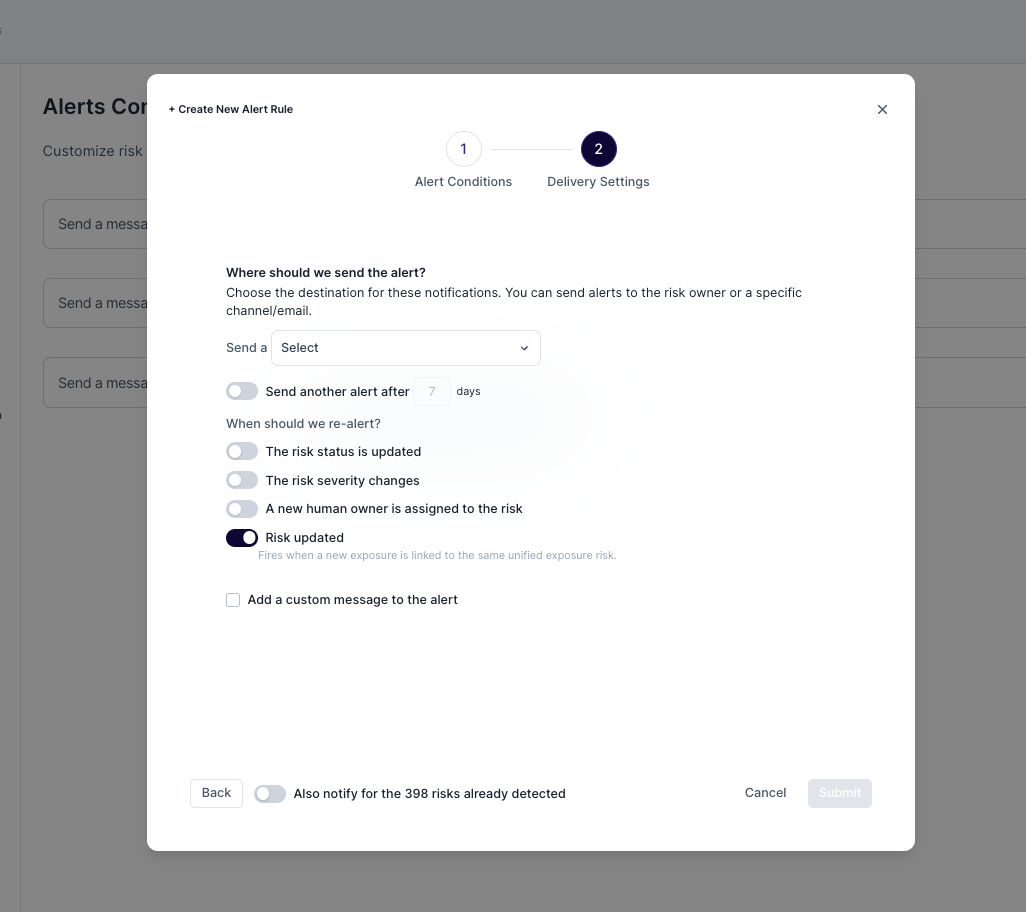
Consolidated Risk for the Same Exposed Secret
When the same secret is detected in more than one place, SailPoint Entro can collapse every occurrence into a single consolidated risk instead of opening a separate risk per location.
Overview
By default, every time SailPoint Entro detects a leaked secret, a new risk is opened. The Consolidated risks capability changes that. With it enabled, all occurrences of the same secret hash are tracked under one risk, which gets updated with any new occurrence that gets detected.
How to enable it
Go to Settings → Exposed Secrets → Consolidate risks for the same exposed secret and turn the toggle On. Now any new detections of any secret will be consolidated from that point forward.

Optional: applying to existing risks
You may choose to apply the change retroactively, on all existing risks. When checking the "Apply to existing risks" checkbox, SailPoint Entro will:
- Scan your currently open exposed-secret risks.
- Group risks that share the same secret hash.
- Promote the most recent risk in each group to be the consolidated risk, and add information for all occurrences to it.
- Mark the rest of the risks as Discarded with a link back to the consolidated risk.
Note
This is a one-time action and cannot be undone. Disabling the toggle later does not split merged risks back apart — only new detections will be generating a new risk per location.
Owner Assignment
A consolidated risk has a single assigned owner.
-
By default, the owner is the user associated with the most recent detection - each time a new occurrence is added to the risk, the owner is updated to the user from that latest detection.
-
When SailPoint Entro can identify the user who generated the secret. In that case, the secret's generator becomes the owner and stays in place as new occurrences attach.
The Owners tab lists every owner associated with the risk across all of its occurrences, not just the current one — so you can see the full set of users who have been linked to the secret as it was detected in different places.
Alerts
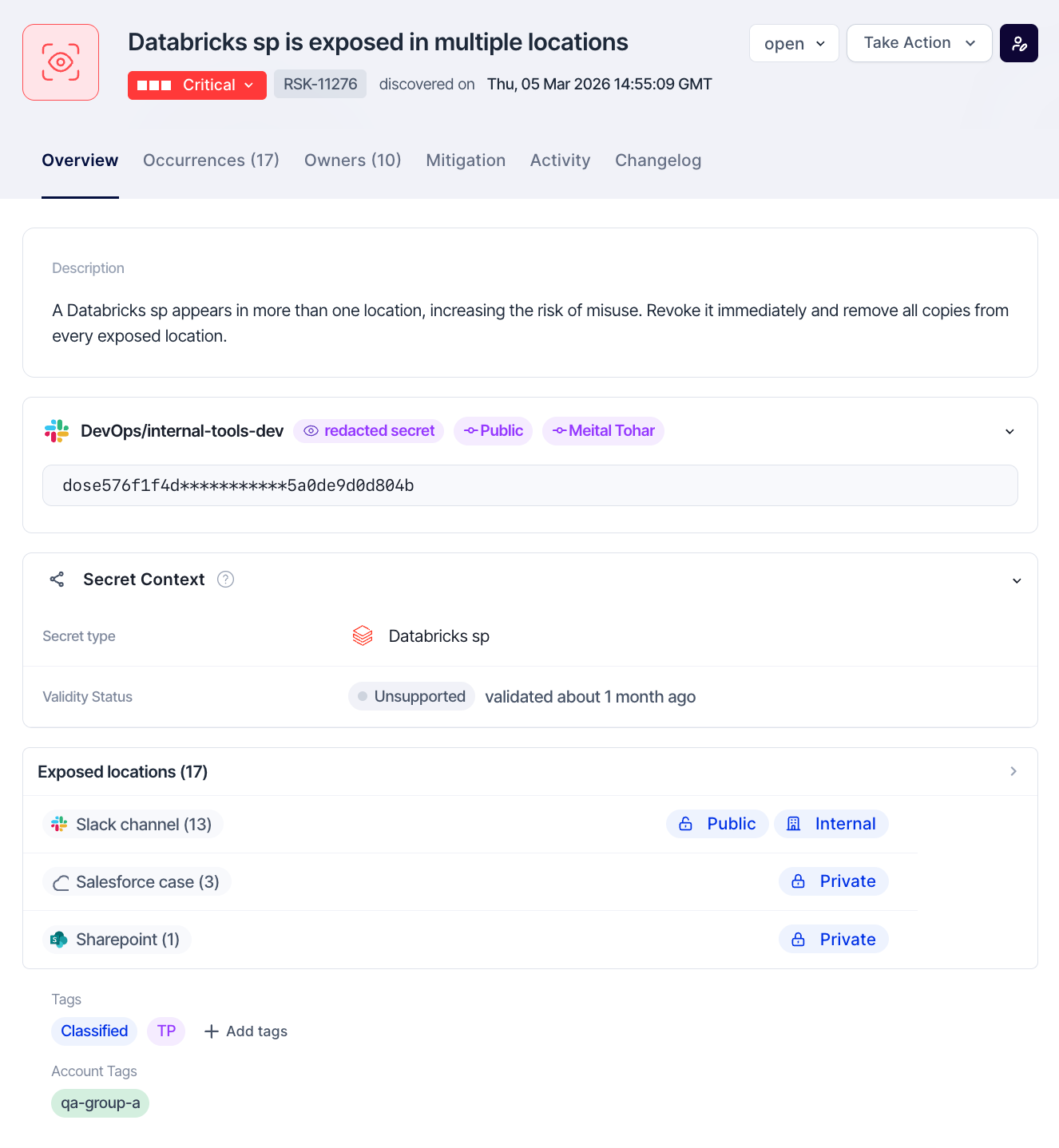
By default, alerts are triggered upon risk creation. When using the consolidated risk flow, you may choose to configure alerts to be sent upon Risk Updates as well, in order to be notified when a new occurrence has been detected
If a consolidated risk is already in resolved status, new occurrences attach silently — no alert is sent until you reopen the risk.