Secret Type Control
Configure customized rules for handling secrets based on their type, enabling tailored actions such as adjusting severity, modifying exposure status, or disabling scanning. This allows precise control over how different secret types are prioritized and managed across your environment.
Go to Settings > Secret Type Control.
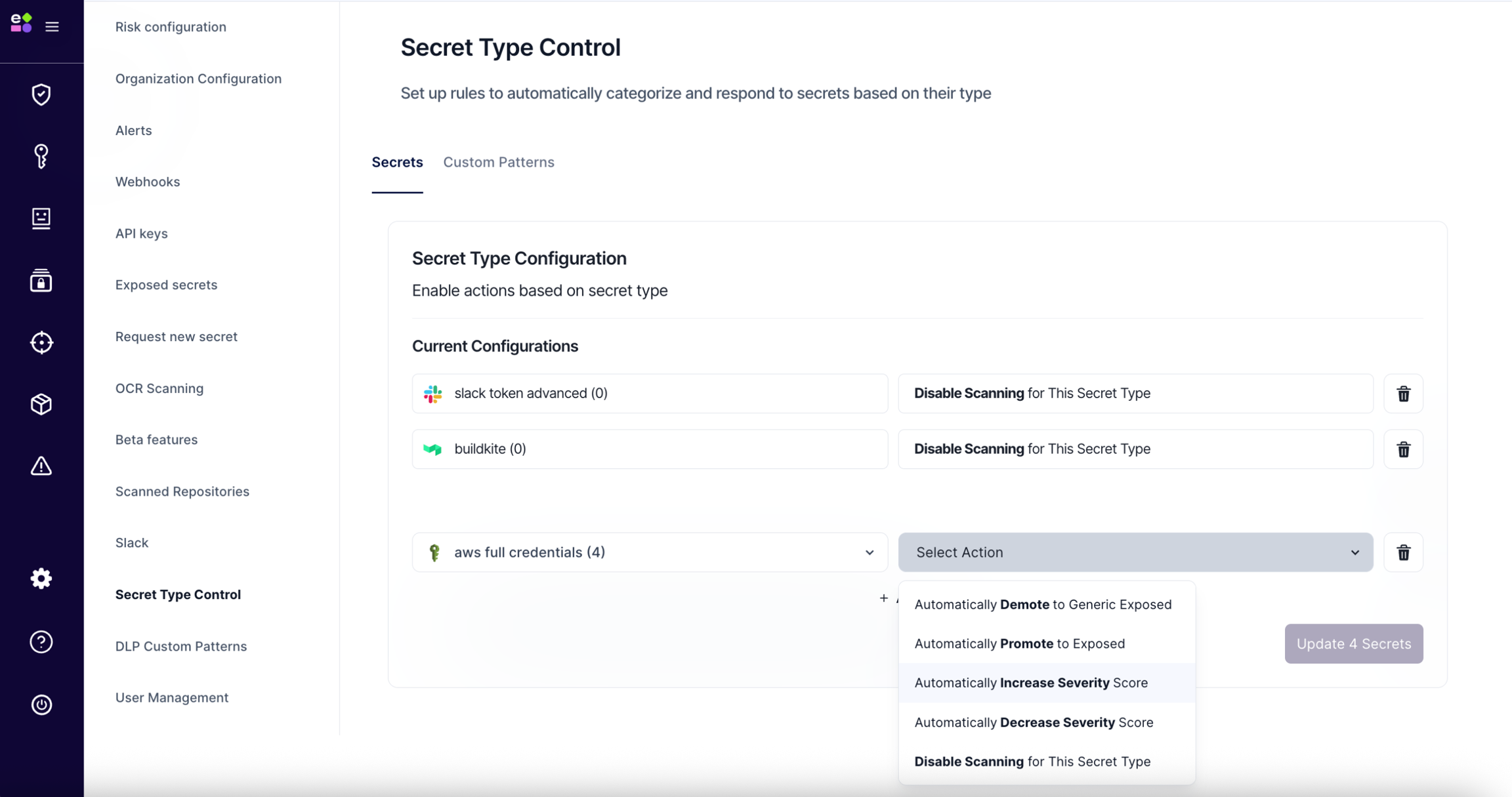
Available Actions:
Each rule is applied to all existing and future findings of the selected secret type.
-
Automatically Promote to Exposed Add all findings of this secret type to the Exposed Inventory and raise relevant risks associated.
-
Automatically Demote to Generic Exposed Downgrade all findings of this secret type to Generic Exposed Inventory, and resolve any open risks.
-
Automatically Increase Severity Score Increase the severity score for all findings and risks associated with this secret type.
-
Automatically Decrease Severity Score Decrease the severity score for all findings and risks associated with this secret type.
-
Disable Scanning for This Secret Type Exclude this secret type from scanning. All current findings will be automatically archived and hidden from Inventory and Risks.