Atlassian API Key
Atlassian API keys allow users and applications to interact with the platform's REST APIs and programmatically manage Atlassian's suite of tools.
Manage API Tokens
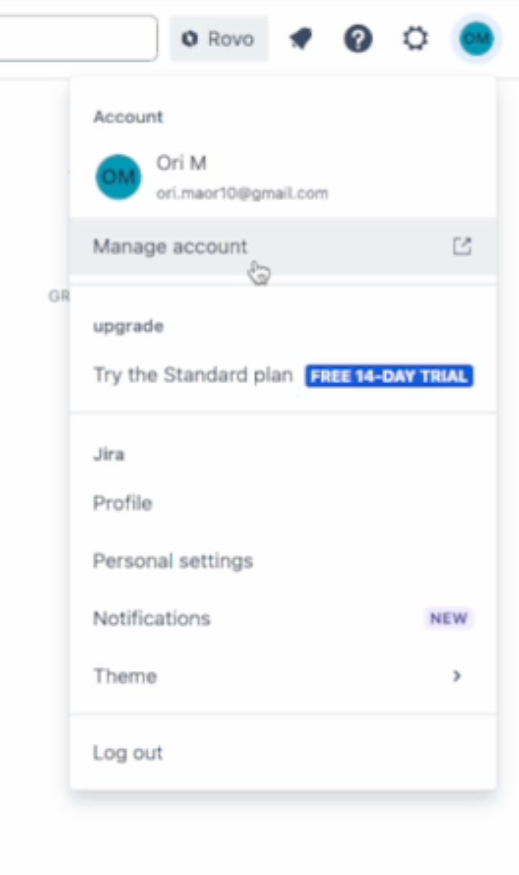
To rotate Atlassian API keys, in the Atlassian console navigate to your user icon in the top right, and select "Manage account", as shown below:
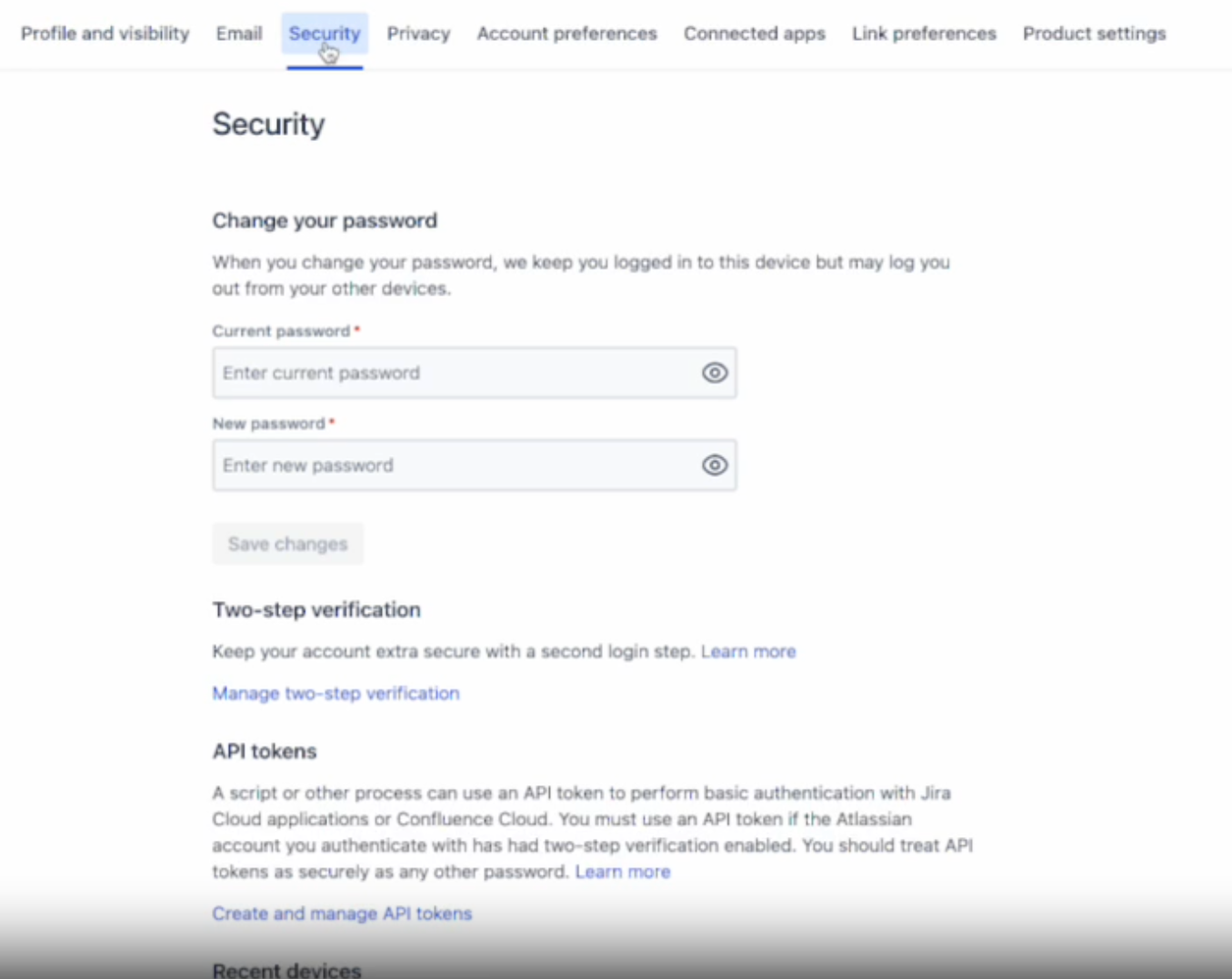
On the account management page, select the Security tab at the top of the screen:
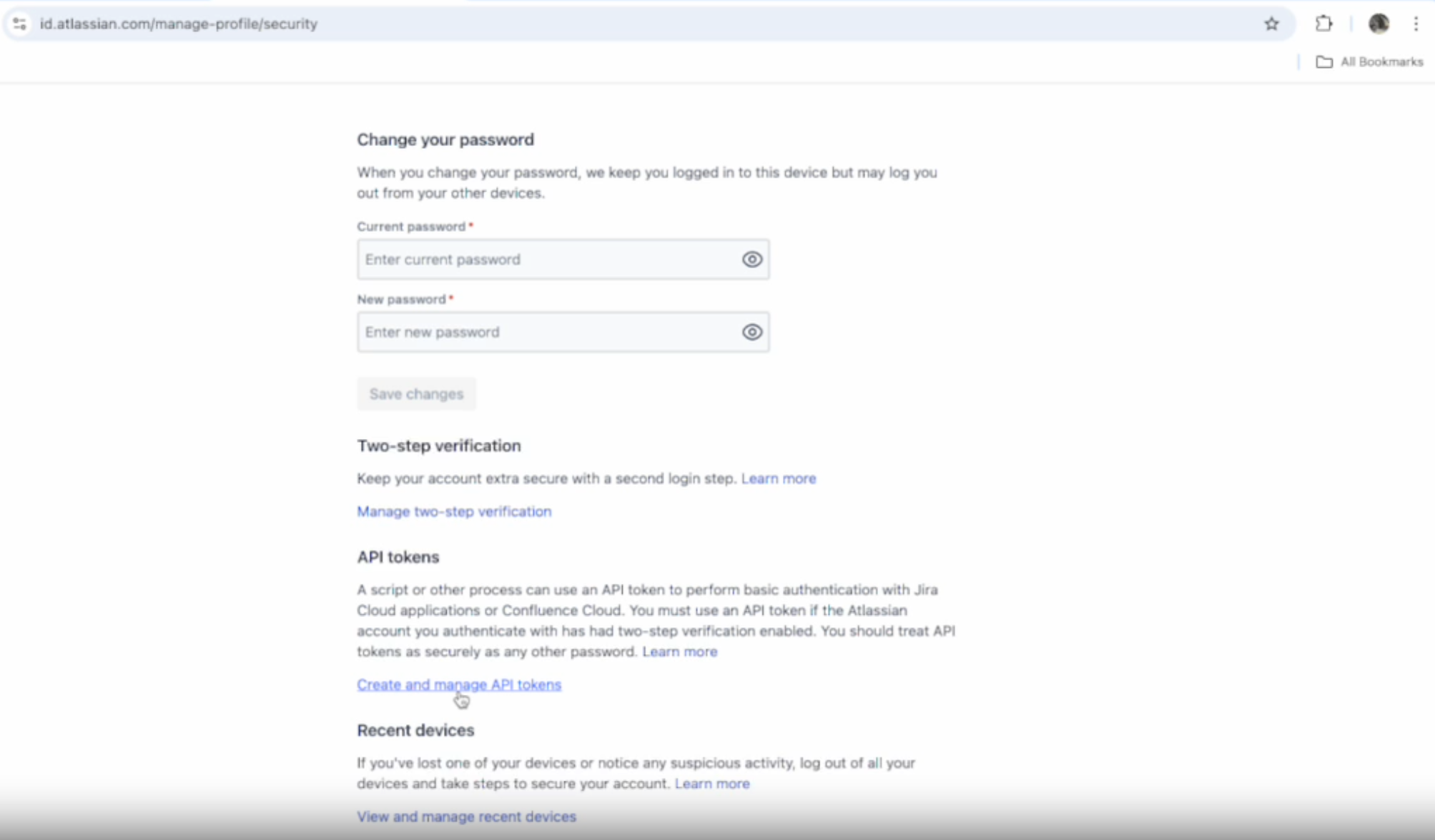
Scroll to the bottom of the Security tab, to a hyperlink below, called "Create and Manage API tokens":
Create an API Token
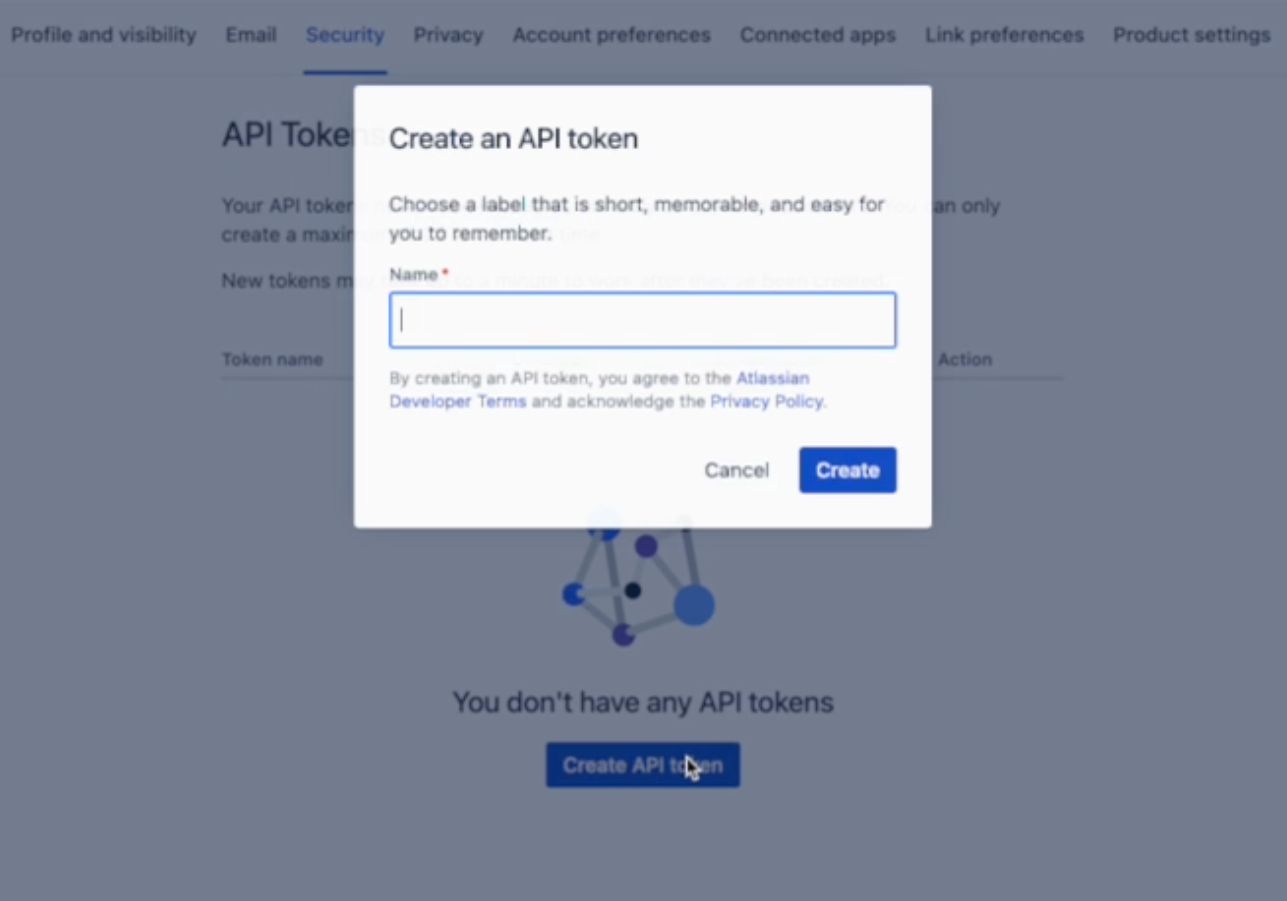
To create an API token, select "Create API token", and the console will prompt requesting a name:
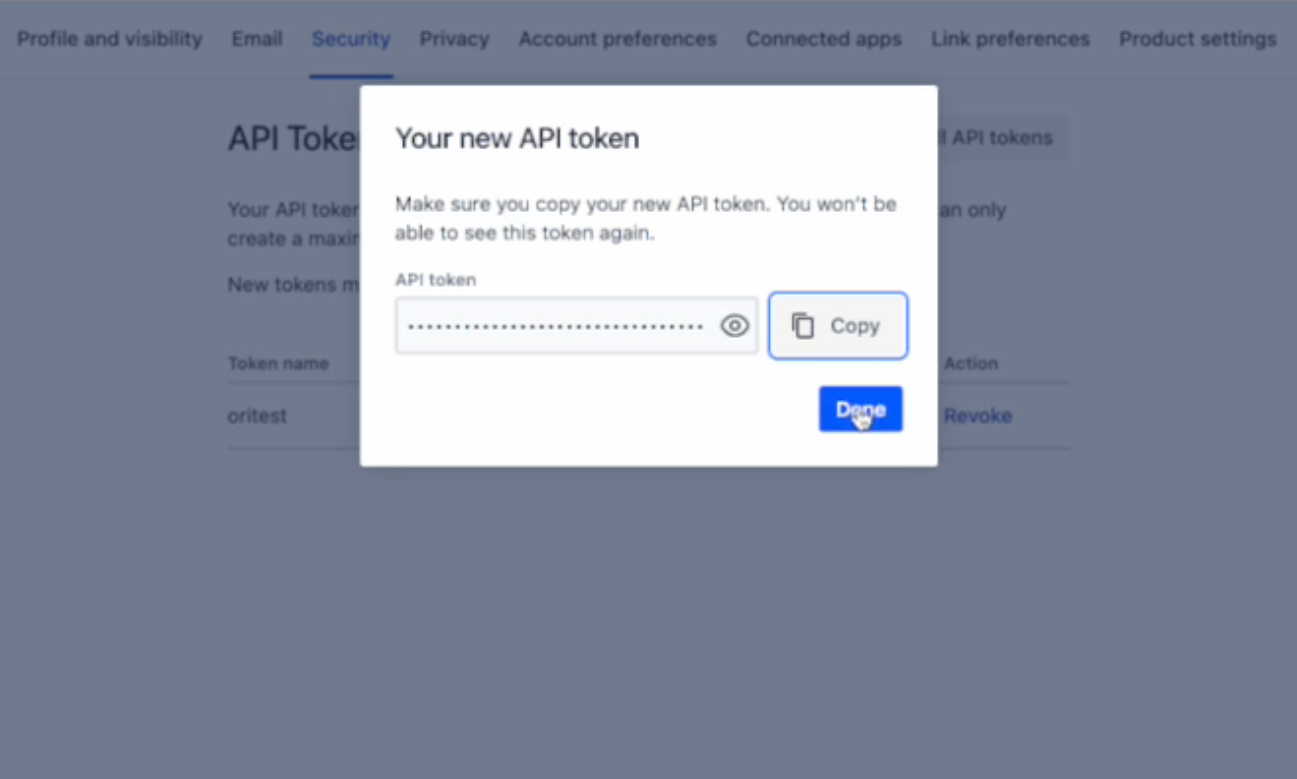
After naming the API token, the console will generate it and provide a chance to view or copy this API token. Copy and store the token securely as there will not be a chance to view it again later:
Revoke Token
To revoke a token, select the "Revoke" Action to the right of the token name you will to revoke:
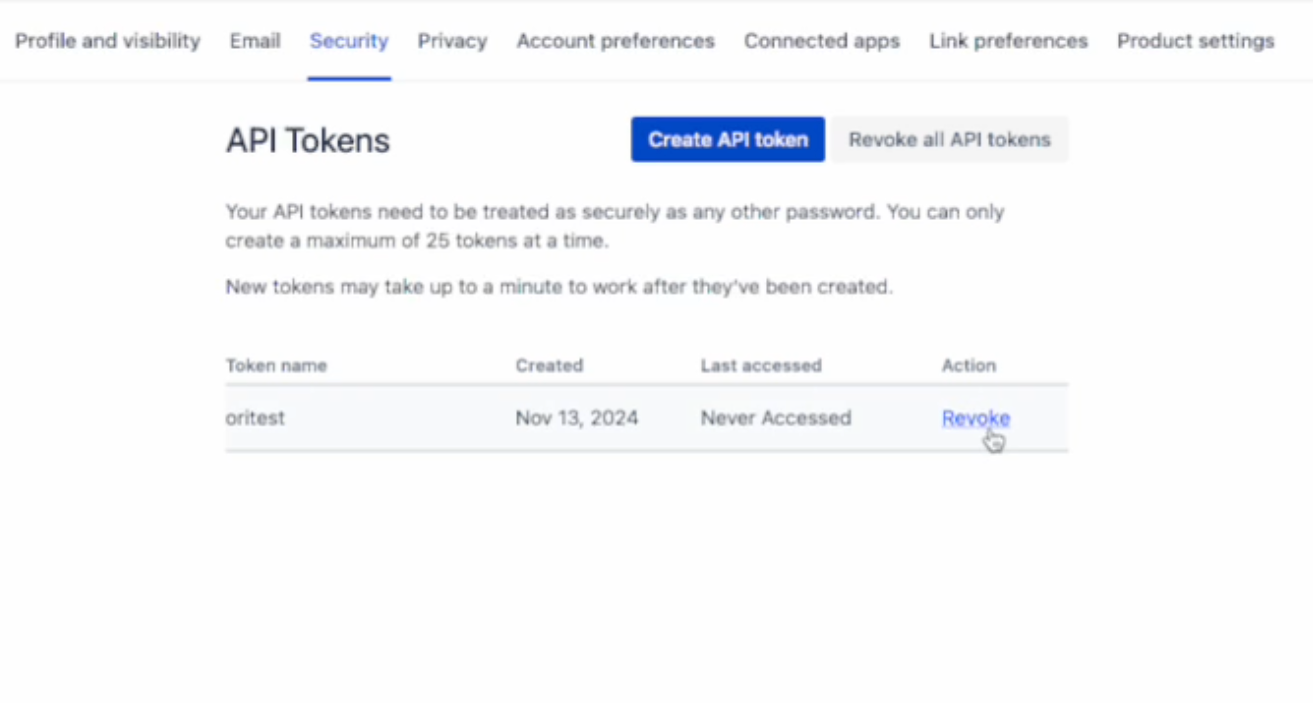
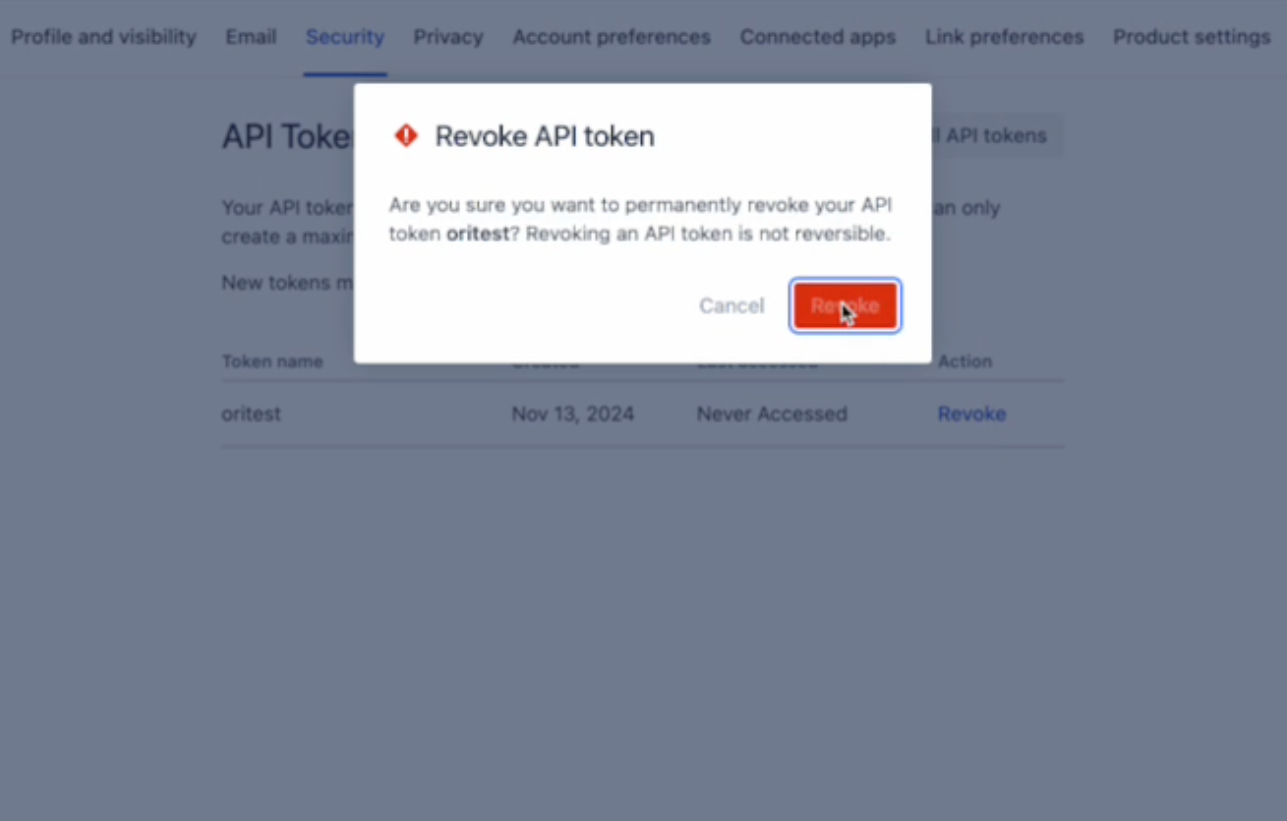
The console will prompt to confirm the revocation. After selecting "Revoke" the token will be erased and no longer valid: