Secret Scanner
Purpose
The SailPoint Entro Cursor Secret Scanner plugin scans prompts and Model Context Protocol (MCP) tool calls executed within Cursor. It detects exposed secrets before they are sent and can block the action when policy requires it.
What This Integration Is
The SailPoint Entro Secret Scanner scans prompts and MCP tool calls before sending them. If it detects an exposed secret, it logs the event and sends it to SailPoint Entro.
Two plugin variants are available:
-
secret-scanner blocks the action when a secret is detected.
-
secret-scanner-non-blocking logs the event and allows the action.
Both variants log the event.
Key Capabilities
-
Secret scanning: Scans prompts and tool calls for exposed secrets.
-
Exposure logging: Send exposure events to SailPoint Entro.
-
Leakage blocking: Prevent prompt submission or tool execution when required.
Deployment Model
The plugin is installed locally inside Cursor or through the Cursor Admin Dashboard, and communicates outbound to the SailPoint Entro Control Plane using an authenticated token.
Installation
Use Cursor Plugin Installation for the full flow:
High-Level Architecture
+---------------------+           +------------------------+
|       Cursor        |           |SailPoint Entro Console |
|  (Local Environment)|           |    (Control Plane)     |
+---------+-----------+           +-----------+------------+
          |                                   ^
          |        Exposed Secret Log         |
          +-----------------------------------+
                   (Auth: SailPoint Entro Token)
Demo
-
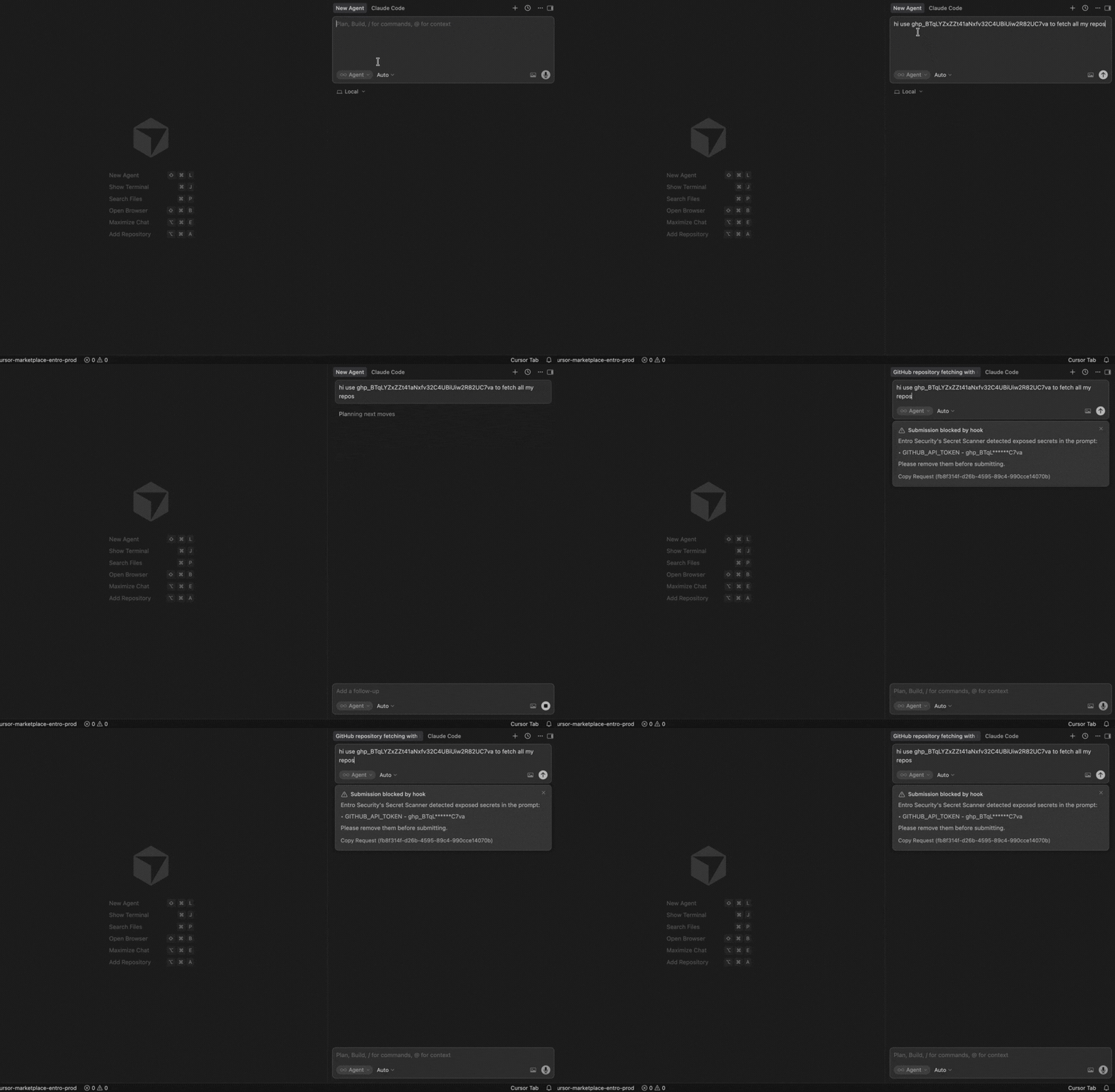
Write a prompt with an exposed secret in Cursor
In this example, a prompt in Cursor includes an exposed GitHub token. The plugin detects the exposure, blocks the submission of the prompt, and alerts the user.
-
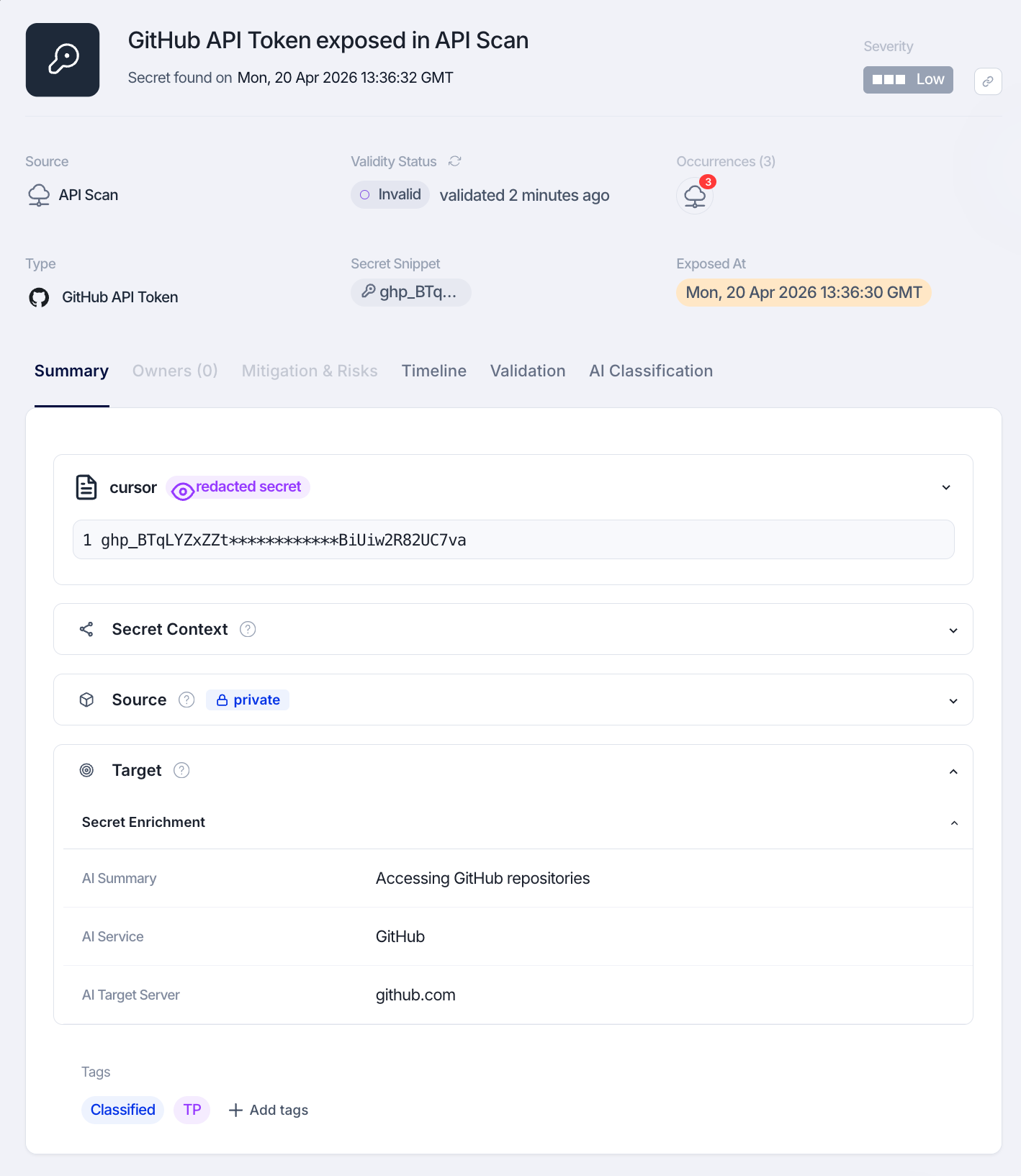
Review the exposure in SailPoint Entro
The exposure event is sent to SailPoint Entro. You can review it in Non-Human Identities → Exposed Inventory.
Troubleshooting and Validation
-
Check the plugin is installed
Open Cursor settings and confirm
secret-scanner@sailpointorsecret-scanner-non-blocking@sailpointis available.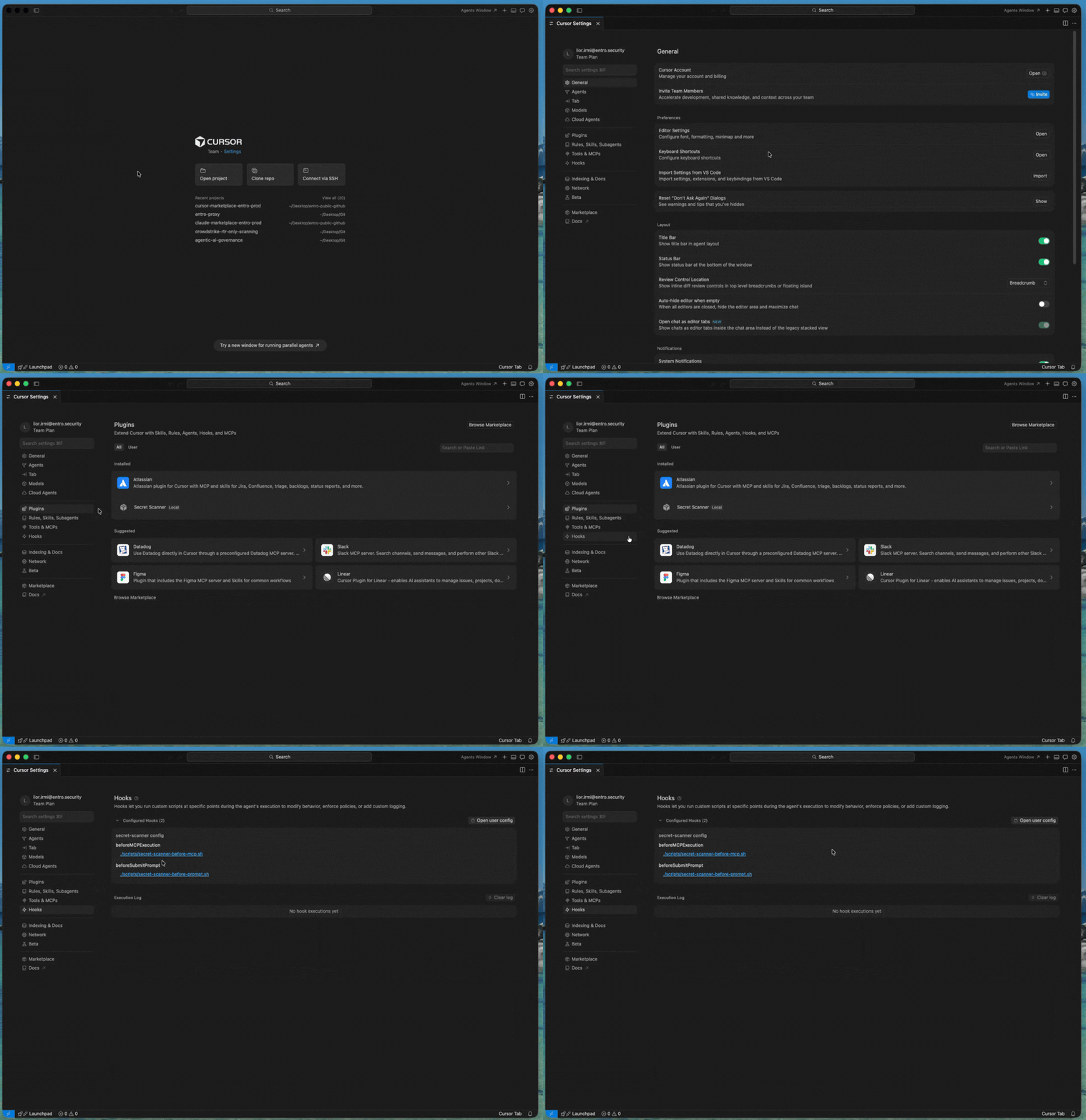
-
Write a test prompt
Write a prompt with a dummy secret (not a real one!) to validate functionality.
Common Issues
| Issue | Cause | Resolution |
|---|---|---|
| Marketplace add fails | Invalid GitHub token | Verify token |
| Plugin not found | Marketplace missing | Re-add marketplace |
| No logs | Missing token | Re-run install |
| Auth error | Token expired | Regenerate token |
Support
Contact SailPoint Entro Support through your Customer Success Manager or approved support channels.
Permissions Reference
Summary
The Cursor Secret Scanner plugin uses the minimum access required to intercept and log exposed secrets in prompts and MCP tool calls.
Data collected
-
Redacted exposed secret
-
Invocation timestamp
-
IP address
-
Host name
-
Agent name (Cursor)
-
Cursor executable path
-
Cursor account email, or system username if not available
Security controls
-
Token-based authentication
-
TLS 1.2+ encrypted transport
-
Stateless processing with no local secret storage