AWS Access Key
To rotate keys on AWS, on the AWS console select "IAM", as shown below:
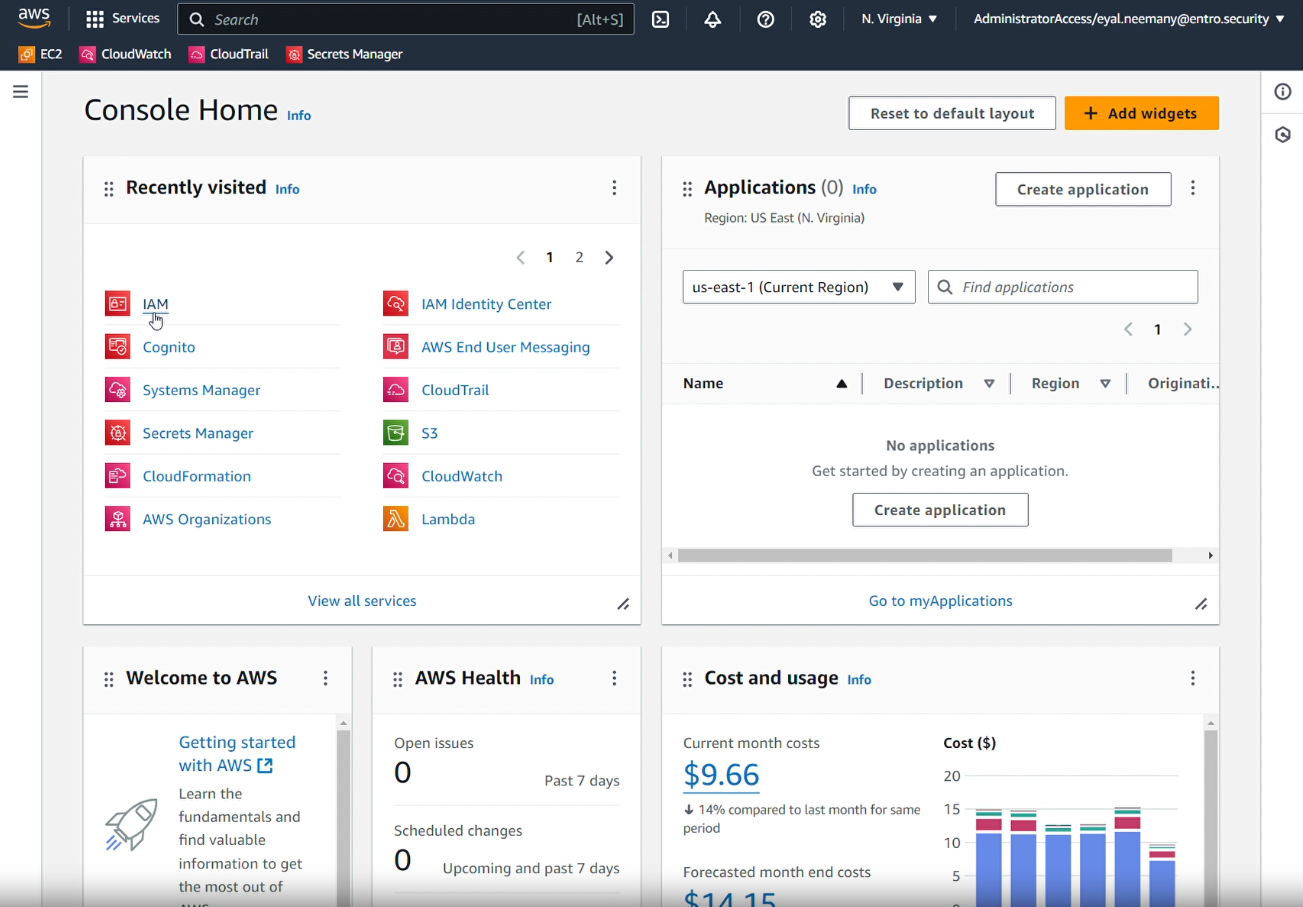
On the home console, navigate to the IAM Dashboard:
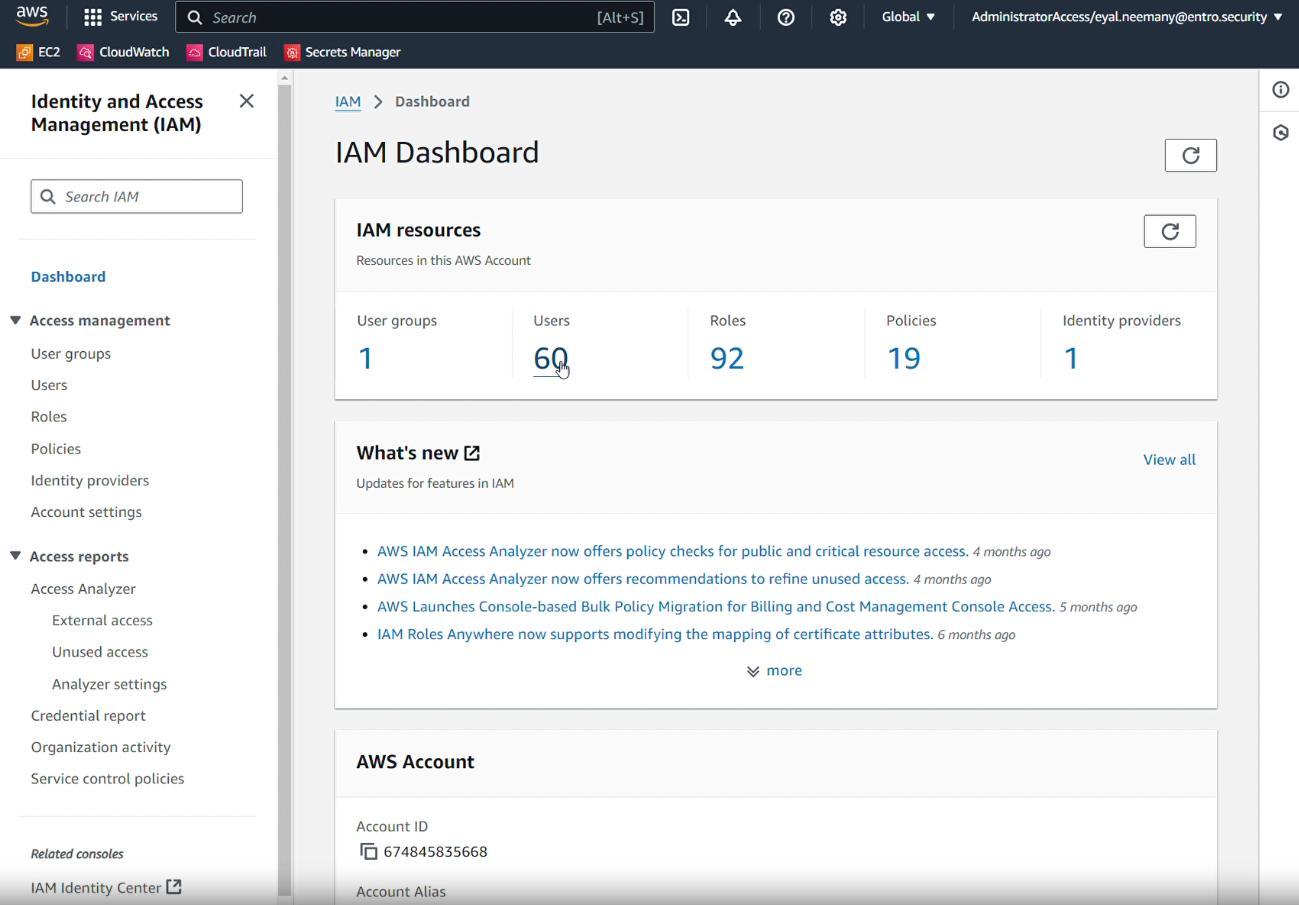
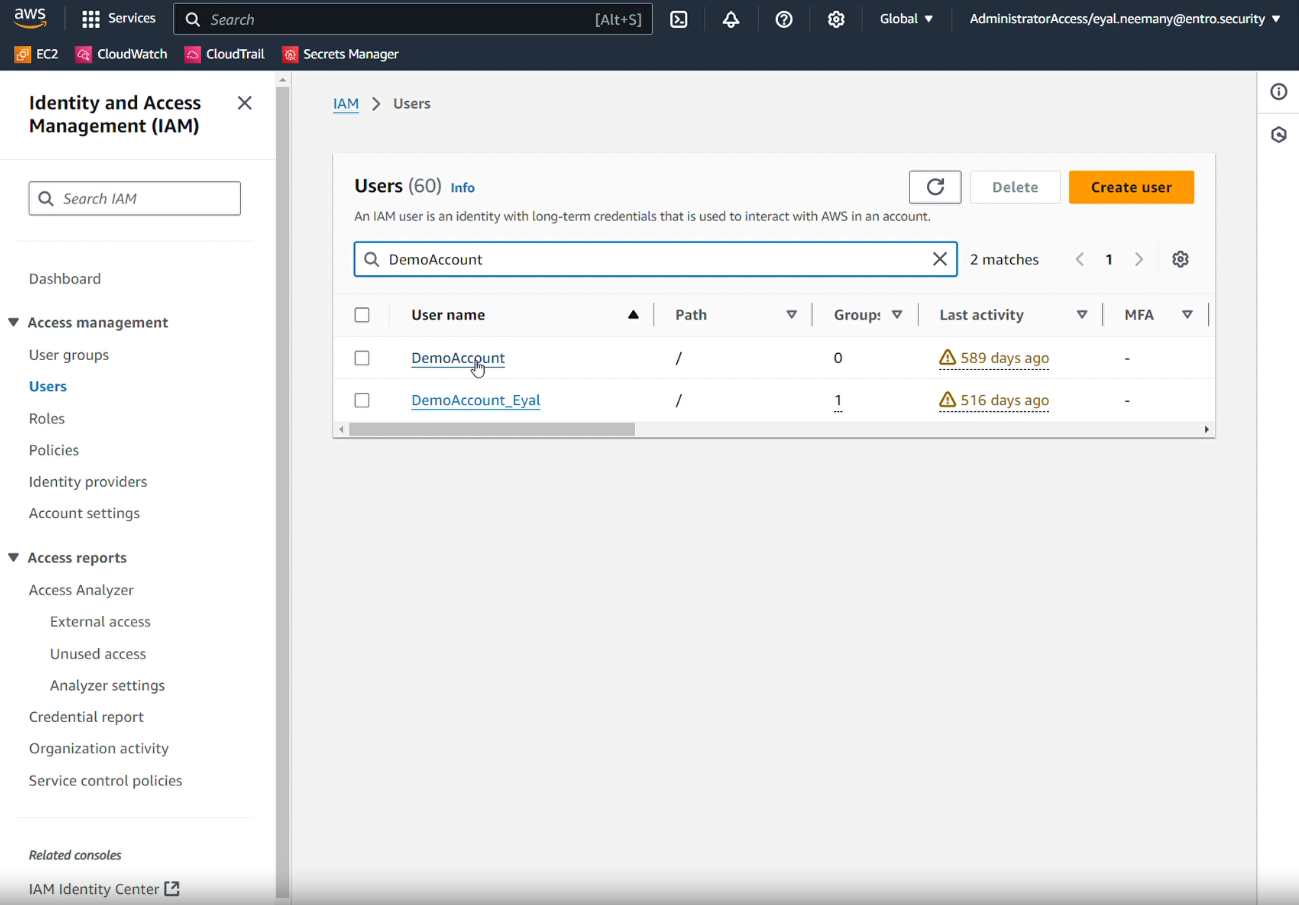
From the Users' searchbox, find the username of the account you wish to modify. In the example below, the account name is DemoAccount:
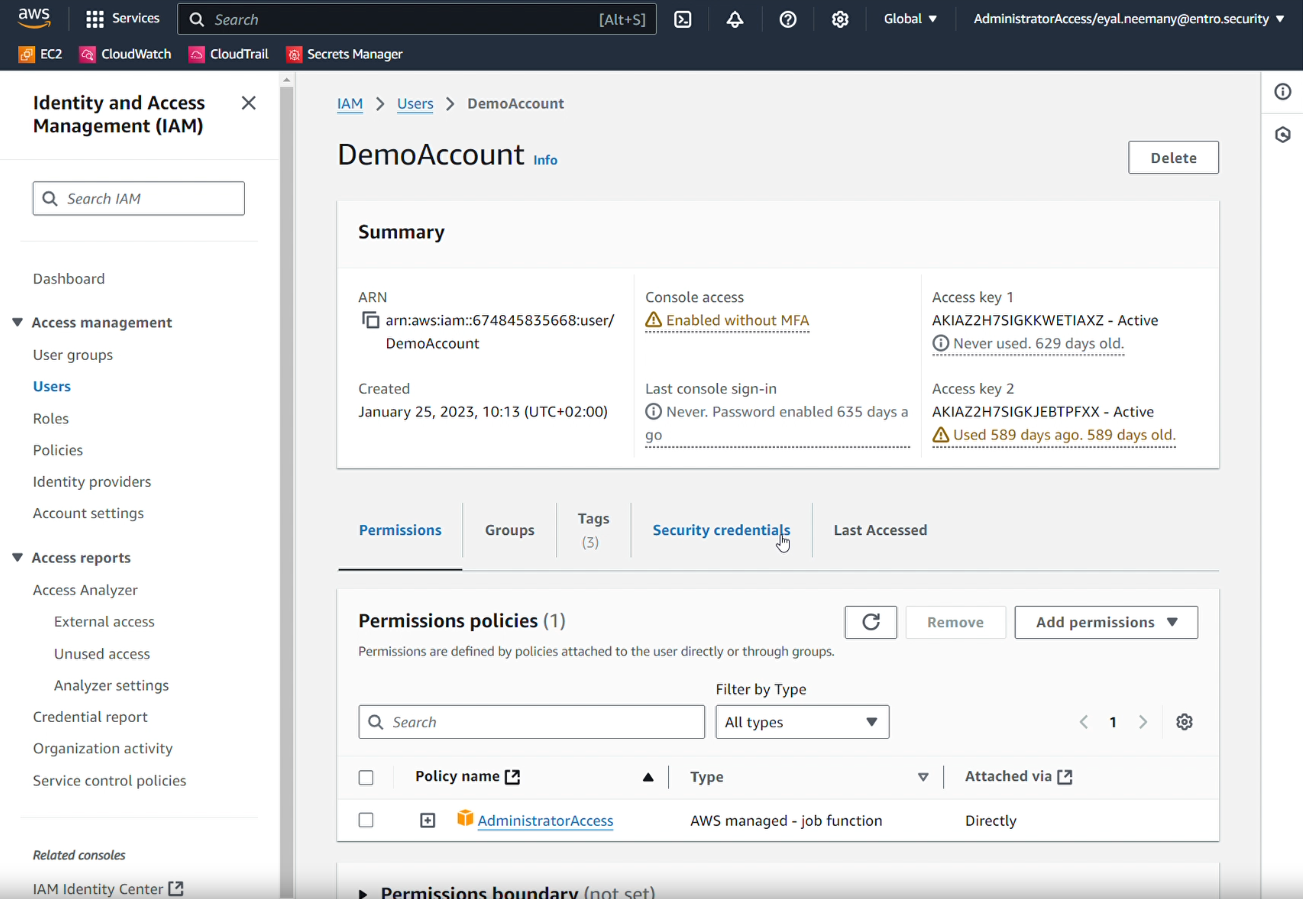
After selecting the target account various information relevant to this account is displayed. Navigate to the "Security Credentials" tab as shown below:
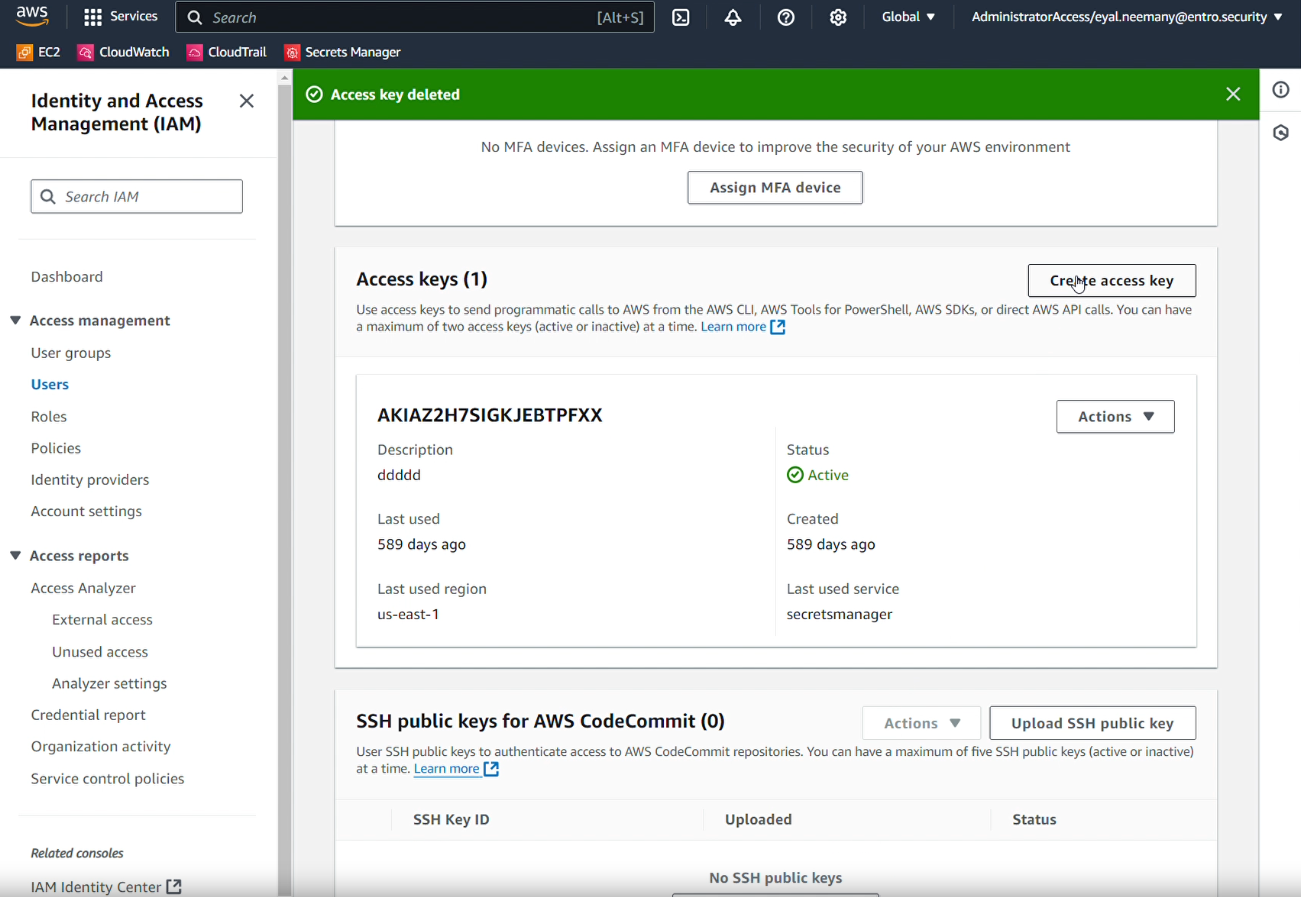
After selecting the "Security Credentials" tab and scrolling down, you should be able to see Access keys associated with that account. Select "Create access key" to create a new Access key:
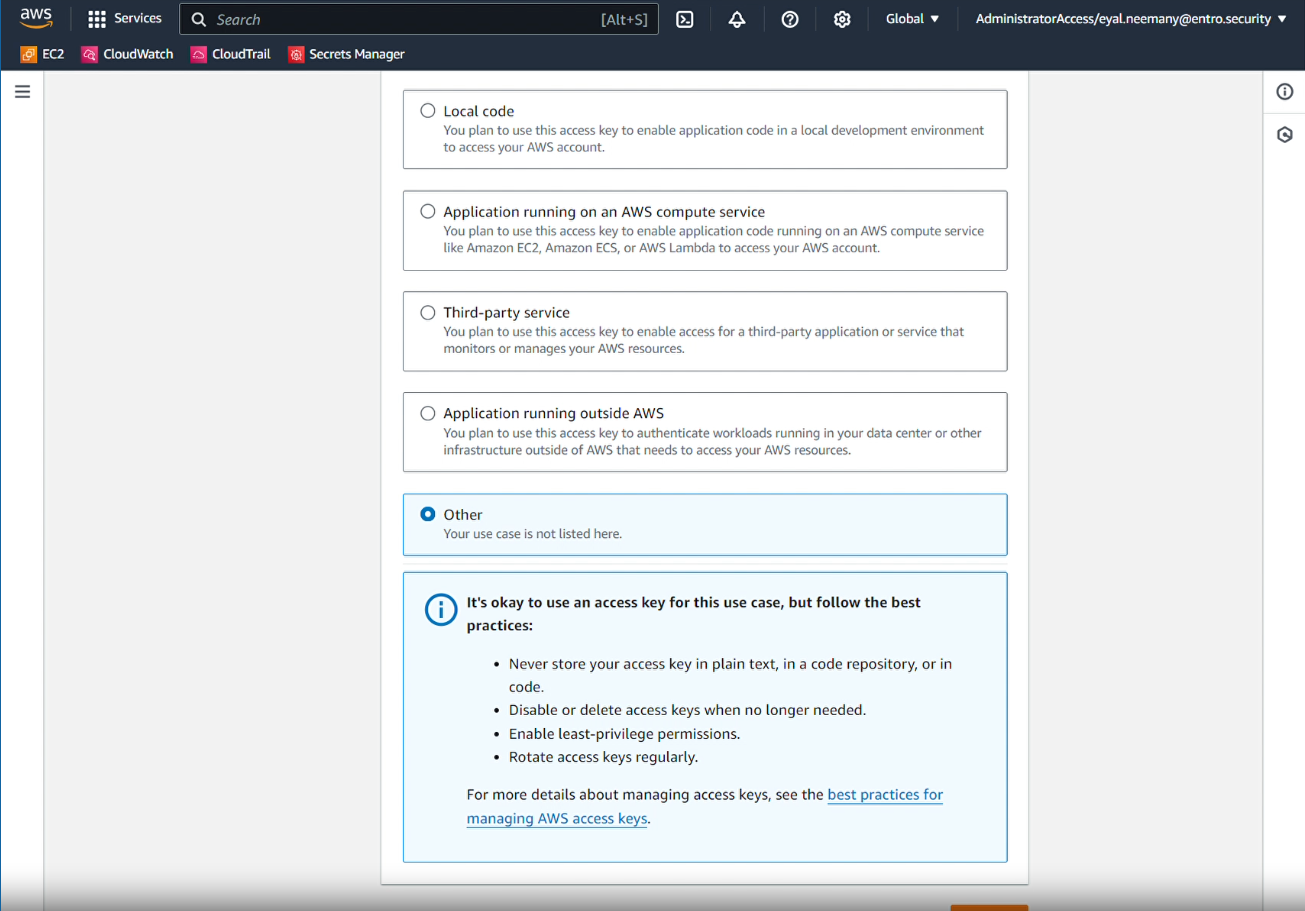
When creating the Access key specify type of "Other" unless the key's intended usage is listed:
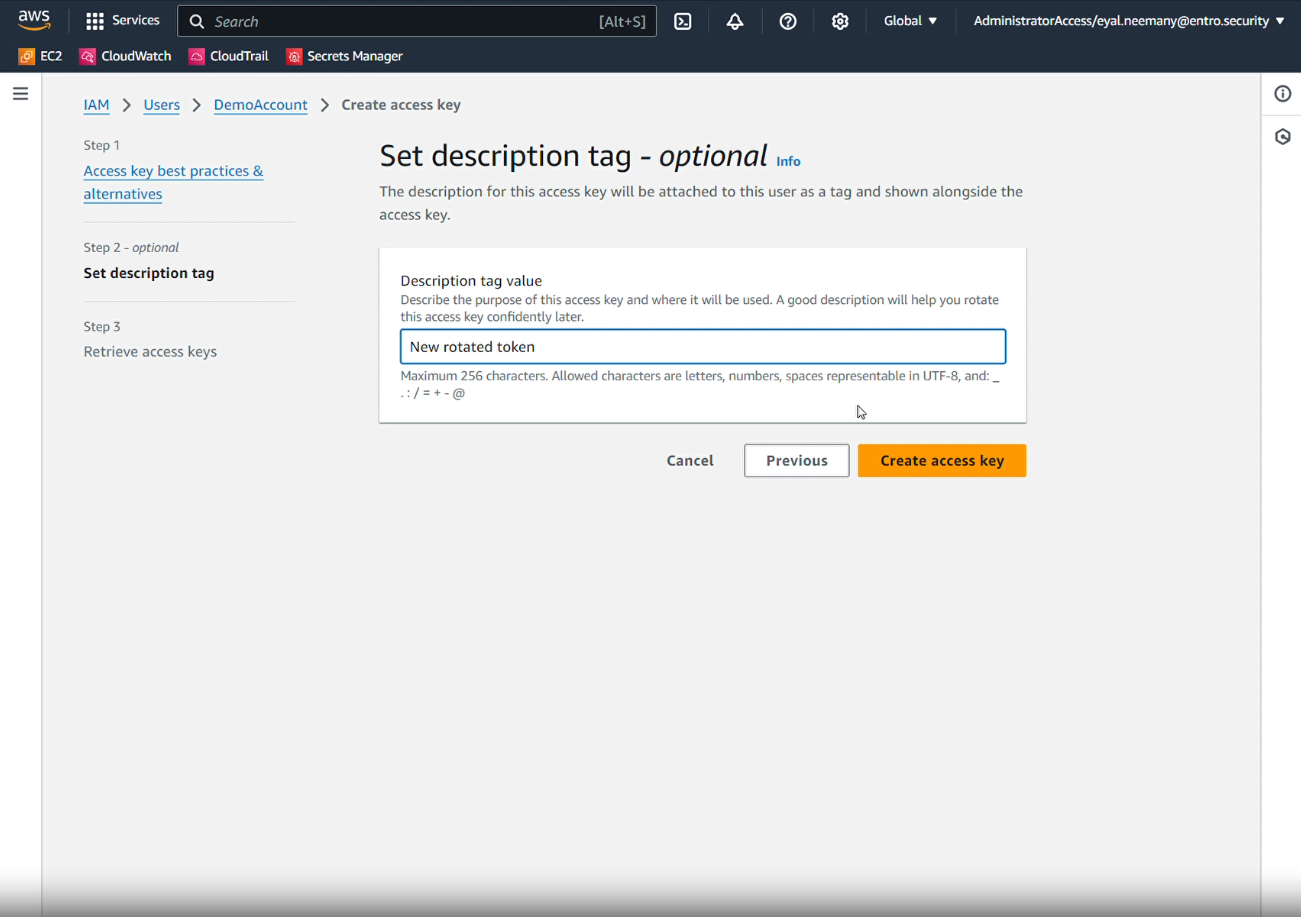
Add a description tag value, so the key can be easily identified later:
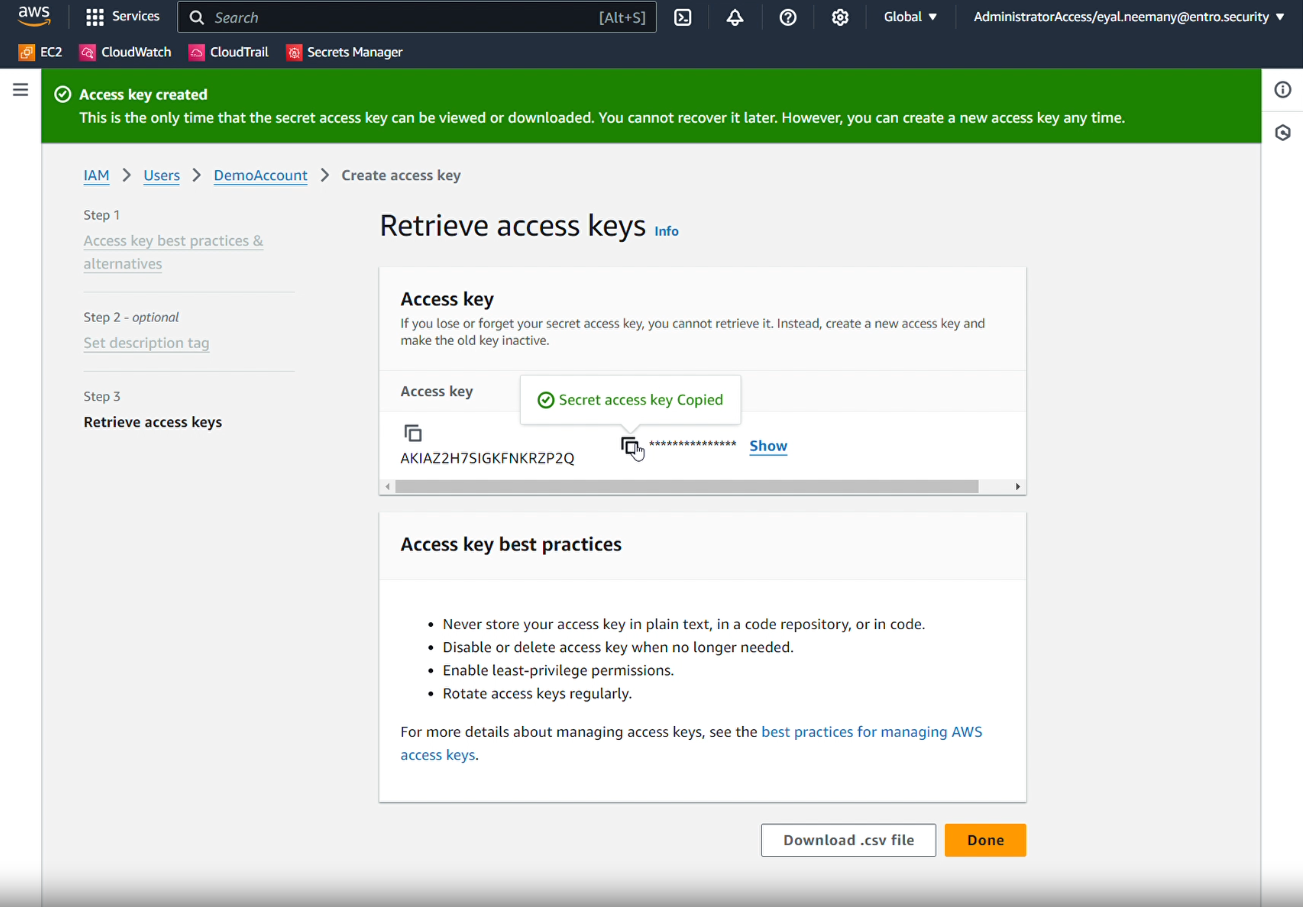
Copy the Secret access key to save it if necessary: note that the secret's access key will not be exportable in the future. You can also download as a CSV.
After selecting "Done" the new Access key has been created. Once the new key has been created, acco