Agentic Plugin & Policies
The Agentic Plugin is SailPoint Entro's active monitoring layer for AI coding agents. Where the rest of the platform discovers and inventories agents passively, the plugin gives you real-time visibility into what an agent is actually doing - every MCP tool call, every prompt, every service it touches - and lets you enforce policies that allow or block specific actions.
How It Works
The plugin operates at the MCP (Model Context Protocol) layer - the communication channel through which AI coding agents call external tools and services. Once installed, it intercepts every tool call the agent makes and forwards the audit data to SailPoint Entro in real time.
For each tool call, SailPoint Entro captures:
-
The prompt that triggered it
-
The MCP server and tool invoked
-
The parameters passed
-
The identity used for authentication
-
The result returned
-
Whether a policy blocked or allowed the action
This data feeds directly into the Sessions view in the AI Agents Inventory, where each session is available for review.
Supported Environments:
-
Claude Code
-
Cursor
-
Visual Studio Code
Note
For installation instructions, see the Claude, Cursor, and VS Code integration pages.
Intent Classification
Every prompt captured by the plugin is automatically classified by SailPoint Entro's AI engine:
| Classification | What it means |
|---|---|
| Benign | Normal, expected activity |
| Suspicious | Activity that warrants review |
| Malicious | Activity indicating likely harmful intent |
| Destructive | Activity that could cause irreversible damage |
Flagged sessions are surfaced in the AI Agents Inventory for investigation. Security teams can review the full prompt, the tool call it triggered, and the identity involved - without having to triage raw logs.
Policies
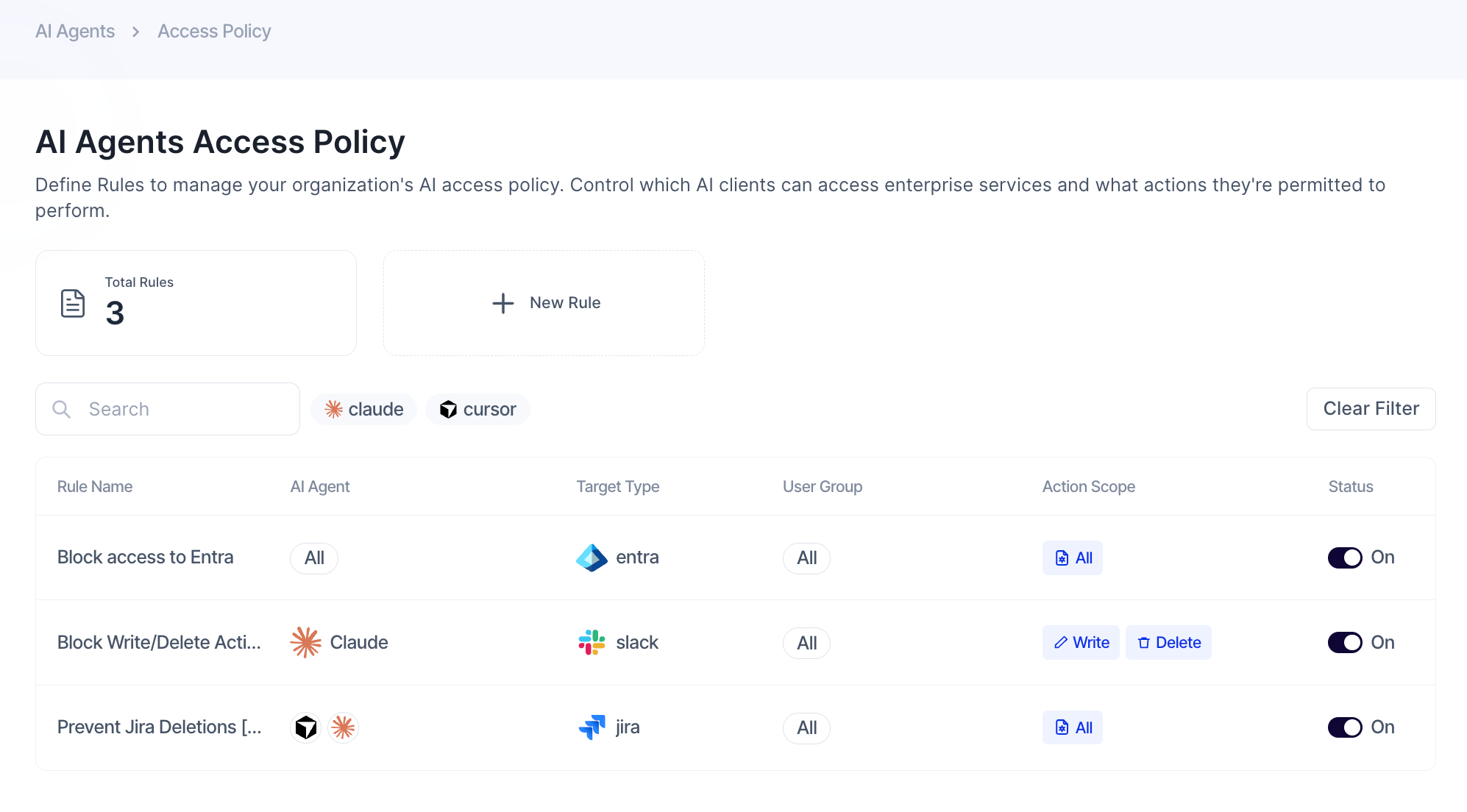
Policies let you define what AI coding agents are and are not allowed to do - enforced in real time at the MCP layer. They are configured under AI Agents > Policies.
A policy targets:
-
Which agents - specific AI clients (e.g. Claude, Cursor) or all agents
-
Which MCP servers - by name or address, with wildcard support
-
Which actions - Any combination of Read, Write, Delete, or All actions
-
Which users - a specific user group or all users
All policies are Deny rules - when a match is found, the tool call is blocked, the agent receives an error, and the event is logged.
Policies can be configured with Allow Override - the action is blocked by default, but the user can bypass it, with the override recorded in the audit log.