Custom Severity Rules
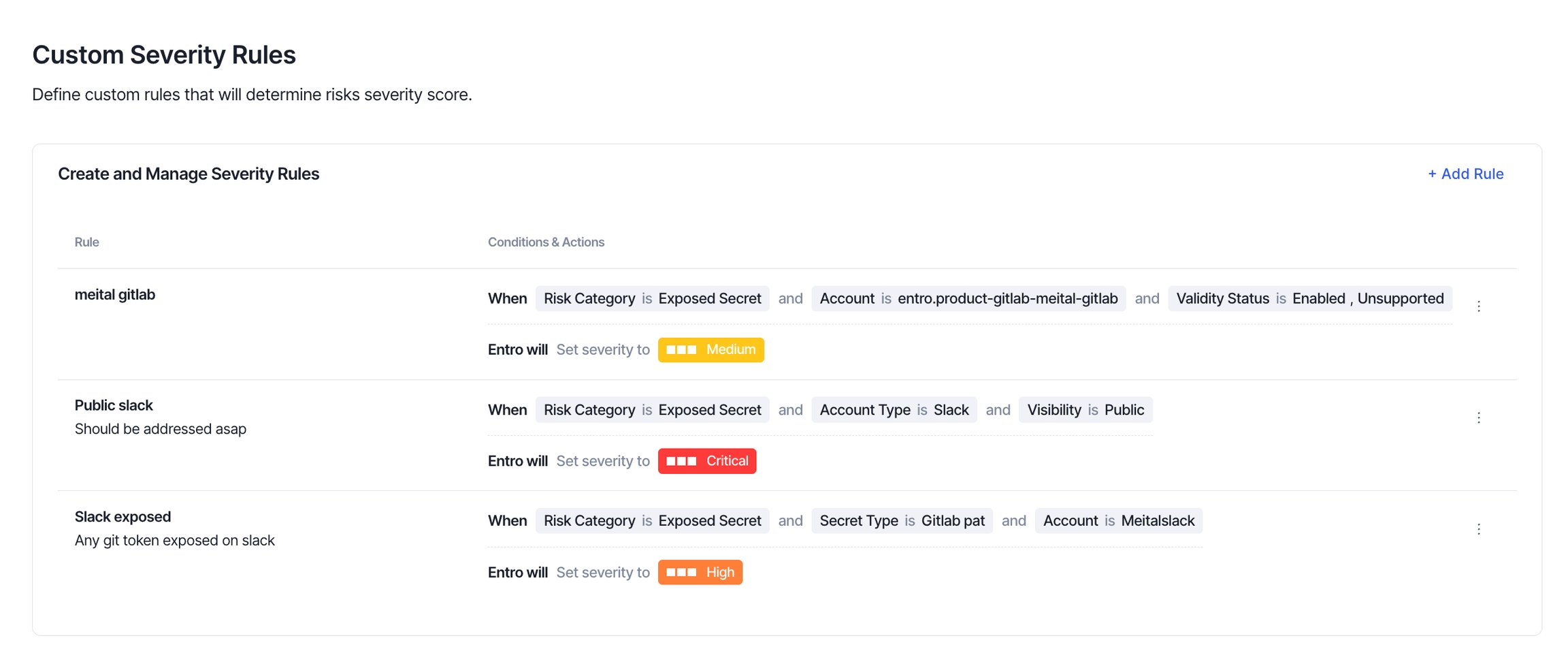
Custom Severity Rules allow you to configure how severity is assigned to risks based on your organization's internal security policies, instead of relying solely on SailPoint Entro’s scoring calculation.
Each rule applies a final severity level to a detected risk, when all conditions match. This allows flexible, automated control over risk classification across different environments, platforms, and secret types.
Rule Configuration
Each custom severity rule includes:
-
Rule Name: A label to help you identify the rule
-
Description (optional): Add context, references, or reasoning behind the rule
-
Conditions: A set of filters that determine when the rule should apply (all must match)
-
Action: The severity level to assign (
Critical,High,Medium, orLow)
Note
Rules only affect new risks detected from the time they are created. You can choose to delete rules at any time to stop them from applying going forward.
Supported Conditions
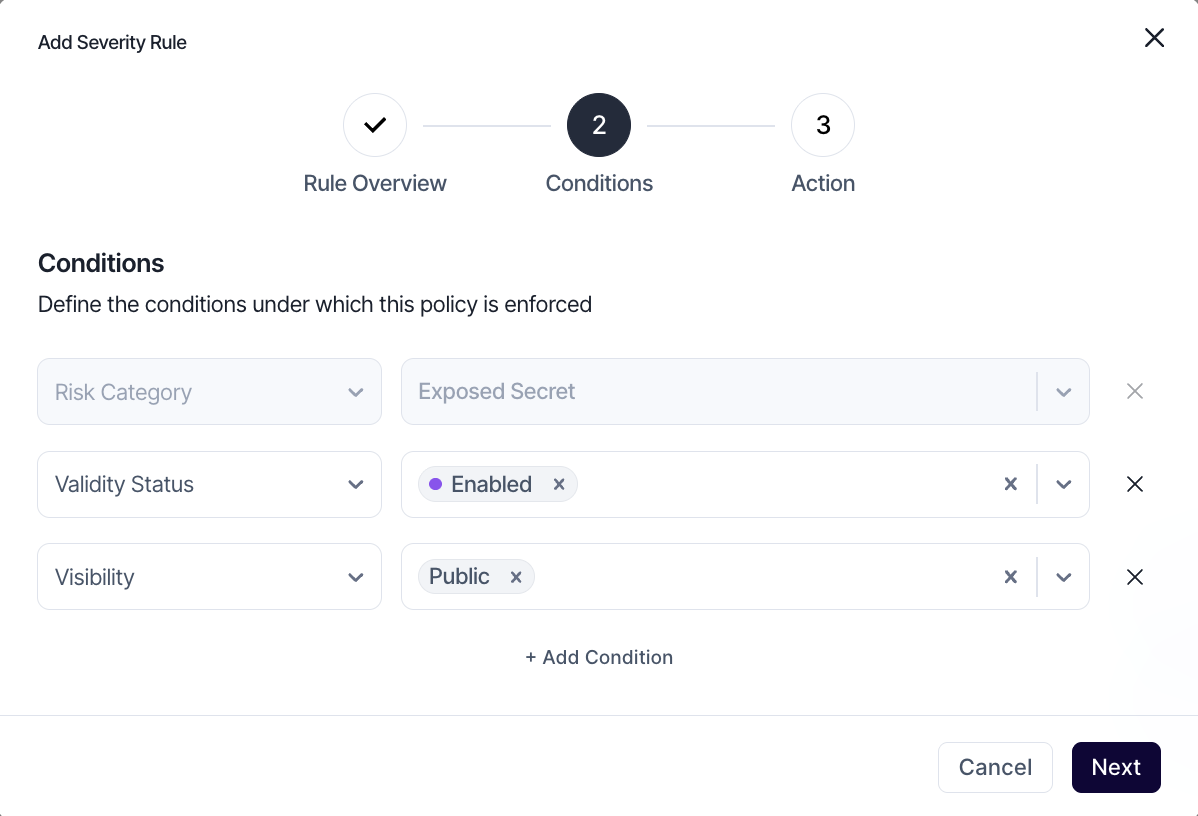
All conditions use AND logic — every condition in the rule must be met for the rule to apply. Each condition supports multiple values.
| Condition | Description | Example Values |
|---|---|---|
| Secret Type | The type of secret detected | GitHub PAT, AWS_SECRET_ACCESS_KEY |
| Account | Specific integrated account | prod-gitlab, corp-slack |
| Account Type | Platform type where secret was found | Slack, GitHub, Google Drive, SharePoint |
| Validity Status | Whether the secret is still active | Enabled, Unsupported |
| Visibility | Exposure scope of the secret | Public, Private, Internal |
| Environment | Environment type, configured on the account level | Production, Development |
| Tags | Tags applied to finding level | customer-data, pci, gdpr |
Severity Evaluation & Audit Trail
When a new finding is detected:
-
SailPoint Entro calculates a baseline severity using its internal scoring model.
-
Before assigning that score, the system checks for matching custom severity rules.
-
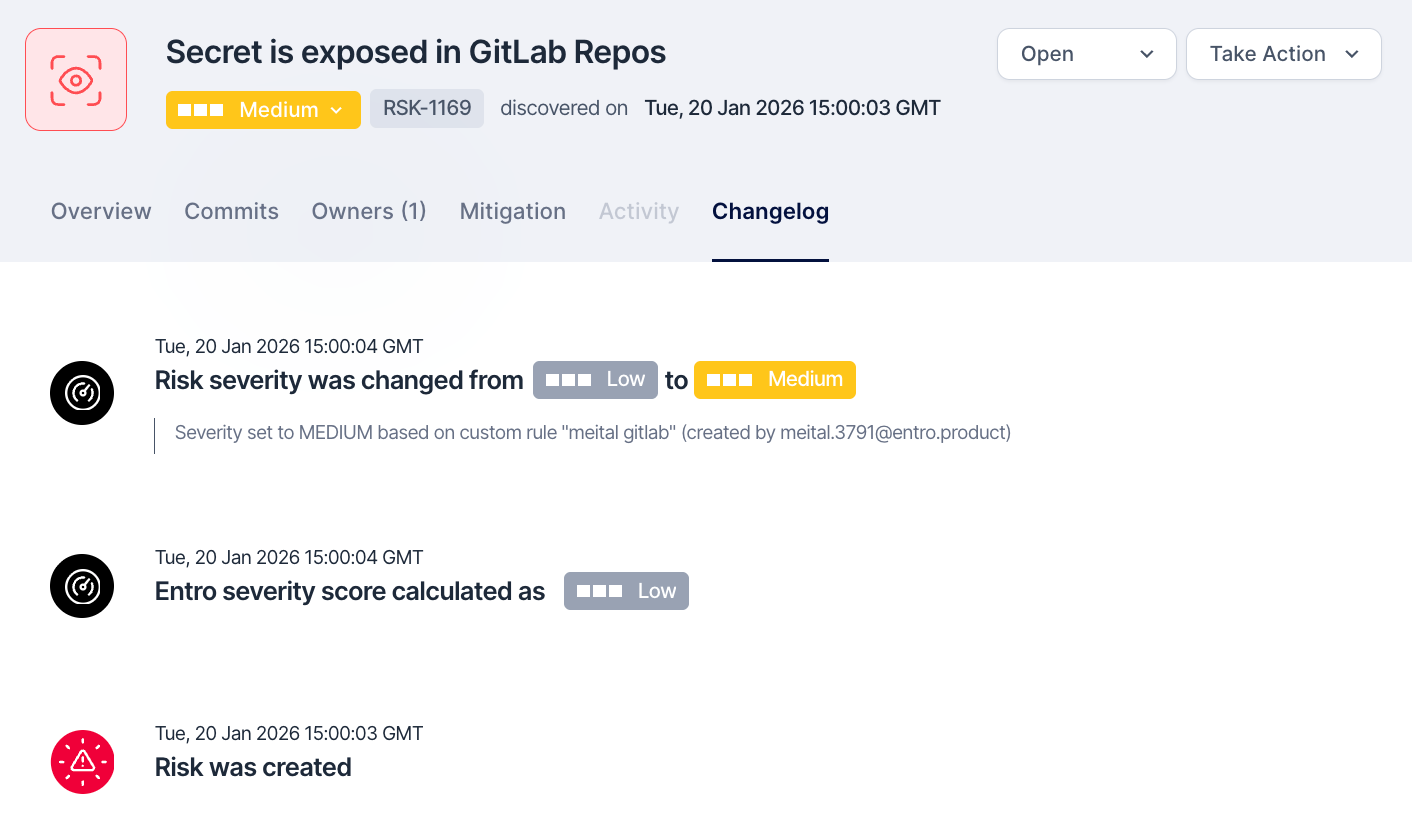
If existing rule conditions match the risk, the severity is overridden with the selected severity rule.
-
If more than one rule matches a detected risk, the highest matching severity is applied.
-
-
If no rules match, the default SailPoint Entro severity is used.
-
All rule-based severity changes are logged in the Changelog tab of the risk.