Sharepoint
SharePoint is a Microsoft platform that helps organizations manage and collaborate on content, documents, and applications, making it a common exposure point for secrets (as shown below):
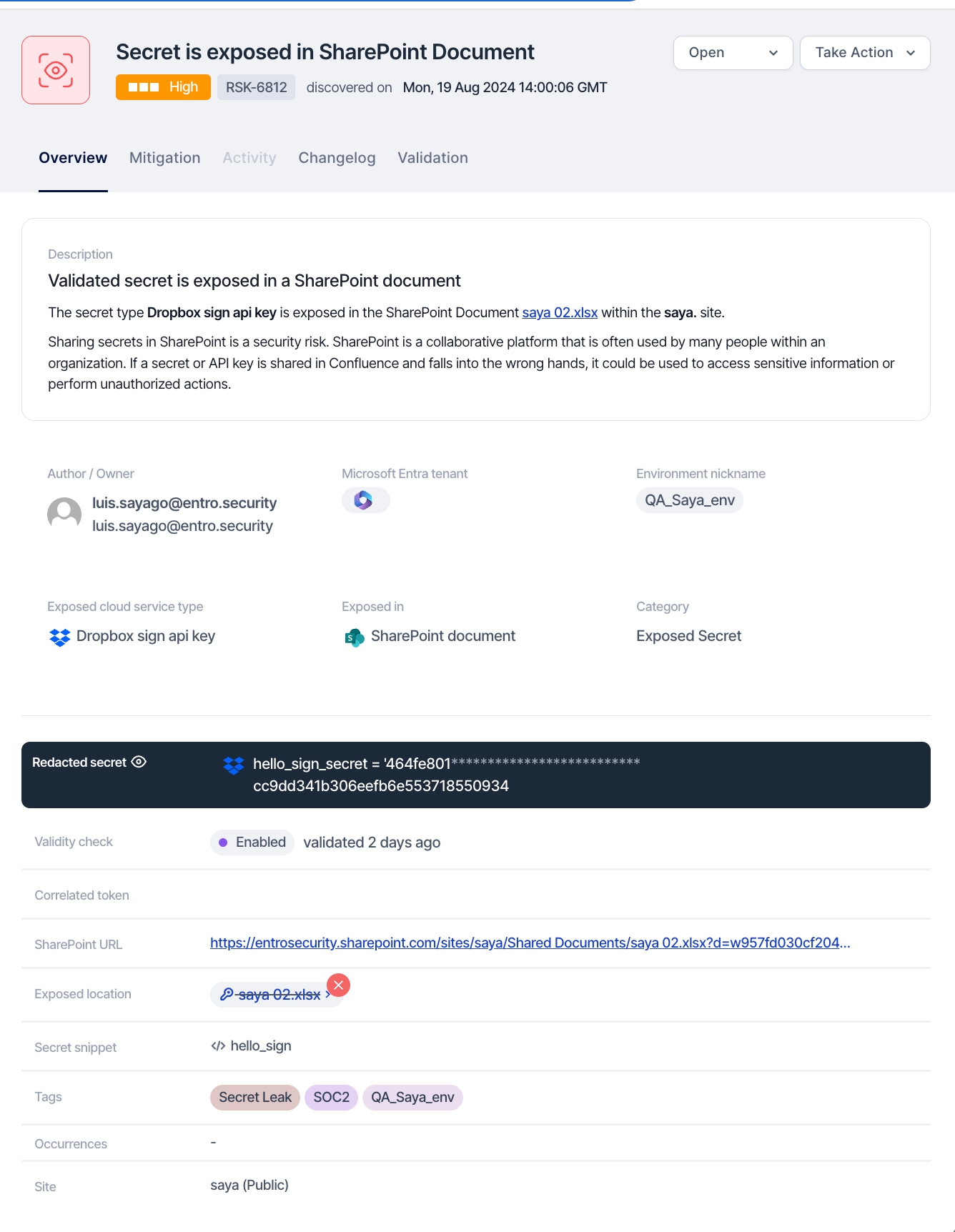
Step 1: Locate the Exposed Token with SailPoint Entro Platform

Use the link provided by SailPoint Entro to navigate directly to the SharePoint site, document library, or page where the token was exposed.
Step 2: Revoke and Remove the Exposed Secret
To remediate the issue, apply the RIGOR workflow:
-
Redact Sensitive Information: Edit the affected SharePoint document, page, or configuration to remove the exposed token.
-
Inform the Sharepoint content owner about the token exposure so that the practice is not repeated.
-
Generate a new token if required, and ensure secure storage.
-
Organize and take notes throughout this process as they will be necessary for a future root cause analysis, response plans, etc...
-
Revoke exposed identity: Generate a new token if it is still required, and ensure it is securely vaulted, avoiding direct exposure in documents, lists, scripts, or any SharePoint configurations. Immediately revoke the exposed token using the token's issuing service, based on the token type provided by SailPoint Entro. Refer to Key Rotation Best Practices.
Step 3: Remove exposed tokens from page history
It is also important to delete the previous version(s) of the content from Sharepoint. This way the compromised identity cannot be easily recovered by bad actors who are able to gain access to Sharepoint.
Step 4: Audit and Review
Review SharePoint’s audit logs and site activity reports to check for any unauthorized access or actions involving the exposed token. Once risk of exposure has subsided, identify key stakeholders to inform and ultimately improve workflows, so the practice is not repeated.
Step 5: Monitor
Set up monitoring and alerts within SharePoint or using external monitoring tools to trigger notifications for any unusual activities related to sensitive data access.