OCI Onboarding
This section describes how to connect Oracle Cloud Infrastructure to SailPoint Entro using an IAM user and read-only access policies.
Navigation Path
Management → Accounts & Integrations → Add New Account (top right) → Oracle Cloud Infrastructure
Prerequisites
Before starting, ensure you have:
-
An OCI account with permissions to create IAM Users, Groups, and Policies.
-
The OCI home region name (e.g.,
us-ashburn-1).
-
Create IAM User and Group
-
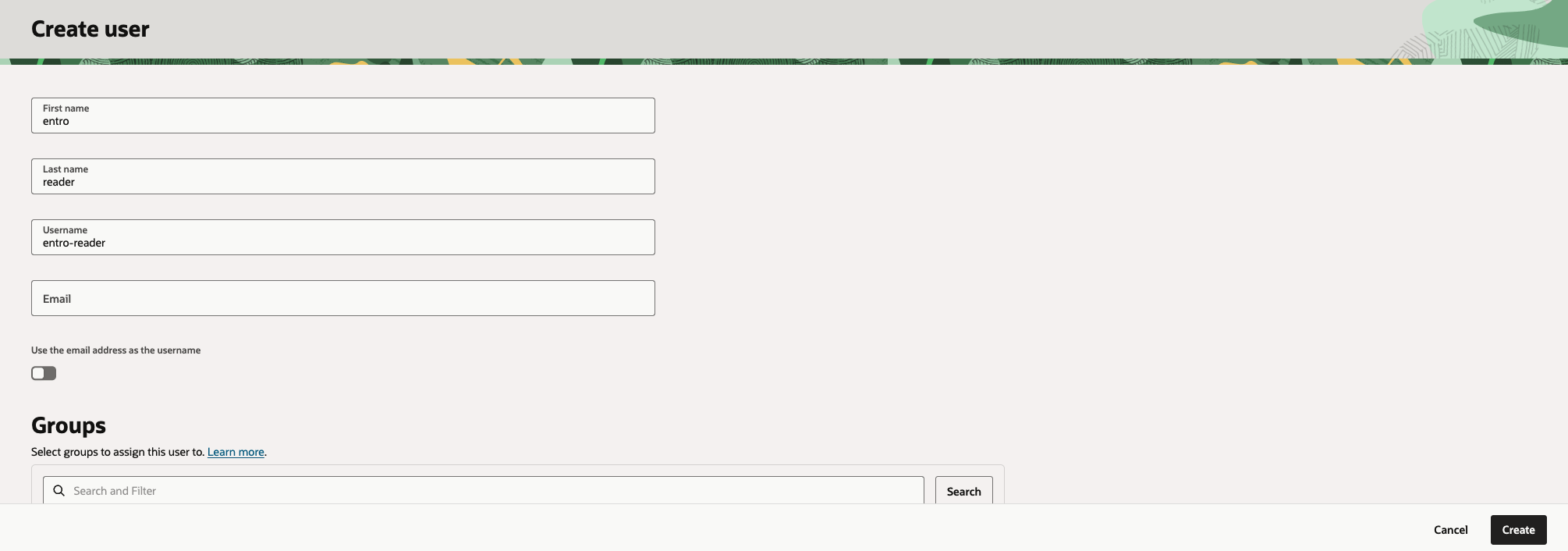
Create User: In the OCI Console, navigate to Identity & Security → Domains → User Management. Create a user named
entro-reader.-
First Name:
entro -
Last Name:
reader -
Uncheck the Use the email address as the username
-
Username:
entro-reader -
Click on Create
-
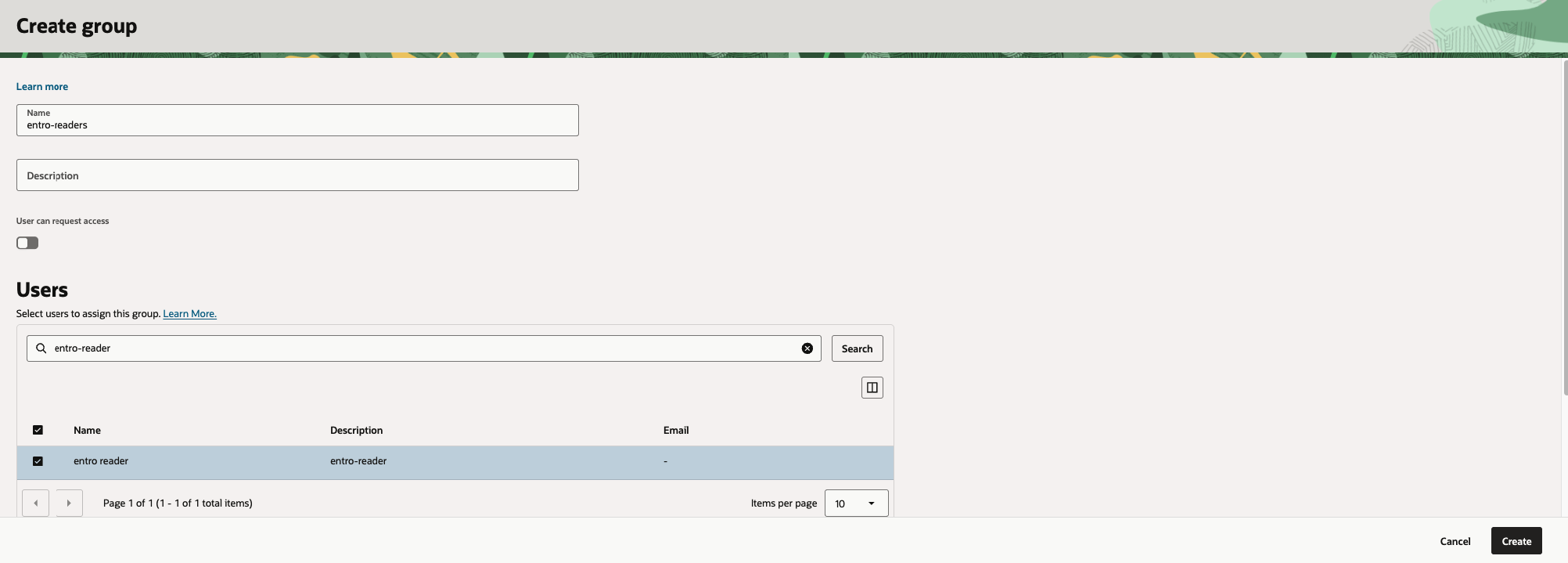
- Create Group: Navigate to Identity & Security → Domains → User Management. Create a group named
entro-readersand add theentro-readeruser to it.
-
-
Configure IAM Policies
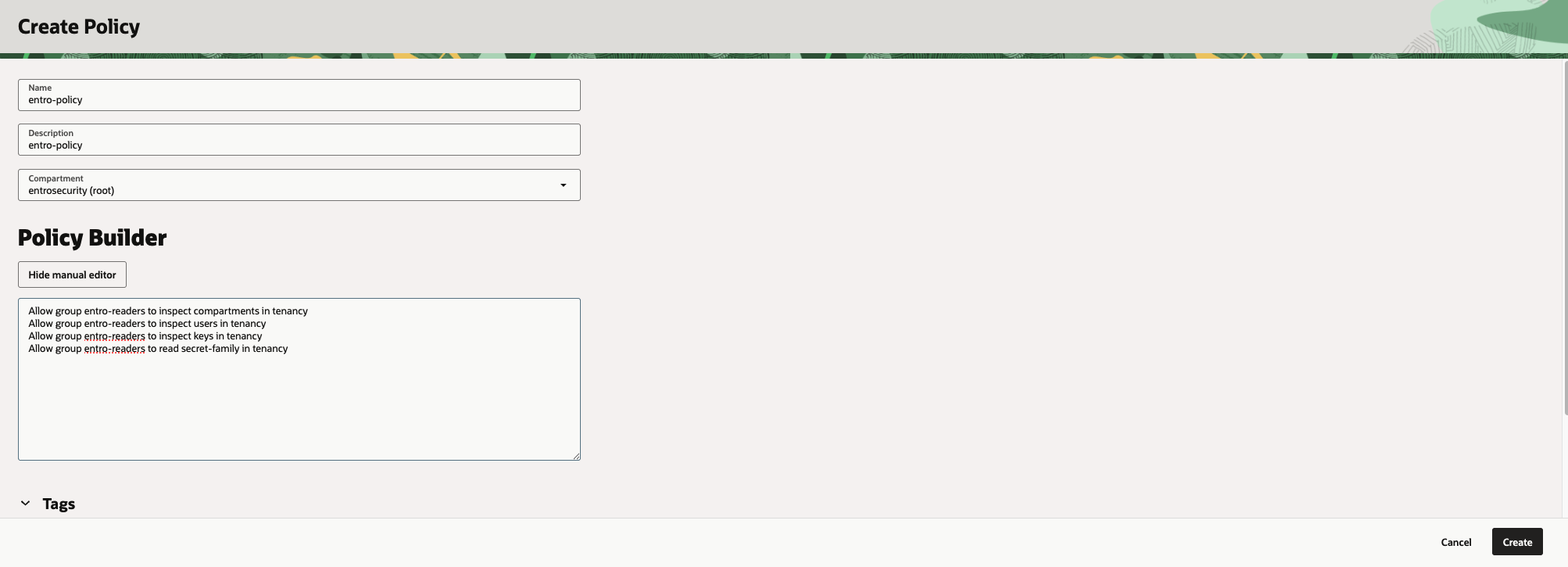
Navigate to Identity & Security → Policies and create a new policy.
-
Give name and description to the policy.
-
Click on Show manual editor and paste the below statements.
Allow group entro-readers to inspect compartments in tenancy Allow group entro-readers to inspect users in tenancy Allow group entro-readers to inspect keys in tenancy Allow group entro-readers to inspect vaults in tenancy Allow group entro-readers to read secret-family in tenancy- Note to enter the group name, created in step 2, at the right place in the statements.
-
-
Generate API Signing Key
-
Go to the User Management page and click on
entro-readeruser. -
Under API Keys → Add API Key.
-
Choose Generate API Key Pair.
-
Download Private Key: Save the
.pemfile securely. This is the only time it is available for download. -
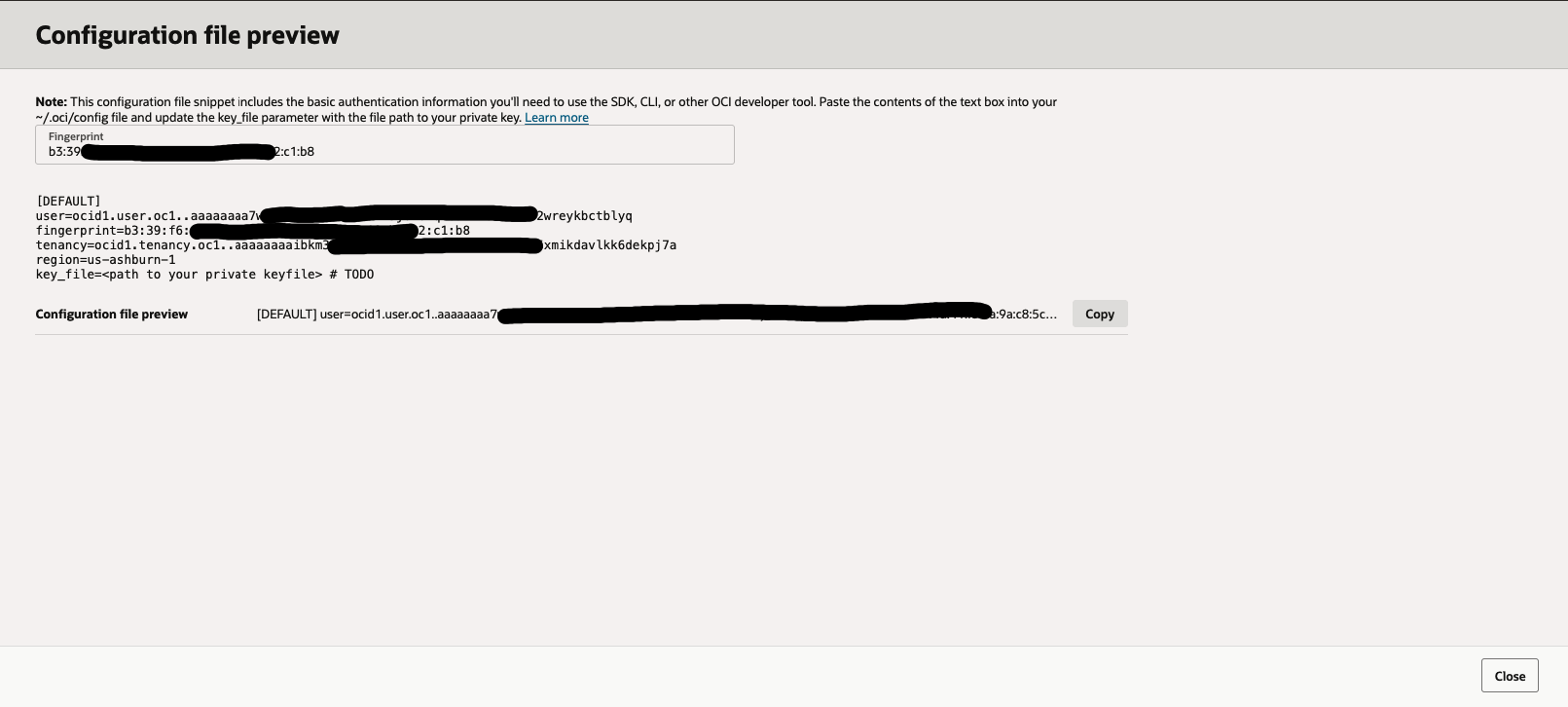
Click Add. Copy the configuration preview values (Tenancy OCID, User OCID, Fingerprint, and Region).
-
-
Connect to SailPoint Entro
-
Navigate: Management → Accounts & Integrations → Add New Account (top right) → Oracle Cloud Infrastructure.
-
Fill in the following fields:
-
Environment Nickname: A descriptive name (e.g.,
OCI-PROD). -
Tenancy OCID: Your OCI Tenancy identifier.
-
User OCID: The OCID of the
entro-readeruser. -
Domain OCID (Optional): The domain OCID where the user and group created on. Can be retrieved from the Domains inventory (Identity & Security → Domains).
-
Region: Your OCI home region.
-
API Key Fingerprint: The API Key fingerprint from step 3.
-
Private Key (PEM): Paste the full content of the downloaded
.pemfile or upload the file. -
Worker Group (Connector): Select the appropriate Worker Group handling Vault scans.
-
-
Click Create Account.
-