Organization Configuration
The Organization Configuration section allows administrators to customize baseline and detection settings in SailPoint Entro to better align with their organization’s environment. These configurations enhance the precision of detections, reduce unnecessary alerts, and ensure monitoring reflects your organization’s activity patterns. Through settings such as Geo-Locations Baseline, Organization IP Ranges, and User Exclusion from Detections, SailPoint Entro continuously learns and adapts to deliver more contextual, accurate, and actionable insights across your connected systems.
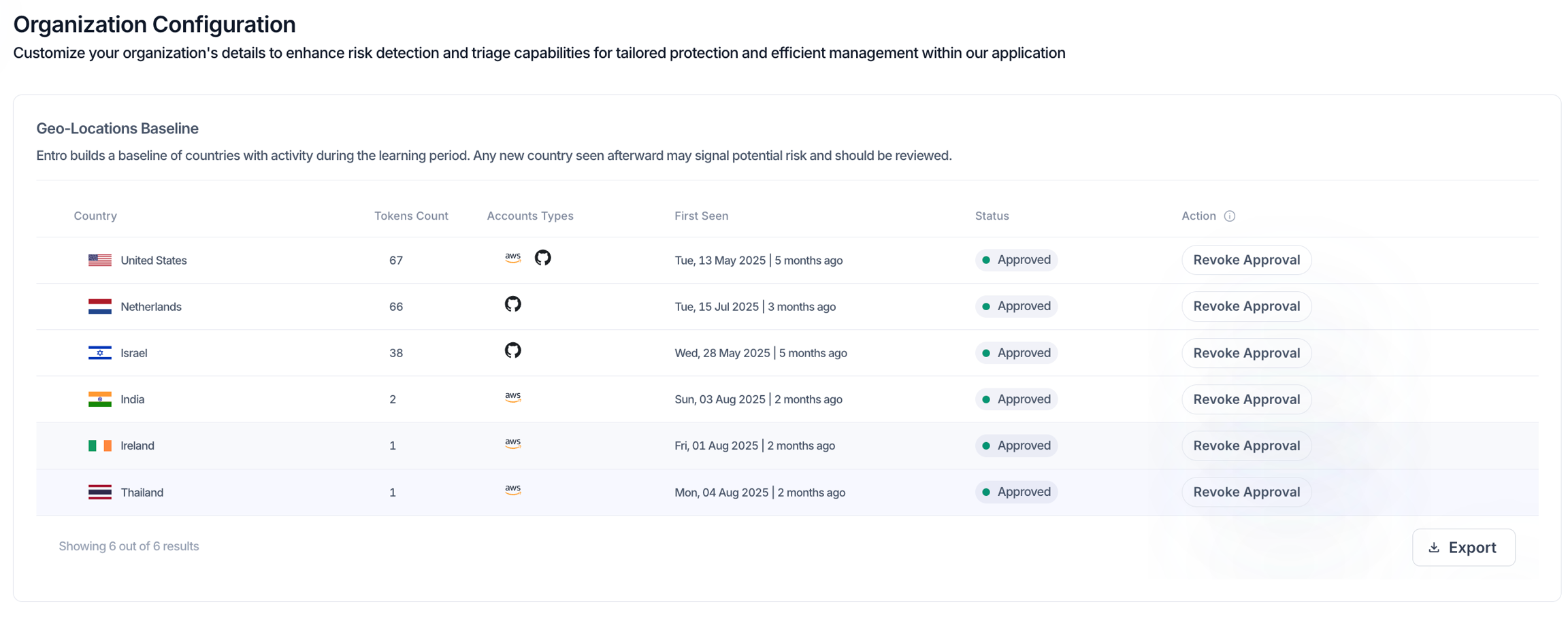
Geo-Locations Baseline
SailPoint Entro automatically builds a baseline of countries where your organization’s accounts and tokens are active. Any new country detected after the initial learning period may indicate unfamiliar or potentially risky activity.
The baseline view displays each country’s token count, account types, and first-seen date, allowing administrators to review and approve trusted regions. If unexpected geographic activity appears, it will be flagged for further investigation.
Organization IP Ranges
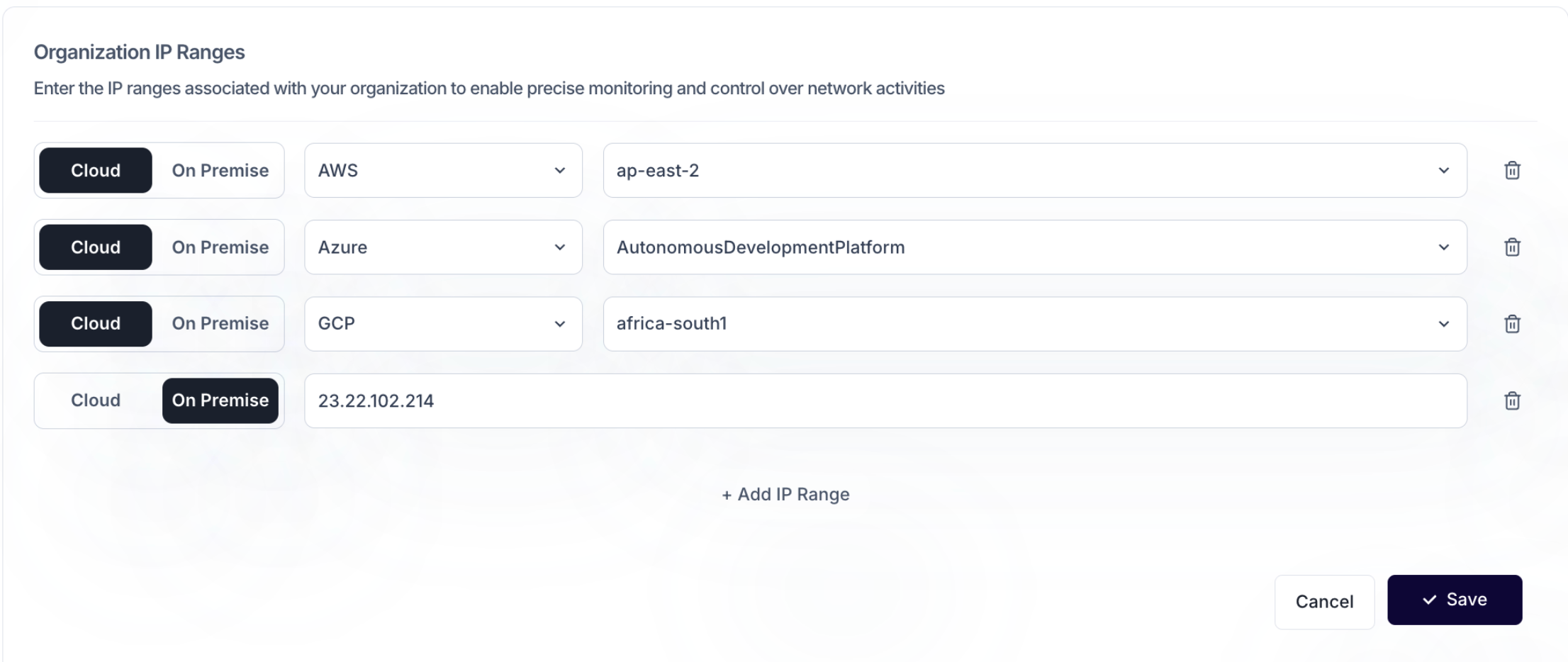
This section defines the IP ranges associated with your organization. By adding your known cloud and on-premise IP addresses, SailPoint Entro establishes a trusted network profile and can more effectively detect anomalies or unauthorized activity.
Administrators can specify IP ranges by provider and region. These entries can be updated at any time as infrastructure changes, ensuring SailPoint Entro continuously reflects your current network perimeter.
User Exclusion from Detections
SailPoint Entro enables administrators to exclude any secret exposures made by specific users. This feature helps prevent expected or non-sensitive exposures—such as those from internal test accounts — from creating unnecessary alerts.
