Okta Onboarding
Open the Okta Onboarding Form in SailPoint Entro
-
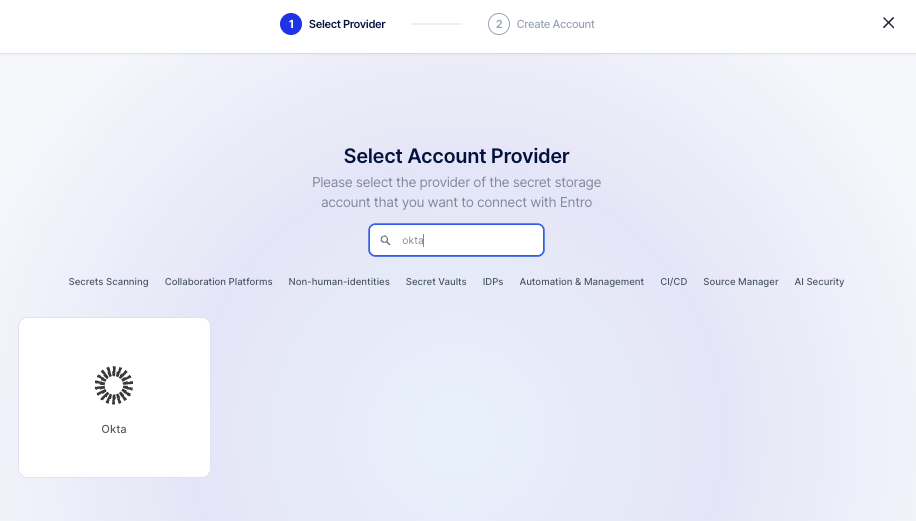
In the SailPoint Entro dashboard, go to Management > Accounts & Integrations > Add New Account (top right) > Okta.
-
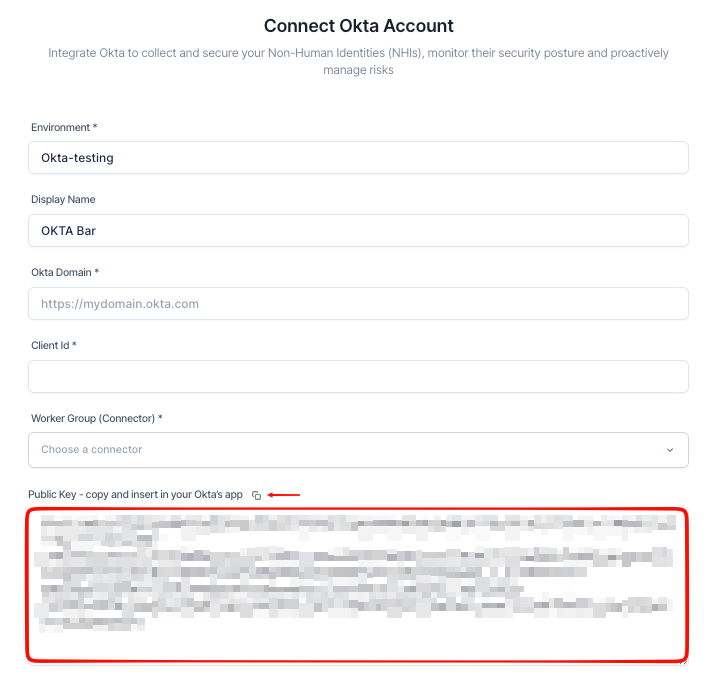
Scroll to the bottom of the form and copy the Public Key - you will need it in Step 4.
-
Keep this tab open throughout the process.
Sign in to Okta and Access the Admin Console
-
Sign in to your Okta account.
-
Note your Okta domain (for example
https://<domainName\>.okta.com) - you will need it later. -
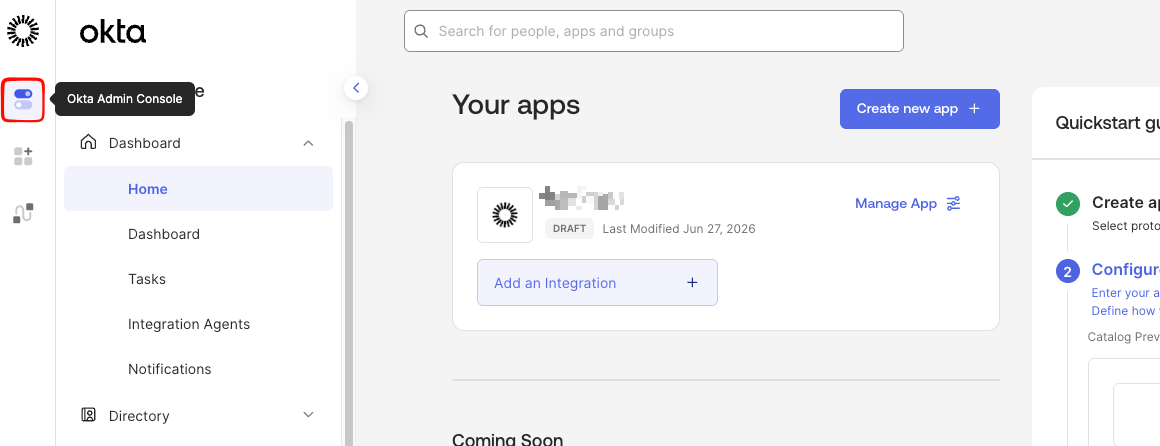
Go to the Okta Admin Console.
Create a New API Service App
-
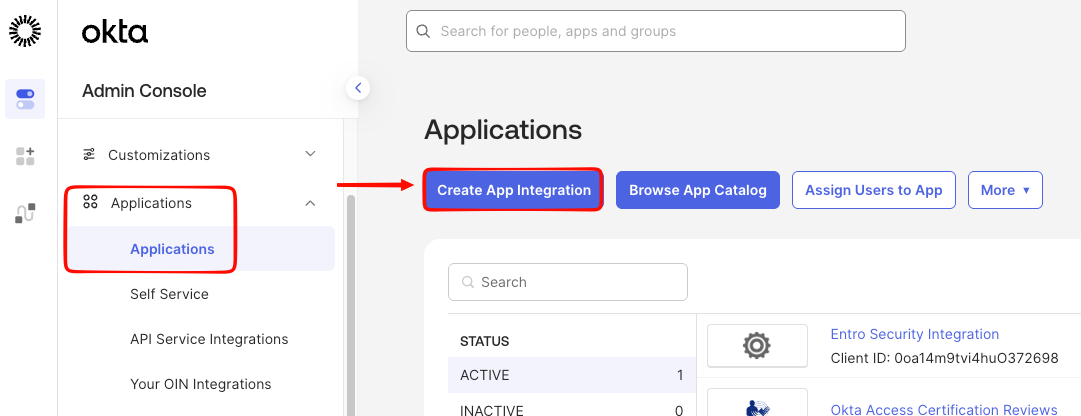
Go to Applications > Applications > Create App Integration.
-
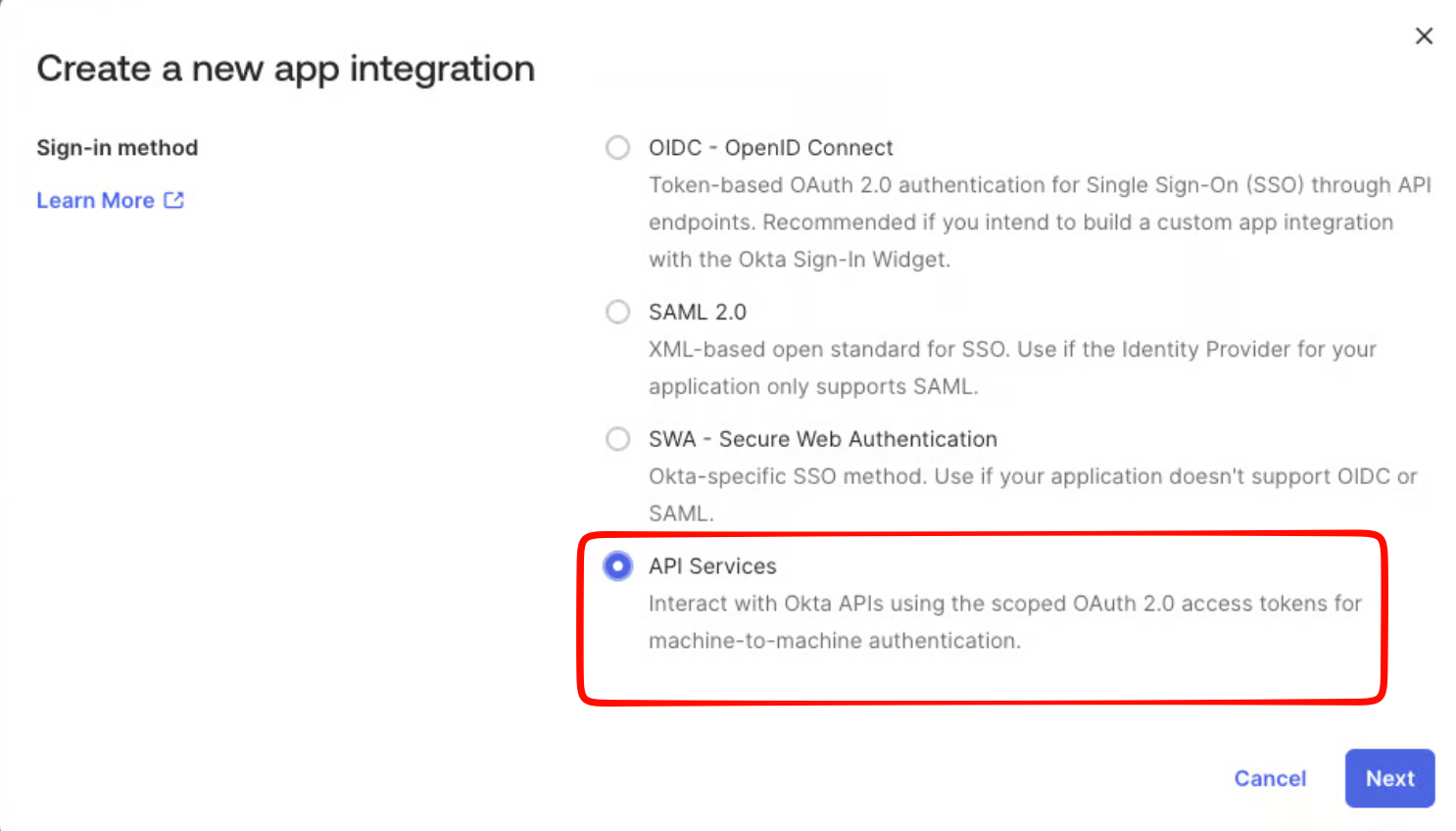
Select API Services, then select Next.
-
Enter a name for the app (for example
Entro Security Integration) and select Save.
Configure Client Credentials
-
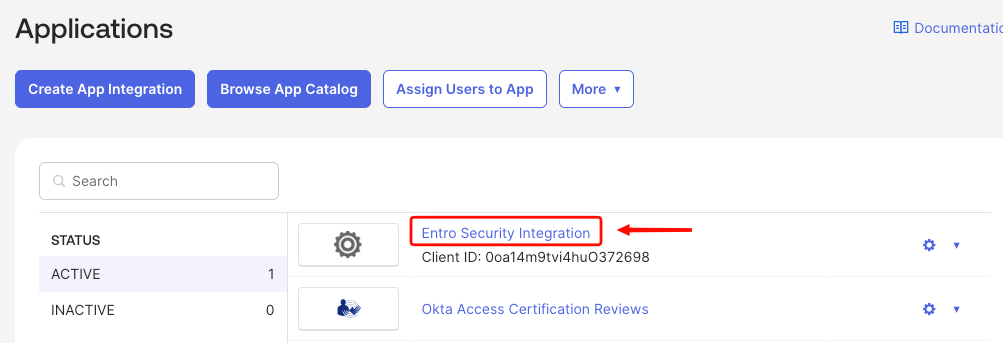
Select the new application you created to get to the General tab.
-
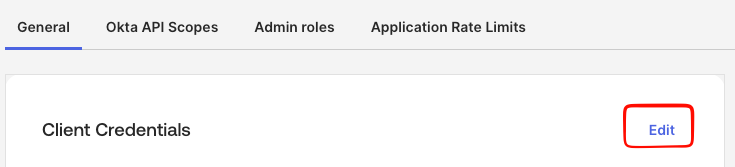
Select Edit under Client Credentials.
-
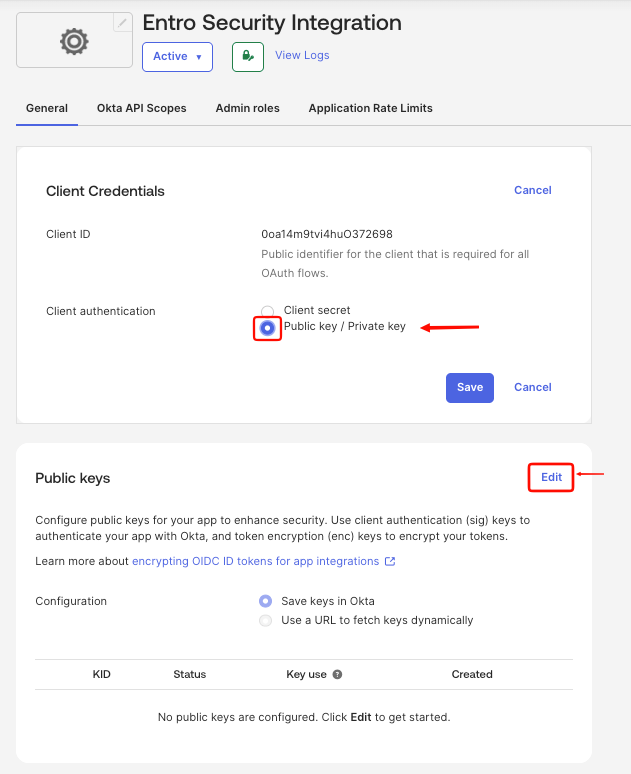
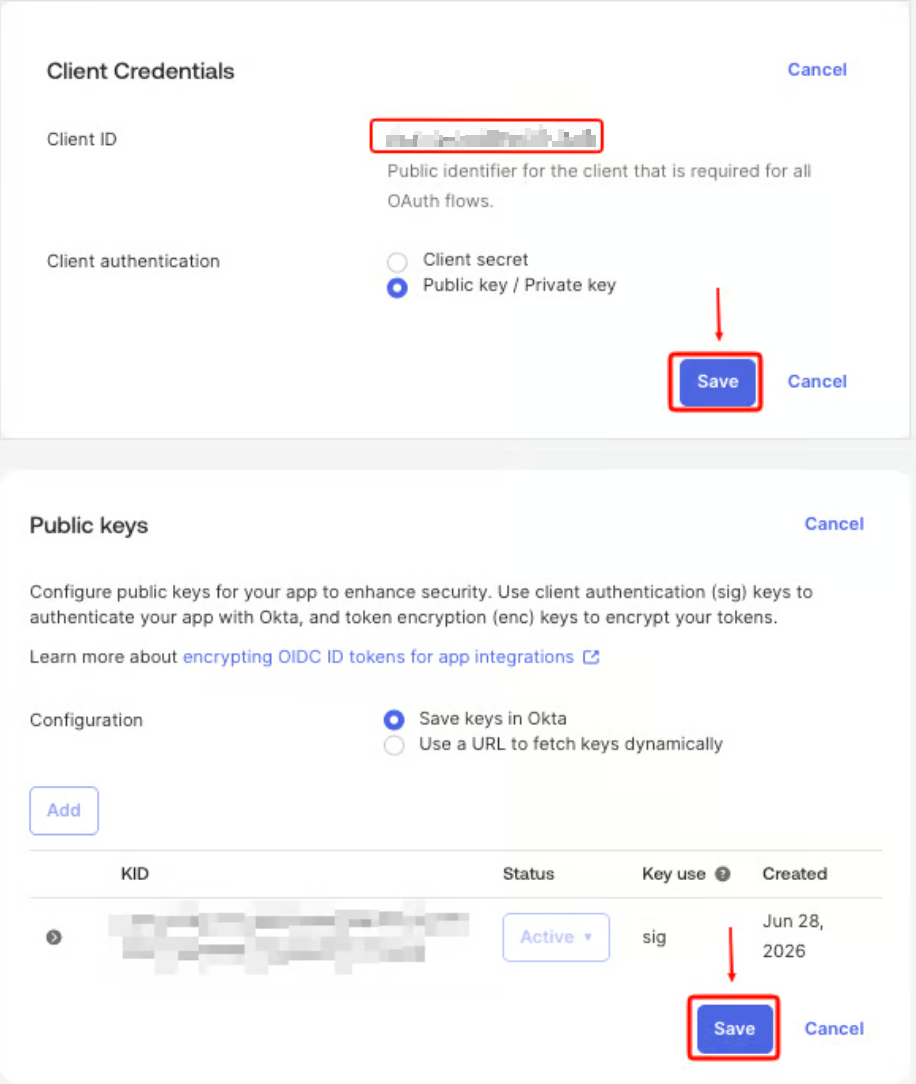
Set Client Authentication to Public key / Private key, and select Edit under Public keys.
-
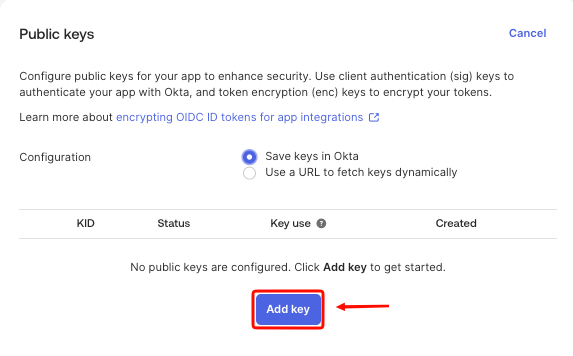
Select Add key when it appears (after Edit).
-
Switch back to the SailPoint Entro onboarding form and copy the Public Key.
-
Paste the key into Okta and select Done, then Save.
-
Copy the Client ID shown on the app's General tab - you will need it in the final step.
Adjust App Settings
-
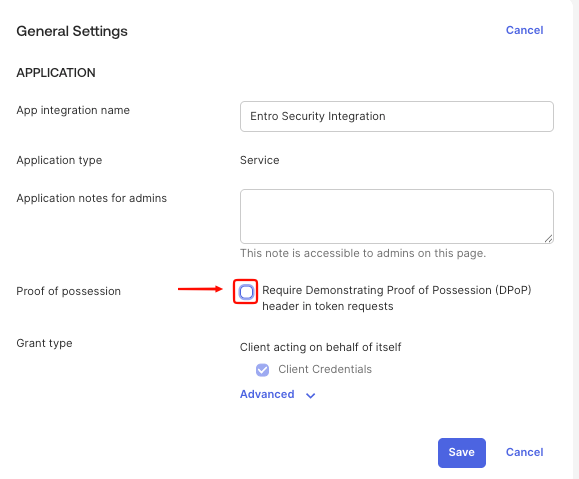
Still on the General tab of the app, select Edit under General Settings.
-
Uncheck "Require Demonstrating Proof of Possession (DPoP) header in token requests".
-
Select Save.
Grant Required API Scopes
-
Go to the Okta API Scopes tab.
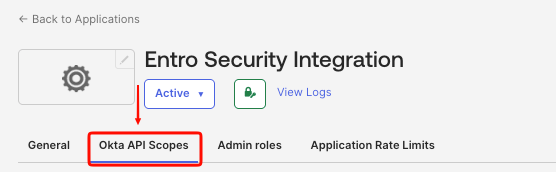
-
Find and grant the following scopes:
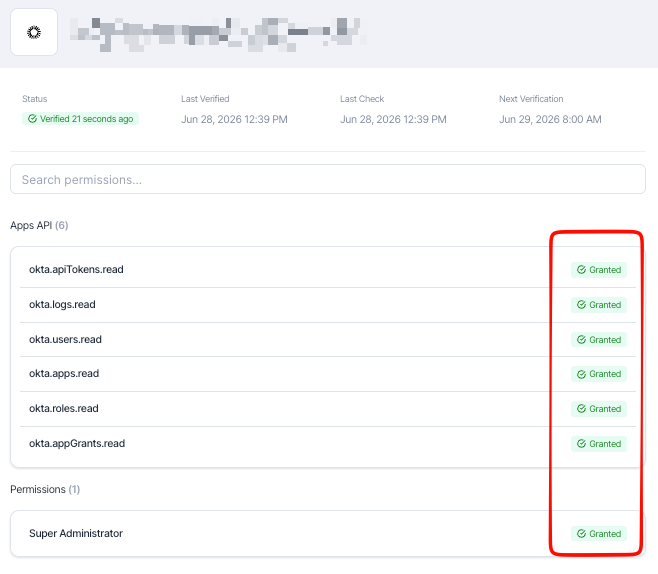
Scope Purpose okta.apps.readRead application metadata okta.appGrants.readRead API grant permissions per app okta.roles.readList role assignments okta.users.readAccess user and profile data okta.logs.readRetrieve Okta audit logs okta.apiTokens.readAccess API token metadata 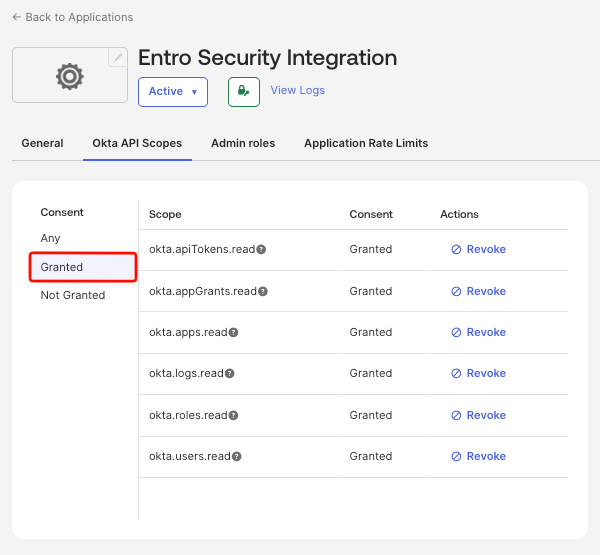
Assign Admin Role
-
Go to the Admin Roles tab and select Edit Assignment.
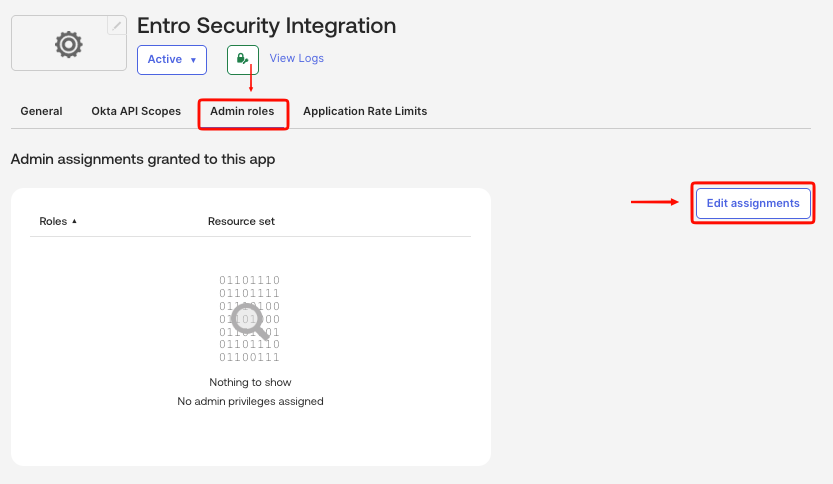
-
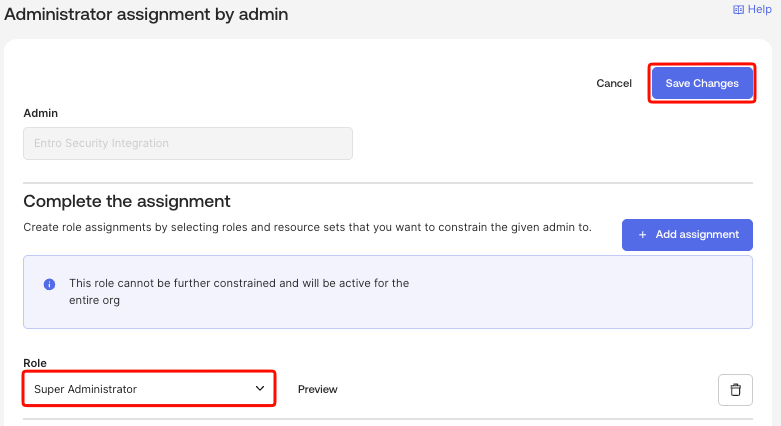
Select Super Administrator and select Save Changes.
Super Administrator is required for full NHI visibility, including API grant permissions per Okta app. If your organization cannot grant Super Administrator, refer to Okta Custom SailPoint Entro Role for a least-privilege alternative - note that this will result in partial visibility.
Configure Integration in SailPoint Entro
-
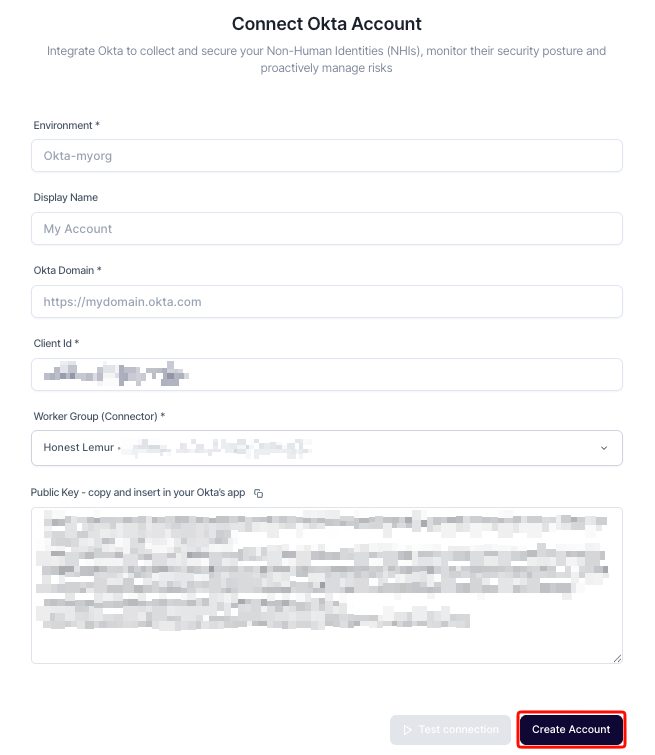
Return to the SailPoint Entro onboarding form and fill in the following fields:
Field Value Environment A unique identifier for this connection (for example Okta-myorg)Display Name A human-readable name (for example My Account)Okta Domain Your Okta domain (for example https://mydomain.okta.com)Client Id The Client ID copied in Step 4 Worker Group (Connector) Select the appropriate SailPoint Entro connector -
Select Create Account.
Verification
Once connected, the integration status displays Verified. Go to NHI Inventory and filter by Okta to review discovered applications, credentials, and user data.