SailPoint - Identity Security Cloud
SailPoint Entro allows you to manage your users' identities available on our platform using SailPoint Identity Security Cloud.
To ingest data into your SailPoint account you will need to utilize the Identity Security Cloud endpoint which SailPoint Entro exposes at https://api.entro.security/v1/identity-now/nhi.
The endpoint accepts the following parameters in its query -
-
accountType - Available values : GITHUB, AWS, AZURE, GCP, OKTA
- Leave empty to retrieve all
-
take - The maximum number of NHIs to return in the response. Can't be over 2000
- Default value : 2000
-
skip - The offset to use for pagination
- Default value : 0
Note
Full and testable OpenAPI format docs are available at https://apidocs.entro.security/
Data will be returned in the following format -
{
  "items": [
    {
      "attributes": {
        "entroUniqueIdentifier": "TKN-4242",
        "nhiName": "data-science-platform-manager",
        "sourceSystem": "AWS",
        "account": "156949362959",
        "accountNickname": "account-nickname",
        "environment": "DEVELOPMENT",
        "token": "AKIARWGDZ7FZHKQZ332",
        "nhiType": "AWS IAM Access Key",
        "nhiStatus": "Active",
        "tags": [
          "aws-bot",
          "lab-test"
        ],
        "createdDate": "2024-03-26T09:58:49.047Z",
        "expirationDate": "2024-06-24T08:58:49.047Z",
        "isActive": true,
        "isAdmin": false,
        "owner": "Eyal Neemany",
        "ownerEmail": "Eyal.Neemany@entro.security",
        "lastActivityDate": null,
        "url": "https://us-east-1.console.aws.amazon.com/iam/home?region=us-east-1#/users/details/data-science-platform-manager?section=permissions",
        "entroTokenUrl": "https://entro.security.com/admin/nhi-tokens-inventory?customFilter=&externalFilters=&tokenGuid=TKN-4242"
      }
    }
  ],
  "hasNext": true,
  "nextSkipOffset": 1,
  "totalCount": 1
}
SailPoint Entro follows the SailPoint onboarding guide available here on SailPoint's website.
You will need to add a new source to your Identity Security Cloud account.
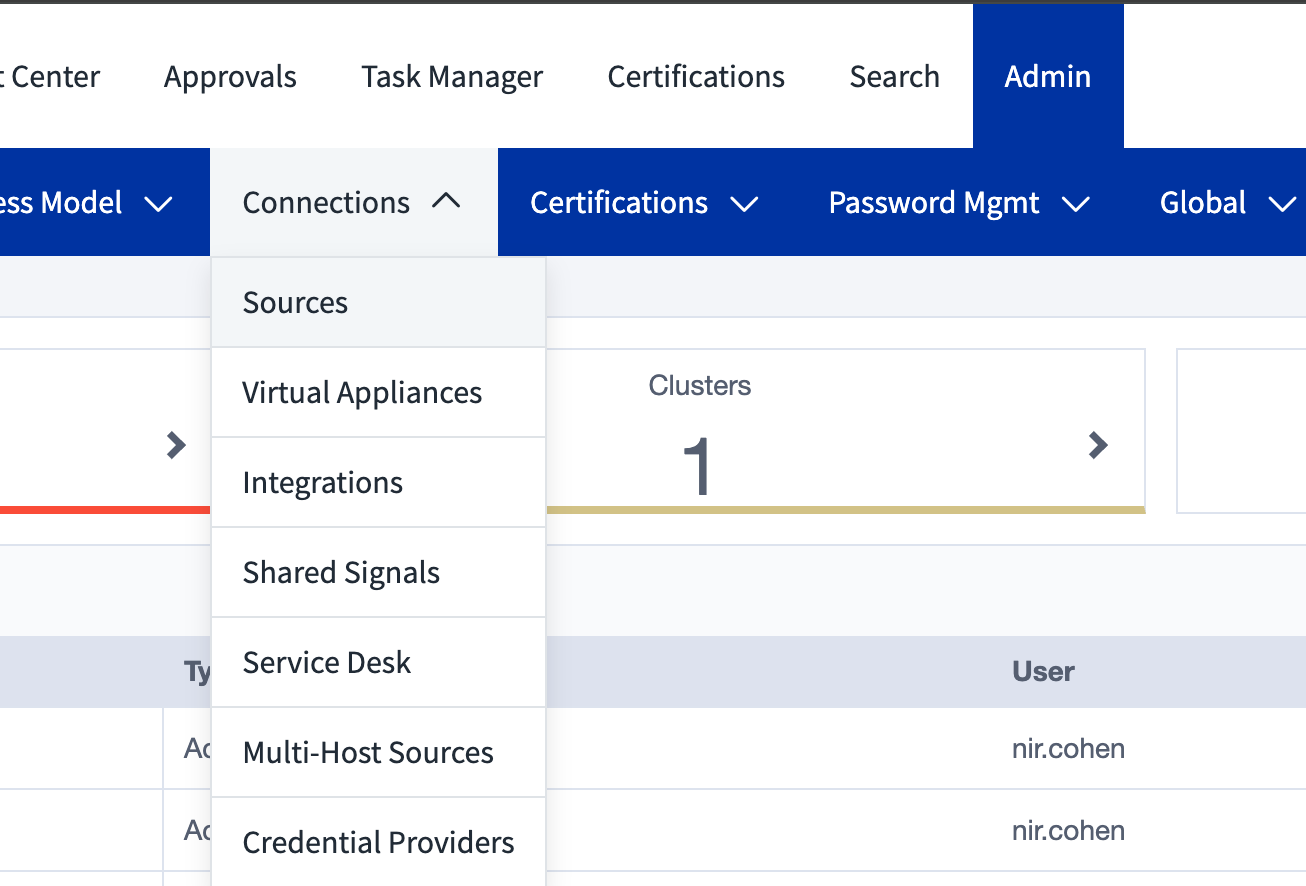
Select a Generic source
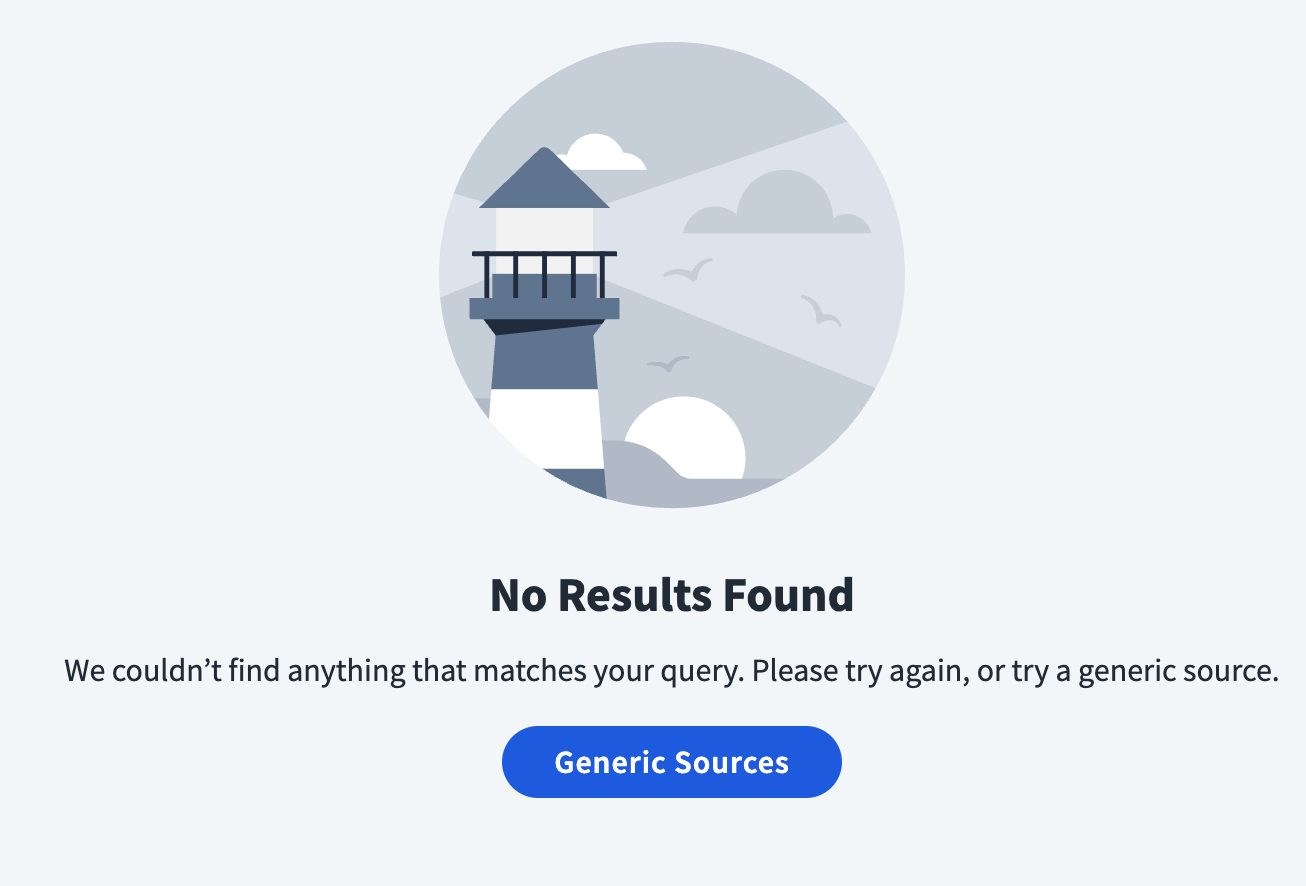
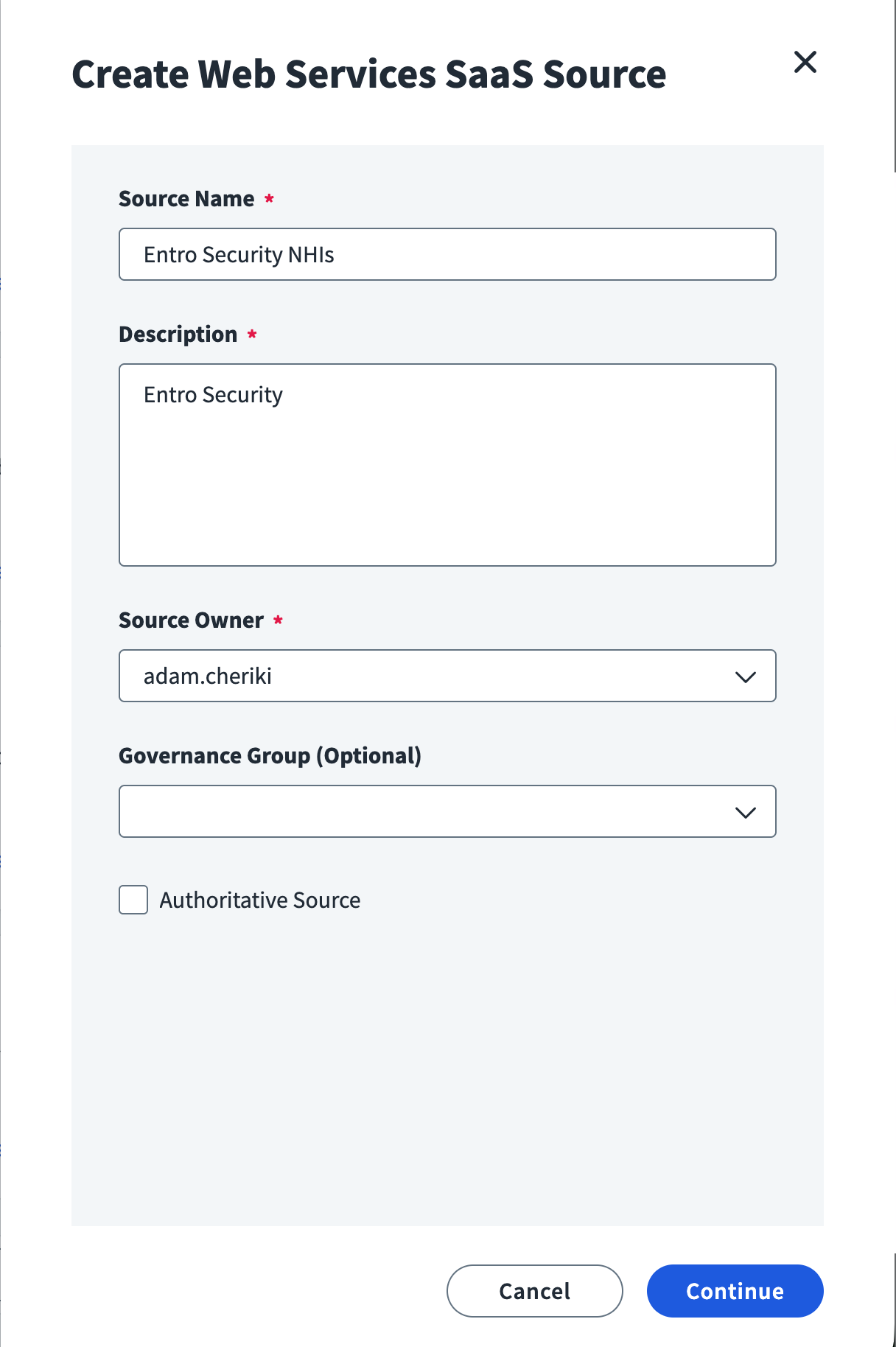
Select "Web Services SaaS"

Assign a name such as below
A new screen should be shown
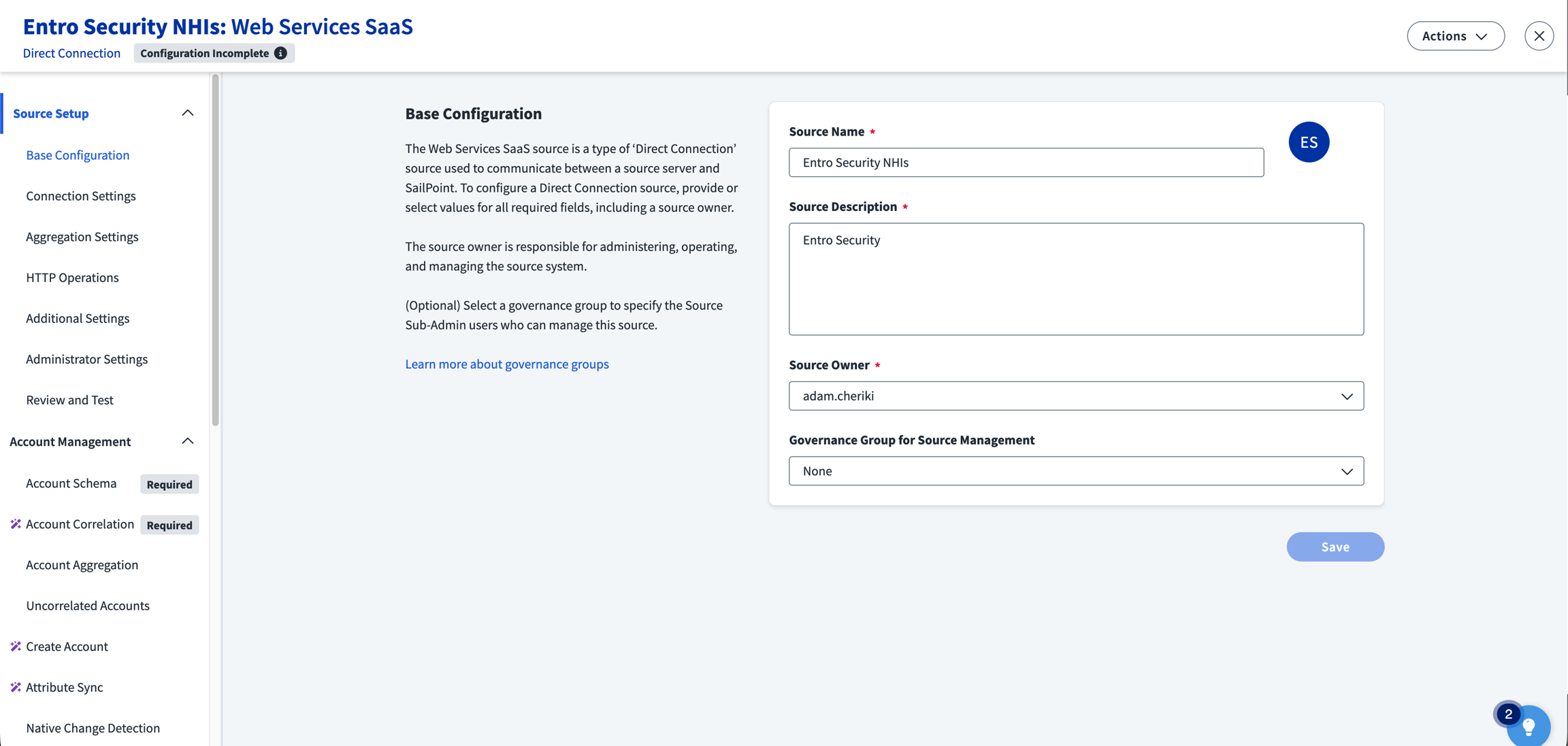
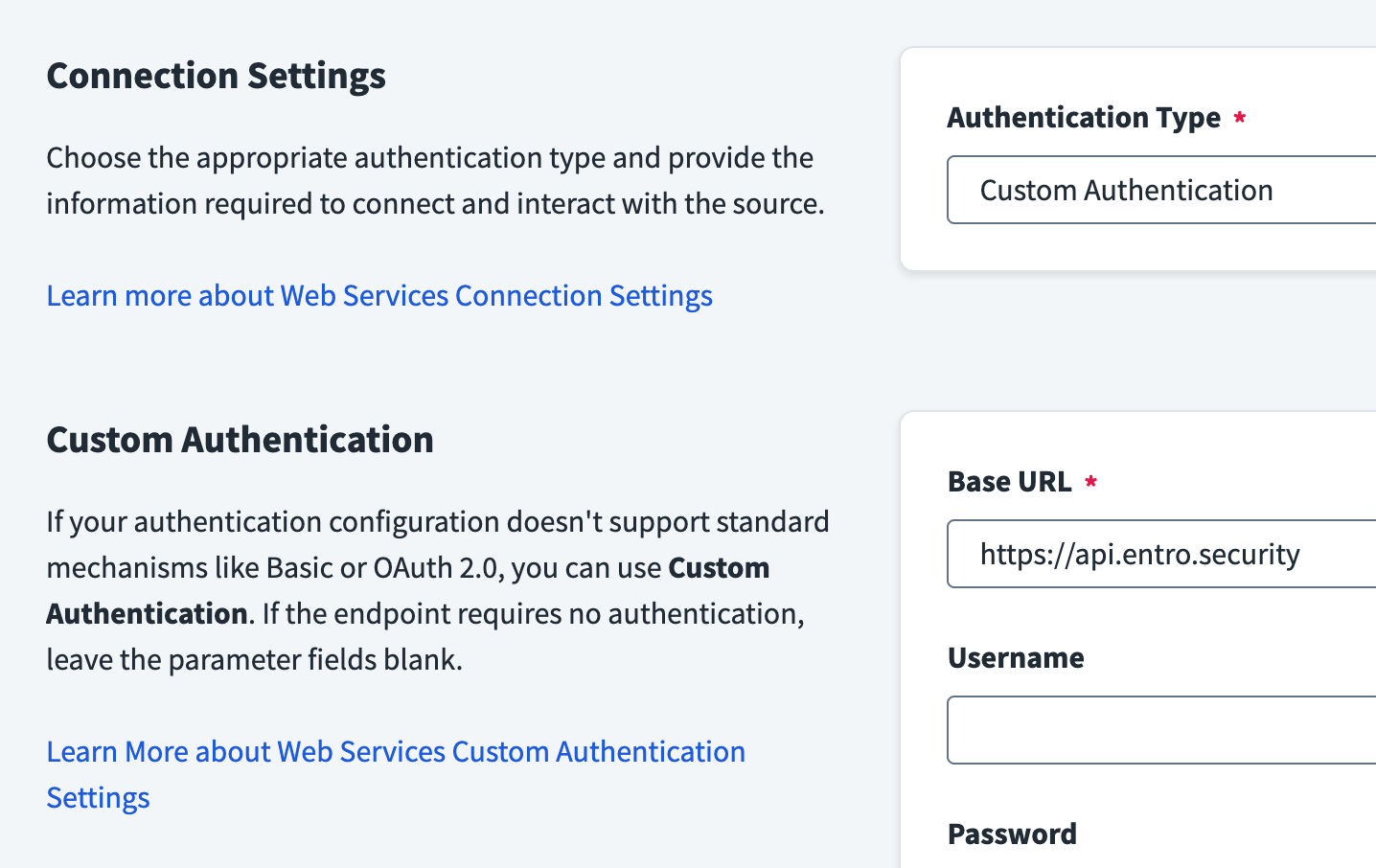
Configure the Base URL to point to SailPoint Entro's API endpoint and set the Authentication Type to "Custom Authentication"
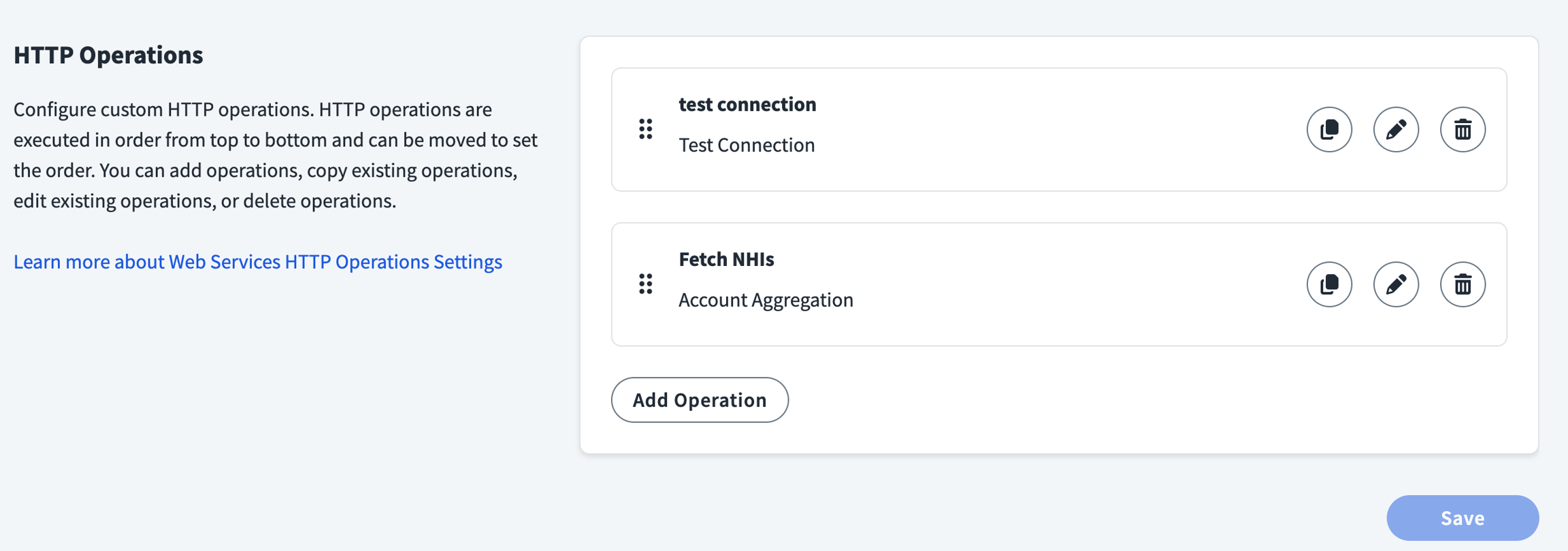
Add an Account Aggregation HTTP operation
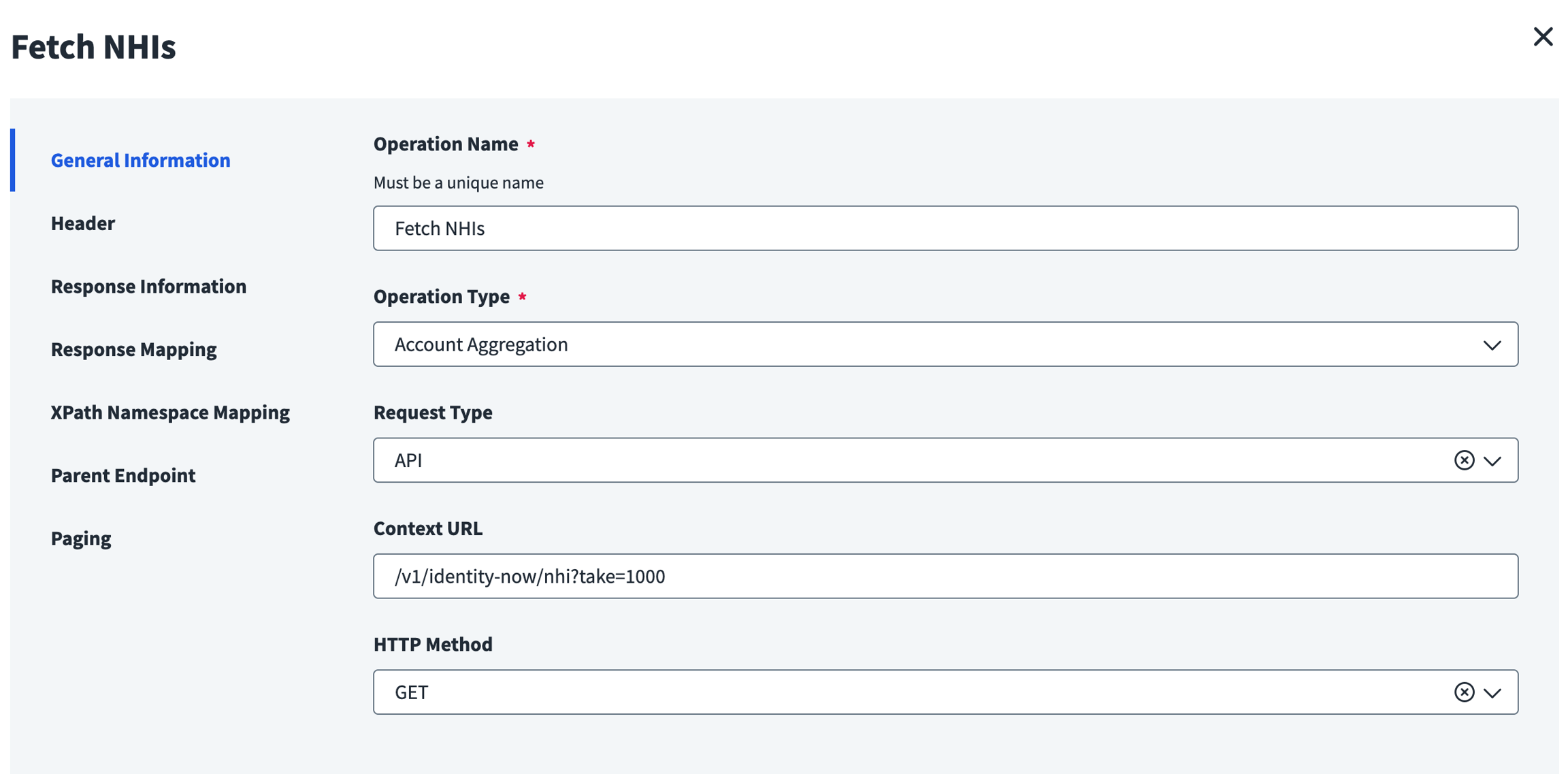
Fill in the information as below
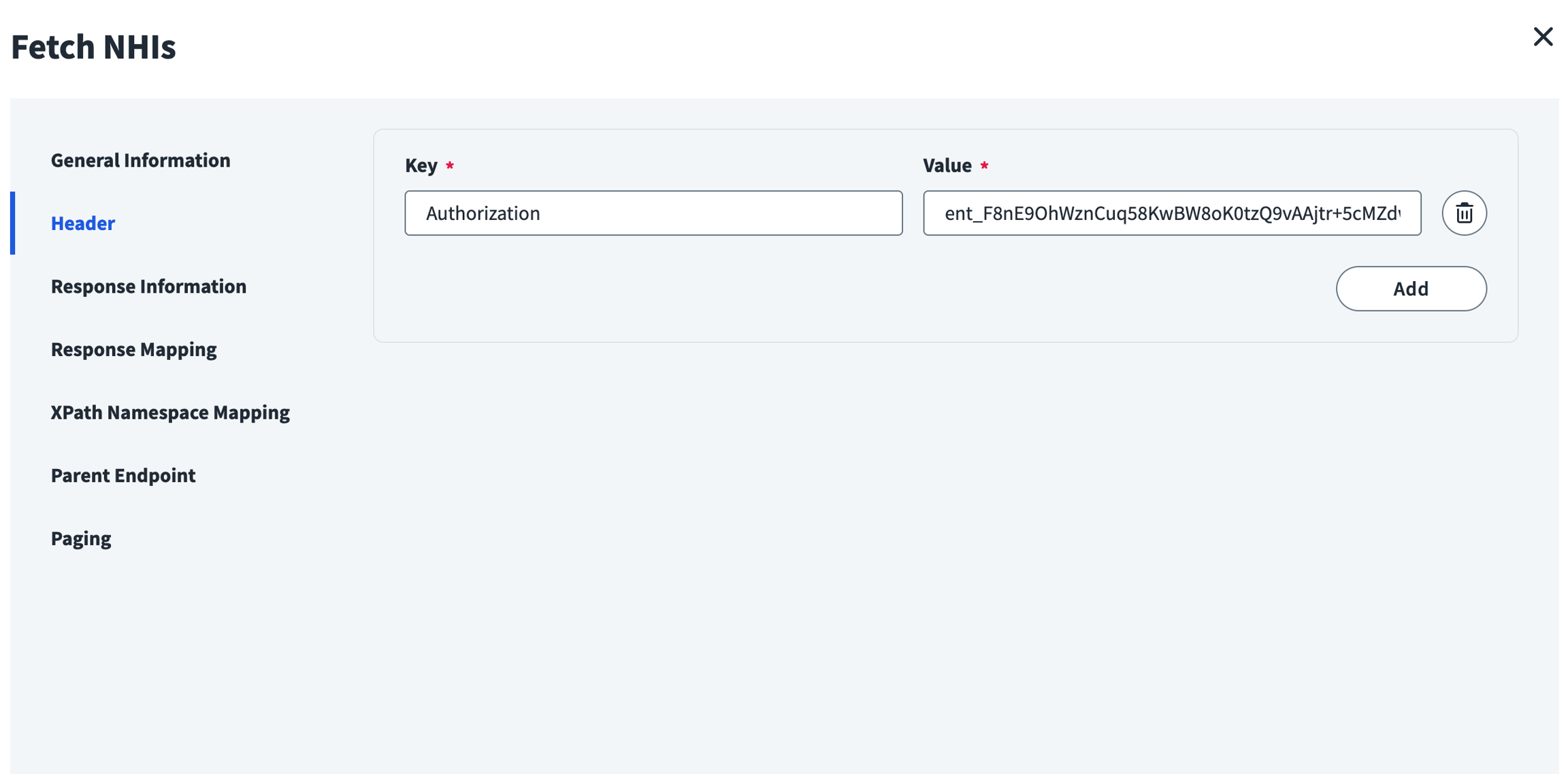
Place your SailPoint Entro API key in the header
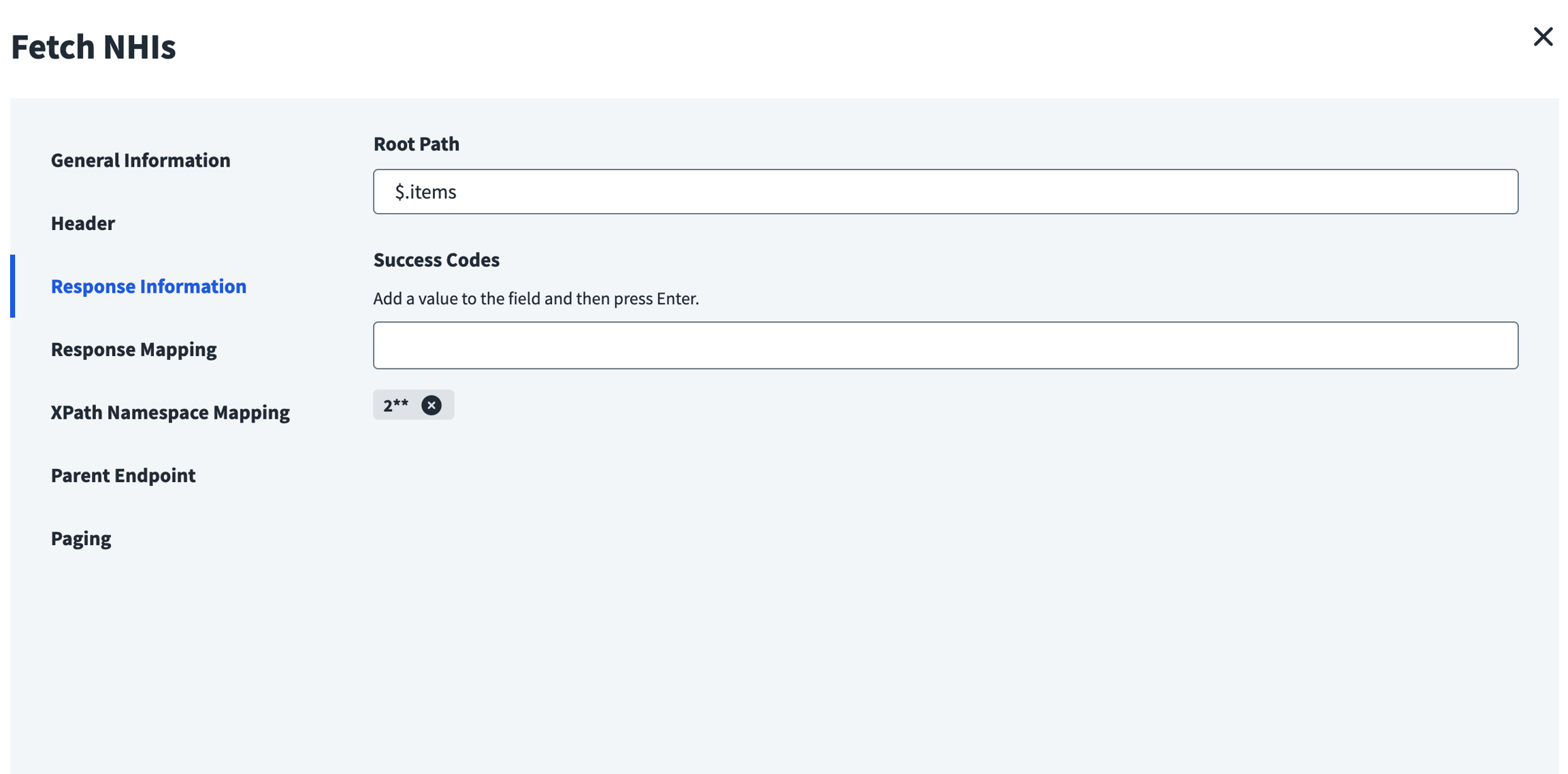
Set the root path accordingly
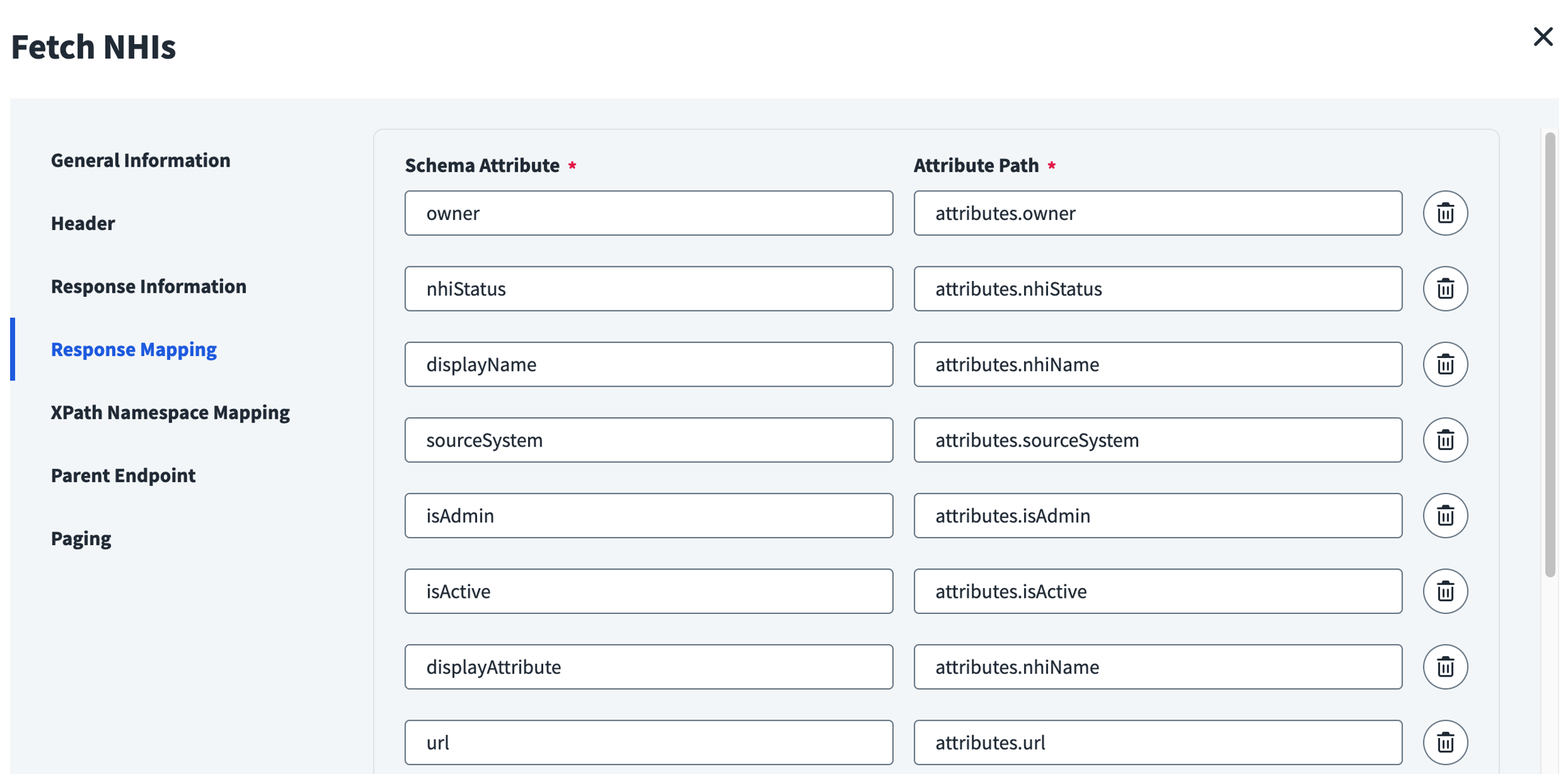
Map according to the desired schema
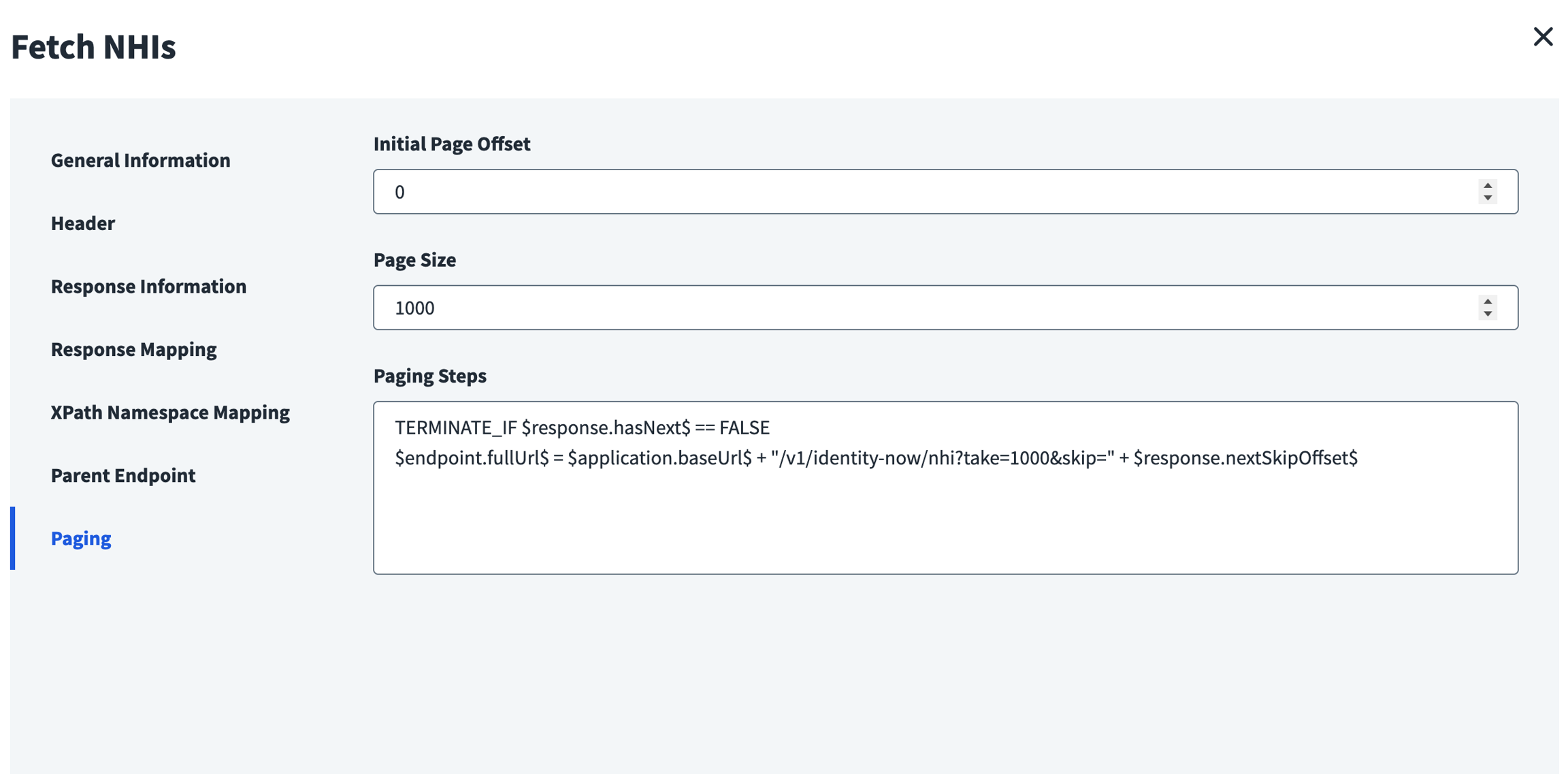
Follow the pagination guideline and page size
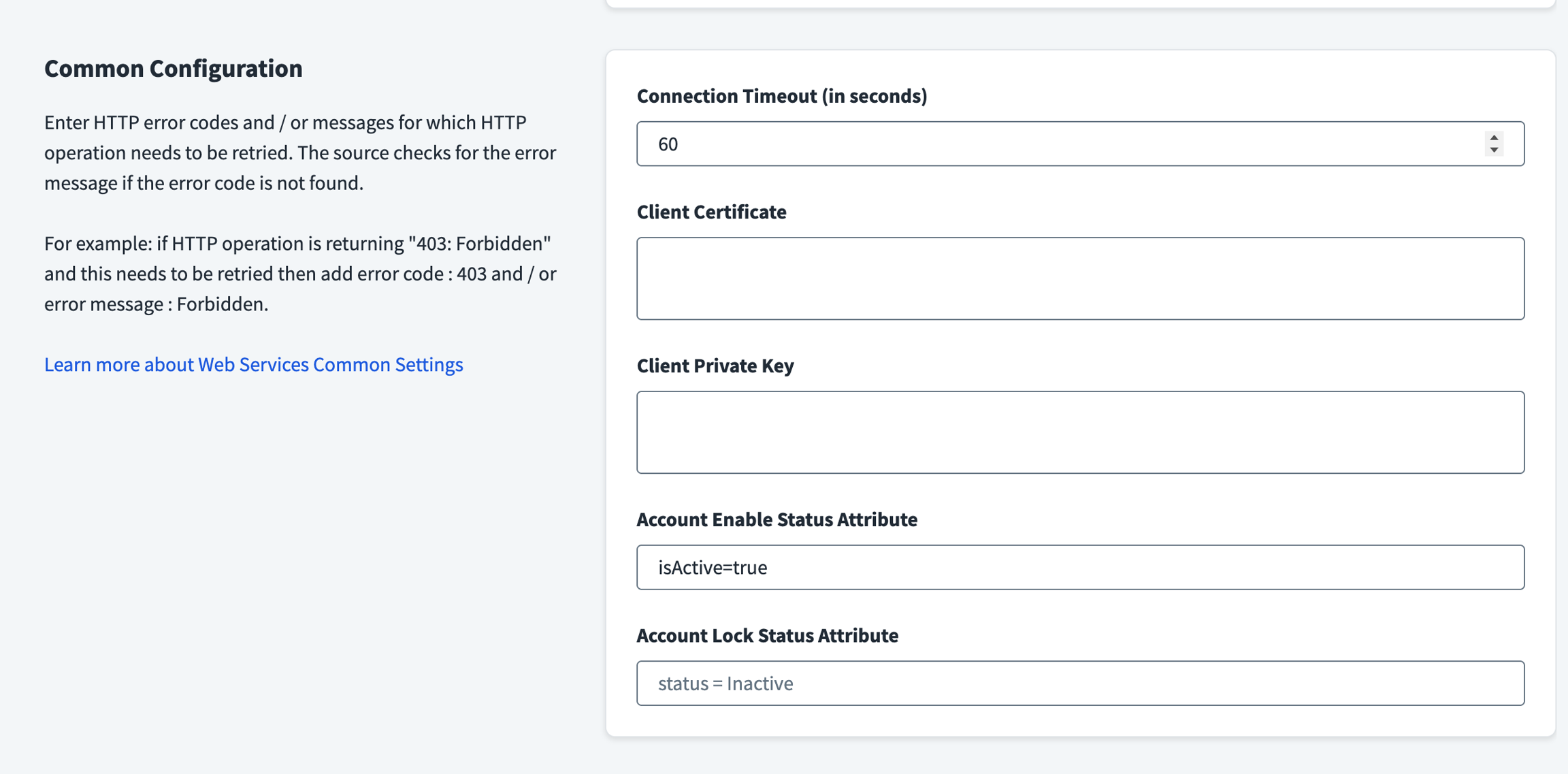
Make sure "Account Enable Status Attribute" follows the isActive SailPoint Entro attribute returned from the API
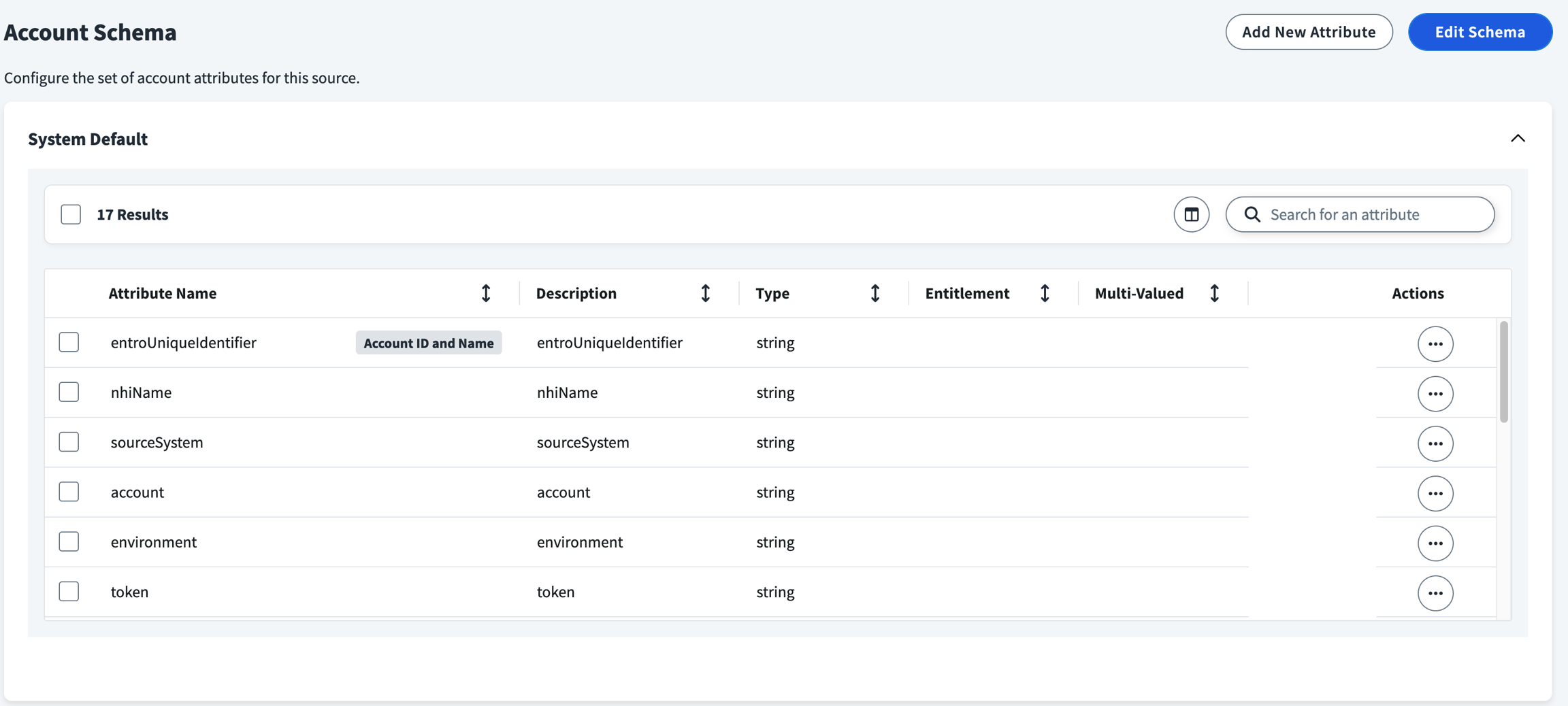
As mentioned, the schema can be configured in the account schema
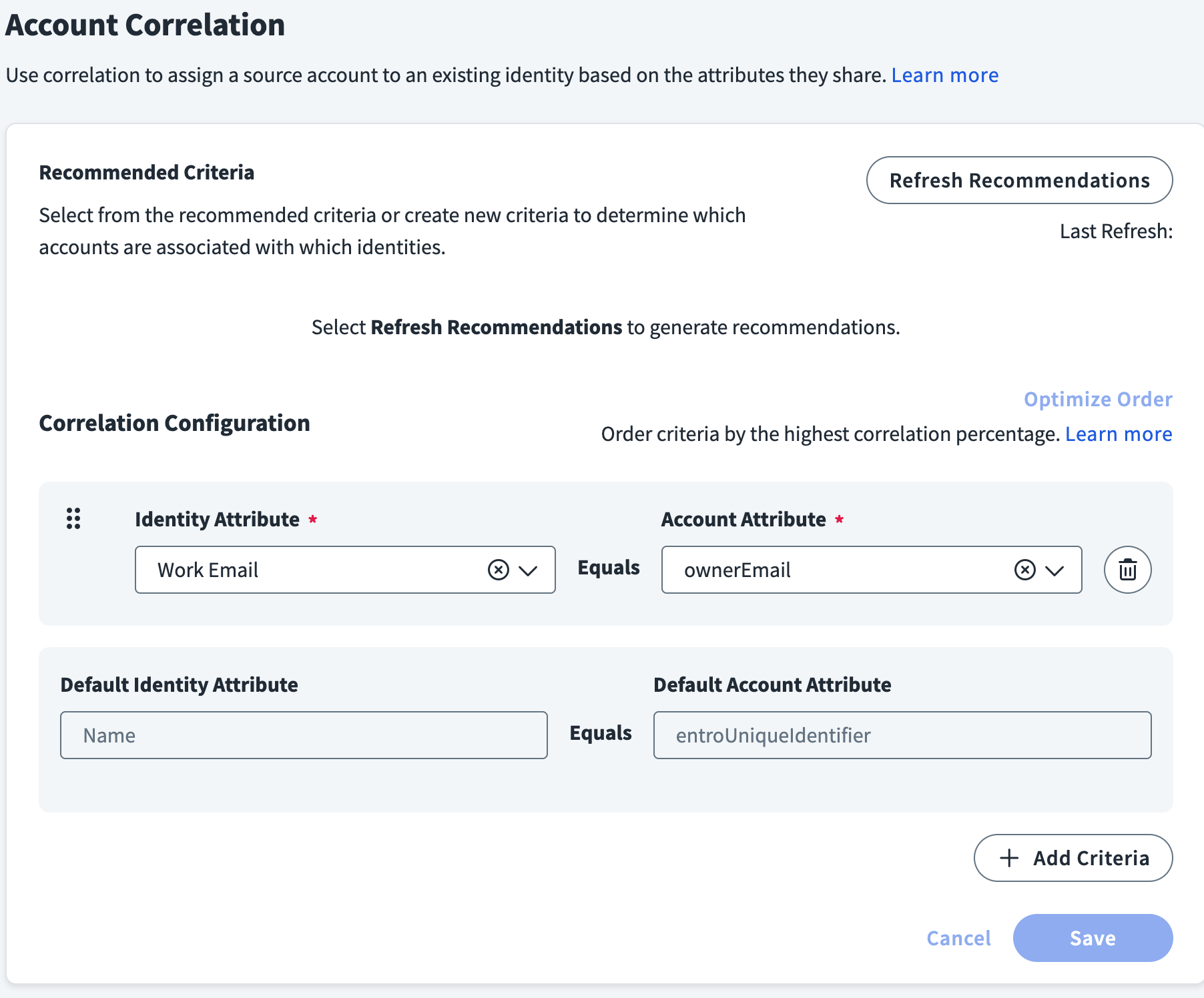
Select your correlation attribute, the ownerEmail is a good attribute to rely on in correlation cases.
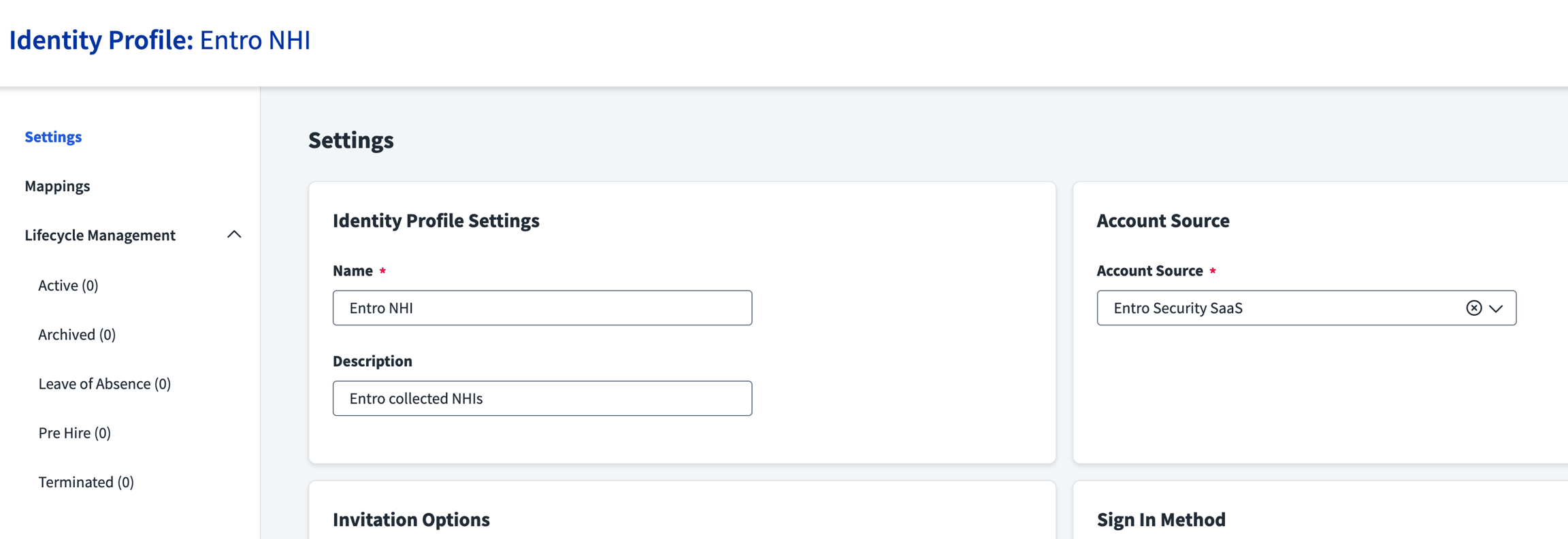
Set up an Identity Profile to tie with the source
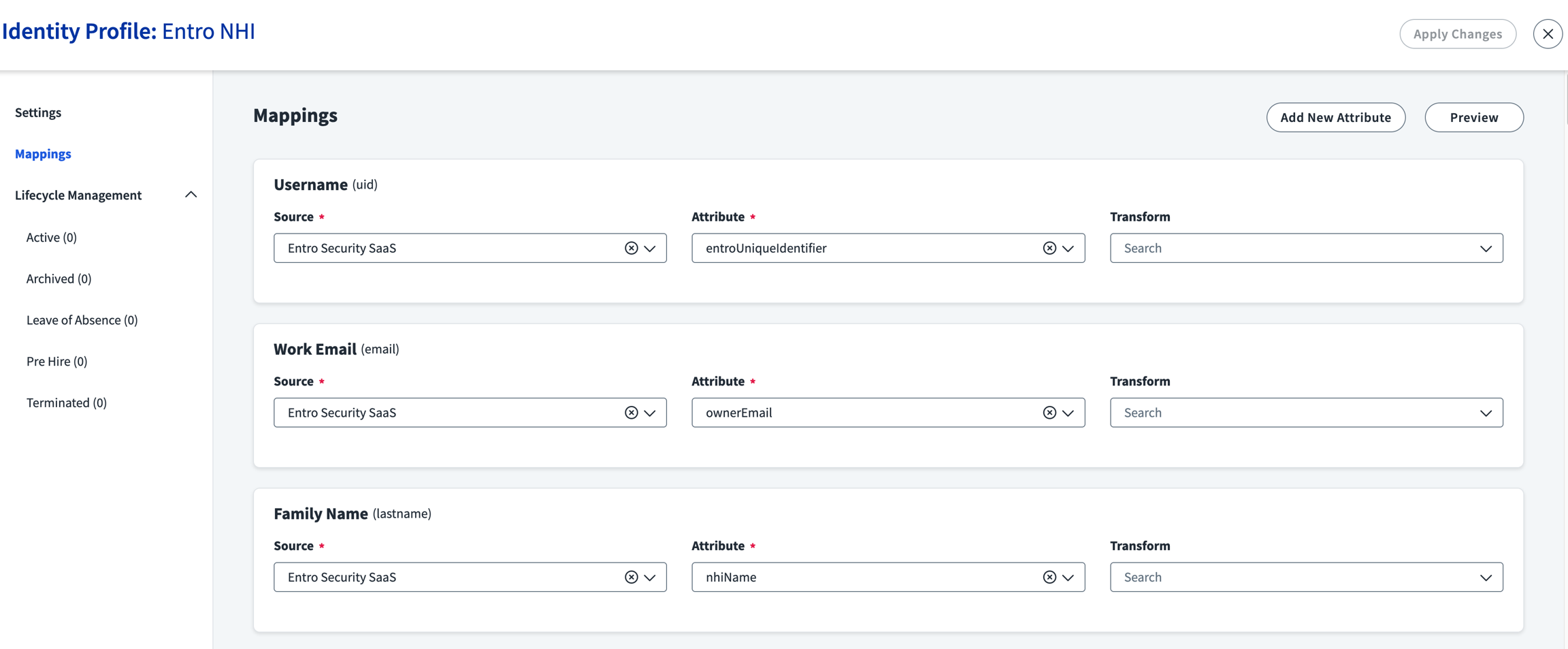
Map as desired
Once activated and aggregated - The SailPoint Entro NHIs data should be visible
