Azure Storage Access Key
Storage Access Keys are used to grant access to Azure storage accounts: Blobs, Files, Tables and Queues. They grant unlimited access rights to their Azure storage and creates minimal usage footprints.
How to Rotate Guidelines
To achieve fluent rotation, follow these steps:
-
Identify - use the data on SailPoint Entro's platform to find out the relevant tenant and storage account of the relevant exposed storage account access key.
-
Locate - within Azure portal, find the relevant storage account access key.
-
Assess - Observe monitoring data or audit logs to determine consumers, devices, and usage patterns of the storage account access key
-
Rotation - Once the potential impact of this storage account key has been addressed, rotate it.
Identify and locate the relevant Azure Tenant, Subscription, Storage account
To rotate Azure Storage Access Keys, first log-in to the relevant tenant of that Storage Access Key. As for Nov 2024, SailPoint Entro doesn't enrich those findings with their target tenant, subscriptions, it only gathers the "storage account" name.
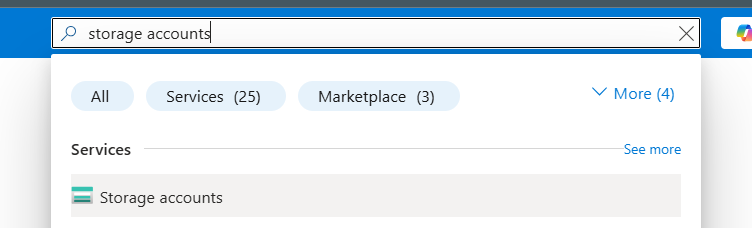
- Login into the relevant Azure tenant and navigate into "Storage accounts":
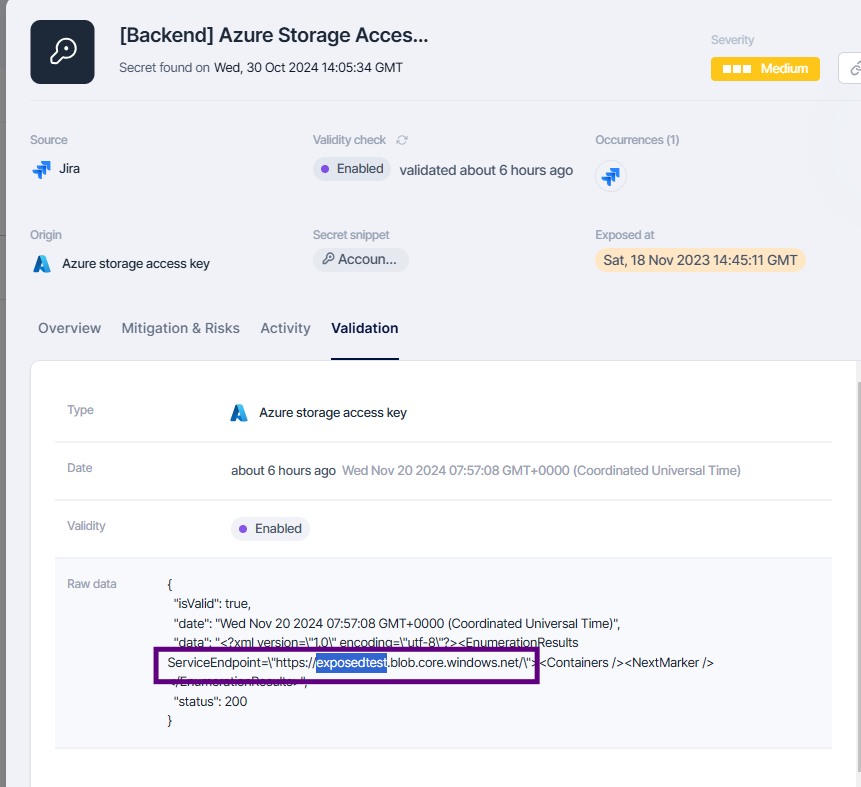
- On SailPoint Entro, navigate into the relevant storage account object, you can find it on the validation tab as the target 'ServerEndpoint'. In this example, it's 'Exposedtest'.
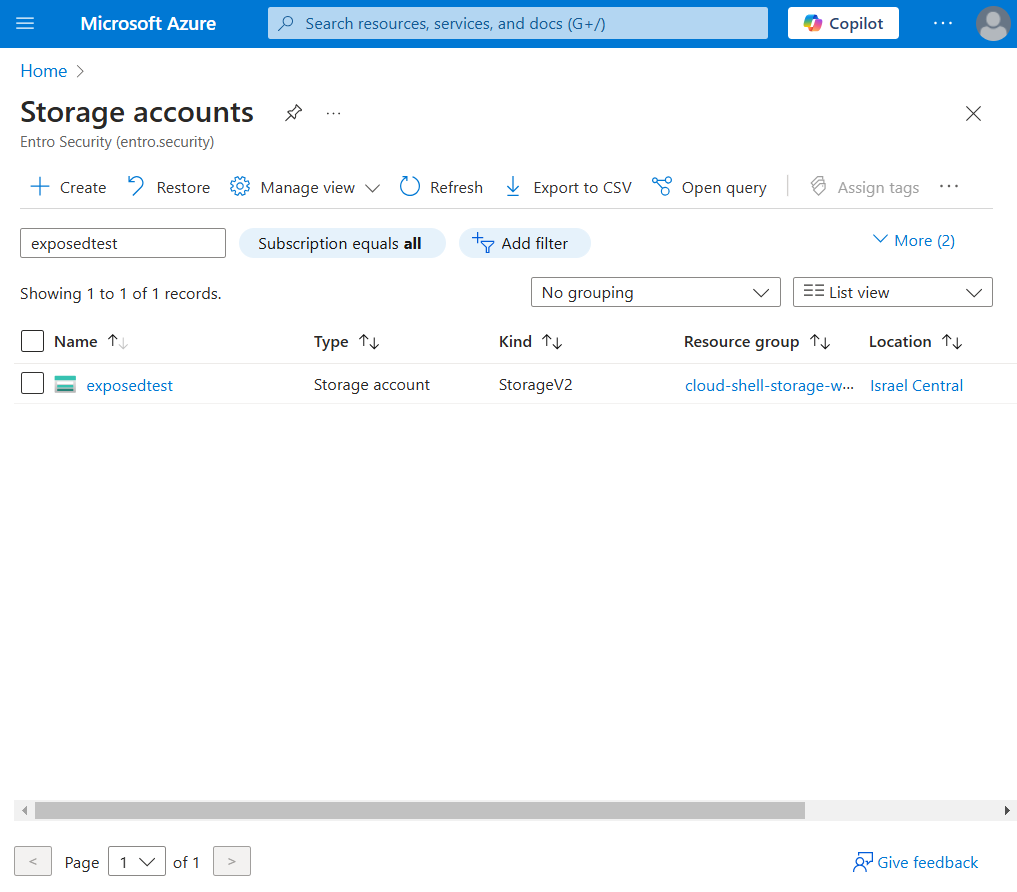
- Locate the storage account in your Azure storage account list
Assess potential usage patterns
As for November 2024, SailPoint Entro doesn't enrich usage patterns within the exposed access key data.
-
Monitoring > Metrics - Look for Ingress communication at a large scale (above 100KBs) for that storage account. This could indicate potential usage patterns:

-
Monitoring > Logs - If enabled, you can easily identify all authorizations made with an access key by querying for
Rotate the access key via Azure Portal
-
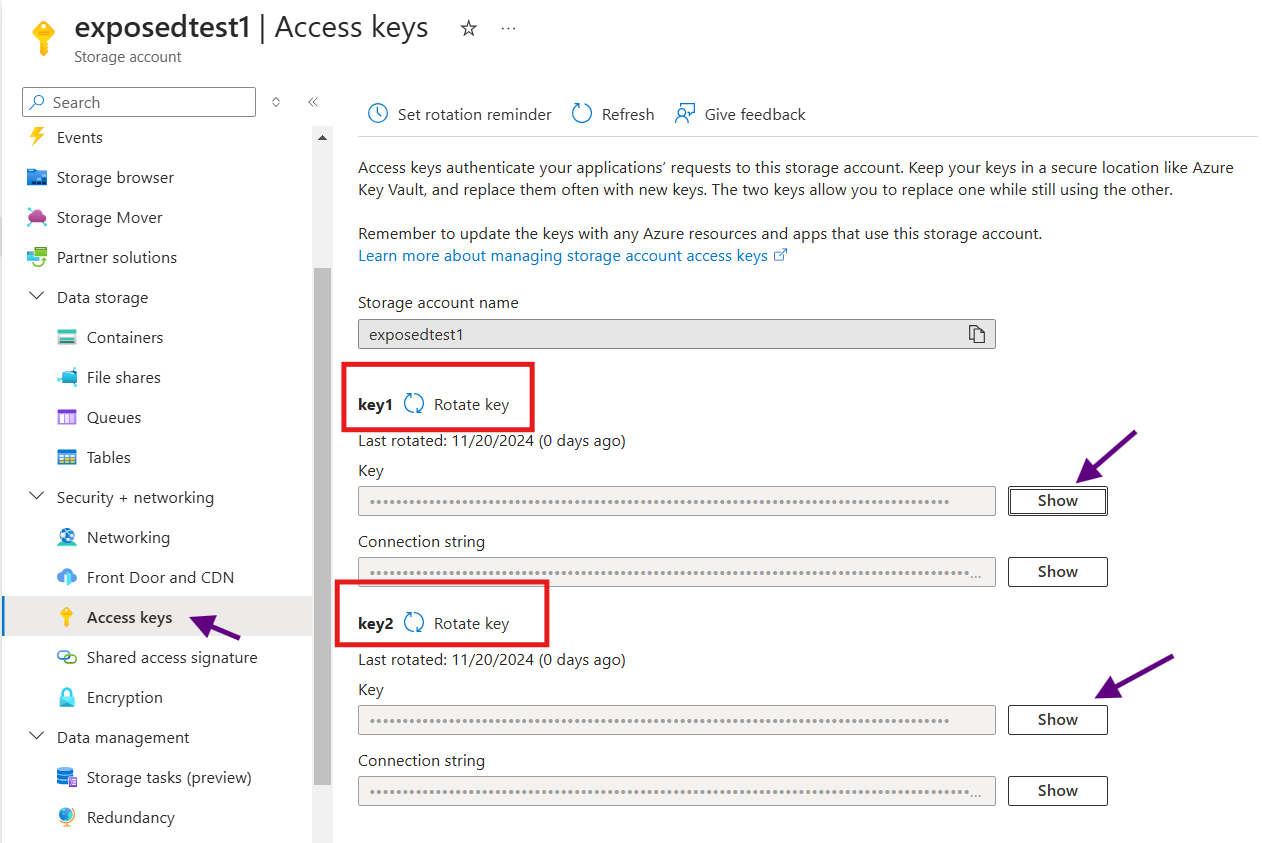
In the selected storage account, navigate to Security + networking > Access keys.
-
Click on "Show" to identify the relevant access key.
-
There are always 2 active storage account access keys, to be used as a potential backup in-case one is revoked.
-
Rotate only the affected key
Rotate the access key via CLI
See Azure documentation to get full command manifest