AWS Parameter Store
AWS Parameter Store allows users to develop event-driven applications without managing servers. SailPoint Entro detects Secrets and NHIs exposed on AWS Parameter Store (as shown below):
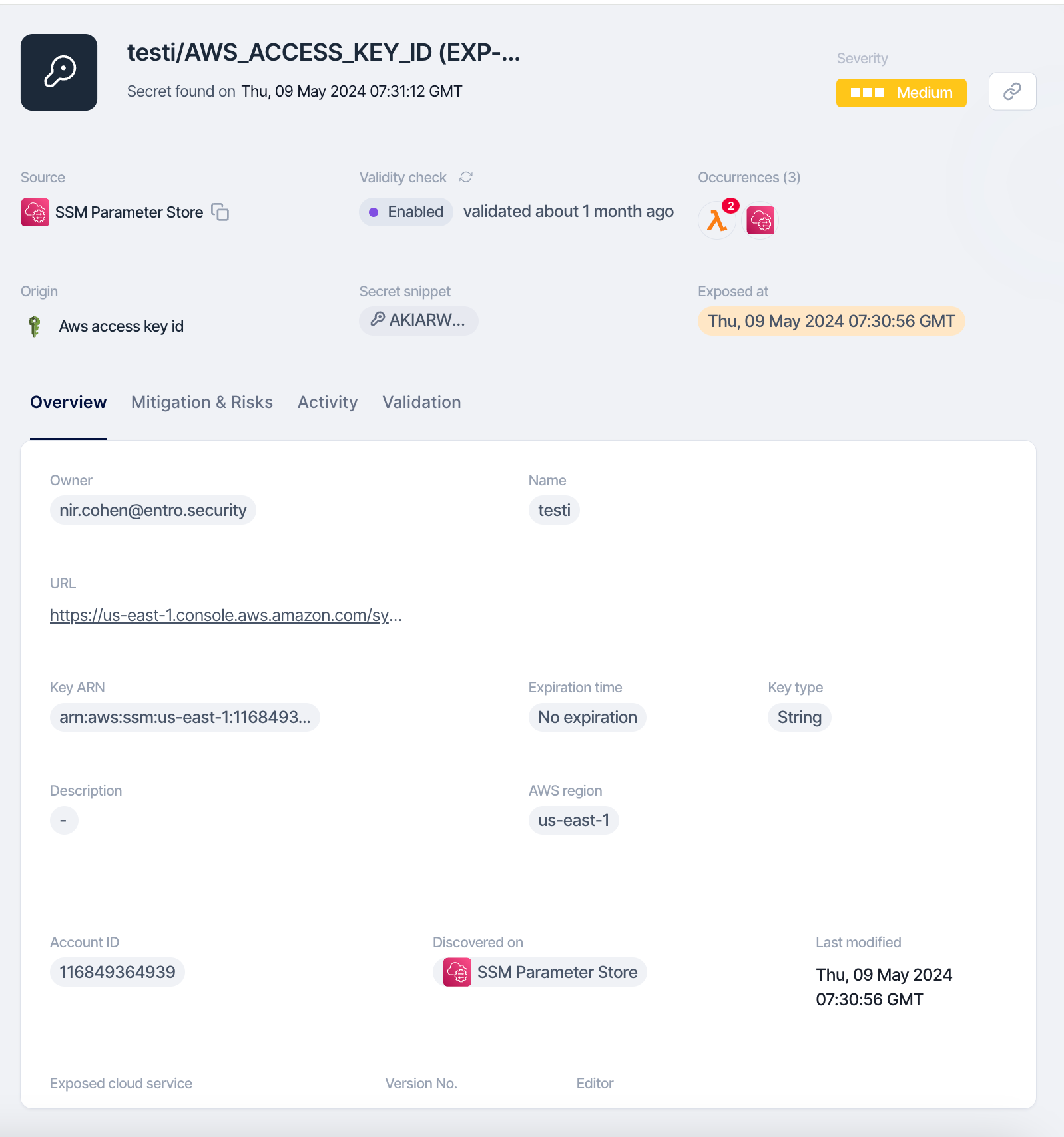
Step 1: Locate the Exposed Token with SailPoint Entro Platform
Use the link provided by SailPoint Entro to navigate directly to the AWS Parameter Store location where the token was exposed. Identify the specific configuration setting, key, or value in AWS Parameter Store that contains the exposed token. Review the settings and associated applications to locate the sensitive data.

Step 2: Revoke Rotate and remove the Exposed Token
To remediate the issue, use the RIGOR workflow:
-
Redact Sensitive Information: In the AWS Management Console, go to the AWS Systems Manager Parameter Store and locate the affected parameter. Remove the exposed token from the relevant configuration entries.
-
Inform the owner about the token exposure so that the practice is not repeated.
-
Generate a new token if necessary and ensure it is securely vaulted, avoiding exposure in scripts, pipeline configurations, or environment settings.
-
Organize and take notes throughout this process as they will be necessary for a future root cause analysis, response plans, etc...
-
Revoke any exposed tokens through the issuing service based on the token type provided by SailPoint Entro. Refer to Key Rotation Best Practices.
Step 3a (optional): Use AWS Secrets Manager for Enhanced Security
Consider using AWS Secrets Manager for storing sensitive information like tokens, as it provides additional security features such as automatic rotation and fine-grained access control. Migrate the new token to AWS Secrets Manager if enhanced security features are needed, and update your AWS services to access the token from Secrets Manager instead of Parameter Store.
Step 3b (optional): Update AWS Services to Access Secrets Securely
In order to fully utilize the secure capabilities of AWS Secrets Manager:
-
Update AWS services, applications, or scripts to access sensitive data from AWS Parameter Store or AWS Secrets Manager securely, using IAM roles and permissions to restrict access.
-
Ensure that the configurations are set to fetch secrets dynamically at runtime, minimizing the risk of exposure in code or environment variables.
-
Test and deploy the updated configurations to ensure that the services operate securely with the managed secrets.
Step 5: Audit Access
Review AWS CloudTrail logs to ensure that no unauthorized access occurred while the token was exposed.
Step 6: Monitor
Set up AWS CloudWatch monitoring and alerts to notify you of any unusual activity related to the use of sensitive data stored in AWS Parameter Store or AWS Secrets Manager.