GitHub Cloud Fine-Grained Token Onboarding
GitHub onboarding using Fine-Grained Personal Access Tokens (PATs) is supported and recommended for minimal read-only scope usage.
Prerequisites
-
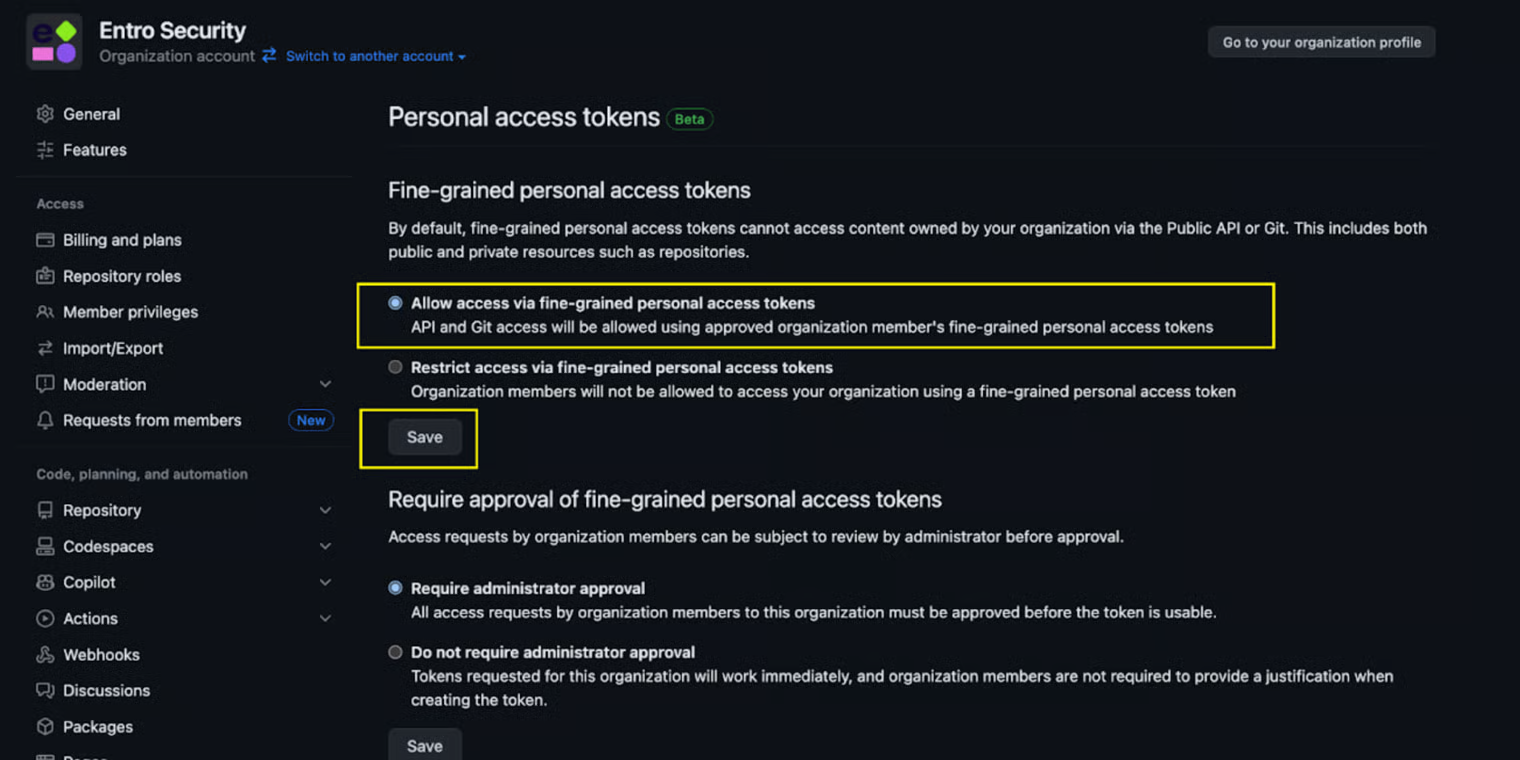
Organization fine-grained tokens enabled in GitHub - navigate to the personal access token settings under your organization, and make sure the “Allow access via fine-grained personal access tokens” is selected.
-
Token needs to be created by an Organization Owner.
Configuration Steps
-
Navigate to Developer Setting
Navigate to Profile → Settings → Developer Settings → Personal Access Tokens.
Note
Ensure Allow access via fine-grained personal access tokens is enabled.
-
Create a Fine-grained Token
Genetate a new fine-grained token with following parameters:
-
Token name: SailPoint Entro
-
Resource owner: Select your organization
-
Expiration: choose 'No expiration'
-
-
Select Permissions
-
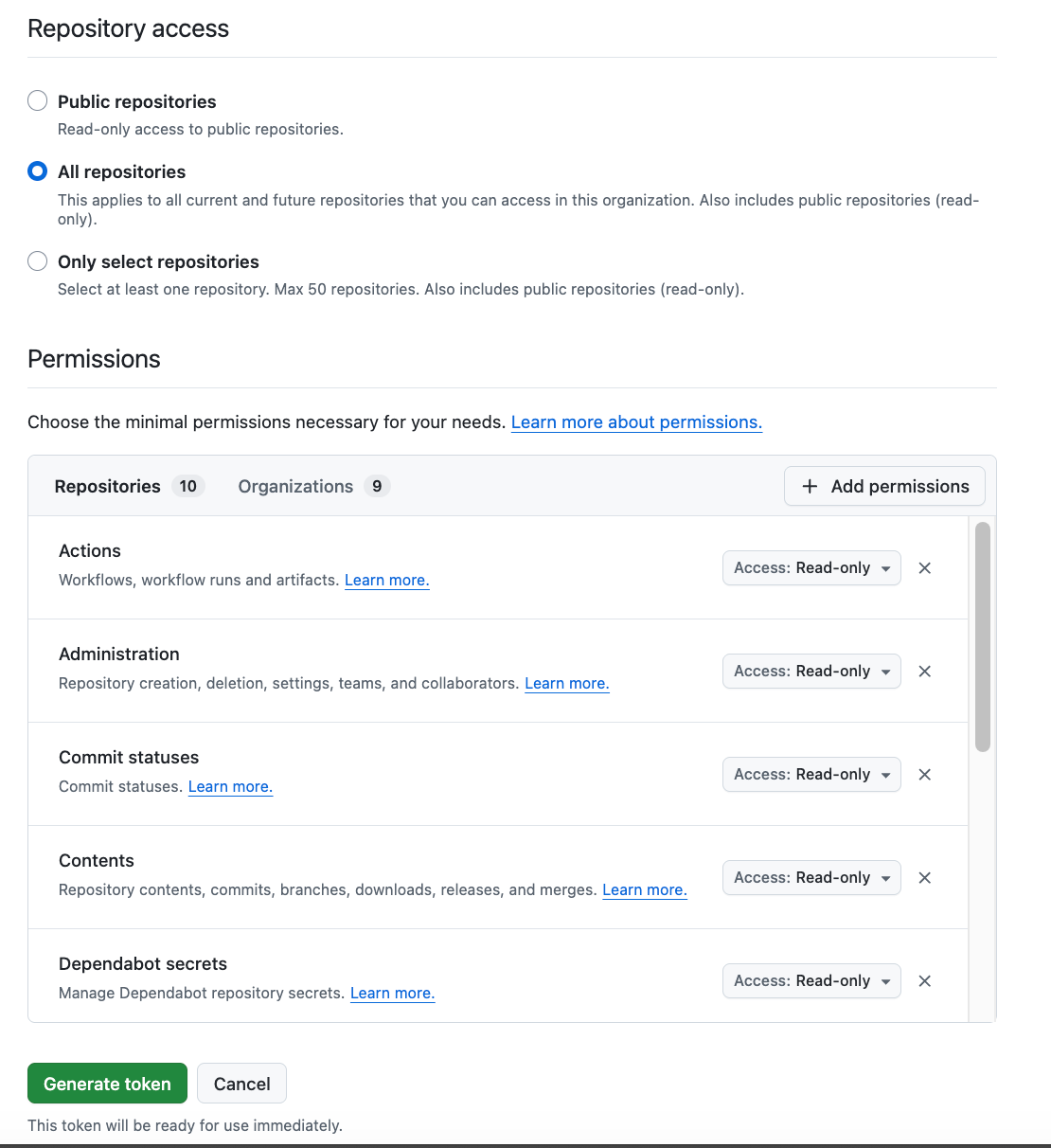
Under Repository access: select All repositories
-
Under Permissions:
-
For Repositories, Click "+ Add permissions" and select Read-only for all items listed below
-
Actions
-
Administration
-
Commit statuses
-
Contents
-
Dependabot secrets
-
Environments
-
Metadata
-
Pull requests
-
Secrets
-
Variables
-
-
For Organization, Click "+ Add permissions" and select Read-only for all items listed below
-
Administration
-
Custom repository roles
-
Members
-
Organization codespaces secrets
-
Organization codespaces settings
-
Organization dependabot secrets
-
Projects
-
Secrets
-
Variables
-
-
-
-
Generate Token
Click Generate token and copy the value starting with
ghp_. -
Complete SailPoint Entro onboarding form
-
In the SailPoint Entro Platform, go to Management → Accounts & Integrations → Add new account → GitHub and select GitHub Cloud - Legacy.
-
Fill out the onboarding form in SailPoint Entro:
-
**Display name:**Choose or create a name for this organization.
-
Company Nickname: Choose or create a name for this organization.
-
GitHub access token: Paste the token generated previously
-
Worker Group (Connector): Select your designated connector agent.
-
-