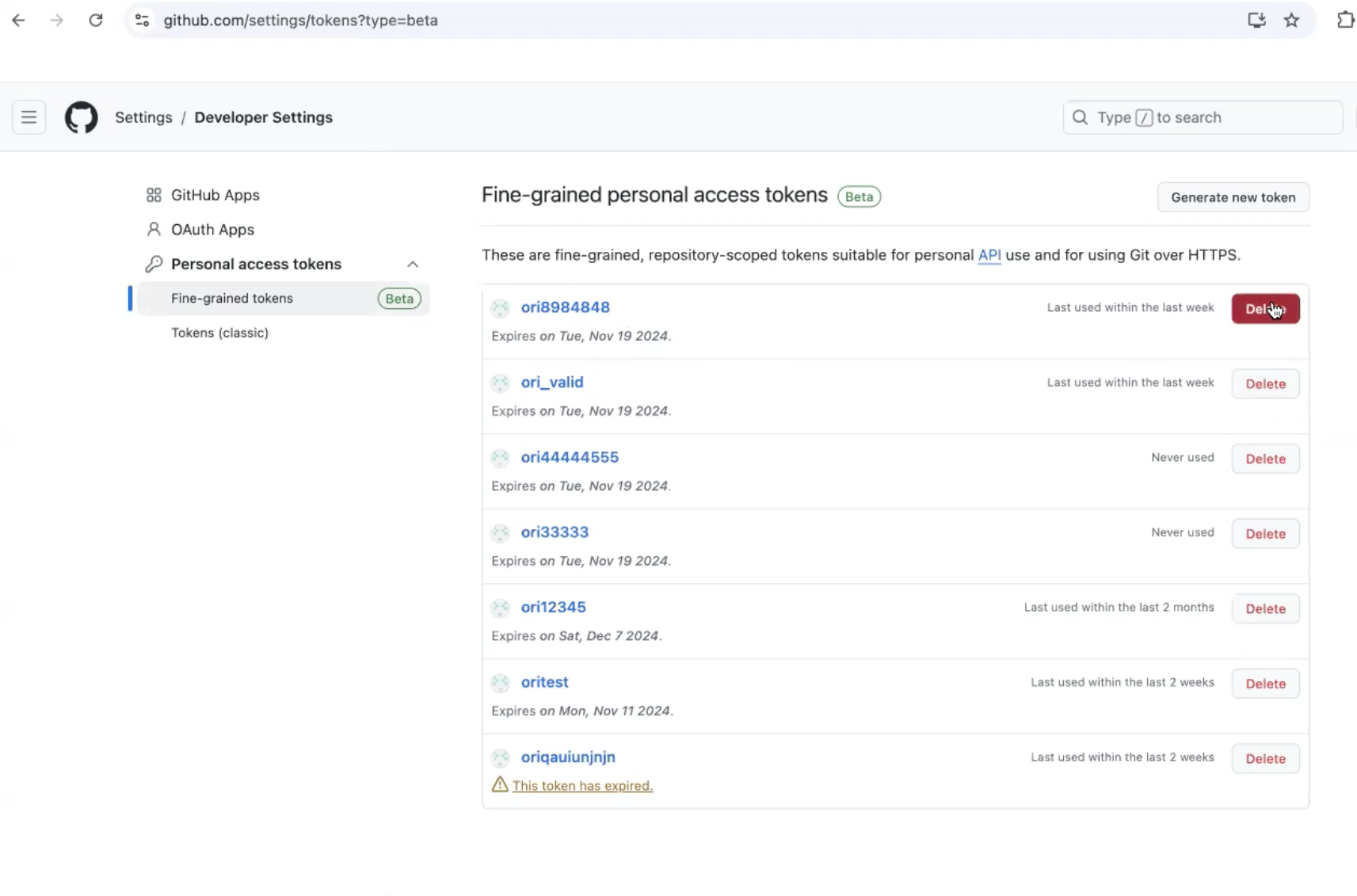
GitHub Personal Access Token
A GitHub Personal Access Token (PAT) allows users to authenticate to GitHub and access GitHub resources via the command line or the GitHub API.
Configure GitHub PAT
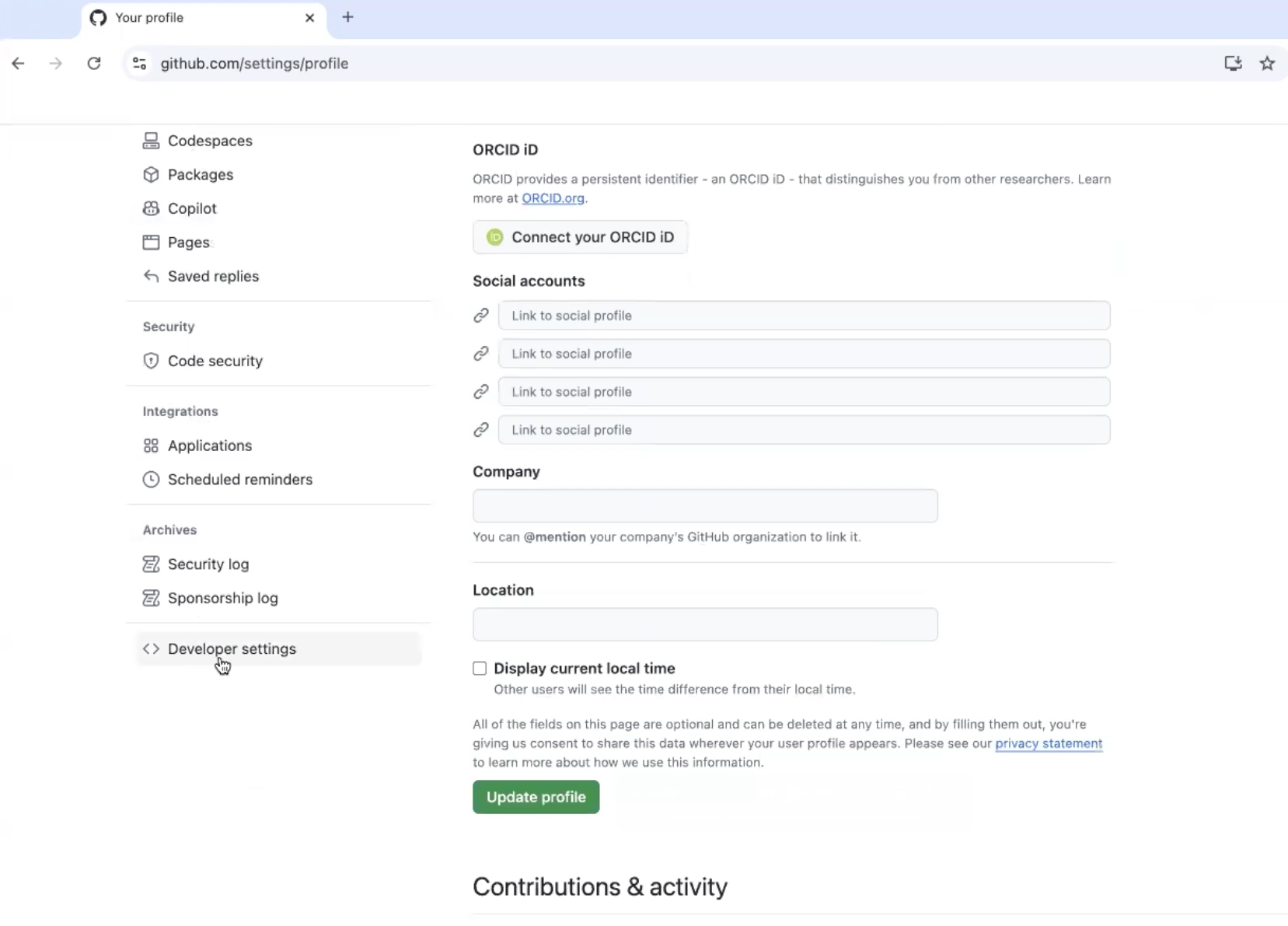
To navigate to the GitHub PAT configuration section, select "Developer settings" in the toolbar on the left, as shown below:
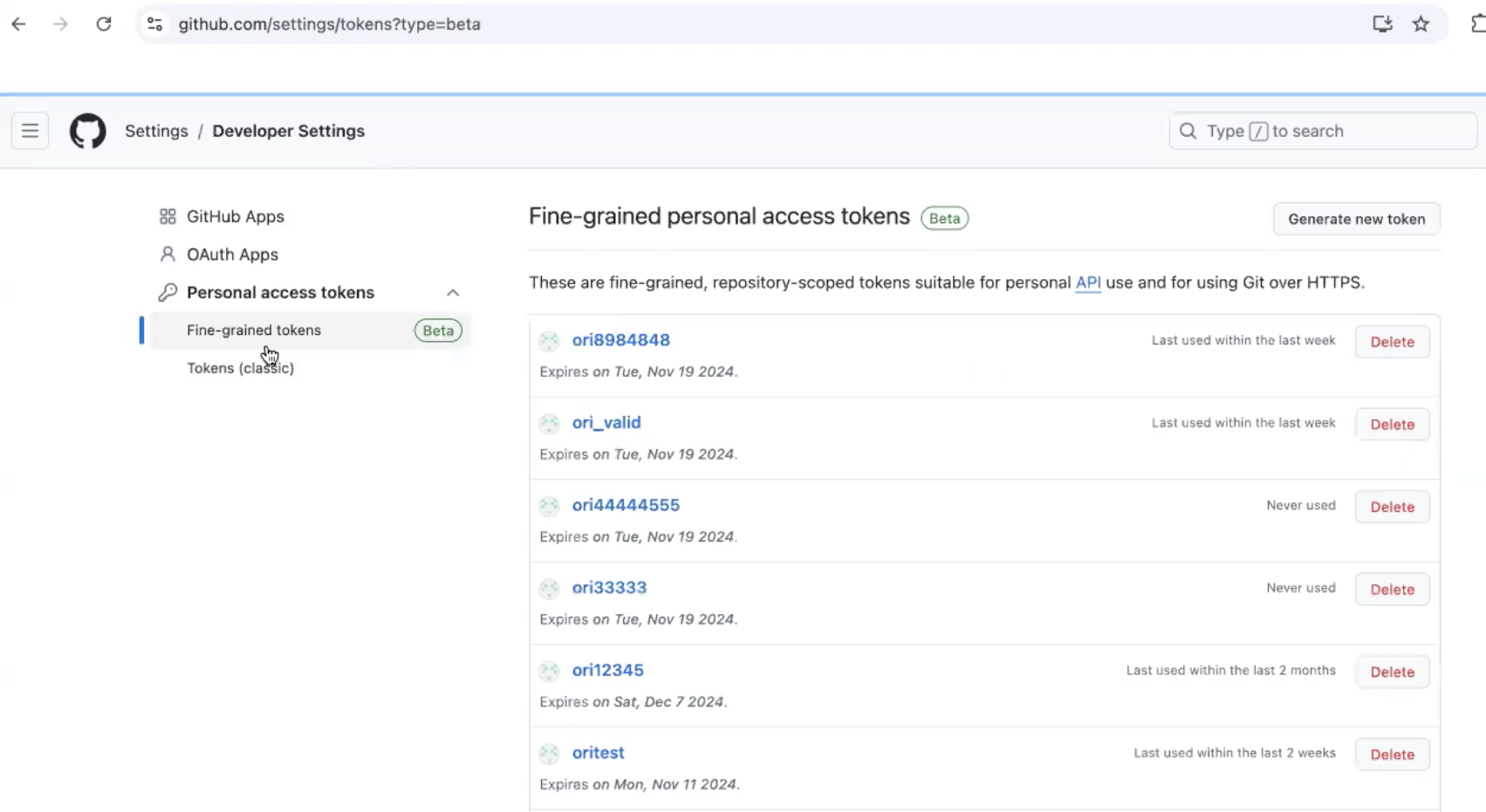
GitHub recommends that you use fine-grained personal access tokens instead of personal access tokens (classic) whenever possible. After selecting Developer settings, select Personal access tokens > Fine-grained tokens in the toolbar on the left, as shown below:
Delete a classic PAT
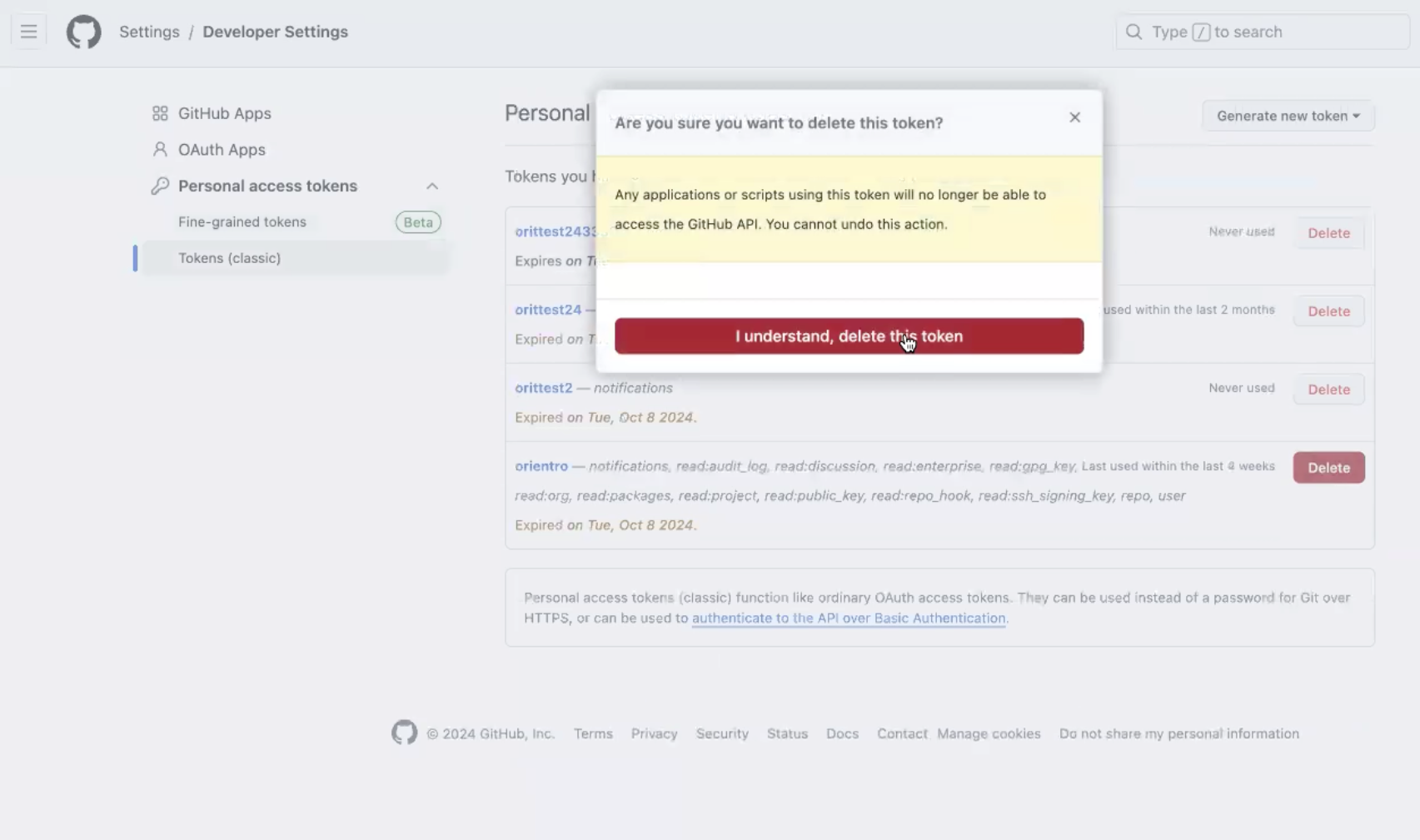
To delete legacy "classic" tokens, navigate to the "Tokens (classic)" tab and select "Delete" on the right of the PAT you wish to remove. You will be prompted, as shown below:
Delete a Fine-grained access PAT
To delete a fine-grained access PAT, navigate to the "fine-grained tokens" tab under "Personal access tokens" and select "Delete" on the right of the PAT you wish to remove. You will be prompted, as shown below: