Accounts & Integrations
Adding new accounts & integrations to SailPoint Entro
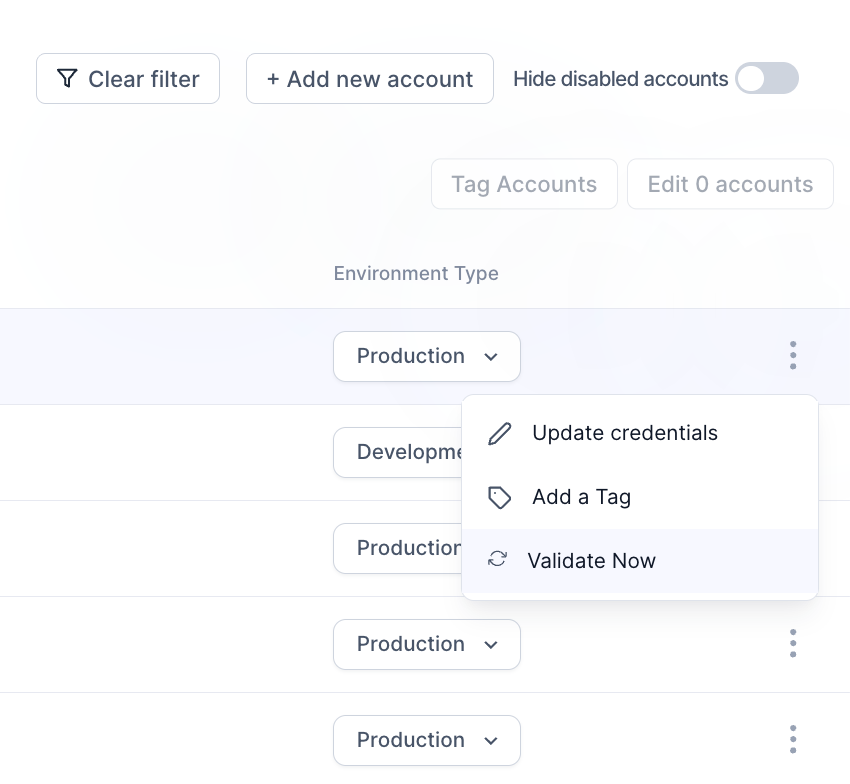
Any new integration can be added by clicking "+ Add new account" button in the top right corner.

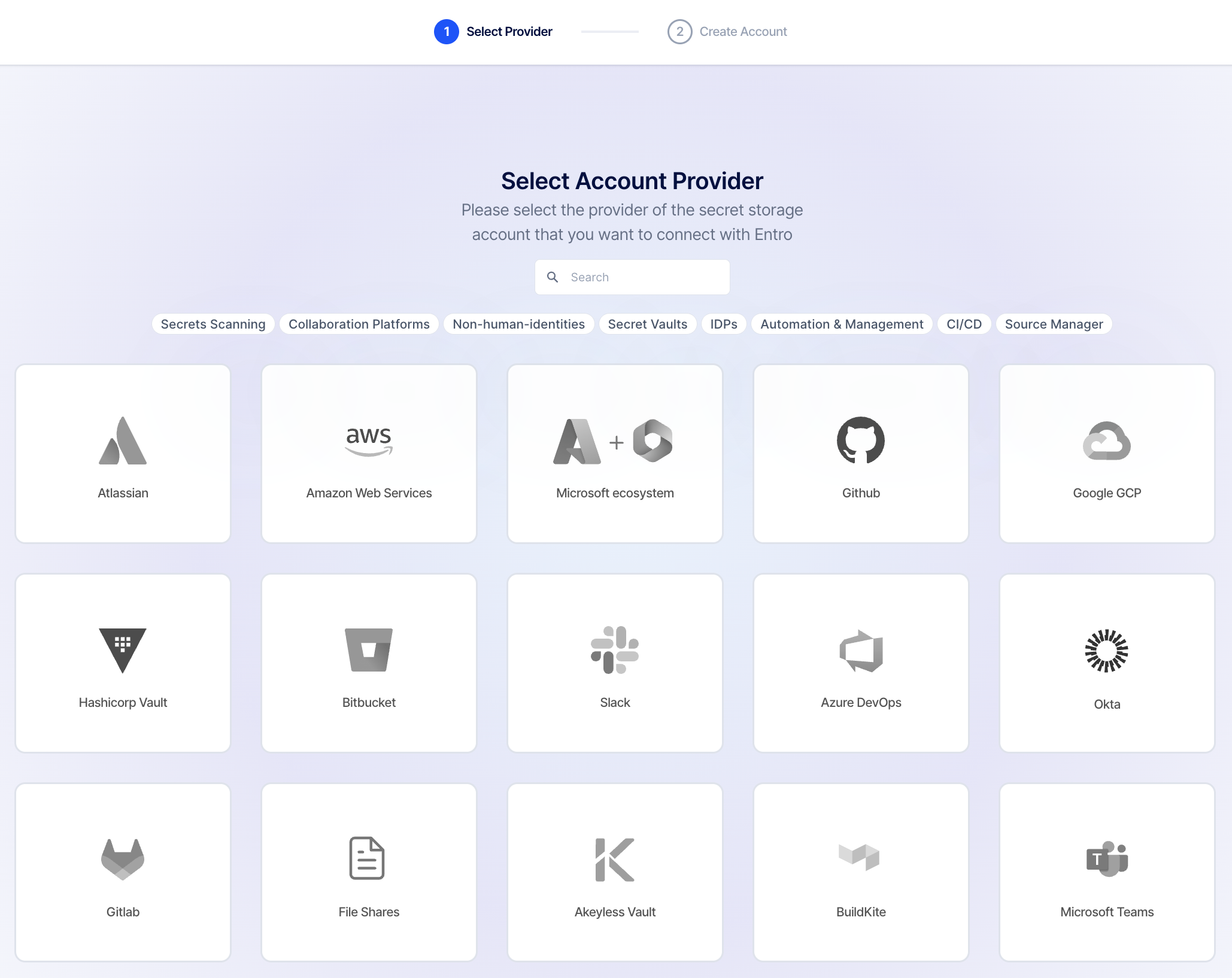
Find the desired integration and click its tile. Follow the specific instructions found in the Integrations section to learn how to onboard that integration successfully.
Update Credentials
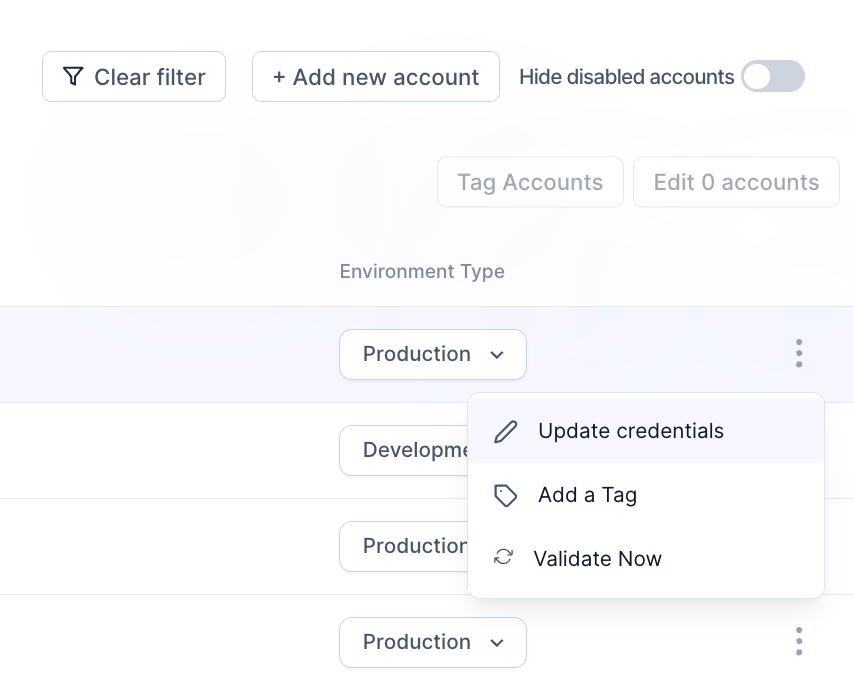
When service account credentials for the SailPoint Entro integration need to be changed or updated, this can be done by finding the integration in the accounts list, clicking the three dot button at the right of the row, then clicking "Update credentials".
Integration validation
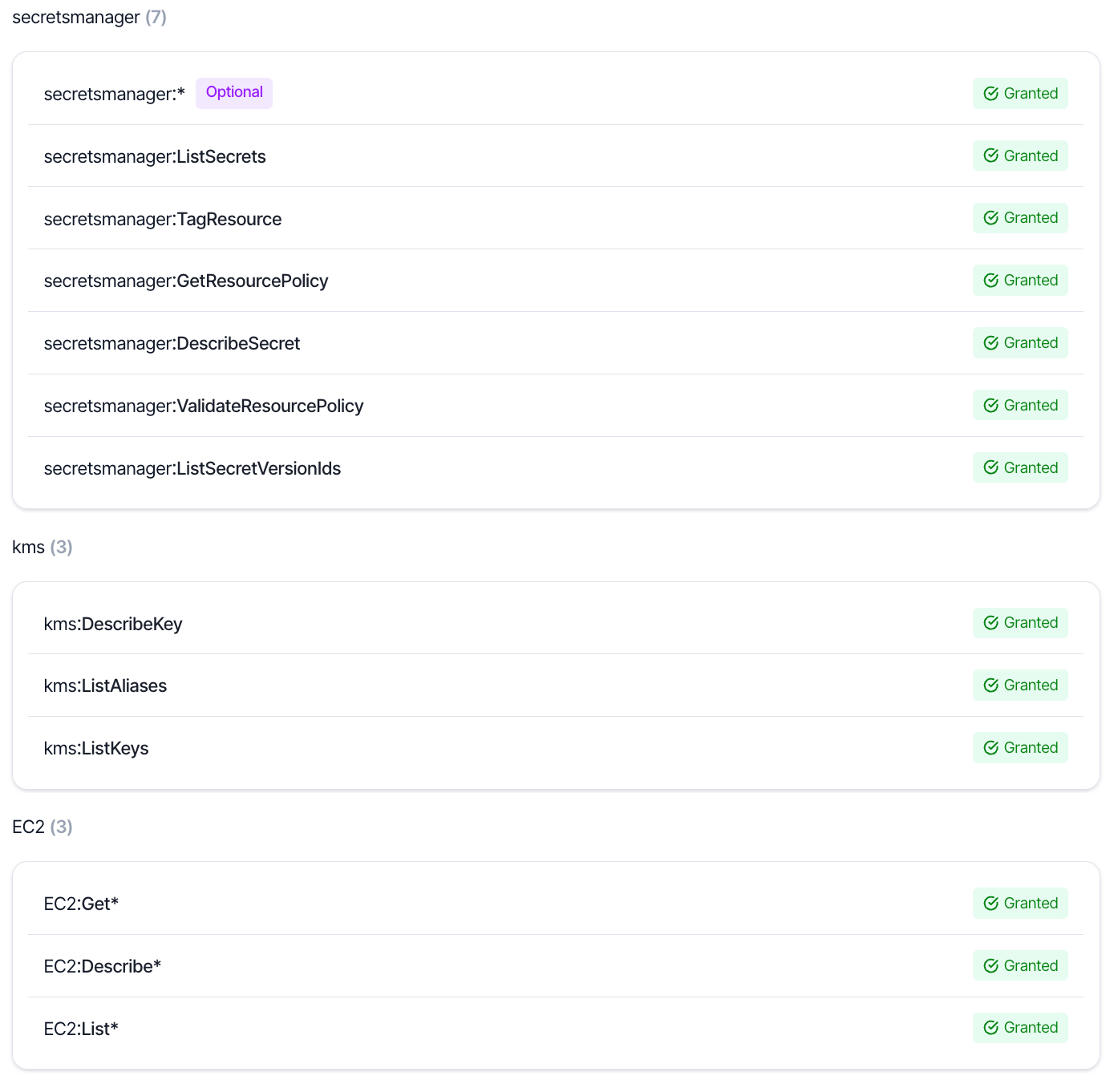
SailPoint Entro provides an overview of permissions expected and permissions granted for each integration. These can be found by clicking the desired integration in the accounts list. A drawer will slide out with an overview of the permissions expected and if they were found to be granted. Here is an example of the permission overview of an AWS account:
SailPoint Entro will periodically rescan the integration to check for permission grants. If needed, you can force this re-validation to happen by finding the integration in the accounts list, clicking the three dot button at the right of the row, then clicking "Validate Now".