AWS Lambda
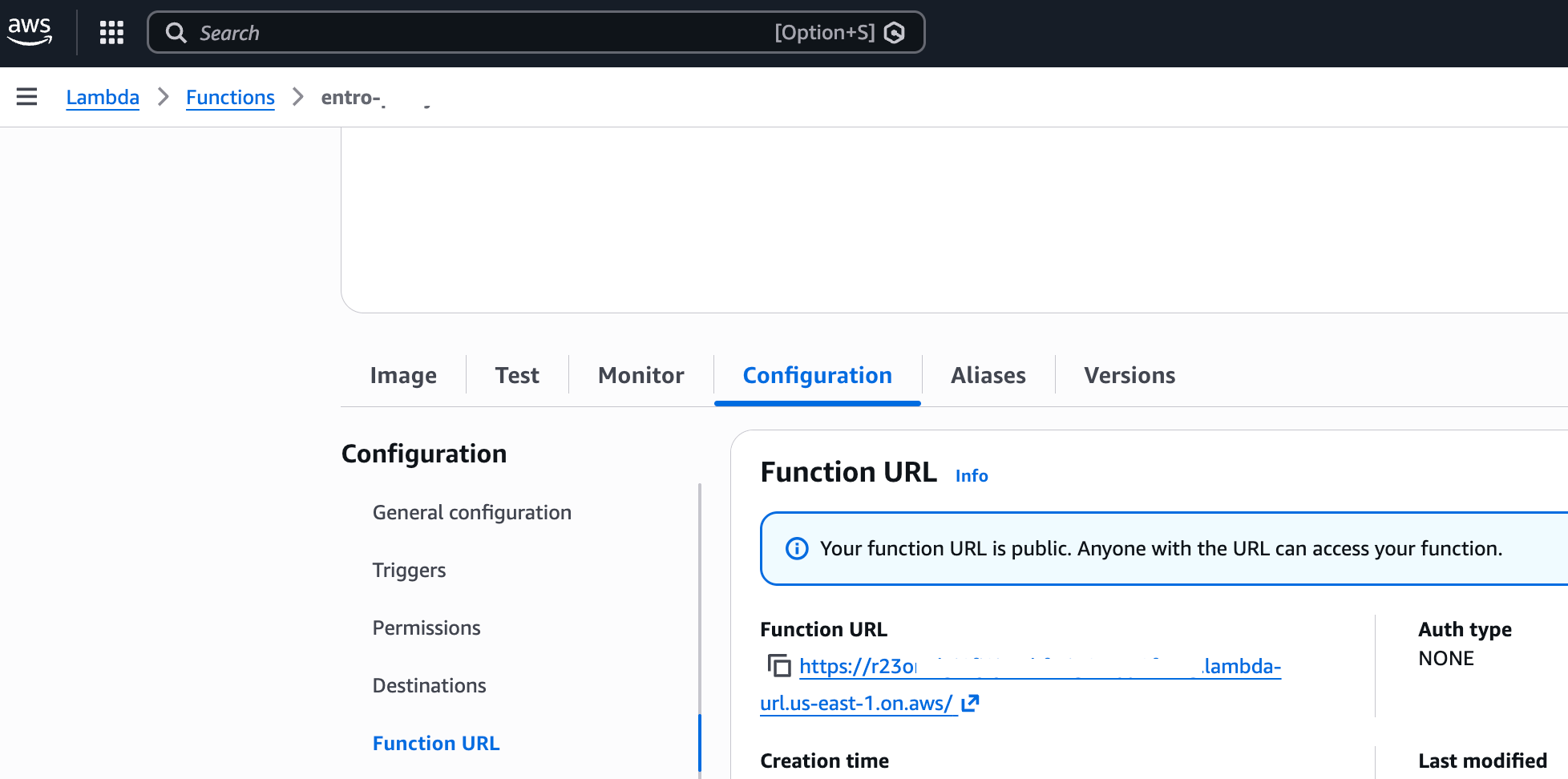
Creating workflows using AWS Lambda serverless compute runtime can get you up and running in no time, providing easy to use URL which can be onboarded to SailPoint Entro as a webhook. An example function structure could look like the following example.
Example AWS Lambda leveraging SailPoint Entro and Slack
import json
import os
import urllib.request
import logging

# Set up logging
logger = logging.getLogger()
logger.setLevel(logging.INFO)

# Environment Variables
SLACK_WEBHOOK_URL = os.environ.get('SLACK_WEBHOOK_URL')

# Configuration for Severity Levels
SEVERITY_MAPPING = {
    "CRITICAL": {
        "color": "#FF0000",
        "emoji": "🚨 *CRITICAL INCIDENT*",
        "tag": "<!here> "  # Notifies everyone online
    },
    "HIGH": {
        "color": "#E8731E",
        "emoji": "⚠️ *HIGH SEVERITY*",
        "tag": ""
    },
    "MEDIUM": {
        "color": "#F4D03F",
        "emoji": "ℹ️ *MEDIUM SEVERITY*",
        "tag": ""
    },
    "LOW": {
        "color": "#3498DB",
        "emoji": "🔍 *LOW SEVERITY*",
        "tag": ""
    }
}

def lambda_handler(event, context):
    try:
        logger.info(f"Received event: {json.dumps(event)}")

        # 1. Identify which risk key is present in the payload
        possible_keys = ["createdRisk", "updatedRisk", "updatedRiskSeverity"]
        risk_key = next((k for k in event if k in possible_keys), None)

        if not risk_key:
            return {"statusCode": 400, "body": "Invalid webhook: No risk data found."}

        risk_data = event[risk_key]
        notification_type = event.get("notificationType", "Risk Update")

        # 2. Extract Data for Alerting
        severity = risk_data.get("severity", "LOW").upper()
        name = risk_data.get("name", "Unnamed Risk")
        status = risk_data.get("status", "N/A")
        description = risk_data.get("threatDescription", "No description provided.")
        owner = risk_data.get("owner", "Unassigned")
        employee_email = risk_data.get("employee", {}).get("email", "N/A")

        # Get formatting based on severity
        sev_style = SEVERITY_MAPPING.get(severity, SEVERITY_MAPPING["LOW"])

        # 3. Build Slack Block Kit Message
        slack_payload = {
            "attachments": [
                {
                    "color": sev_style["color"],
                    "blocks": [
                        {
                            "type": "section",
                            "text": {
                                "type": "mrkdwn",
                                "text": f"{sev_style['tag']}{sev_style['emoji']}\n*Type:* {notification_type}"
                            }
                        },
                        {
                            "type": "header",
                            "text": {"type": "plain_text", "text": name[:3000]} # Slack limit
                        },
                        {
                            "type": "section",
                            "fields": [
                                {"type": "mrkdwn", "text": f"*Severity:*\n{severity}"},
                                {"type": "mrkdwn", "text": f"*Status:*\n{status}"}
                            ]
                        },
                        {
                            "type": "section",
                            "fields": [
                                {"type": "mrkdwn", "text": f"*Owner:*\n{owner}"},
                                {"type": "mrkdwn", "text": f"*Contact:*\n{employee_email}"}
                            ]
                        },
                        {
                            "type": "section",
                            "text": {"type": "mrkdwn", "text": f"*Description:*\n{description}"}
                        },
                        {
                            "type": "divider"
                        },
                        {
                            "type": "context",
                            "elements": [
                                {"type": "mrkdwn", "text": f"*GUID:* {risk_data.get('guid')} | *Source:* {risk_data.get('source')}"}
                            ]
                        }
                    ]
                }
            ]
        }

        # 4. Post to Slack
        encoded_msg = json.dumps(slack_payload).encode('utf-8')
        req = urllib.request.Request(
            SLACK_WEBHOOK_URL,
            data=encoded_msg,
            headers={'Content-Type': 'application/json'}
        )

        with urllib.request.urlopen(req) as response:
            logger.info(f"Slack response status: {response.getcode()}")

        return {
            "statusCode": 200,
            "body": json.dumps({"message": "SOAR flow executed successfully"})
        }

    except Exception as e:
        logger.error(f"Error executing SOAR flow: {str(e)}")
        return {
            "statusCode": 500,
            "body": json.dumps({"error": "Internal processing error"})
        }
The example above leverages SailPoint Entro and Slack to alert developers on their risks.
Do note - Public URLs should be treated as secrets.