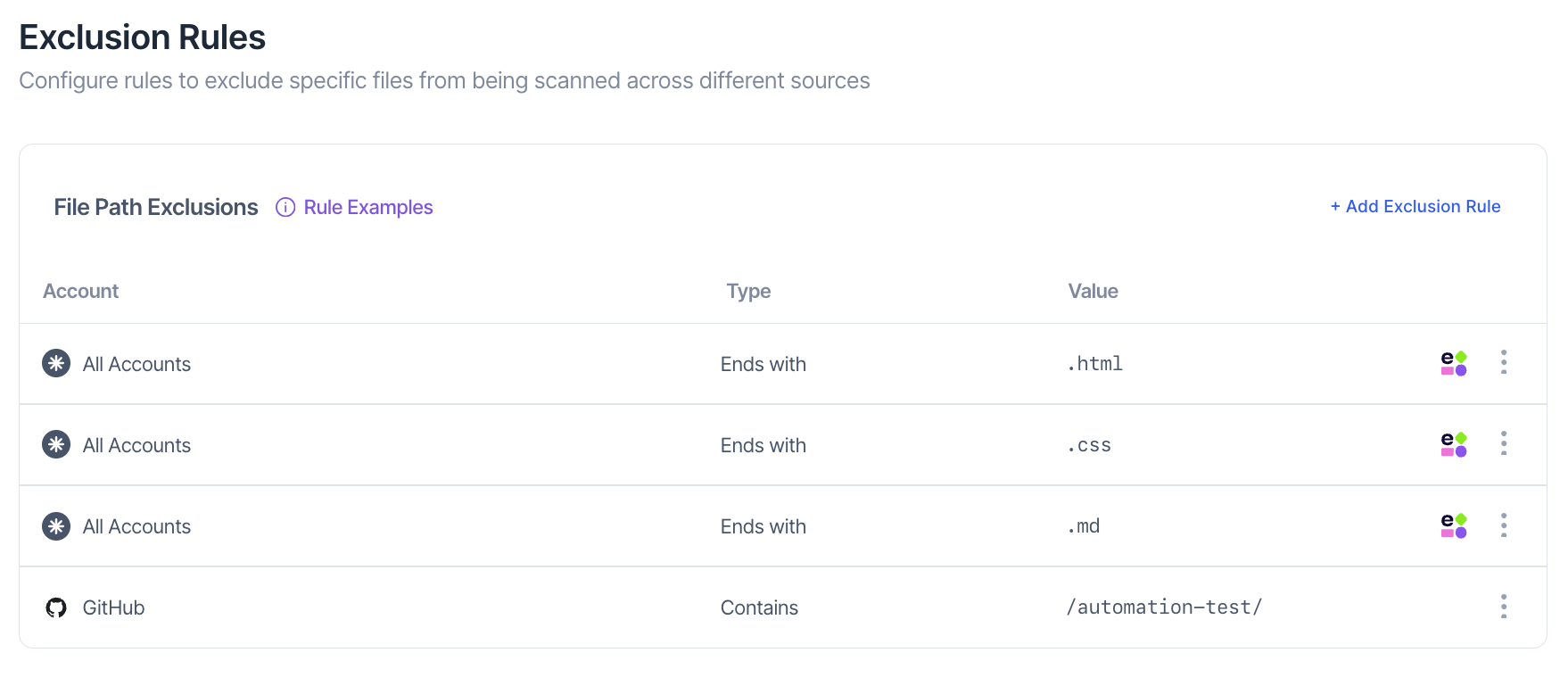
Exclusion Rule
Exclusion Rules allow you to define which files or paths should be ignored during scans, ensuring that detection efforts focus on relevant and high-value areas of the codebase.
By configuring exclusions, organizations can reduce noise from non-sensitive sources, improve scanning efficiency, and maintain clear visibility into meaningful exposures.
Configuring Exclusions
Each exclusion rule defines a match type, a file path pattern, and the source platform that determine which file paths SailPoint Entro should ignore during scanning.
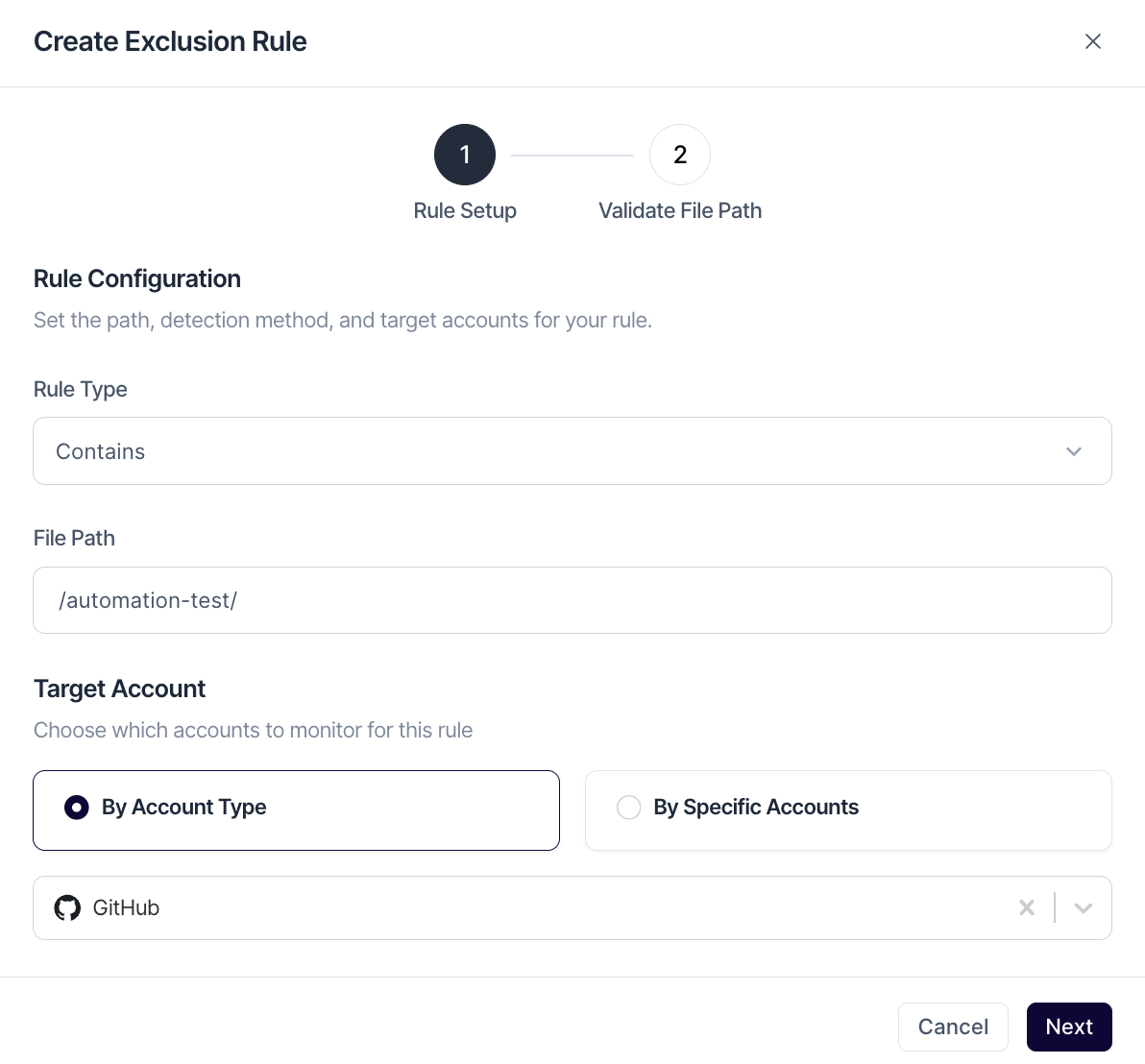
Rule Type:
Exclusions can be applied at multiple levels - from entire repositories to individual files or file types using a variety of matching options:
-
Starts With - Excludes paths that begin with the specified prefix.
-
Contains - Excludes paths containing the defined string.
-
Ends With - Excludes files or directories that end with a specific term or extension.
-
Exact - Excludes a specific repository, file, or directory path.
-
Wildcard - Allows flexible pattern matching using
*to exclude multiple or partial path matches.
These rules can be combined to create precise exclusion logic that aligns with your organization’s code structure and scanning requirements.
Supported Sources:
-
GitHub (Commits)
-
GitLab (Commits)
-
Bitbucket (Commits)
-
Azure DevOps (Commits, Wiki pages)
-
SharePoint (Documents, Pages)
-
Google Drive (Files)
Note
Multiple accounts can be used for the same rule
Examples:
-
Ends With.html→ ignores HTML files across all scanned sources -
Wildcardsample*config*.yaml→ ignores variations of config templates -
Contains/personal/→ ignores files under the "/personal/" directory
Validating Exclusion Patterns
Before saving, SailPoint Entro checks how many existing findings match your rule. This preview helps ensure the rule is accurate and intentional. You can choose to discard all matched findings to clean up historical noise.
Best Practices
-
Use specific and well-scoped patterns to avoid unintentionally excluding sensitive content.
-
Always validate exclusion rules before saving to confirm they behave as expected.
-
Review and update exclusions periodically to reflect changes in your repositories or scanning policies.
-
Use wildcards cautiously, as broad expressions may unintentionally exclude important files.
Suggested by SailPoint Entro
To make setup easier, SailPoint Entro automatically suggests exclusion rules based on file extensions that commonly contain false positive findings, such as Ends With .html, Ends With .css, and Ends With .md
These suggestions are enabled by default and can be removed at any time.