JIT Request Creation
Creating a JIT request
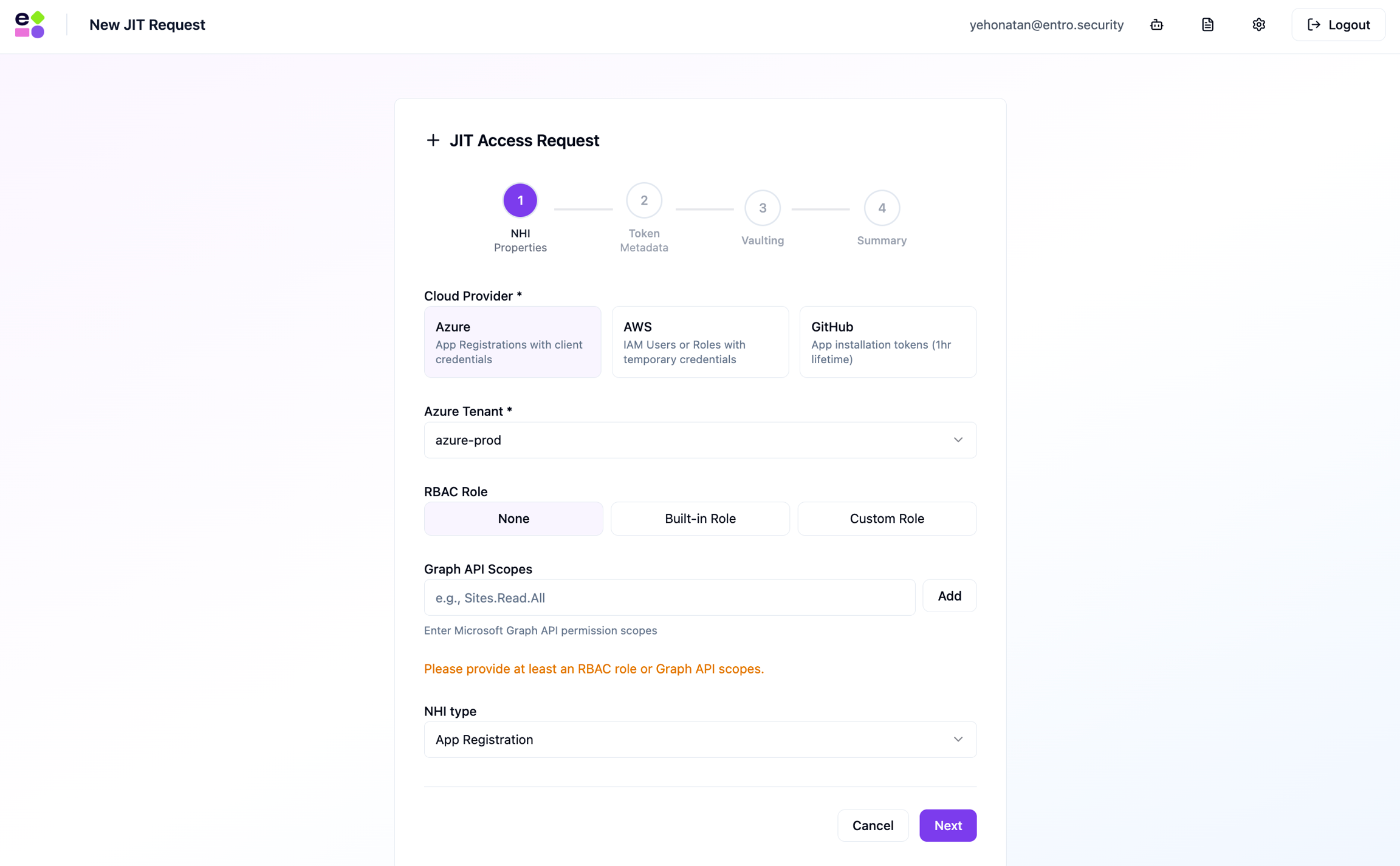
The request form is a 4-step wizard.
Step 1: NHI Properties
Select provider, NHI type, and permissions.
-
Azure: App Registration.
-
Optional RBAC role: None, predefined, or custom JSON.
-
Optional Graph API scopes.
-
-
AWS (IAM User): managed policy or custom policy JSON.
-
AWS (IAM Role): same policy options.
-
Credentials are STS sessions.
-
Max 12 hours.
-
-
GitHub: org, repository, and installation permissions.
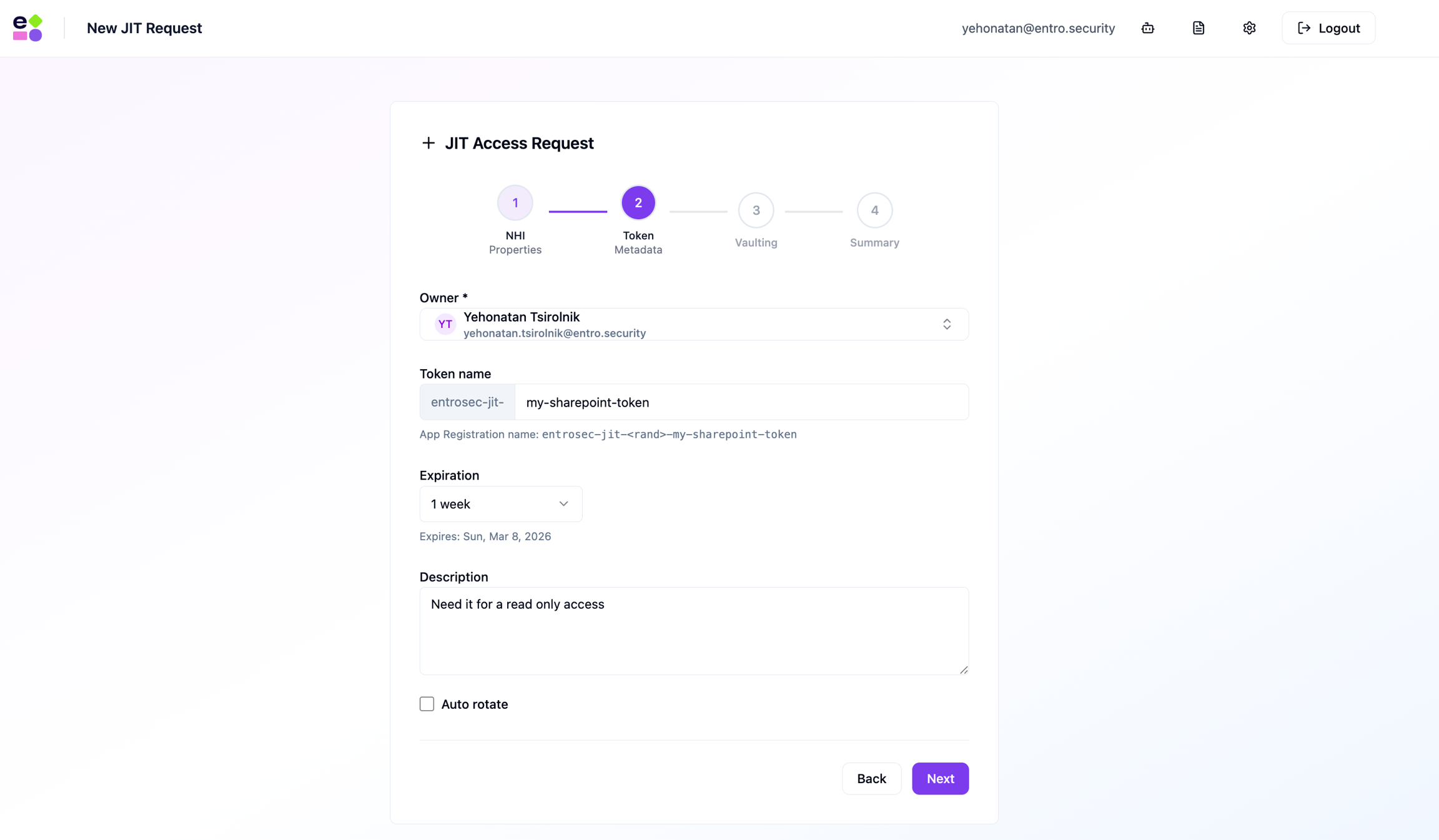
Step 2: Token Metadata
-
Owner: select an owner from the onboarded SailPoint Entro employee data.
-
Token name: descriptive name.
- Unchangeable prefix:
entrosec-jit-
- Unchangeable prefix:
-
Expiry: preset or custom date.
-
IAM Roles: 1–12 hours.
-
GitHub: fixed 1 hour.
-
-
Description: Explain the use-case.
-
Auto rotate: Enable automatic rotation.
- Not available for GitHub.
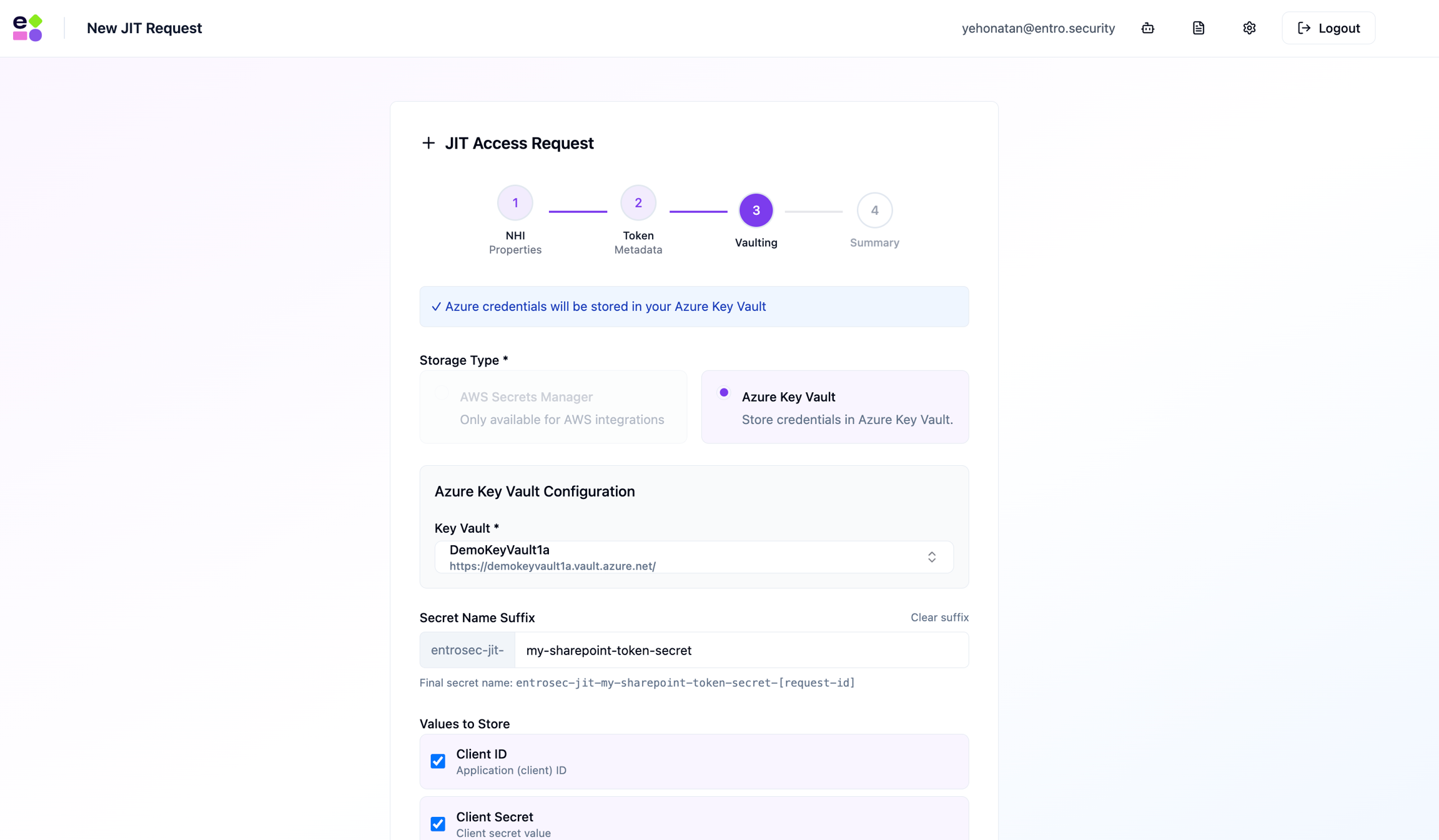
Step 3: Vaulting
Choose where the generated short term credentials will be stored.
-
Azure → Azure Key Vault.
-
AWS → AWS Secrets Manager.
-
GitHub → GitHub Repository Secrets.
Step 4: Summary
Review all details, once as desired - Submit the request.
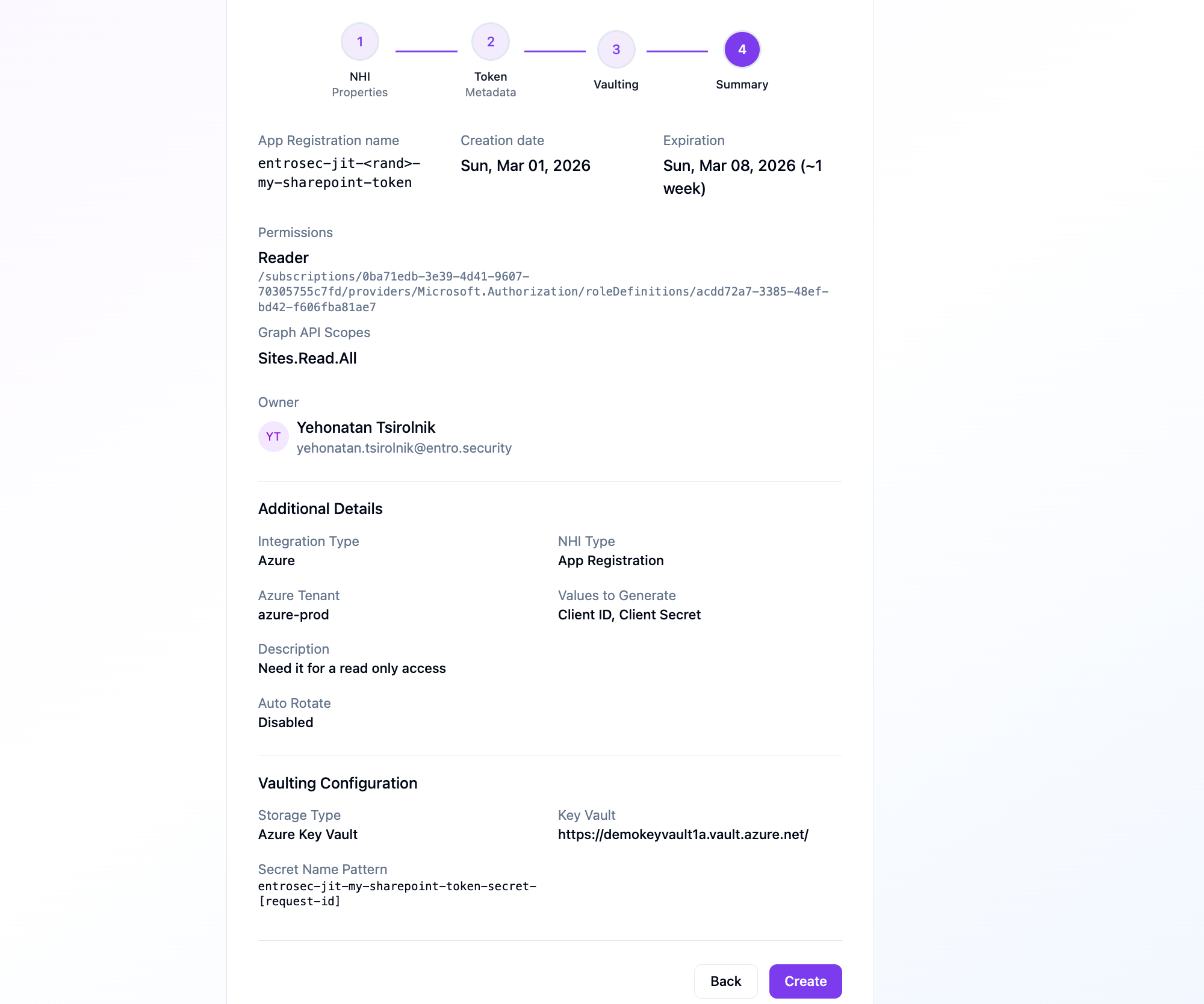
A new JIT request will be shown in the main dashboard to the owner and the Platform's admins.