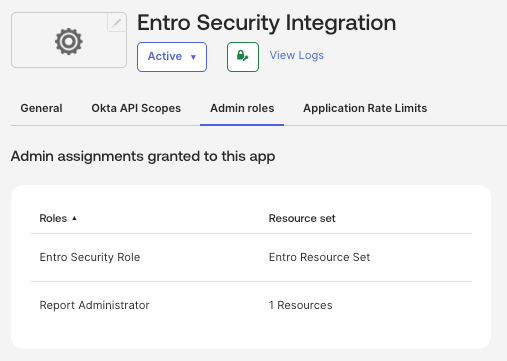
Okta Custom SailPoint Entro Role
If your organization cannot grant Super Administrator to SailPoint Entro's API Service App, you can create a custom least-privilege role instead. Note that this will result in partial visibility - specifically, API grant permissions per Okta app will not be available.
Warning
When using a custom role, you must also assign the Report Administrator built-in role to enable audit log collection.
Create the Custom Role
-
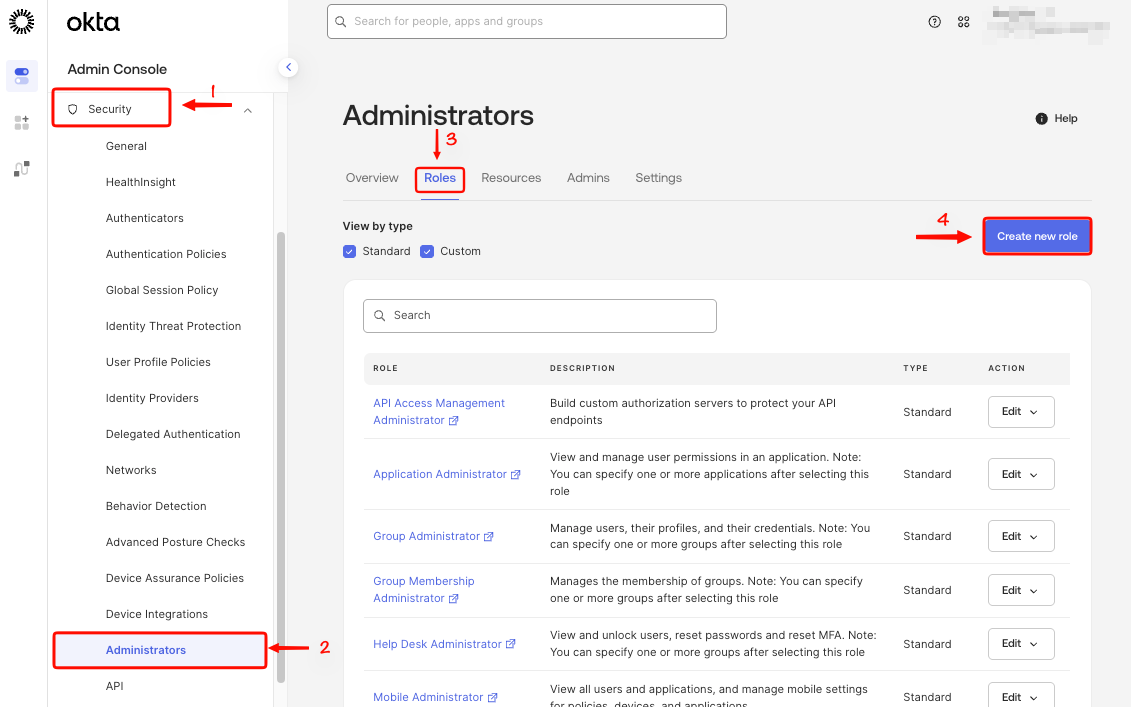
In the Okta Admin Console, go to Security > Administrators > Roles.
-
Select Create New Role.
-
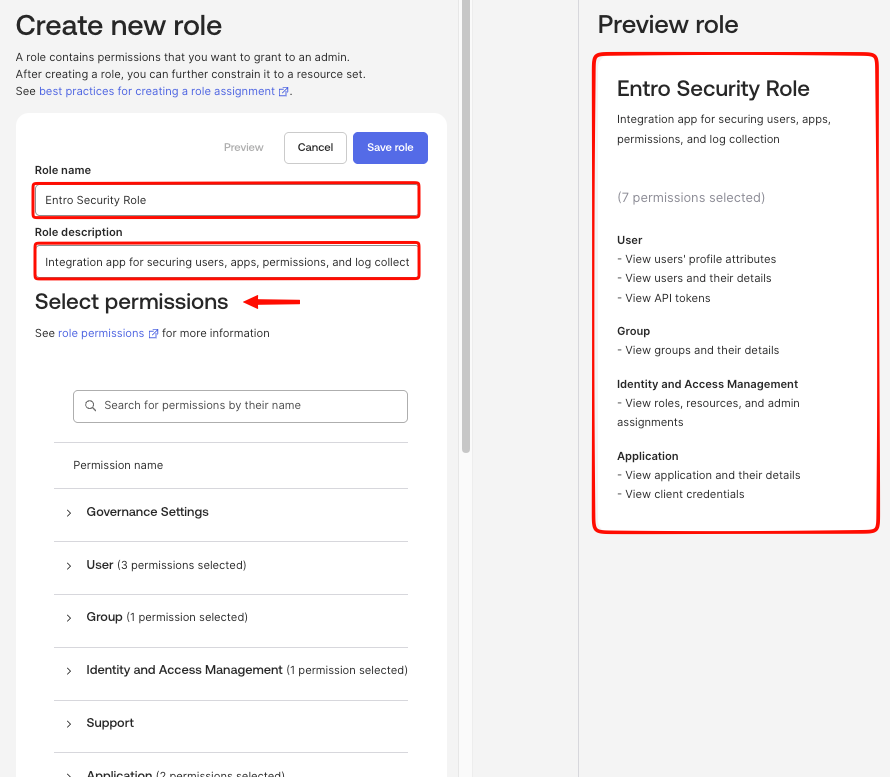
Enter the following details:
-
Role Name:
Entro Security Role -
Role Description:
Integration app for securing users, apps, permissions, and log collection
-
-
Select the following permissions:
Category Permission User View users' profile attributes User View users and their details User View API tokens Group View groups and their details Identity and Access Management View roles, resources, and admin assignments Application View application and their details Application View client credentials -
Select Save Role.
Create a Resource Set
-
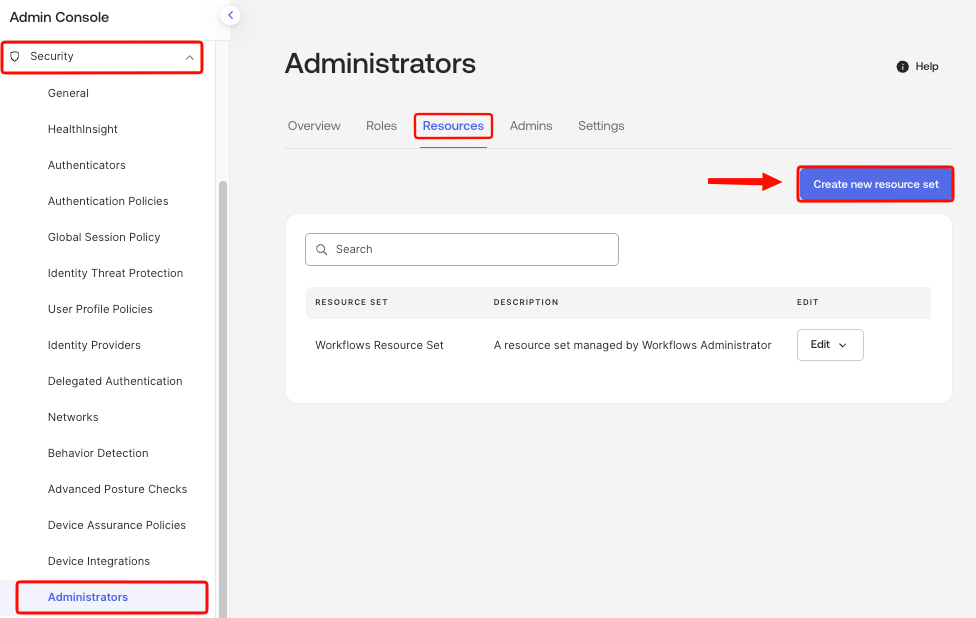
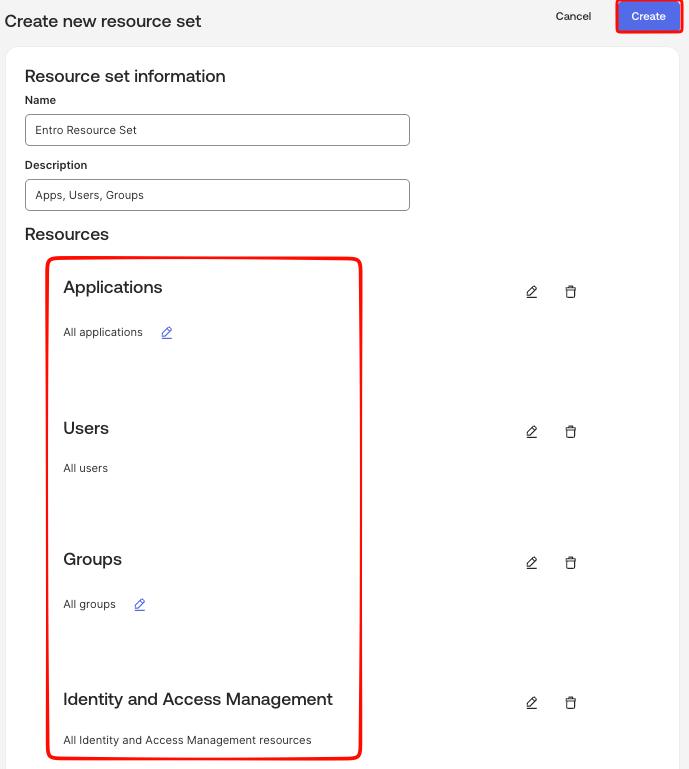
Go to the Resources tab and select Create new resource set.
-
Enter the following details:
-
Name:
Entro Resource Set -
Description:
Apps, Users, Groups
-
-
Select + Add resource and add the following:
Resource Purpose Applications > All applications Observe all apps and their client secrets Identity and Access Management > All IAM resources Read permissions and resource set info per user and app Users > All users Enumerate all users for ownership attribution and employee/IdP data Groups > All groups (optional - future) Will be required once SailPoint Entro covers group membership -
Select Create.
Assign the Role to SailPoint Entro's App
-
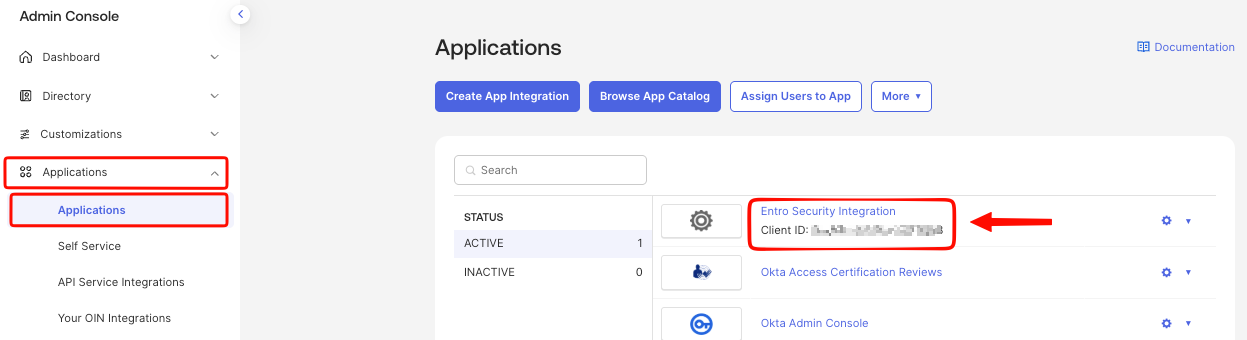
In the Okta Admin Console, go to Applications > Applications and open SailPoint Entro's API Service App.
-
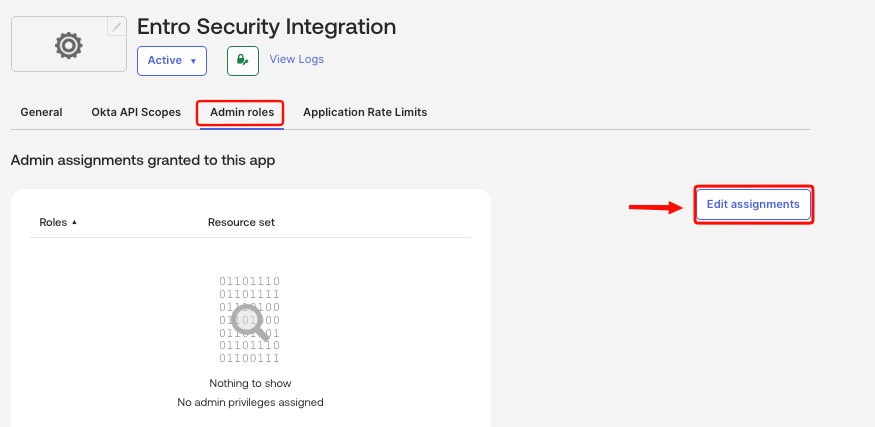
Go to the Admin Roles tab and select Edit Assignment.
-
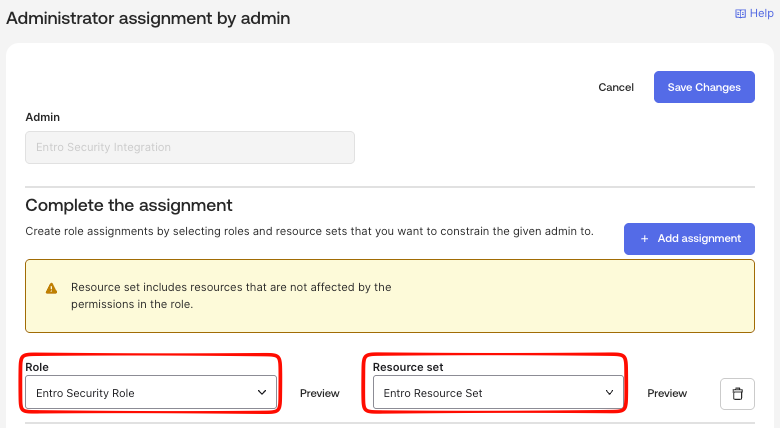
Select Entro Security Role and assign the Entro Resource Set.
-
Select Save Changes.
Assign Report Administrator
-
Still on the Admin Roles tab, select Edit Assignment again.
-
Add the Report Administrator built-in role.
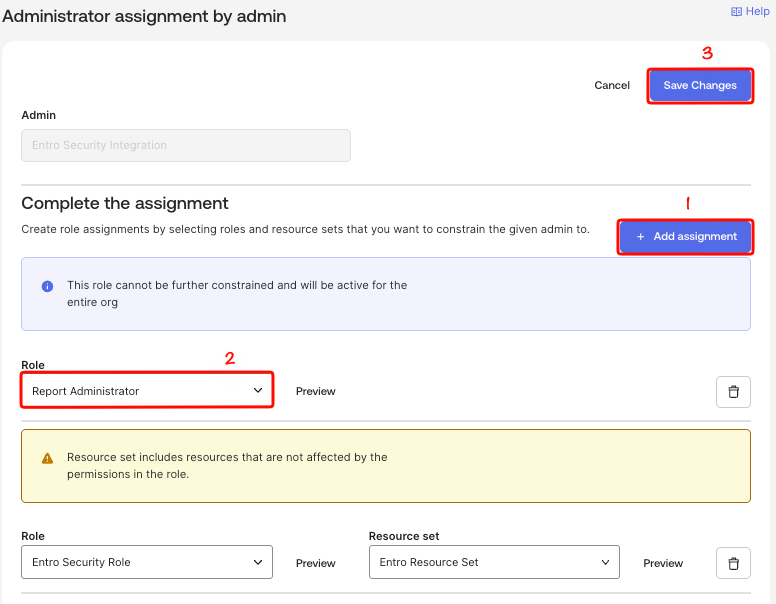
-
Select Save Changes.