GCP Service Account Key
To rotate keys on GCP, on the GCP console first select the applicable resource at the top of the screen, as shown below:
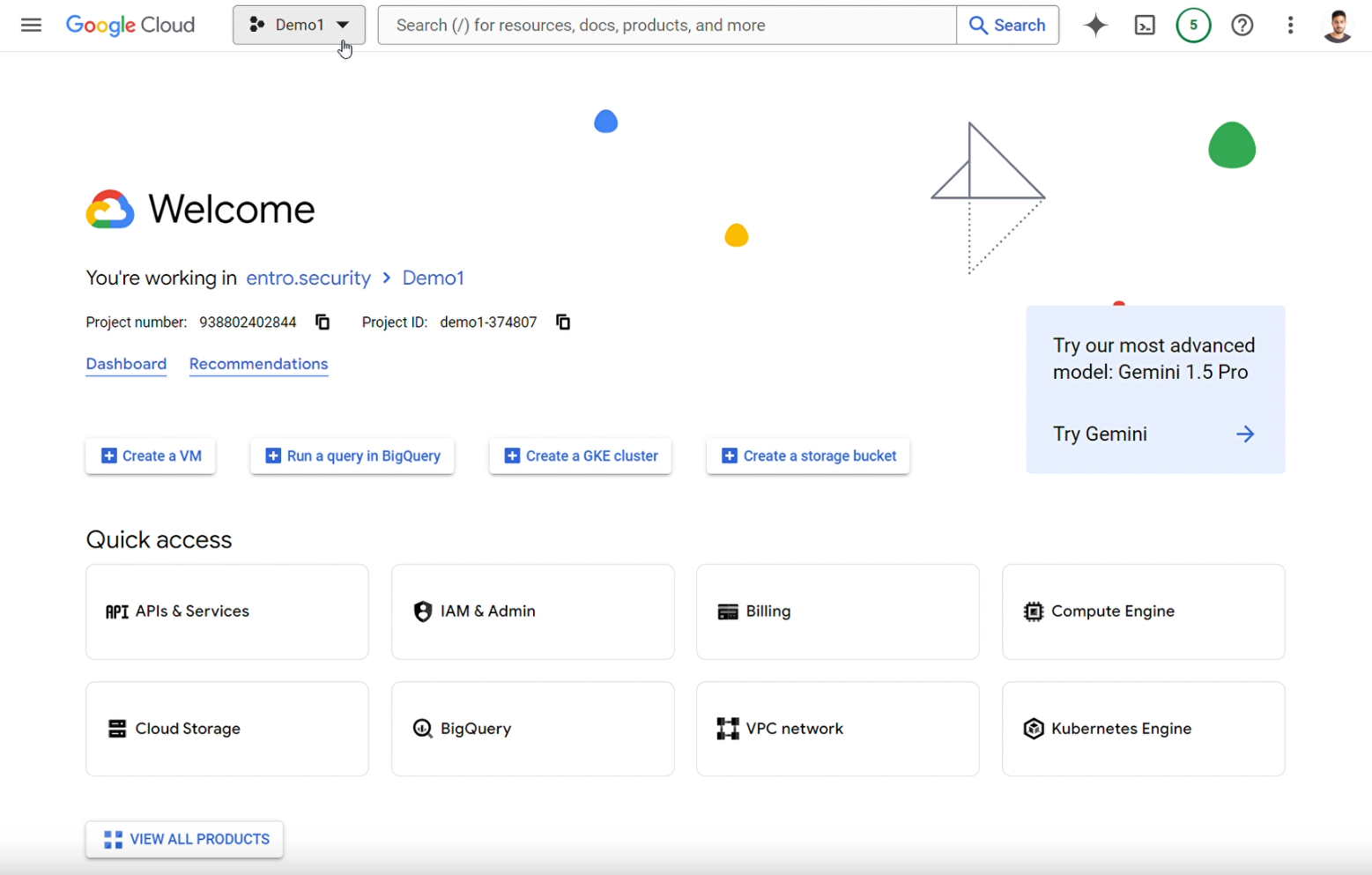
After selecting the correct resource, select "IAM & Admin" under "Quick Access". Navigate to "Service Accounts" on the toolbar to the left:
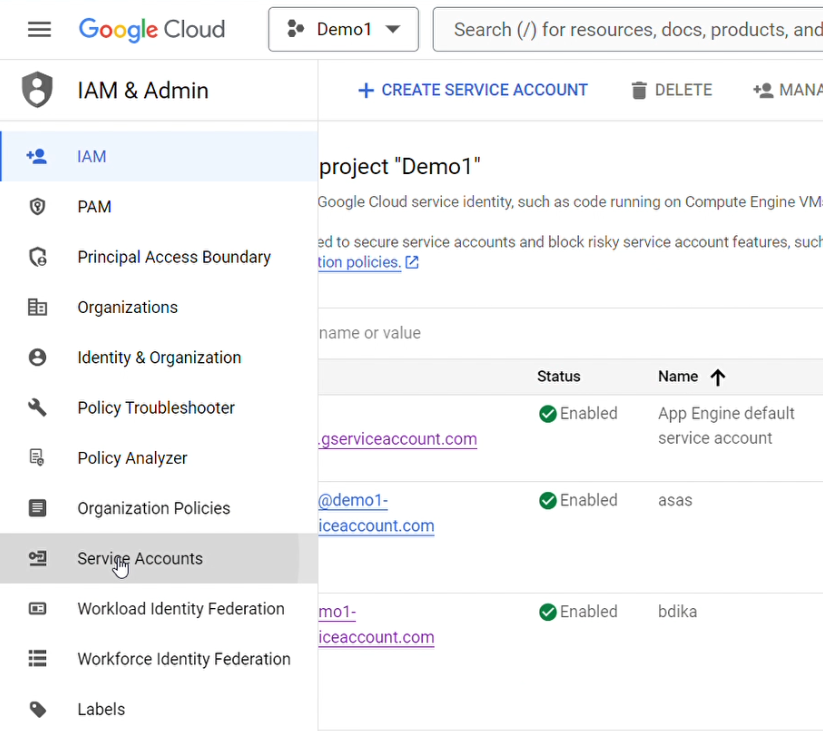
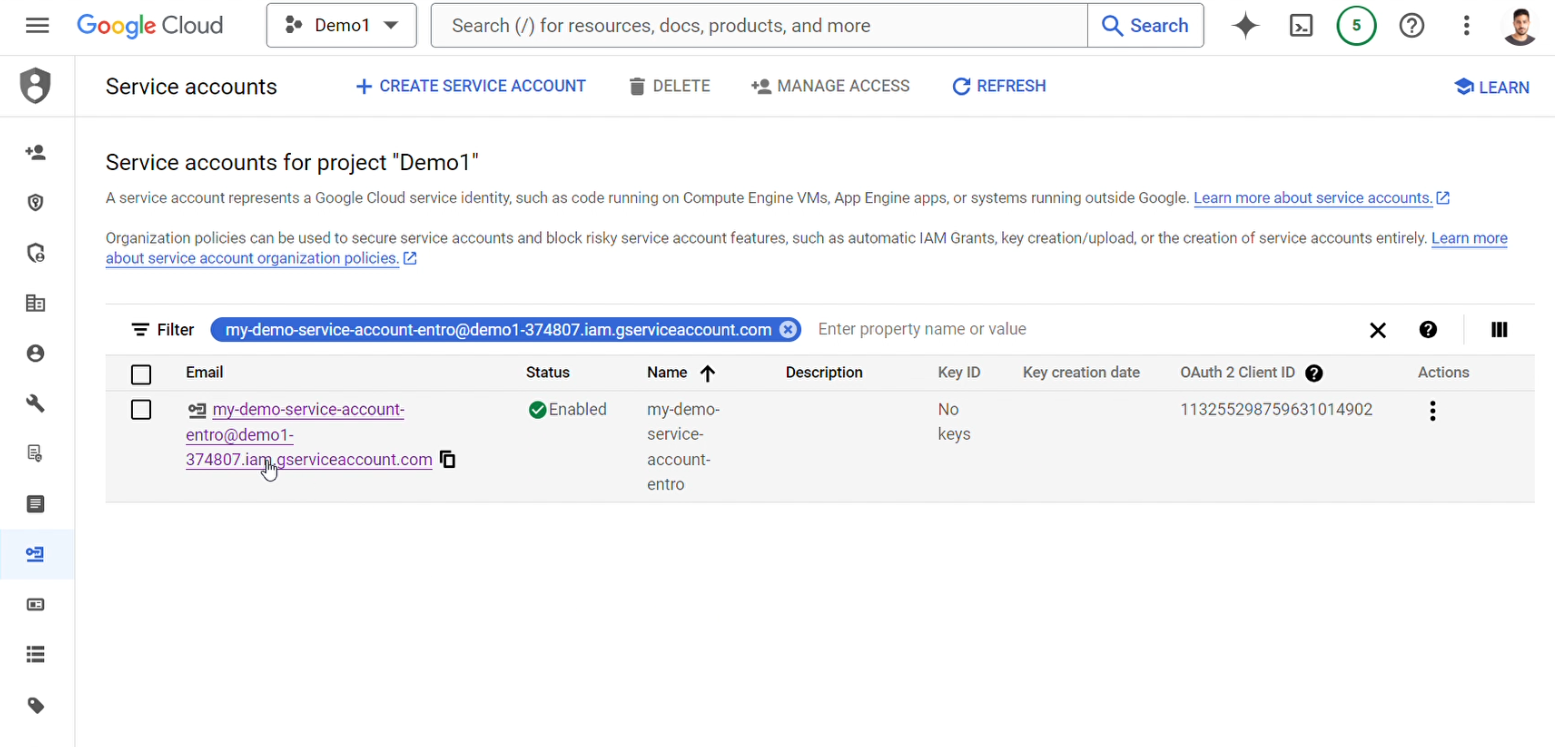
Select the Service Account
Select the Service Account you wish to modify using the searchbox and filter capability:
To modify the keys of the Service Account, select the "Keys" tab:
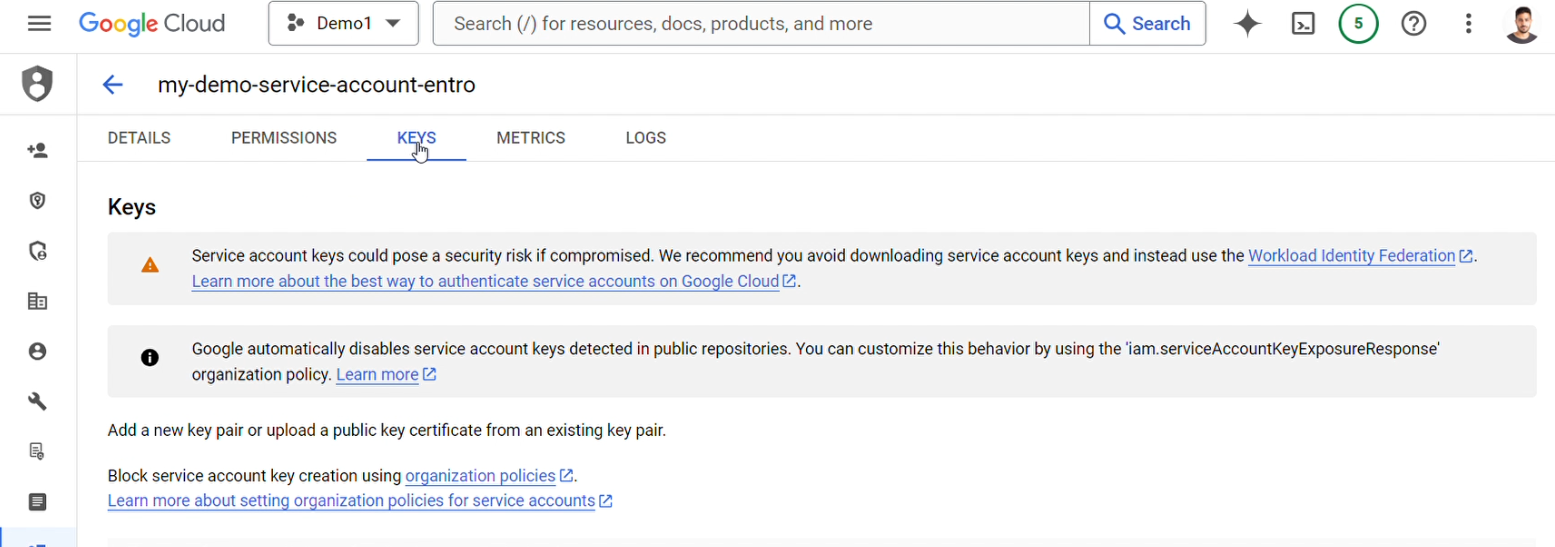
Add a new Key
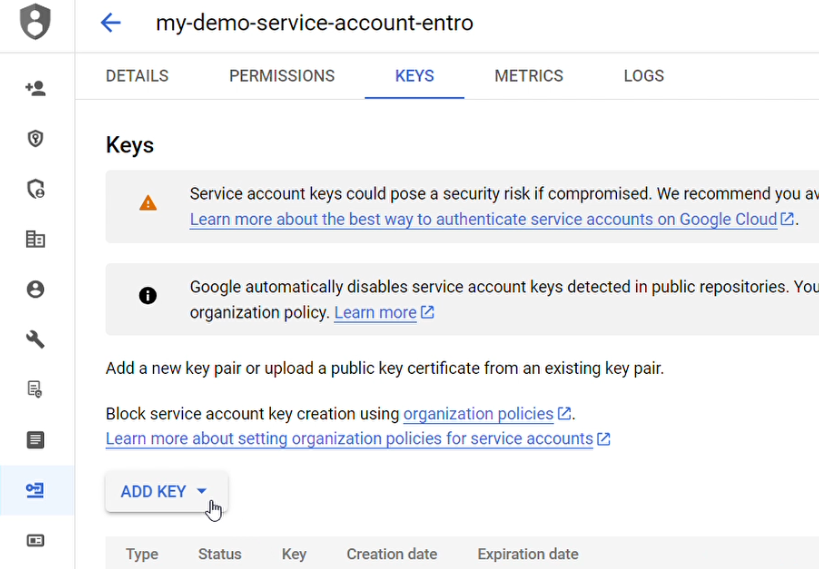
To add a new Key, select the "ADD KEY" dropdown as shown below:
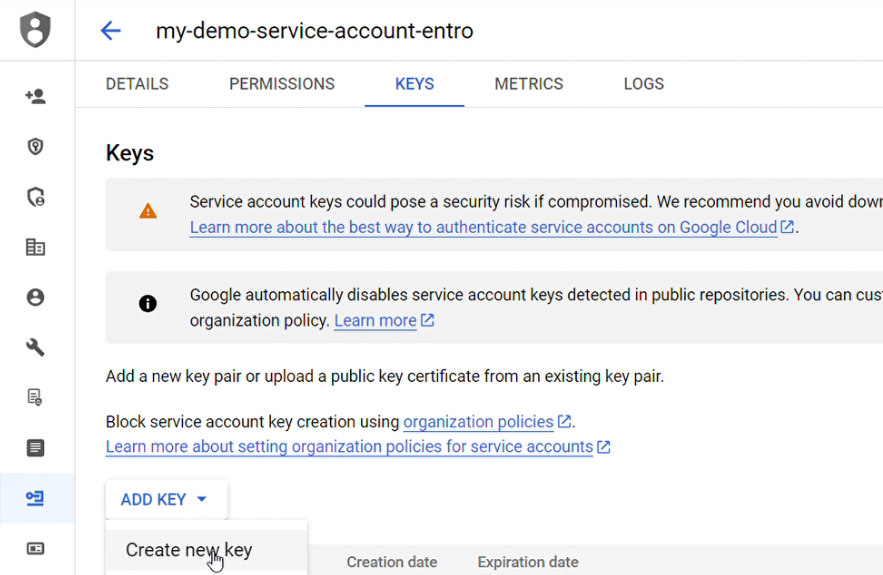
Select the "Create new key" option:
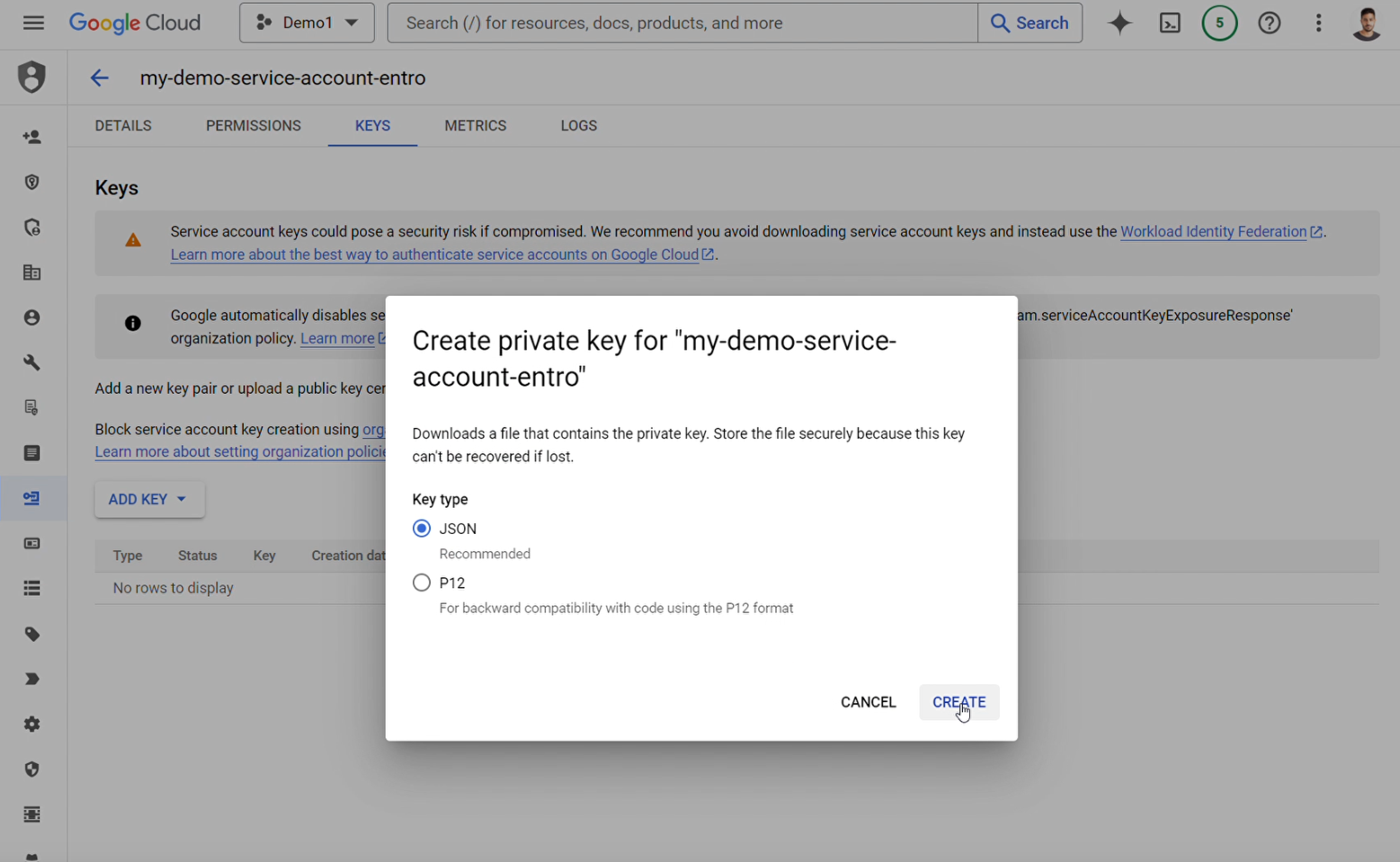
Choose the Key type: in this example the key is JSON type:
Delete an old Key
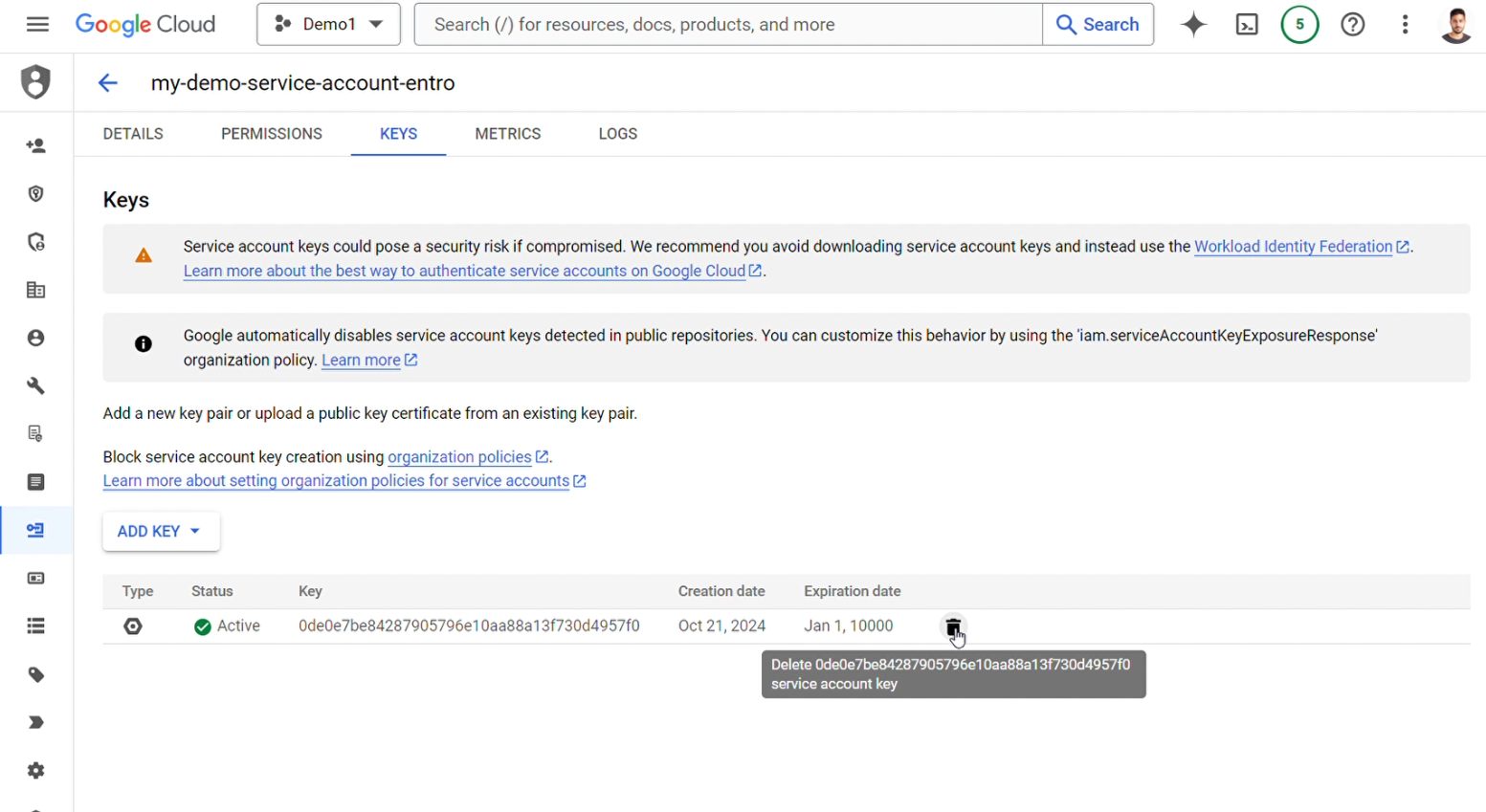
To delete an old key, select the "trash can" icon next to that key:
Note
when rotating a key make sure the new key has been created and is in place to avoid downtime