HashiCorp Vault Onboarding
This section describes how to connect HashiCorp Vault to SailPoint Entro using a read-only ACL policy and access token.
Navigation Path
Management > Accounts & Integrations > Add New Account (top right) > HashiCorp Vault
To connect HashiCorp Vault to SailPoint Entro:
-
Create an ACL Policy
-
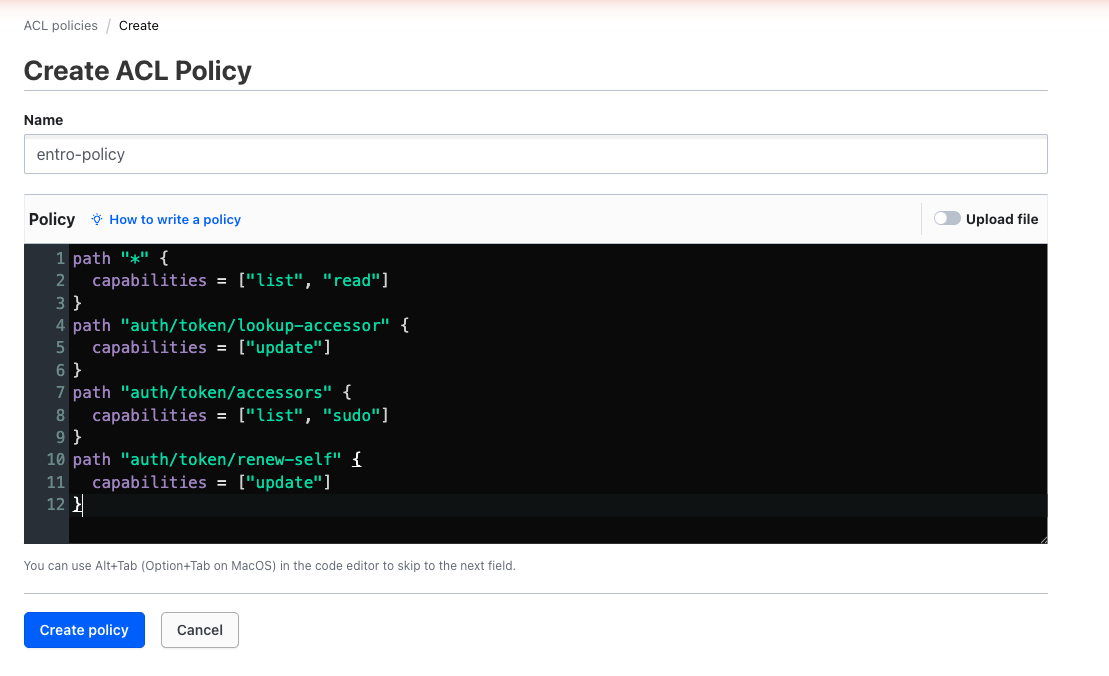
In HashiCorp Vault, go to Policies > ACL Policies.
-
Select Create ACL policy.

- In Name, enter
entro-policyand then provide the following read permissions:
path "*" {
  capabilities = ["list", "read"]
}
path "auth/token/lookup-accessor" {
  capabilities = ["update"]
}
path "auth/token/accessors" {
  capabilities = ["list", "sudo"]
}
path "auth/token/renew-self" {
  capabilities = ["update"]
}
-
-
Create a Token for SailPoint Entro
Use the Vault CLI to run the following command and create a token with the newly defined policy:
write auth/token/create policies=entro-policy no_default_policy=true ttl=30d period=30d renewable=trueFor older versions of HashiCorp Vault, use one of these alternate commands:
vault token create -policy="entro-policy" -no-default-policy=1 -ttl="30d" -period="30d" -renewable=1vault token create -policy="entro-policy" -no-default-policy=1 -ttl=432000 -period=432000 -renewable=1The TTL and period in the second command are in seconds.
Copy the token value and store it securely. You will enter it in SailPoint Entro's onboarding form.
-
Connect Vault to SailPoint Entro
In the SailPoint Entro Dashboard:
-
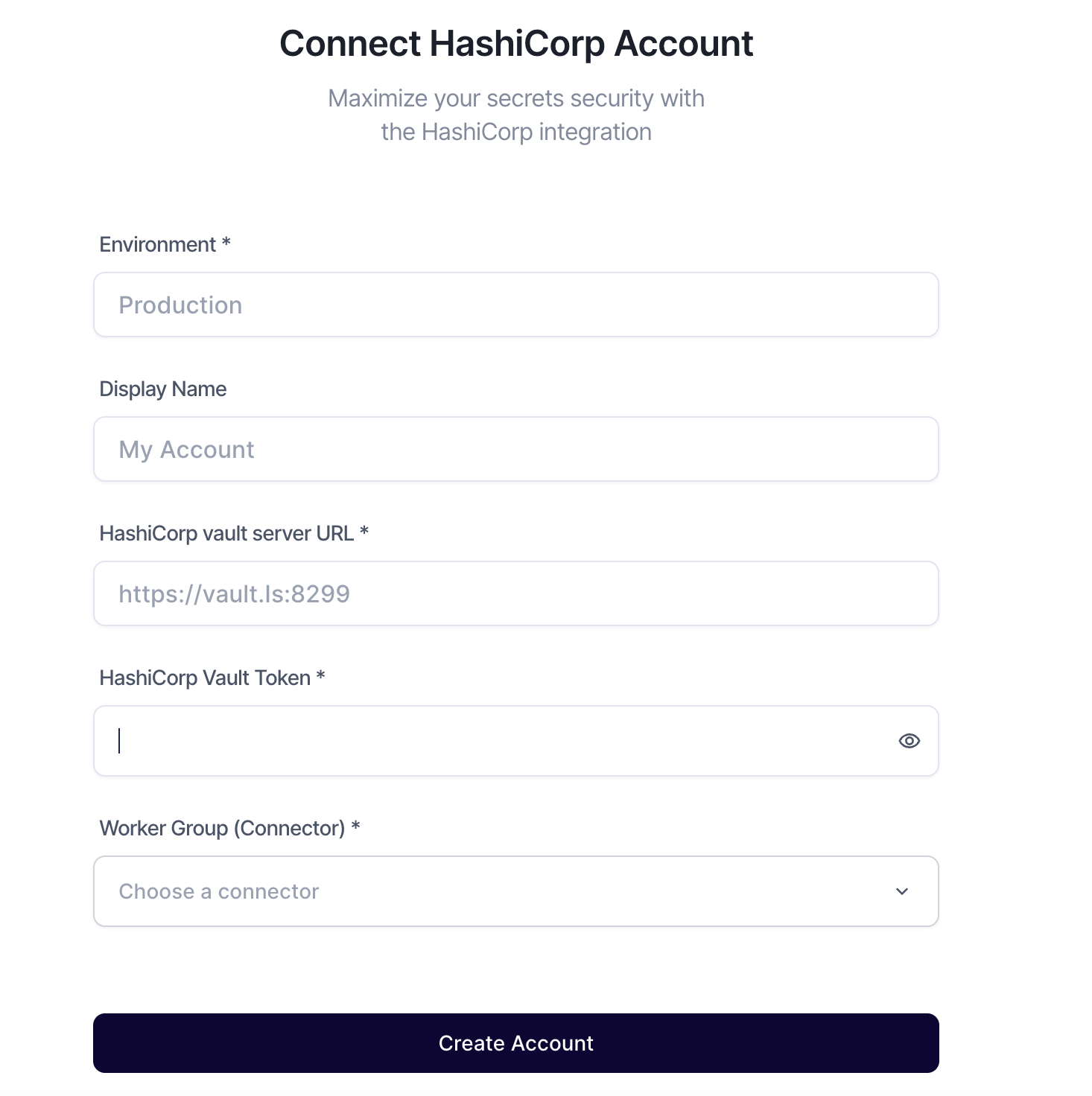
Go to Management > Accounts & Integrations > Add New Account > HashiCorp Vault
-
Enter the following fields:
Field Description Environment A descriptive name for this Vault integration Vault Server URL The URL or IP address (including port) of your Vault instance Access Token The token generated in the previous step Worker Group (Connector) Select the relevant Worker Group handling Vault scans -
Select Create Account.
-
SailPoint Entro validates access and begins metadata analysis.
-