API Keys
The API Keys page allows you to generate and manage access tokens for integrating with the SailPoint Entro platform. API keys provide secure programmatic access to your organization’s data and functionalities through the SailPoint Entro API.
Creating an API Key
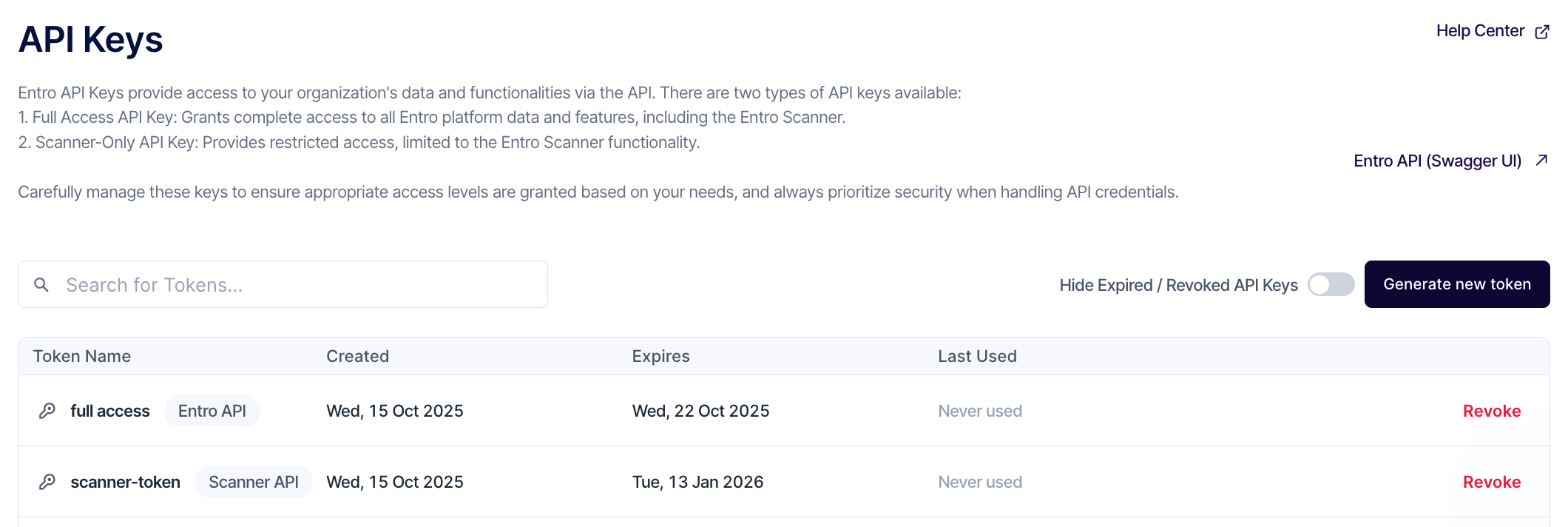
Navigate to Settings → API Keys to manage existing tokens or create new ones.
To create a new key, click “Generate new token.” A modal window will appear, guiding you through the creation process.
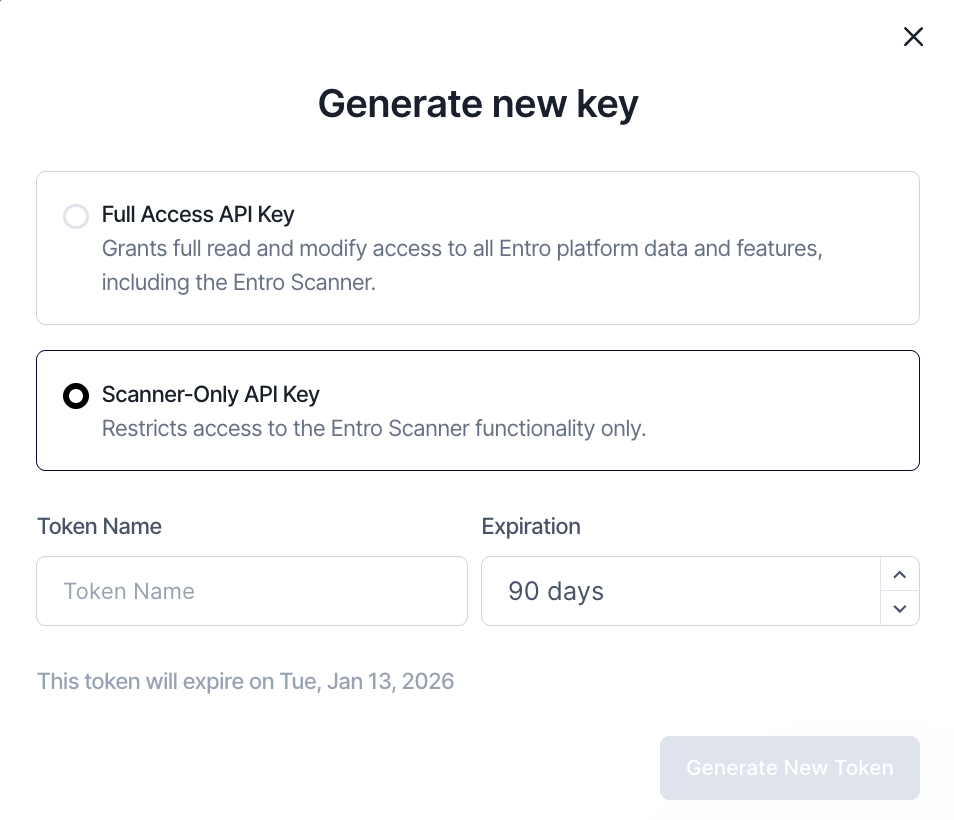
Step 1: Select Access Type
Choose between:
-
Full Access API Key Grants complete access to all SailPoint Entro platform data and features, including the SailPoint Entro Scanner. Recommended for trusted internal automation or integration services.
-
Scanner-Only API Key Provides restricted access, limited to the SailPoint Entro Scanner functionality. Ideal for scanning operations that don’t require modification of data or configurations.
Caution
Handle API keys with care and limit their distribution. Full Access keys should only be granted to authorized systems or users.
Step 2: Define Token Details
-
Token Name: Enter a clear, descriptive name to identify the purpose of the token (e.g., CI Pipeline, Security Scanner).
-
Expiration: Choose an expiration period from the dropdown menu (default is 90 days). The expiration date will be displayed below automatically (e.g., This token will expire on Sat, Jan 10, 2026).
Once configured, click Generate New Token.
Caution
Tokens should have limited lifetimes. Regularly rotate and revoke keys to maintain strong security hygiene.