VS Code Plugin Installation
Install the SailPoint Entro marketplace plugins in Visual Studio Code
Follow these steps end to end. Configure the marketplace for local users first. Then install plugins or recommend them at workspace level.
Index
User Setup
Add the SailPoint Entro marketplace (user)
Add the SailPoint Entro marketplace to your local VS Code settings before installing any SailPoint Entro plugin.
Prerequisites
-
Visual Studio Code installed locally
-
GitHub Copilot installed and signed in
-
GitHub token and GitHub repository URL provided by SailPoint Entro
-
Open the marketplace setting
In VS Code, open Settings and search for
chat.plugins.marketplaces.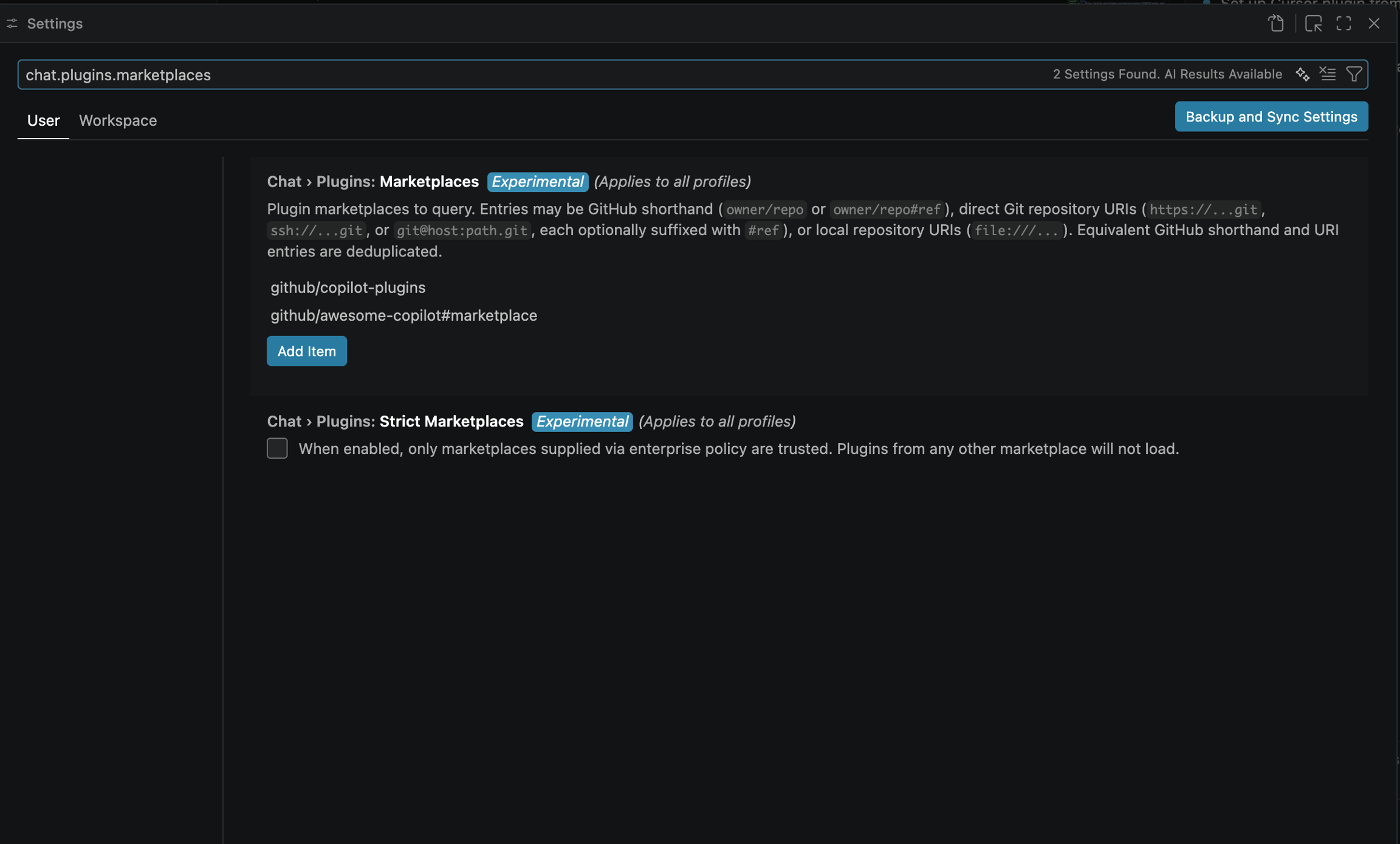
If you prefer JSON, open Command Palette → Preferences: Open User Settings (JSON).
-
Add the SailPoint Entro marketplace
Add a marketplace entry for the SailPoint Entro repository.
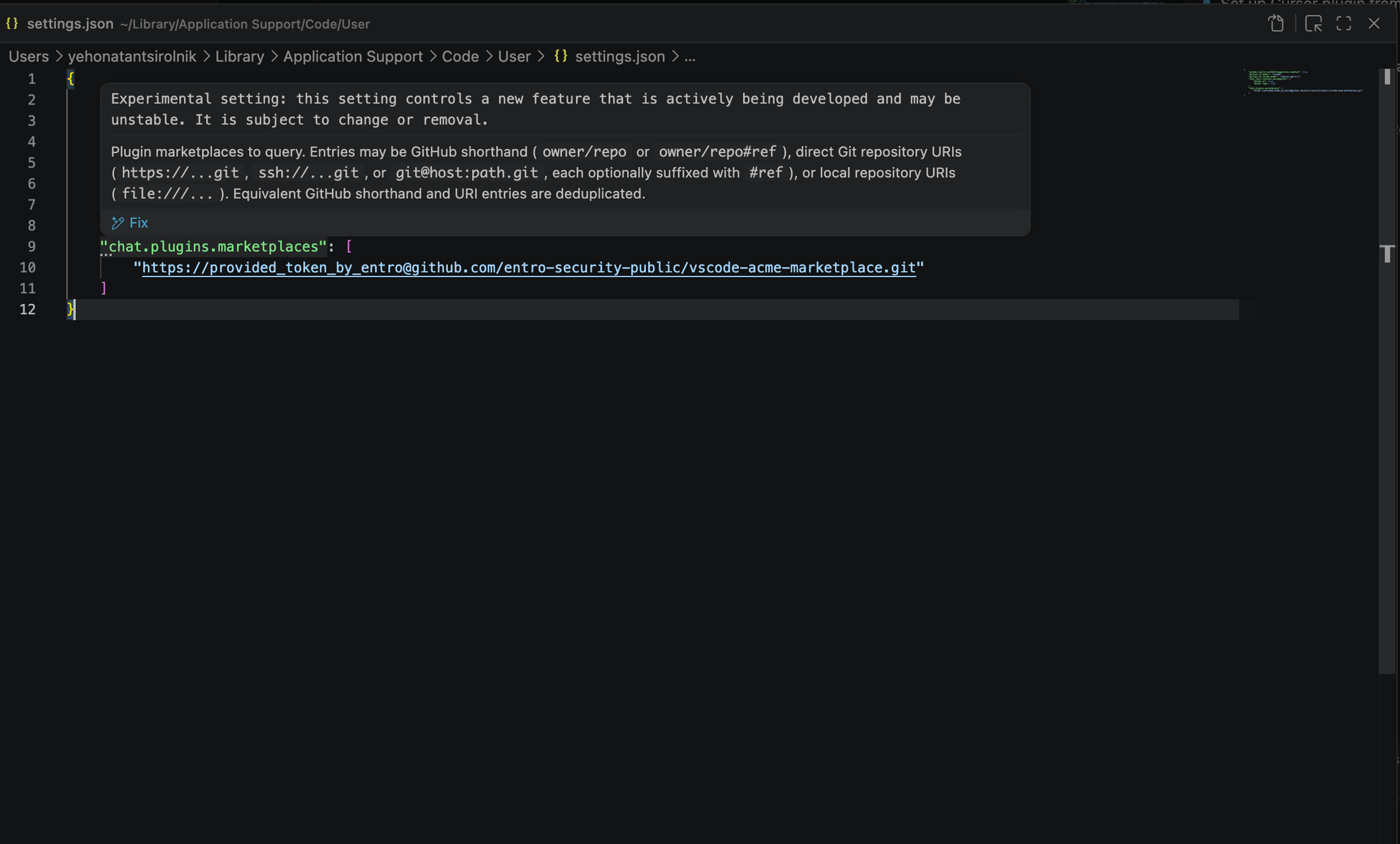
Use the repository URL SailPoint Entro provided. If your access method includes a token in the URL, paste the full value exactly as provided.
-
Save and reload VS Code
Save the settings change.
Then run Developer: Reload Window.
Install Governance Audit (user)
Open the GitHub Copilot plugin install flow, select the SailPoint Entro marketplace, and install:
agentic-audit@sailpoint
Reload VS Code if prompted.
Install Secret Scanner (user)
Open the GitHub Copilot plugin install flow, select the SailPoint Entro marketplace, and install one of these plugins:
-
secret-scanner@sailpoint -
secret-scanner-non-blocking@sailpoint
Reload VS Code if prompted.
Note
Your local VS Code user can now discover and install SailPoint Entro plugins.
Workspace Setup
Add plugin recommendations (workspace)
Use workspace recommendations when you want a repository to suggest the correct SailPoint Entro plugins to contributors.
Prerequisites
-
A shared repository or workspace opened in Visual Studio Code
-
GitHub Copilot installed for workspace users
-
The SailPoint Entro marketplace already configured for users who will install plugins
Open the workspace recommendation file in your repository. Then add the plugin IDs you want users to install.
Recommend Governance Audit (workspace)
Add this plugin ID to the recommended plugin list:
agentic-audit@sailpoint
Commit the workspace change, so the recommendation is shared with the team.
Recommend Secret Scanner (workspace)
Add one of these plugin IDs to the recommended plugin list:
-
secret-scanner@sailpoint -
secret-scanner-non-blocking@sailpoint
Commit the workspace change, so the recommendation is shared with the team.
Note
Your workspace now recommends the SailPoint Entro plugin set your team should use.