Jira Tickets
Jira is a project management tool used for planning, tracking and managing work. As such, Jira is a significant exposure point for Secrets. SailPoint Entro identifies Secrets exposed on Jira (as shown below):
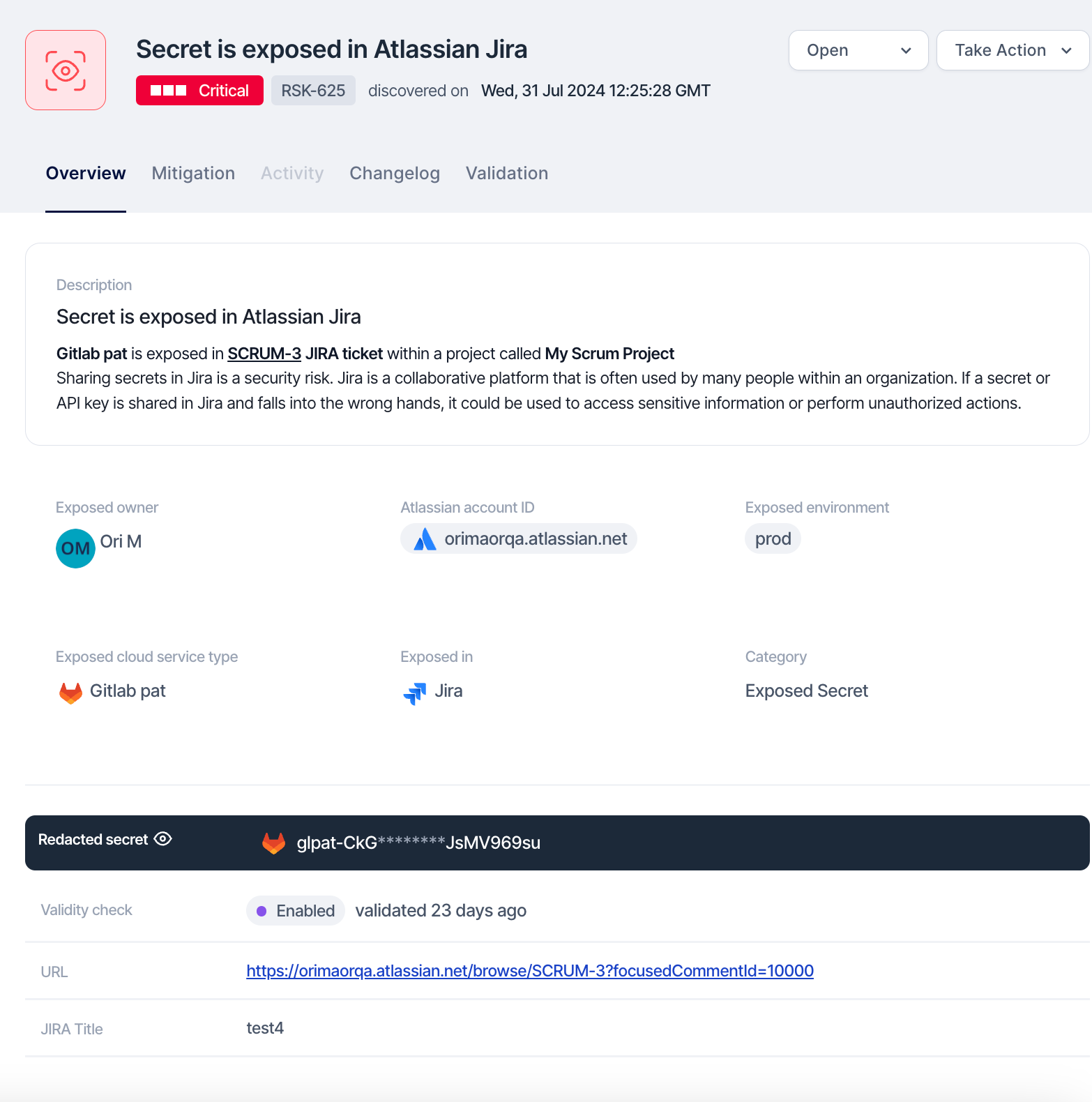
The following steps should be taken to react effectively when SailPoint Entro detects tokens exposed over Jira in order to limit the scope of impact.
Step 1: Locate the Exposed Token with SailPoint Entro Platform

Note that while SailPoint Entro supplies the URL to directly access the Jira ticket with the token exposure, token(s) may be exposed in the comment section or within an attached file - not only the ticket contents.
Step 2: Revoke and Remove the Exposed Token
To remediate the issue, use the following workflow:
-
Redact Sensitive Information: Edit or delete the Jira ticket, comments, or attached files that contain the exposed sensitive Token to ensure Jira hygiene is met.
-
Inform the Jira ticket owner about the token exposure so that the practice is not repeated.
-
Generate a new token if required, and ensure secure storage.
-
Organize and take notes throughout this process as they will be necessary for a future root cause analysis, response plans, etc...
-
Revoke any exposed tokens immediately through the issuing service based on the token type provided by SailPoint Entro. Refer to Key Rotation Best Practices.
Step 3: Remove exposed tokens from ticket history and backups
Even after deleting the Jira ticket with token exposure, the exposure may still be present in backups of your Jira environment. If possible these backups should be scrubbed, labeled appropriately, and reissued.
When the entirety of the ticket cannot be deleted, verify that the exposed token has also been deleted from older versions of the ticket.
Step 4: Audit and Review
Review Jira’s audit logs to ensure no unauthorized access occurred while the token was exposed. Once risk of exposure has subsided, identify key stakeholders to inform and ultimately improve workflows, so the practice is not repeated.
Step 5: Monitor
Set up monitoring and alerts within Jira or using external monitoring tools to notify you of any unusual activities related to sensitive data access or configurations.