Slack Configurations
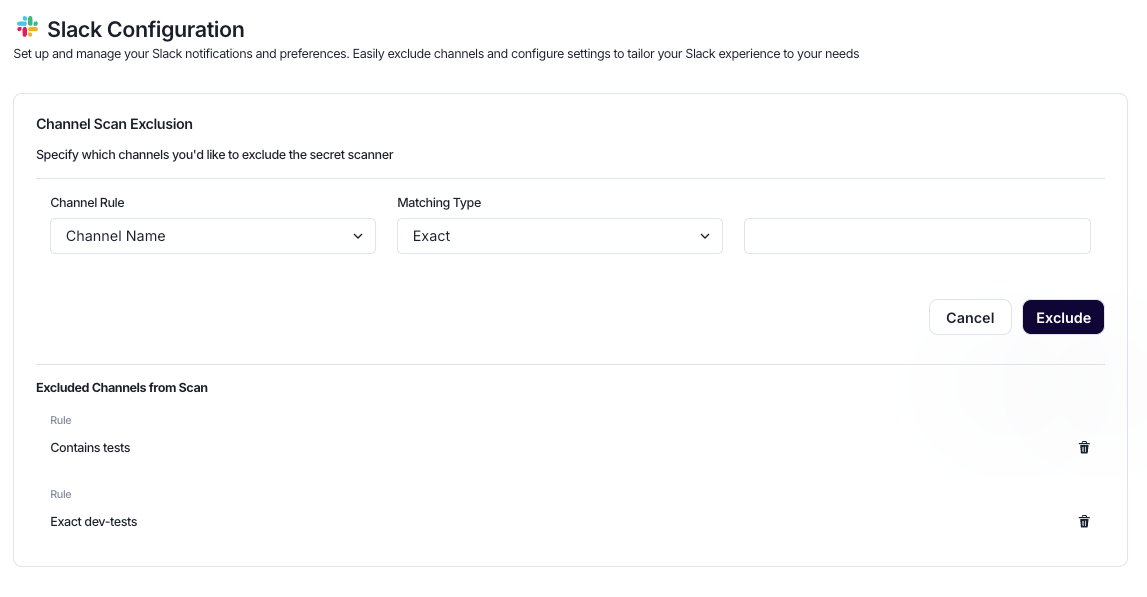
The Slack Configuration allows organizations to control how SailPoint Entro monitors Slack for exposed secrets. Teams can fine-tune scan coverage by excluding specific channels from detection, reducing noise from test or low-risk conversations, while ensuring sensitive areas remain protected. For Slack Enterprise Grid customers, SailPoint Entro also supports Prevention Mode, which enables near real-time detection and automated mitigation of leaked secrets directly within Slack.
Prevention Mode (for Slack Enterprise Grid)
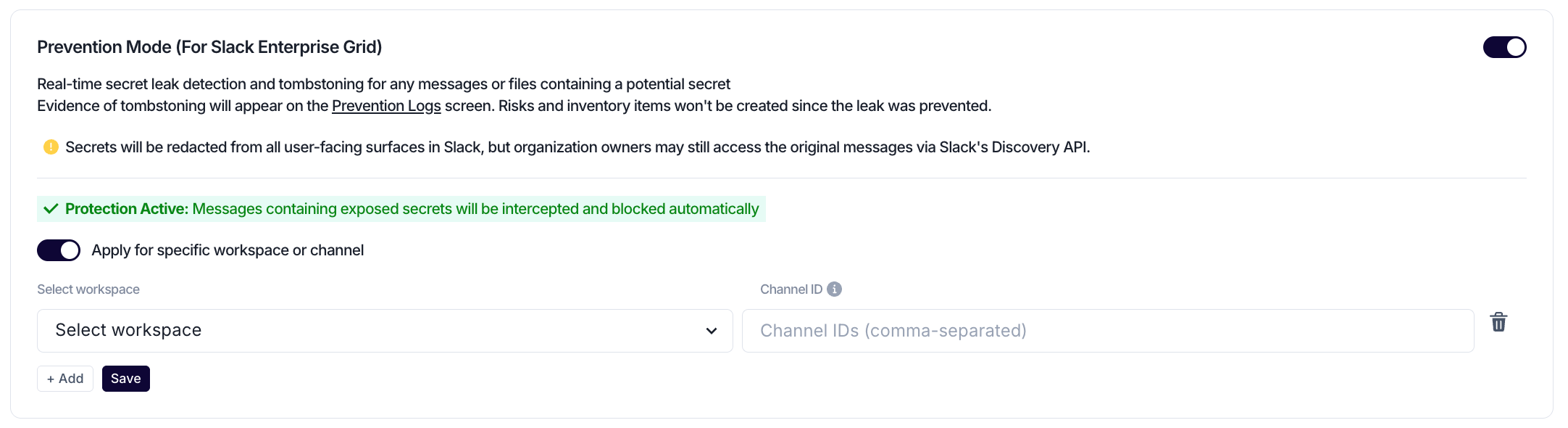
Slack Prevention Mode provides automated protection against secret leakage in Slack Enterprise Grid environments. When enabled, SailPoint Entro continuously monitors recent messages across public and private channels to identify exposed secrets immediately after they are sent. This allows organizations to detect leaked secrets in near real-time, before they spread or are used maliciously.
If a leaked secret is detected, SailPoint Entro automatically mitigates the exposure by replacing the original message with a redacted version of it, while preserving the original context and masking only the secret itself.

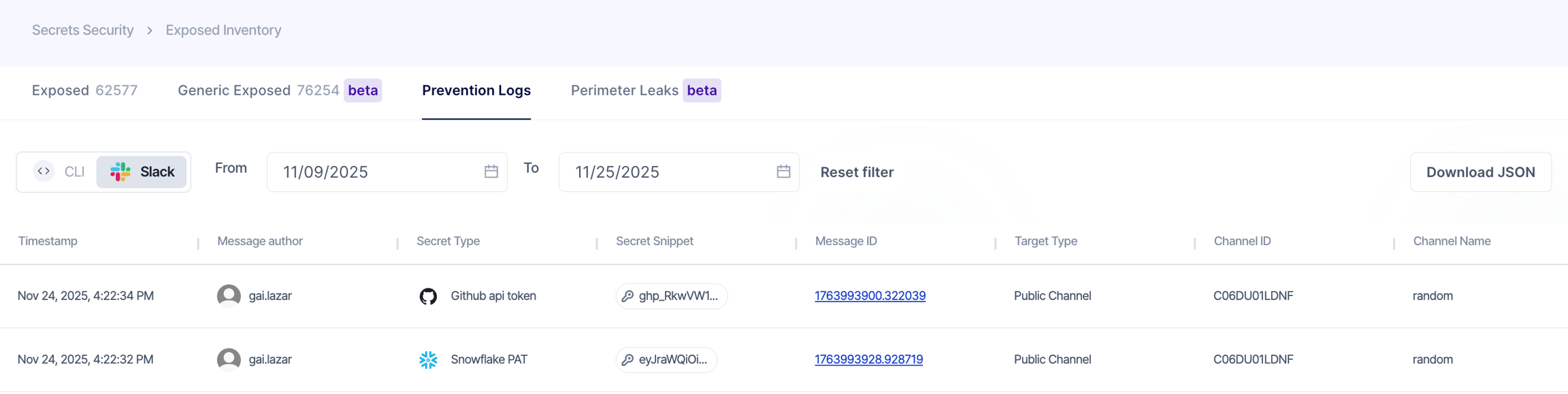
Every mitigation event is logged in SailPoint Entro's Prevention Logs for auditing and incident response. These logs include the detected secret type, owner, and exposed location, providing full visibility into prevented leaks across Slack.
Note
- It is recommended to use a separate connector for Slack integration when enabling Slack prevention, to support real-time detection and redaction of secrets.
- Secrets are redacted from all user-visible areas in Slack, although Workspace/Org Owners may still access the original content through Slack’s Discovery API - so exposed credentials should still be revoked or rotated.
- Generic secret types (managed in the
Genericinventory) will not get mitigated when "Prevention Mode" is enabled.
Targeted Channel Protection
Prevention Mode can be scoped to specific workspaces or channels instead of being applied globally. When enabling the 'Apply for specific workspace or channel' toggle, select the relevant workspace, and optionally specify one or more channel IDs (If no channels are specified, Prevention Mode is applied across the entire selected workspace)
Only messages sent in the selected workspace(s) or channel(s) will be monitored and automatically redacted.
This configuration is useful for controlled rollout or focusing protection on high-sensitivity environments.
Manual Message Redaction
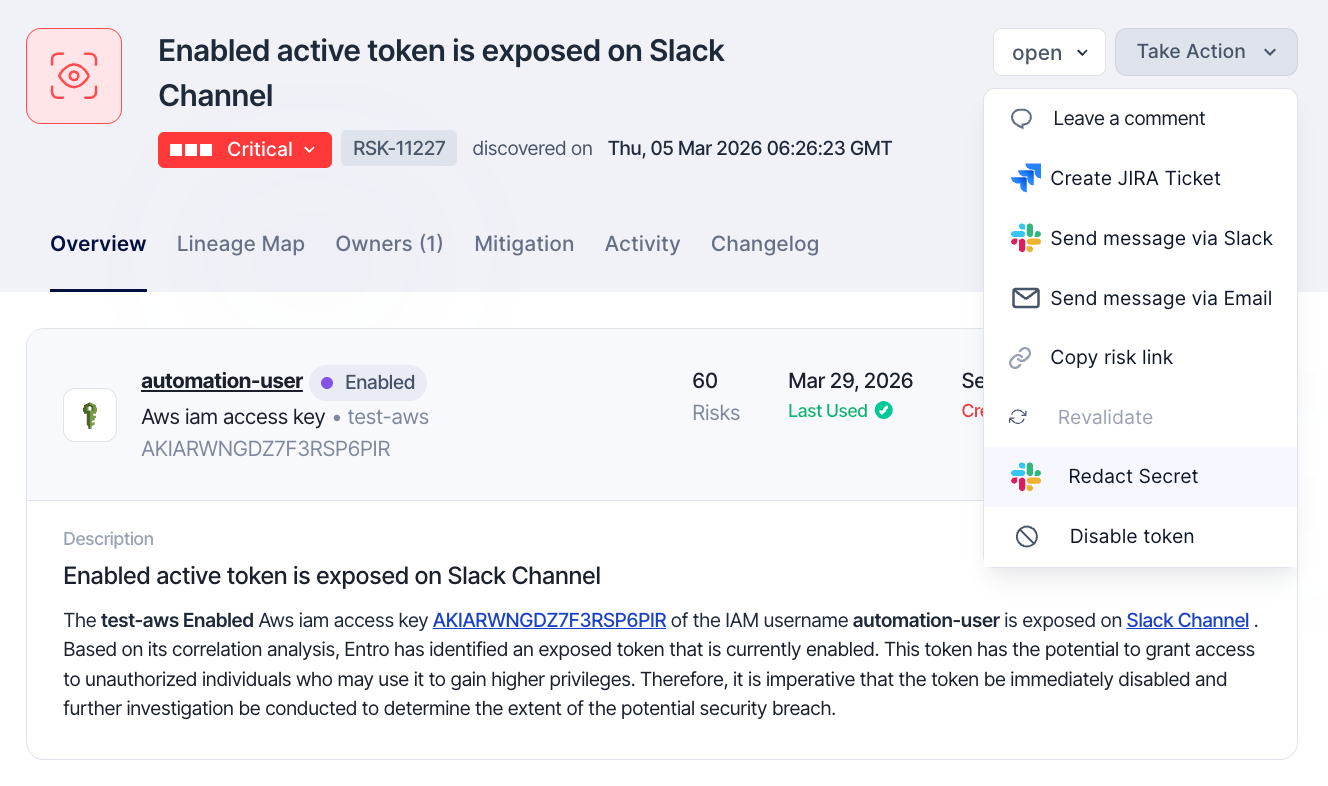
When enabling Slack Prevention, manual redaction can be triggered for messages sent in public/private channels from the raised risk view.
On the risk page, use Take Action → Redact Secret to redact the exposed secret in the original Slack message while preserving the surrounding context around it.
This provides a fast and controlled way remediate exposures exposure, enabling teams to respond to incidents as they arise and reduce the risk of misuse or further spread.
Channel Scan Exclusion
Channel exclusions define which Slack channels should be ignored by SailPoint Entro’s secret scanner. Each exclusion rule consists of a Channel Rule, a Matching Type, and a Pattern that determine which channels are exempt from scanning. Rules can be configured using either the channel name or the channel ID, providing flexibility based on how your Slack workspace is organized.
-
When using a Channel Name, select the Matching Type to be used:
-
Exact — Excludes a specific channel that exactly matches the name.
-
Starts With — Excludes all channels whose names begin with the specified prefix.
-
Contains — Excludes any channel name that includes the defined text.
-
Excluded channels appear in the list below the configuration form, where they can be reviewed or removed at any time.