Microsoft Teams
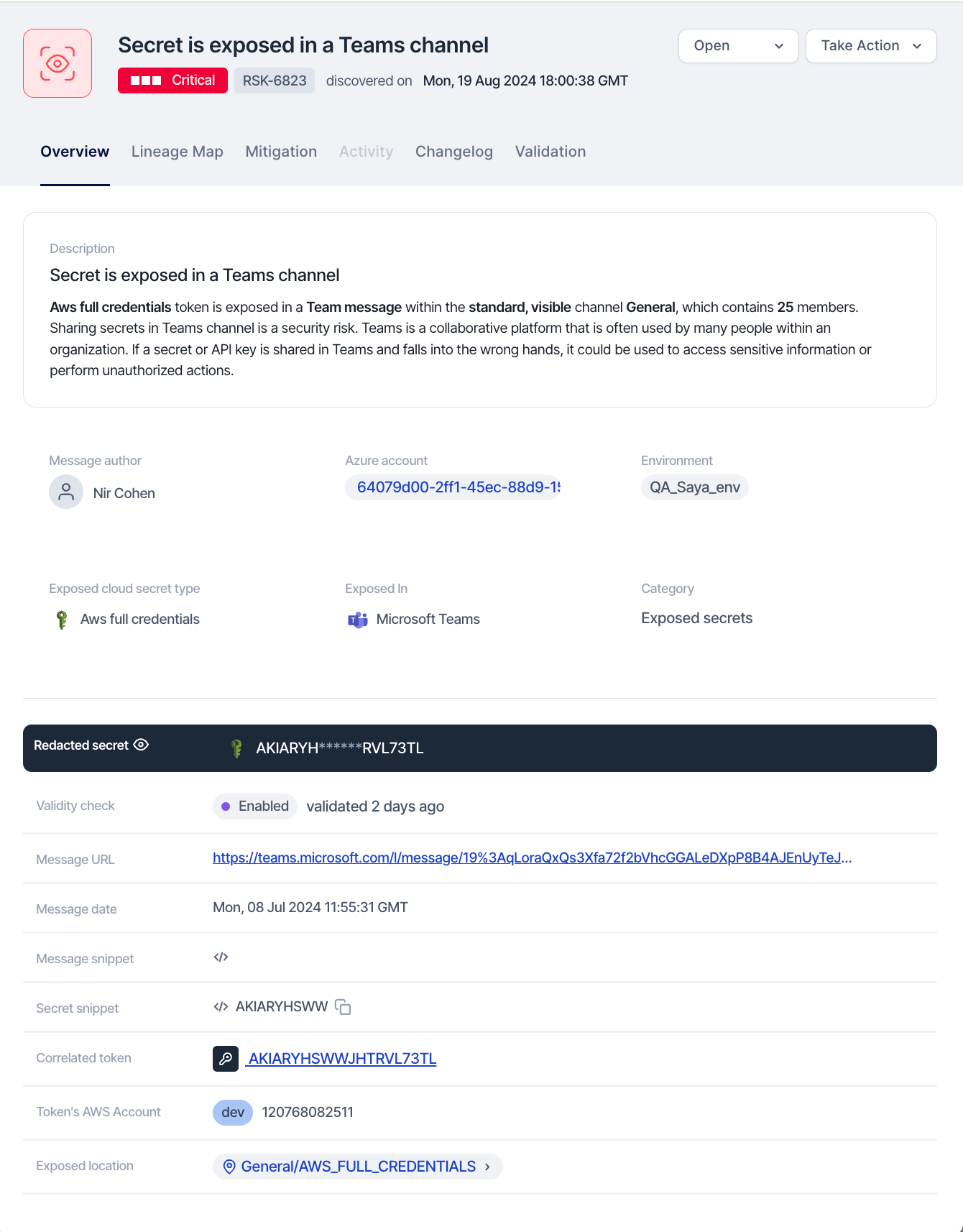
Microsoft Teams is a collaboration app that allows users to communicate, share files, and hold meetings in one place. SailPoint Entro detects secrets and NHIs exposed on Teams, like the example below:
Step 1: Locate the Exposed Token with SailPoint Entro Platform

SailPoint Entro supplies the URL to navigate directly to the specific Microsoft Teams channel, chat, or message where the token was exposed.
Step 2: Revoke Rotate and remove the Exposed Token
To remediate the issue, use the RIGOR workflow:
-
Redact Sensitive Information: Remove or edit the exposed token from the affected message, file, or bot configuration in Microsoft Teams.
-
Inform the individual who exposed the token via Microsoft Teams or another communication channel. Help them understand the nature of the exposure, its potential impact, and actions being taken to remediate the situation
-
Generate a new token if necessary and ensure it is securely vaulted, avoiding exposure in scripts, pipeline configurations, or environment settings.
-
Organize and take notes throughout this process as they will be necessary for a future root cause analysis, response plans, etc...
-
Revoke any exposed tokens: Then revoke the exposed token through the issuing service based on the token type provided by SailPoint Entro. Refer to Key Rotation Best Practices.
Step 3 (optional): Use Azure Key Vault for Sensitive Data
Set up Azure Key Vault to securely store sensitive information, such as tokens. Store the new token in Azure Key Vault and configure access policies to allow Azure DevOps pipelines or services to access the stored secrets securely.
Step 4: Audit Access
Review Microsoft Teams’ audit logs and compliance reports to ensure no unauthorized access occurred while the token was exposed.