Hybrid Entra AD
This section explains how to enable all features for on-premises Active Directory (AD) synchronization with Microsoft Entra ID to extend SailPoint Entro's Non-Human Identity (NHI) monitoring into hybrid environments. This part isn't needed if you've connected SailPoint Entro natively via LDAP.
To ensure complete visibility, additional LDAP attributes must be synced to Entra ID. These attributes improve SailPoint Entro's mapping accuracy, classification of service accounts, and overall observability.
Hybrid NHIs will appear within NHI Inventory as Identity Type Entra Hybrid Service Account
Prerequisites
-
Microsoft Ecosystem / Azure is already integrated on SailPoint Entro
-
Microsoft Entra Connect (Azure AD Connect) must already be installed and configured.
-
Administrative permissions on the Entra Connect server are required.
Step 1 - Open Azure AD Connect
On your Entra Connect Sync server:
-
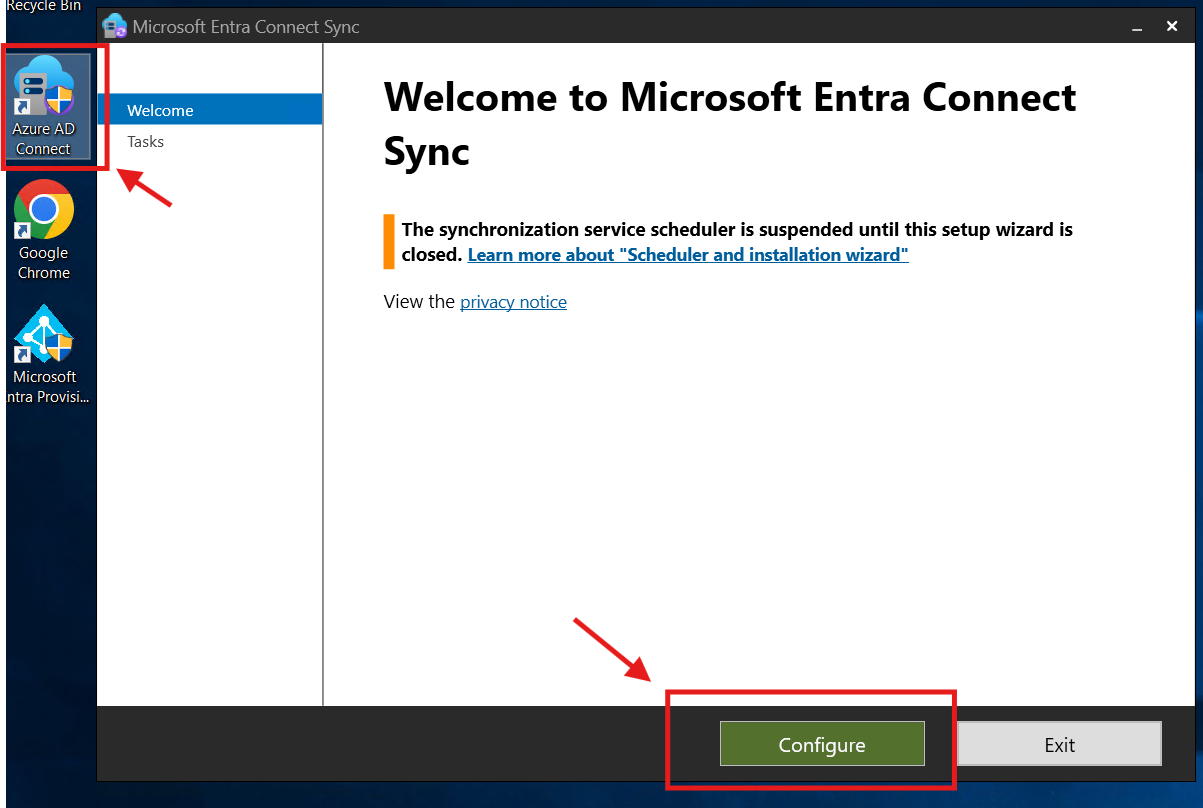
Launch the Azure AD Connect application.
-
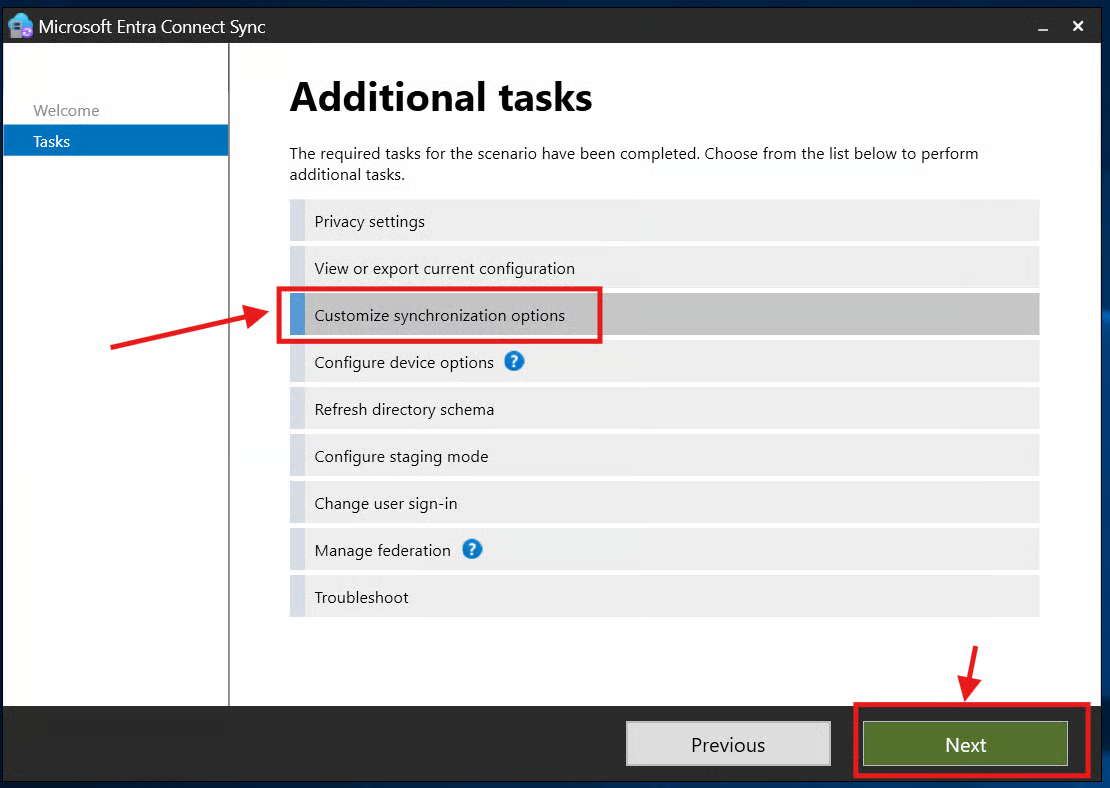
Select Customize synchronization options, then click Next.
Step 2 - Enable Directory Extension Attribute Sync
-
In Optional Features, check
Directory extension attribute sync(if not already enabled).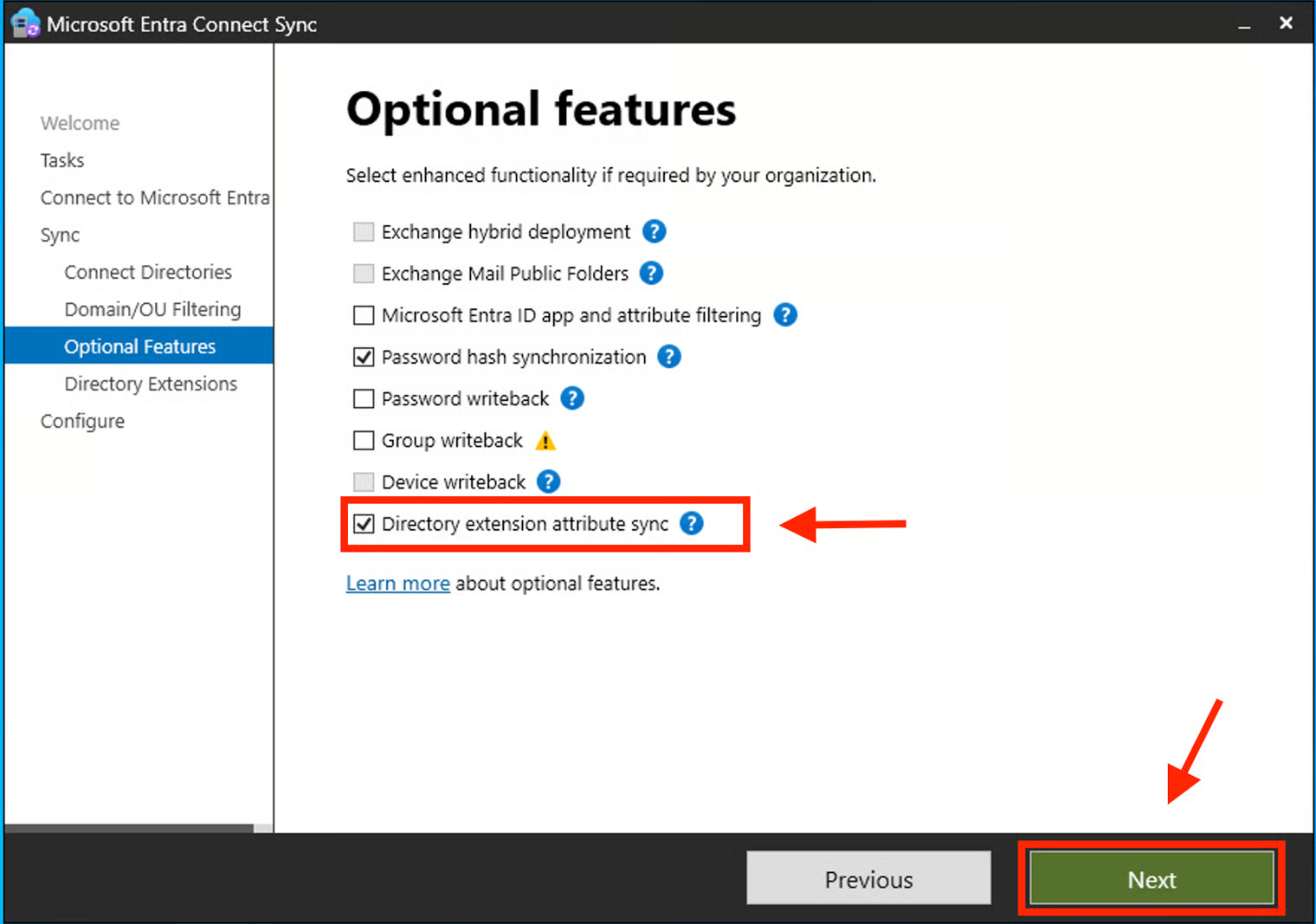
-
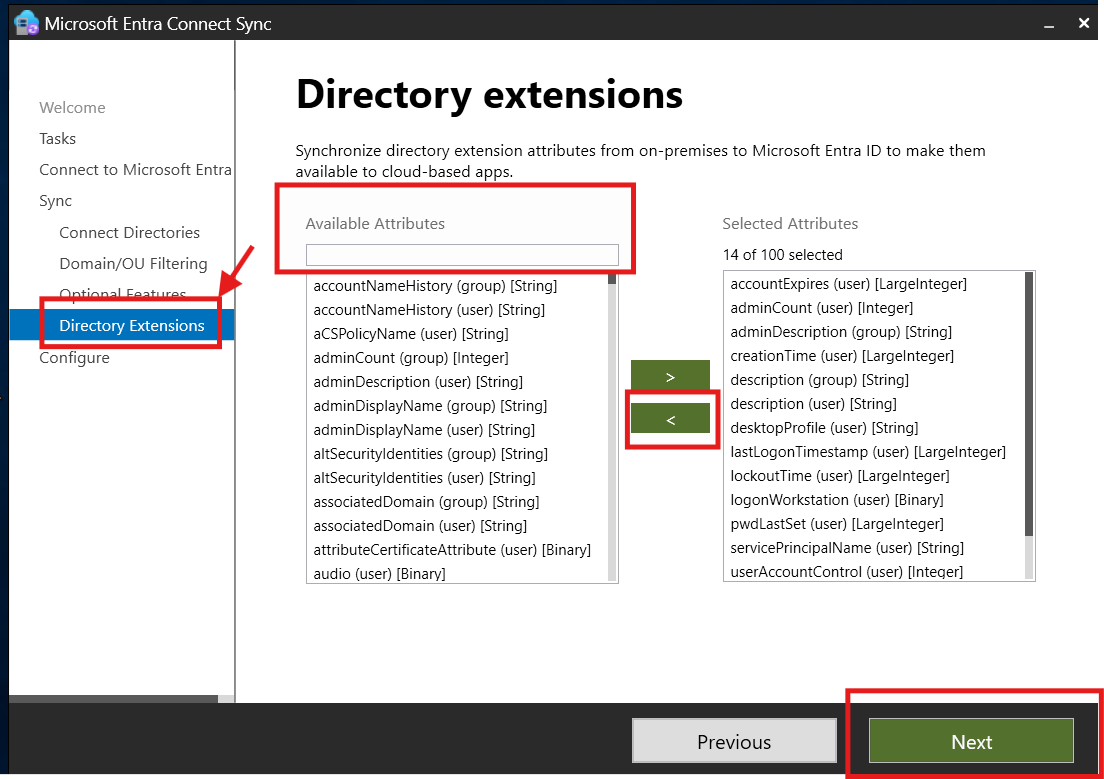
Continue through the wizard until you reach the Directory Extensions page.
-
Step - Select LDAP Attributes
Add the following LDAP attributes under Selected Attributes.
Mandatory Attributes
| Attribute | Description |
|---|---|
sAMAccountName |
Standard AD logon name used for identity mapping |
userPrincipalName |
Primary identity for synchronization |
objectGUID |
Unique identifier for directory objects |
whenCreated |
Used to detect account creation and aging |
userAccountControl |
Helps classify account type and status |
Optional Attributes
| Attribute | Description |
|---|---|
description |
Provides context on service account purpose |
managedBy |
Links account ownership |
lastLogonTimestamp |
Helps detect inactive accounts |
memberOf |
Improves visibility into group-based privileges |
Step 4 - Complete the Synchronization
-
Click Next, then Configure.
-
Leave "full synchronization checkbox" checked
-
Wait a few minutes for the new attributes to propagate to your Entra ID tenant.
Q&A and Additional Notes
How does SailPoint Entro classify an AD user as a Non-Human Identity (NHI)?
SailPoint Entro combines directory attributes and contextual signals (e.g., userAccountControl, lastLogonTimestamp, managedBy,Group membership,Description) to identify programmatic service accounts distinct from human users.
Note
For custom classification or attribute mapping, contact the SailPoint Entro Support Team.
What are the requirements to enable this feature in SailPoint Entro?
It should be picked up automatically once you integrate Microsoft Ecosystem (Azure).
What happens if additional LDAP attributes aren't synced?
Without extra LDAP attributes, SailPoint Entro's hybrid correlation is limited to:
-
Basic identity enumeration
-
Standard Entra ID attributes only
-
Reduced accuracy for service account detection
Summary
Enabling Directory Extension Attribute Sync allows SailPoint Entro to:
-
Classify and map on-prem AD accounts within Entra ID
-
Detect service account lifecycles, expirations, and privileges
-
Provide unified hybrid visibility across all Non-Human Identities