OpenAI API Key
To modify OpenAI API keys, navigate to the admin dashboard. On the Admin Dashboard. Here you can create User and Project API keys.
Manage User Secret Keys
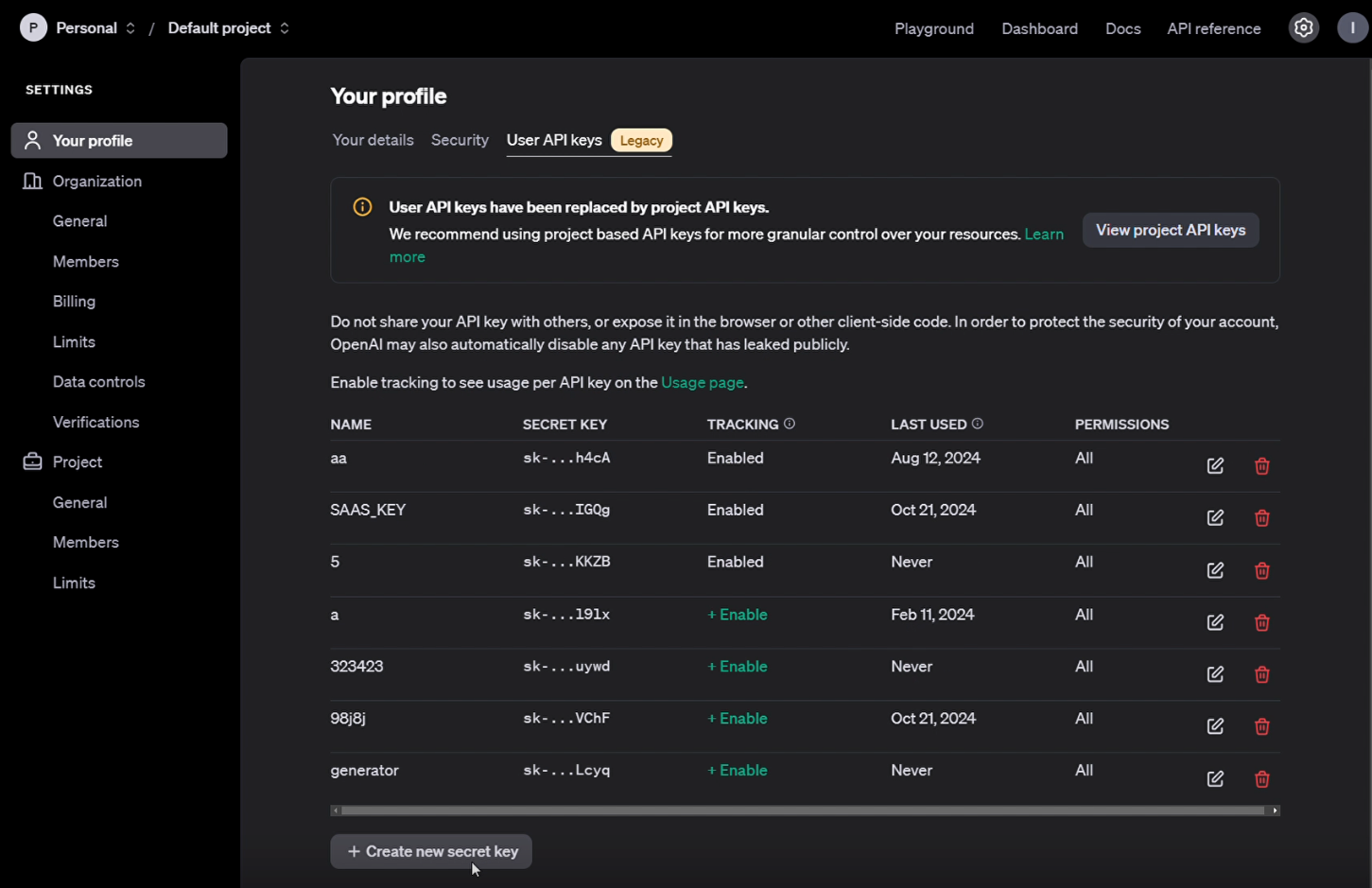
User Secrets/Keys are the legacy method of creating API keys that are being replaced by Project API Keys. If you are creating Keys for the first time, navigate to Managing Project Keys.
Create a new User Secret
To create a new User Secret, Select the "Create new secret key" button at the bottom left of your profile. Note: User API keys are being replaced by project API keys, and are not recommended to use in the longterm.
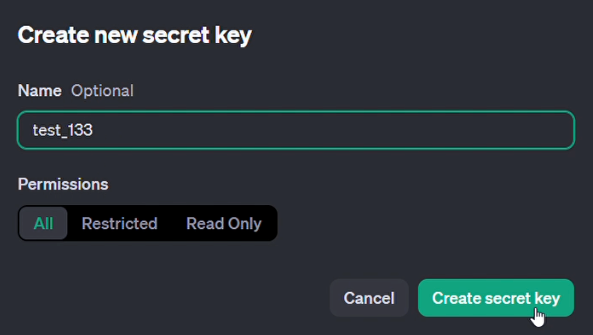
Provide a name for the new User Secret:
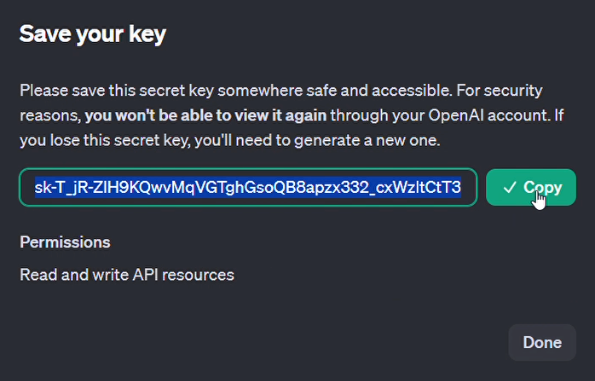
After creating the secret, make sure to save the key somewhere safe if it needs to be entered somewhere else, as the key will not be accessible again.
Delete old User Secret Key
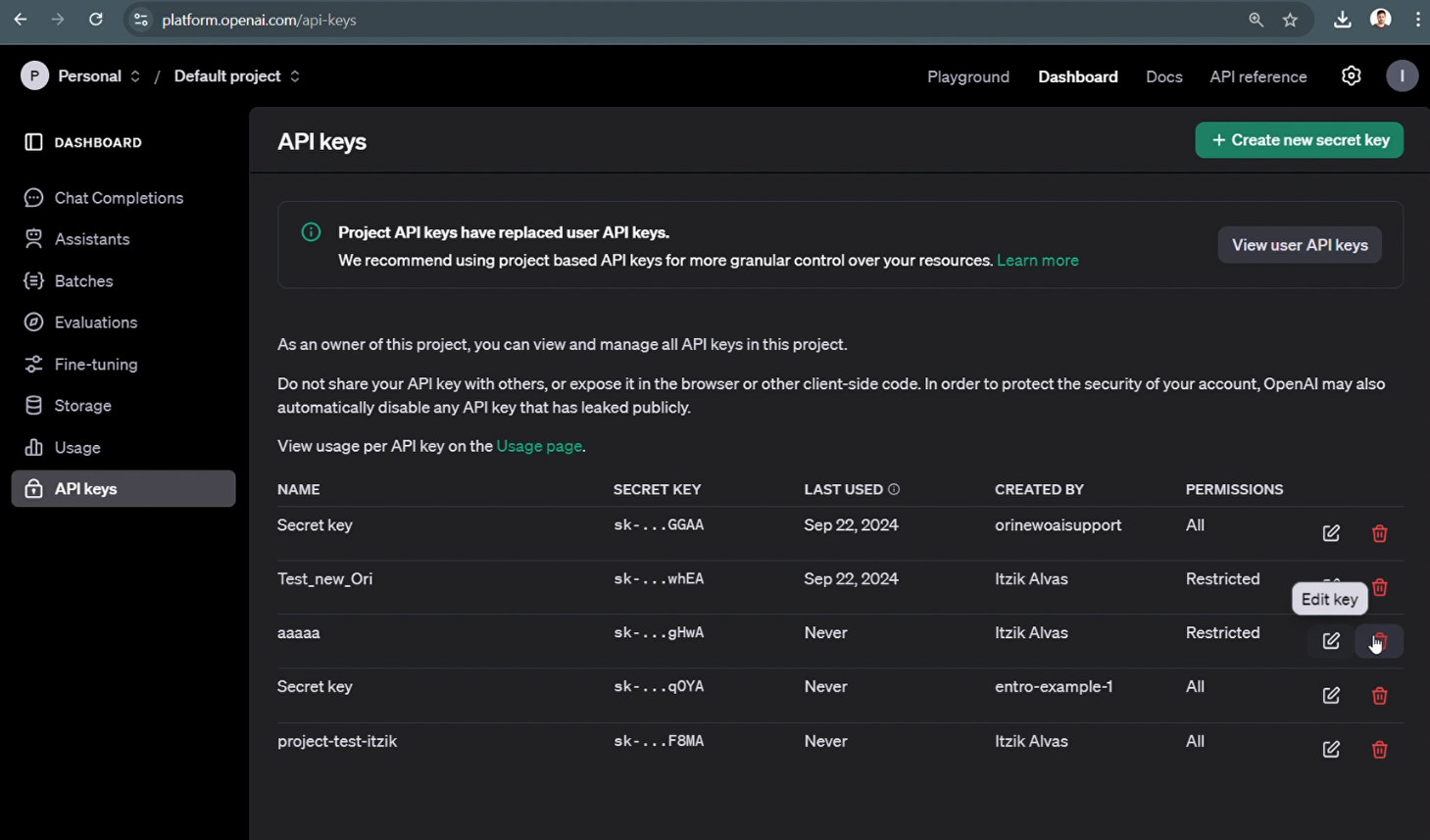
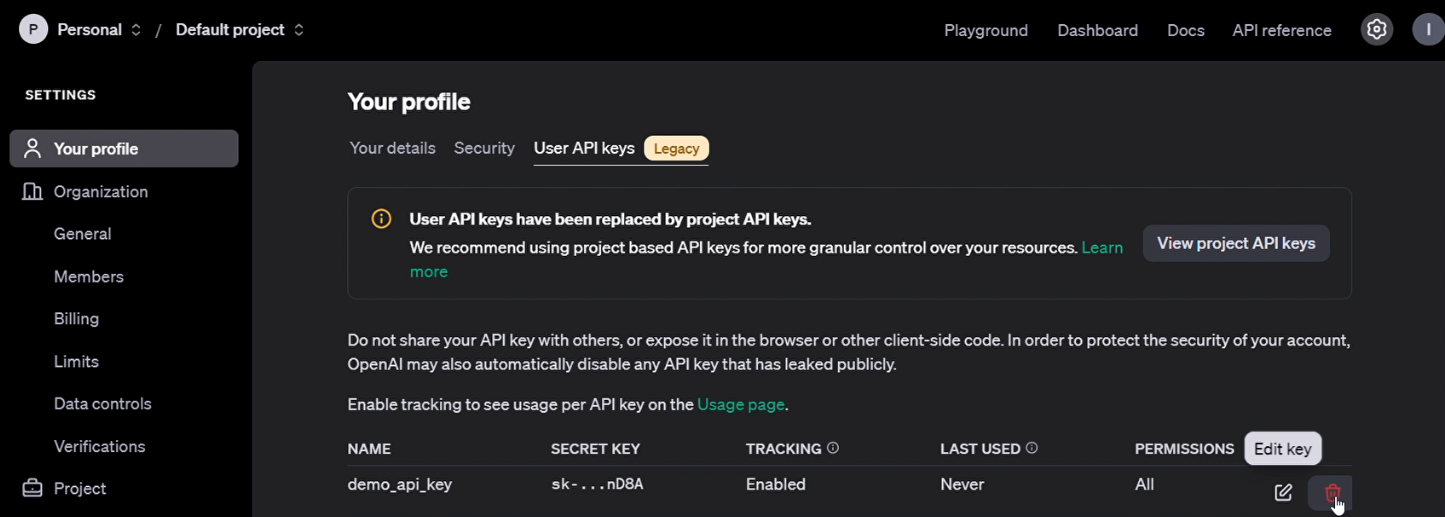
To delete User API Keys, select the "trash can" icon to the right of the Secret you wish to modify, as shown below:
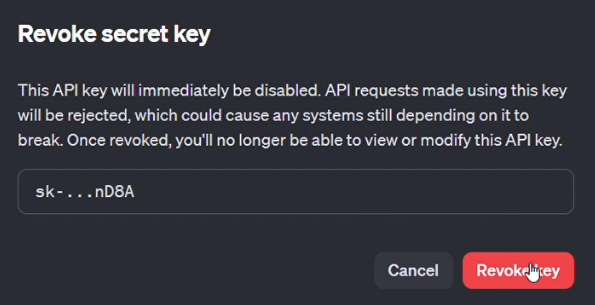
Approve the prompt the revoke the key:
Managing Project Keys
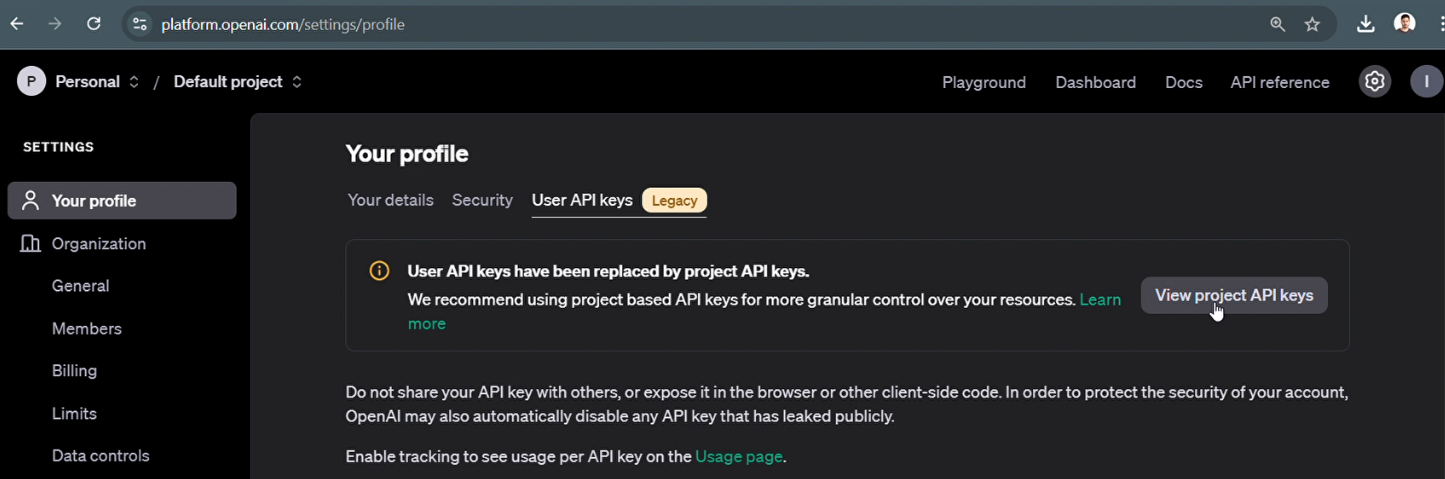
Project Keys are replacing User Keys in OpenAI going forward. This is because Project Keys are more flexible and granular, following with the principles of least privilege (POLP). To manage project keys, navigate to the "API keys" page using the toolbar on the left, or select the "View project API keys" button as shown below:
Create a new Project Secret Key
To create a new Secret Key, select the "Create new secret key" box at the top right of the screen:
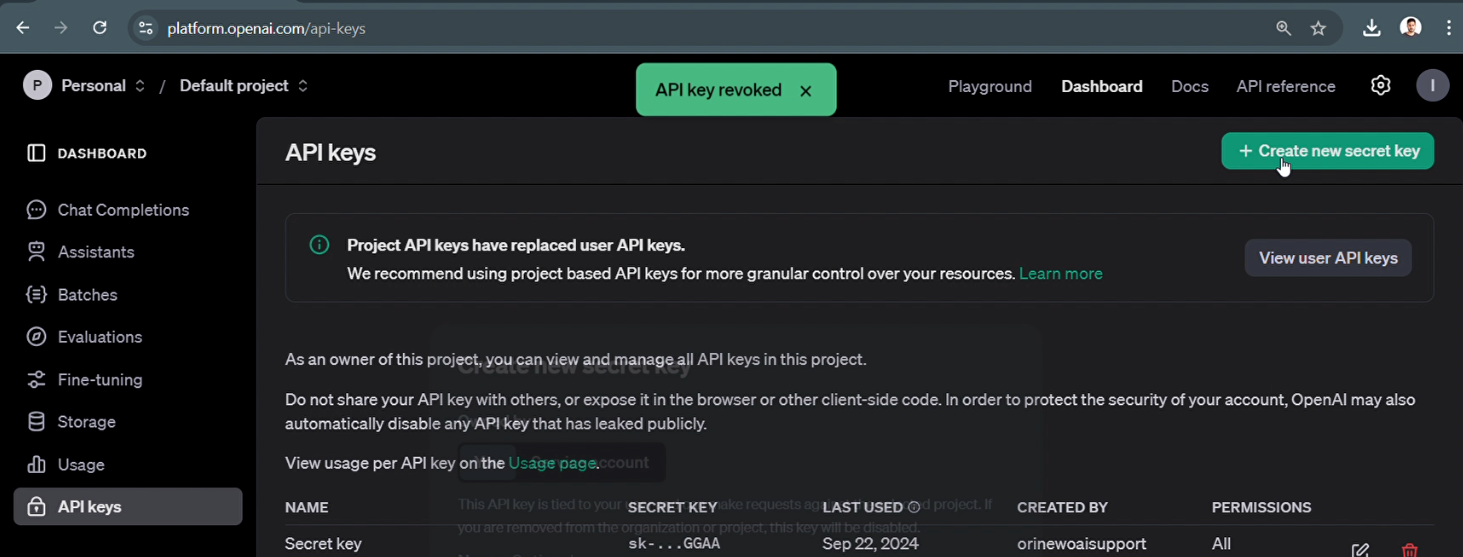
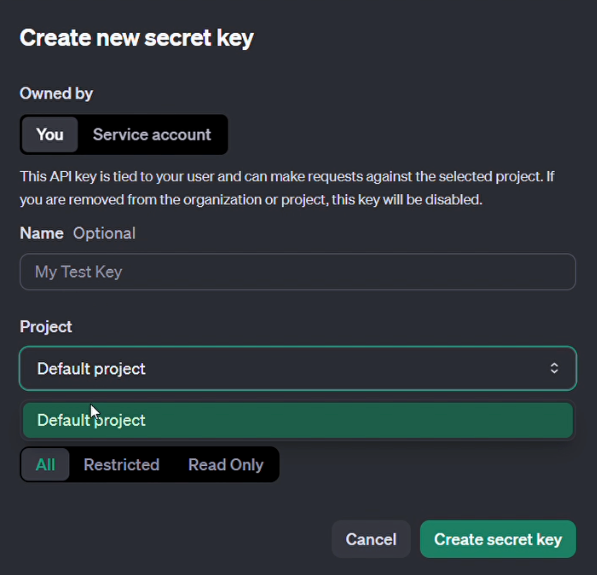
Enter the name of the Secret Key, as well as the project to apply it to. In this example, a Key named "My Test Key" is being created using the default project:
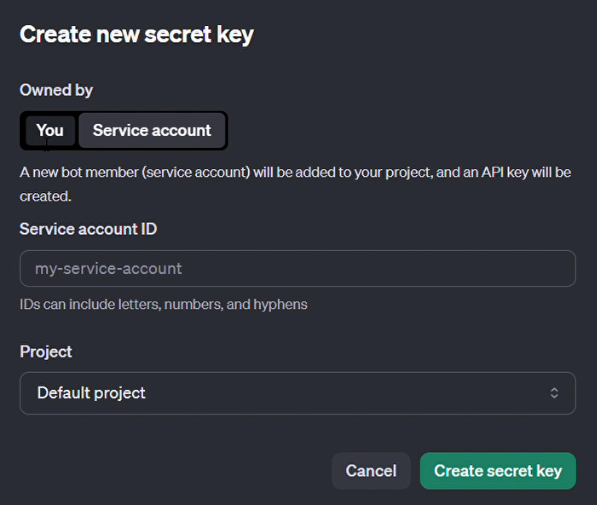
For Keys that belong to a Service Account, select the "Service Account" tab, and configure the Service account ID and Project the key should be stored in:
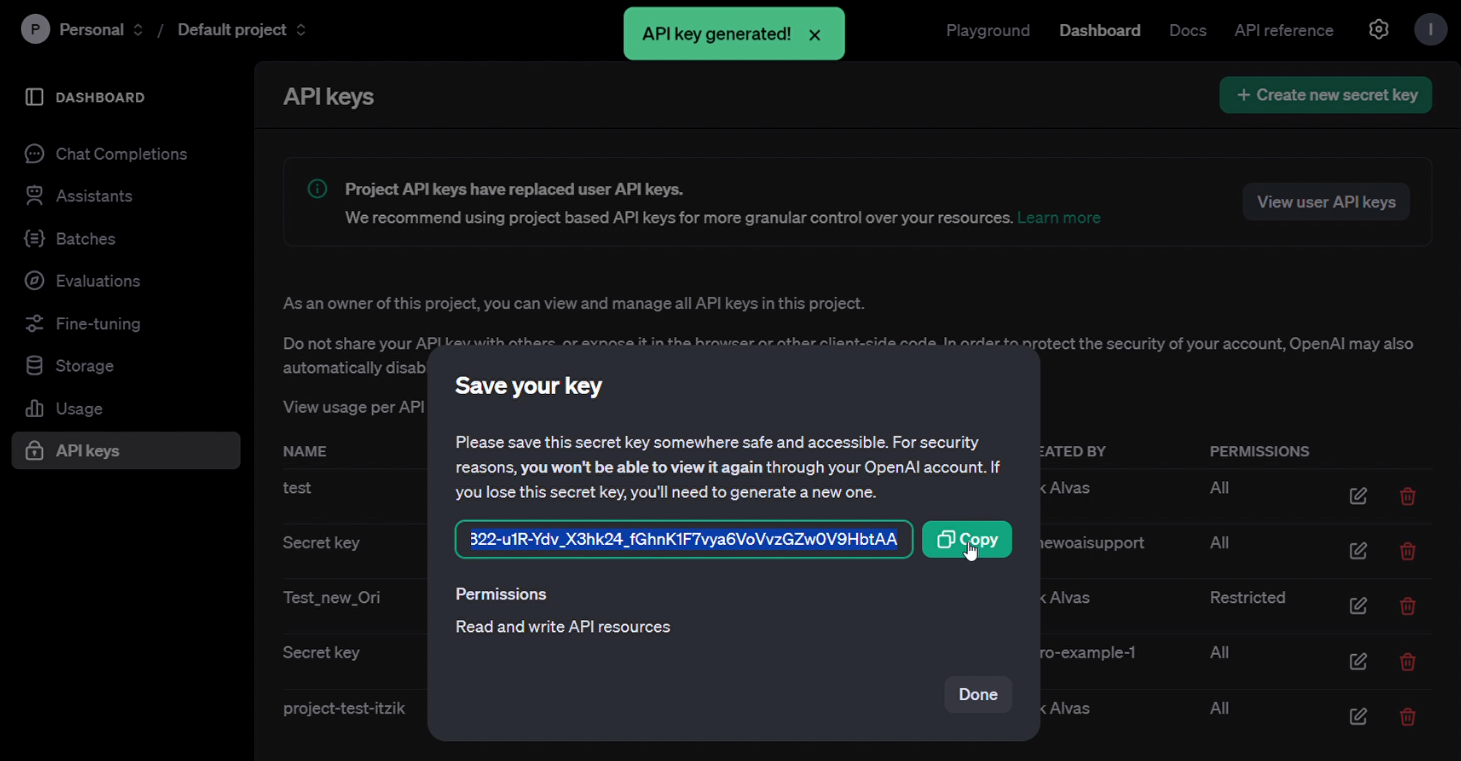
After creating the secret, make sure to save the key somewhere safe if it needs to be entered somewhere else, as the key will not be accessible again.
Delete old Project Secret Key
To delete Project API Keys, select the "trash can" icon to the right of the Secret you wish to modify, and approve the revocation.