GitHub Enterprise Server Onboarding
Integrate your GitHub On premises organization with SailPoint Entro's System
Prerequisites
-
Browser logged into a GitHub session with Administrator permissions over the GitHub organization
-
Onboarding process must be done for each GitHub organization separately.
Configuration Steps
-
Navigate to Developer Setting
-
Navigate to Profile → Settings → Developer Settings → Personal Access Tokens.
-
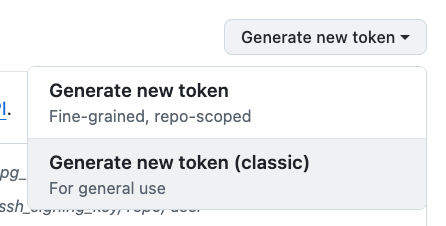
Click on "Generate new token" and choose classic token
-
-
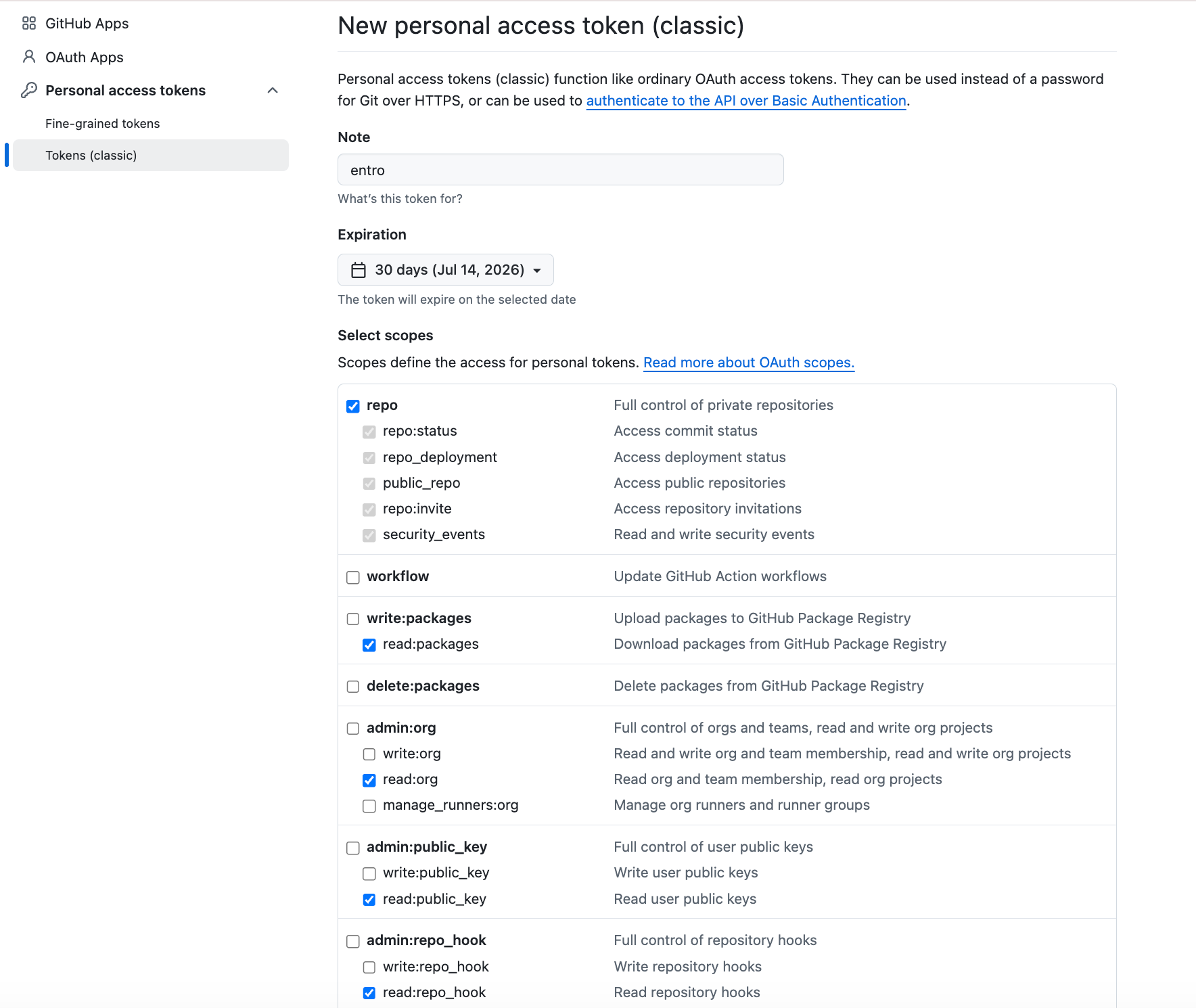
Create a Classic Token
with following parameters:
-
Token name: SailPoint Entro
-
Resource owner: Select your organization
-
Expiration: choose 'No expiration'
-
Permissions: Select following permissions
-
repo
-
read:packages
-
read:org
-
read:public_key
-
read:repo_hook
-
notifications
-
user
-
read:discussion
-
read:enterprise
-
read:audit_log
-
read:project
-
read:gpg_key
-
read:ssh_signing_key
-
-
-
Generate Token
Click Generate token and copy the value starting with
ghp_. -
Complete SailPoint Entro onboarding form
-
In the SailPoint Entro Platform, go to Management → Accounts & Integrations → Add new account → GitHub and select GitHub Enterprise Server.
-
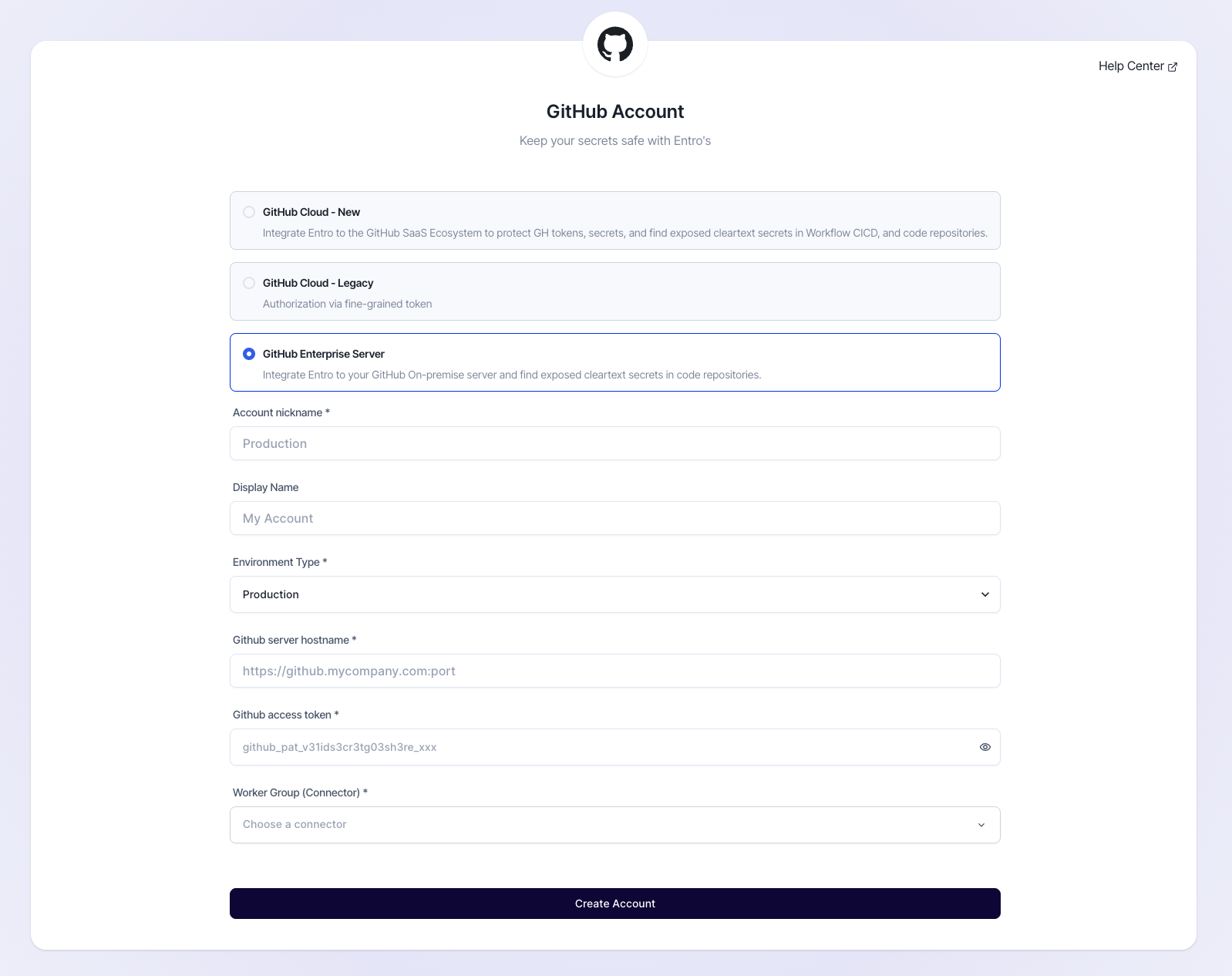
Fill out the onboarding form in SailPoint Entro:
-
Display name: Create a name for this organization.
-
Environment Type: Select Production / Development etc.
-
GitHub server hostname: add your server
-
GitHub access token: Paste the token generated previously
-
Worker Group (Connector): Select your designated connector agent.
-
-