GitHub Cloud Enterprise S3 Logs Streaming
SailPoint Entro can ingest GitHub Enterprise audit logs streamed into a designated AWS S3 Bucket for large-scale visibility and processing efficiency.
Prerequisites
-
SailPoint Entro already connected to the AWS Account hosting the relevant S3 bucket.
-
SailPoint Entro IAM role must have assigned AWS Policy with S3 Service permissions
Required AWS Permissions
Configuration Steps
-
In GitHub, Navigate to Log Streaming
-
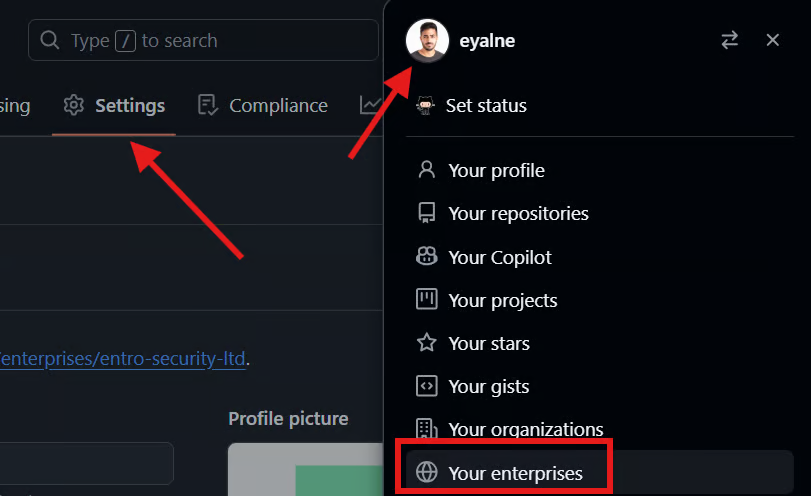
Select your profile avatar on the right side of your screen, then go to Your Enterprises > Settings > Audit logs > Log streaming
-
In the SailPoint Entro account screen, either choose an existing GitHub organization onboarding account within your GitHub Enterprise, or add a new one.
-
-
Configure Audit Log Streaming
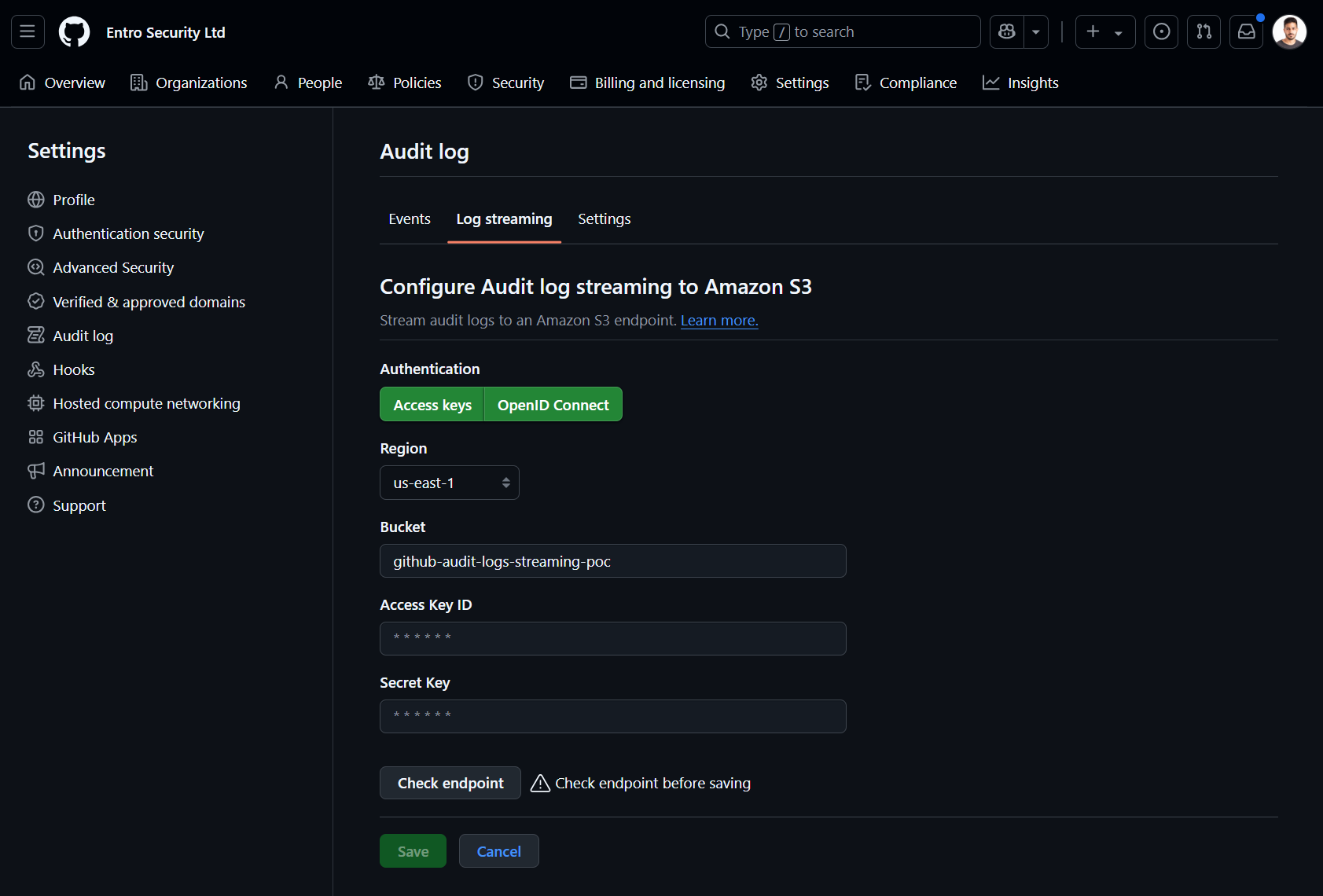
- Configure stream for Amazon S3. Follow the Amazon S3 guide to set up bucket log forwarding within your AWS account.
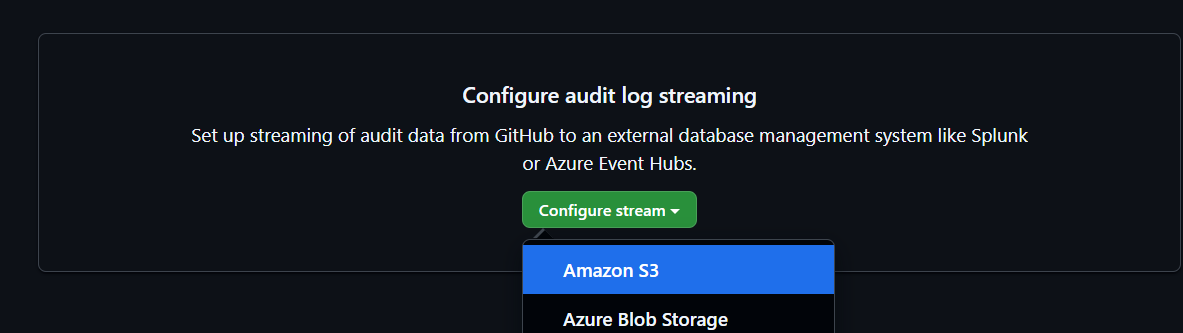
- Once completed, save the bucket name and go back to SailPoint Entro.
-
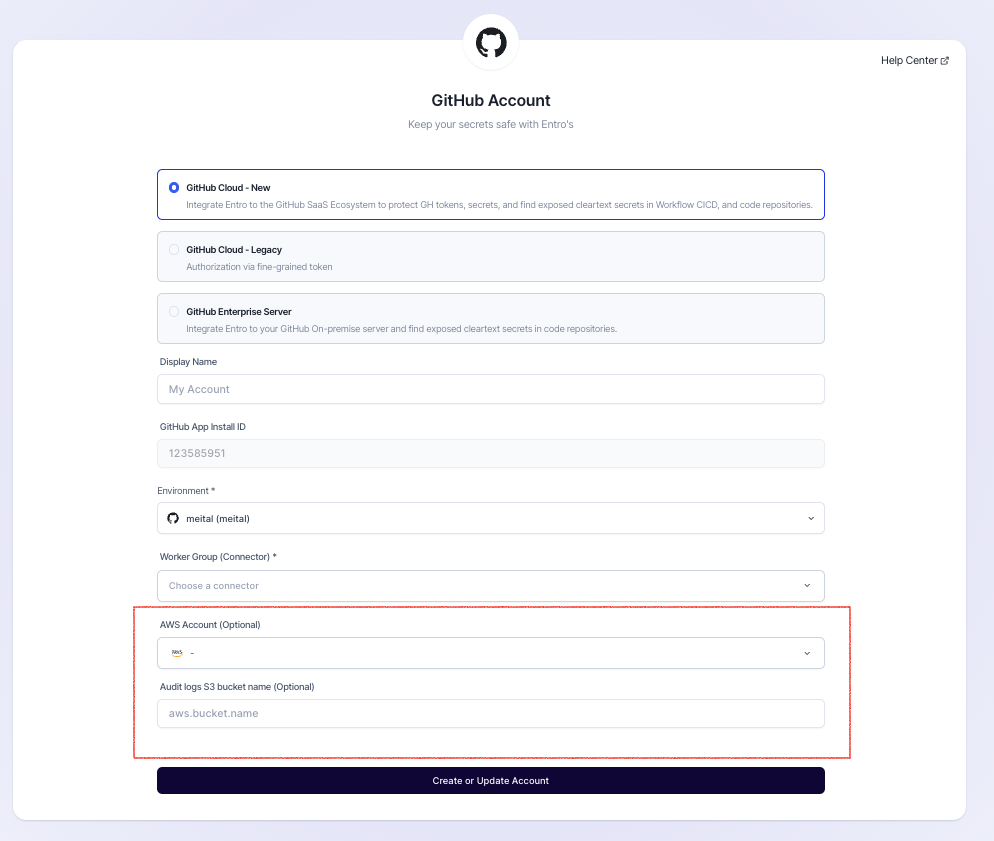
Configure in SailPoint Entro after redirect (complete integration form)
-
After completing the onboarding of GitHub App for your organization
-
Provide the AWS Account with the S3 bucket.
-
Enter the S3 Bucket Name used in GitHub streaming setup.
-
-
Finalize
Click Connect or Update Account.