JIT Requests Management
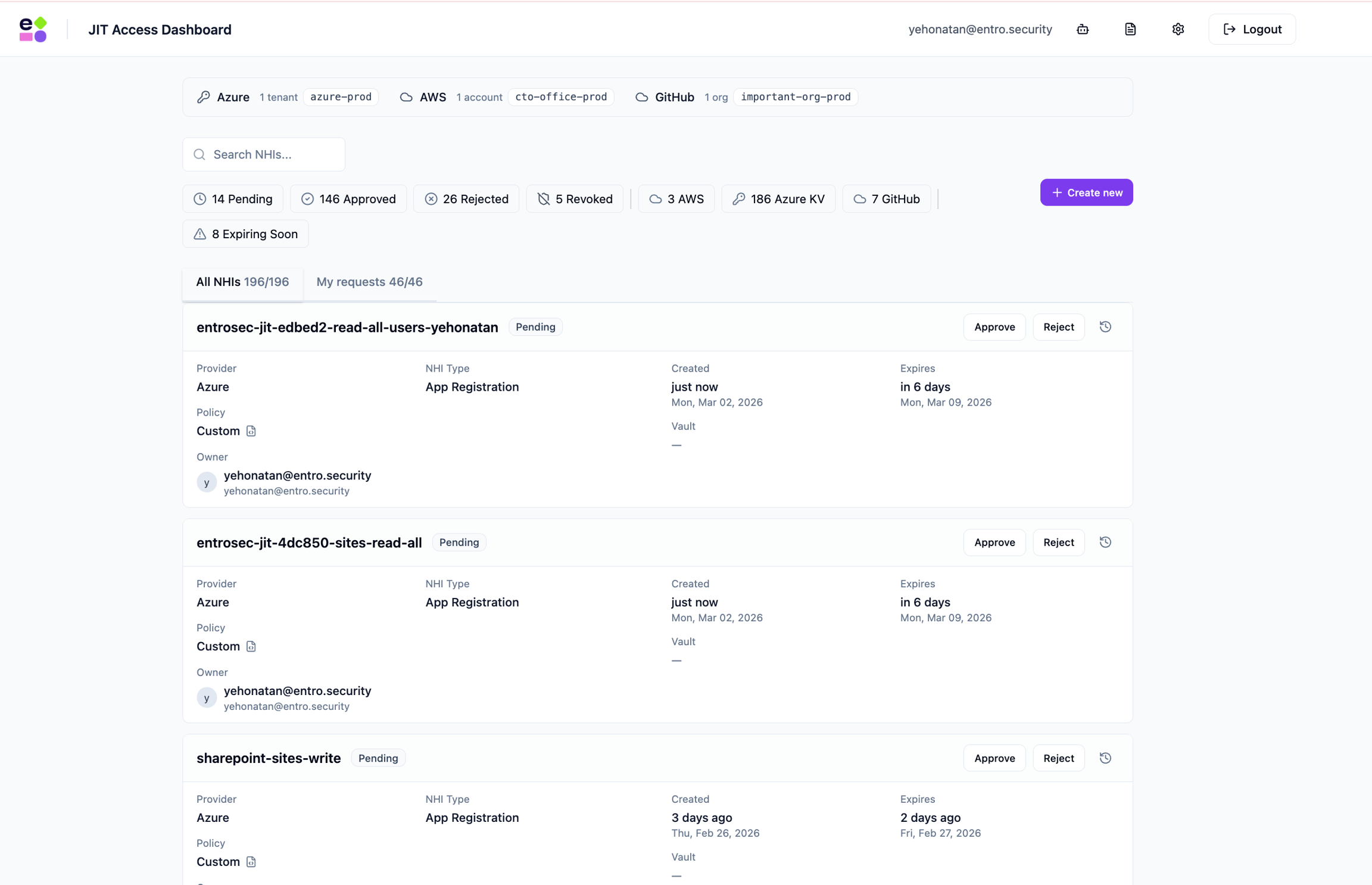
Once a request is created, managing it is straightforward. In the main dashboard you will see, depending on your role, all requests or your own. An admin will be able to approve or reject a request as can be seen below.
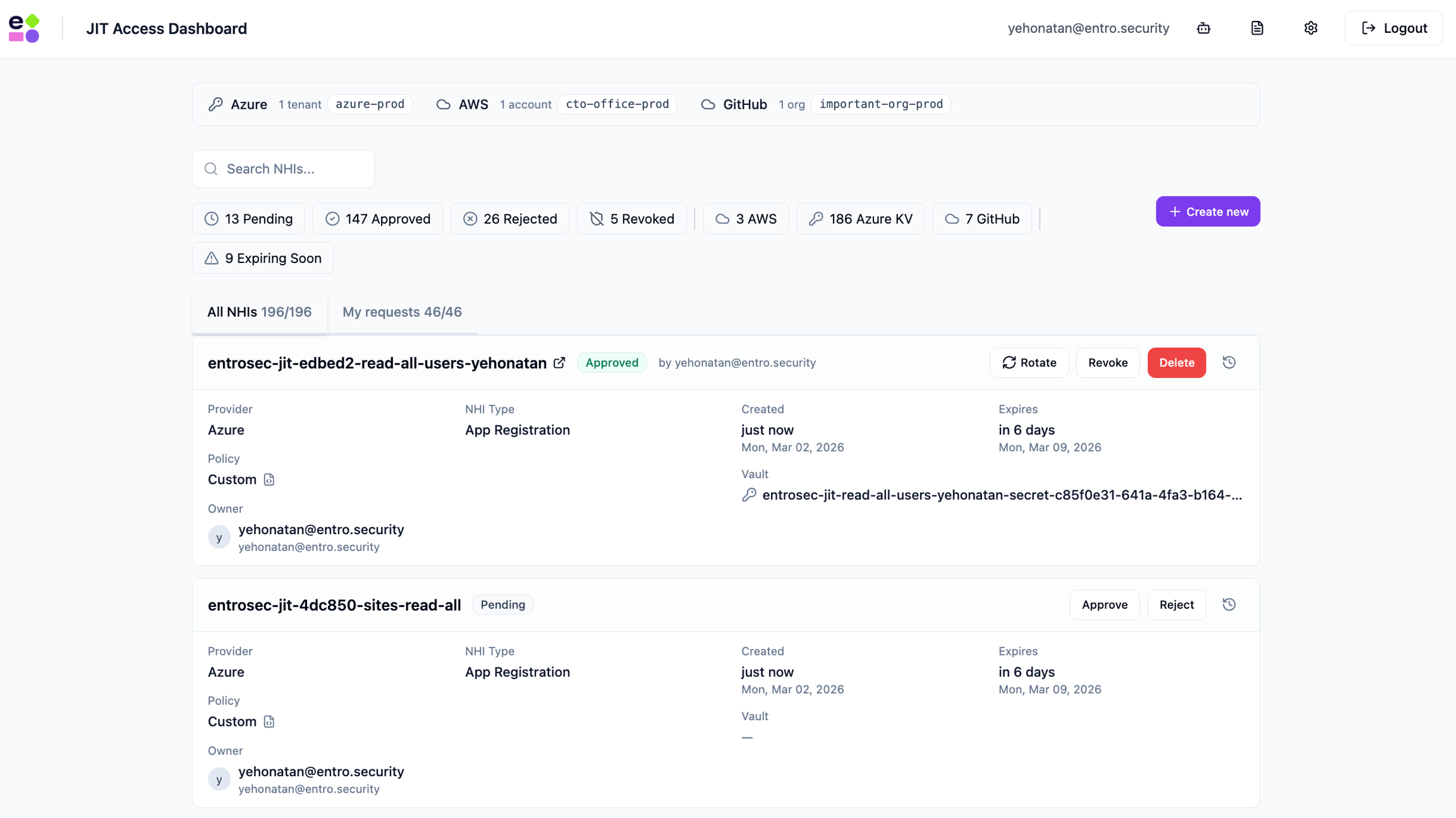
Once a request is approved, credentials are generated and shown once. You will then be able to rotate, revoke or delete the created entities.
-
Rotation - will create a new secret in place of the current one. Keeping the old secret in an older secret version
-
Revoke - will delete and invalidate the generated secrets
-
Delete - will completely delete the vaulted secrets, attributed secrets and entity such as IAM User, App registration, etc. if was created.
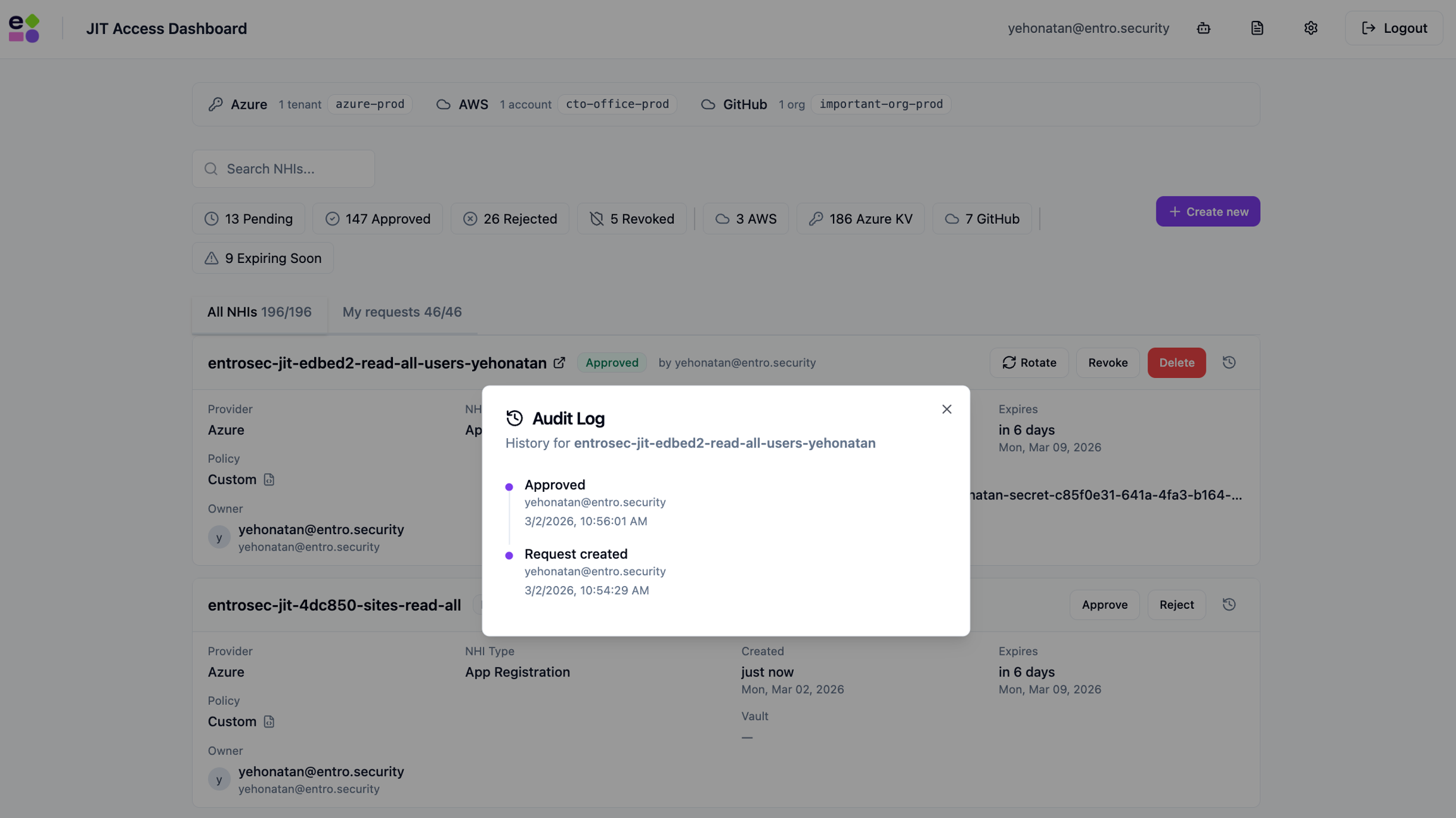
Auditing is available by clicking the clock icon