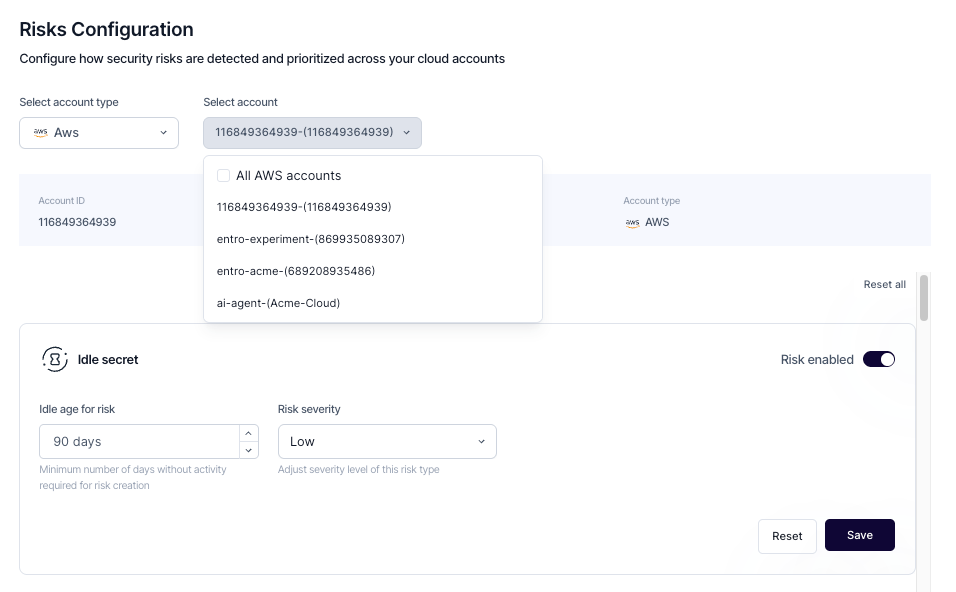
Risk Configuration
Risk Configuration
The Risk Configuration section allows administrators to define how security risks are detected, prioritized, and managed across their connected accounts. These settings provide granular control over how SailPoint Entro interprets activity patterns, enabling teams to fine-tune detection behavior according to internal security policies and operational workflows.
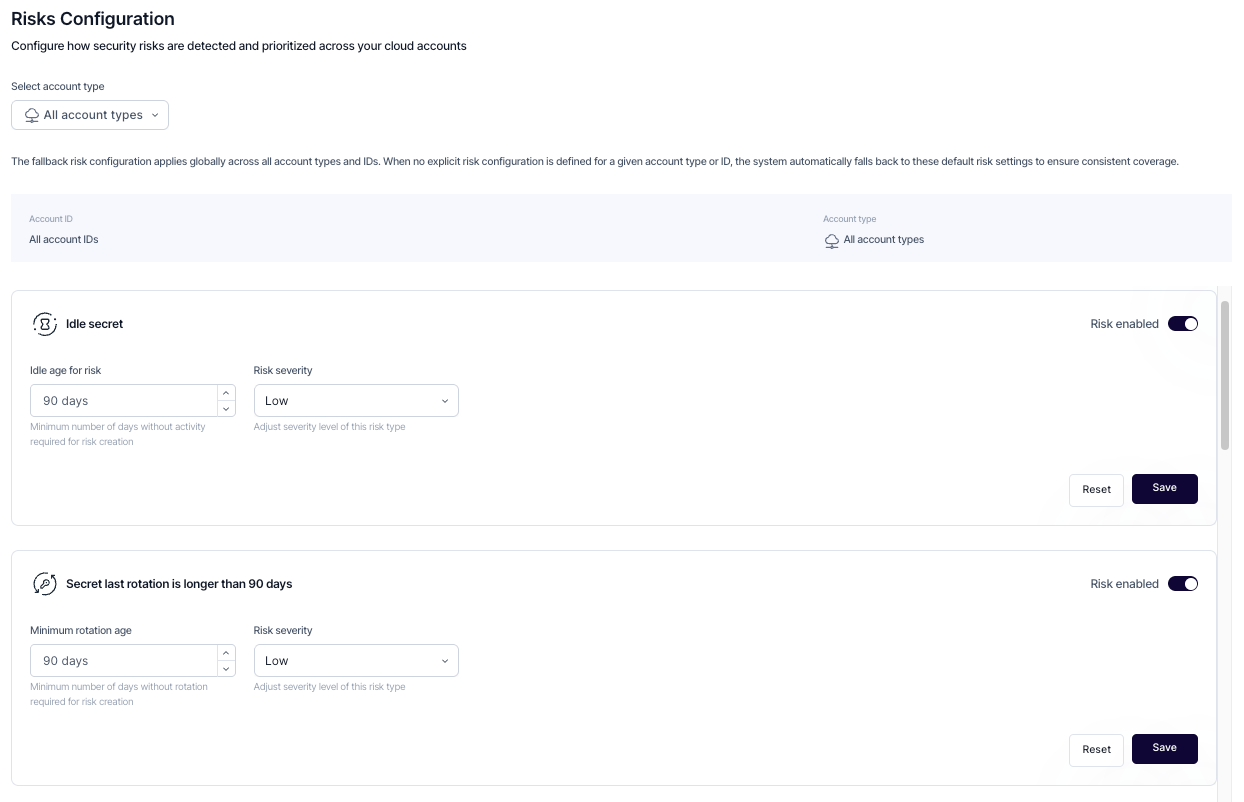
Each risk type includes adjustable parameters that determine when a risk is triggered and how severe it should be categorized. Administrators can enable or disable each risk type, modify thresholds such as duration or activity limits, and assign an appropriate severity level. These configurations allow SailPoint Entro to surface the most relevant risks while minimizing unnecessary alerts.
Configuration options include:
-
Thresholds — Define the criteria that determine when a risk should be triggered. These can include time-based limits, activity conditions, or state changes, depending on the risk type.
-
Severity — Assign the appropriate importance level (Low, Medium, or High) to reflect how critical each risk type is within your organization’s security framework.
-
Activation Controls — Enable or disable specific detection rules to align monitoring with operational priorities and minimize unnecessary alerts.
-
Save and Reset Actions — Apply configuration changes immediately or revert to default settings to maintain consistent and predictable detection behavior.
Account-Specific Configuration
Risk configurations can be applied globally or tailored to specific account types. This flexibility allows organizations to maintain consistent security standards across all environments while accounting for the unique operational needs of specific integrations.