Google API Key
How to Rotate Guidelines
To achieve fluent rotation, follow these steps:
-
Identify and Locate - use the data on SailPoint Entro's platform to find out the relevant GCP Project within your organization that owns this API Key, then iterate over keys to locate the exact one.
-
Rotation - Once the potential impact of this API Key has been addressed, rotate it.
Identify and locate the relevant GCP Project and API Key
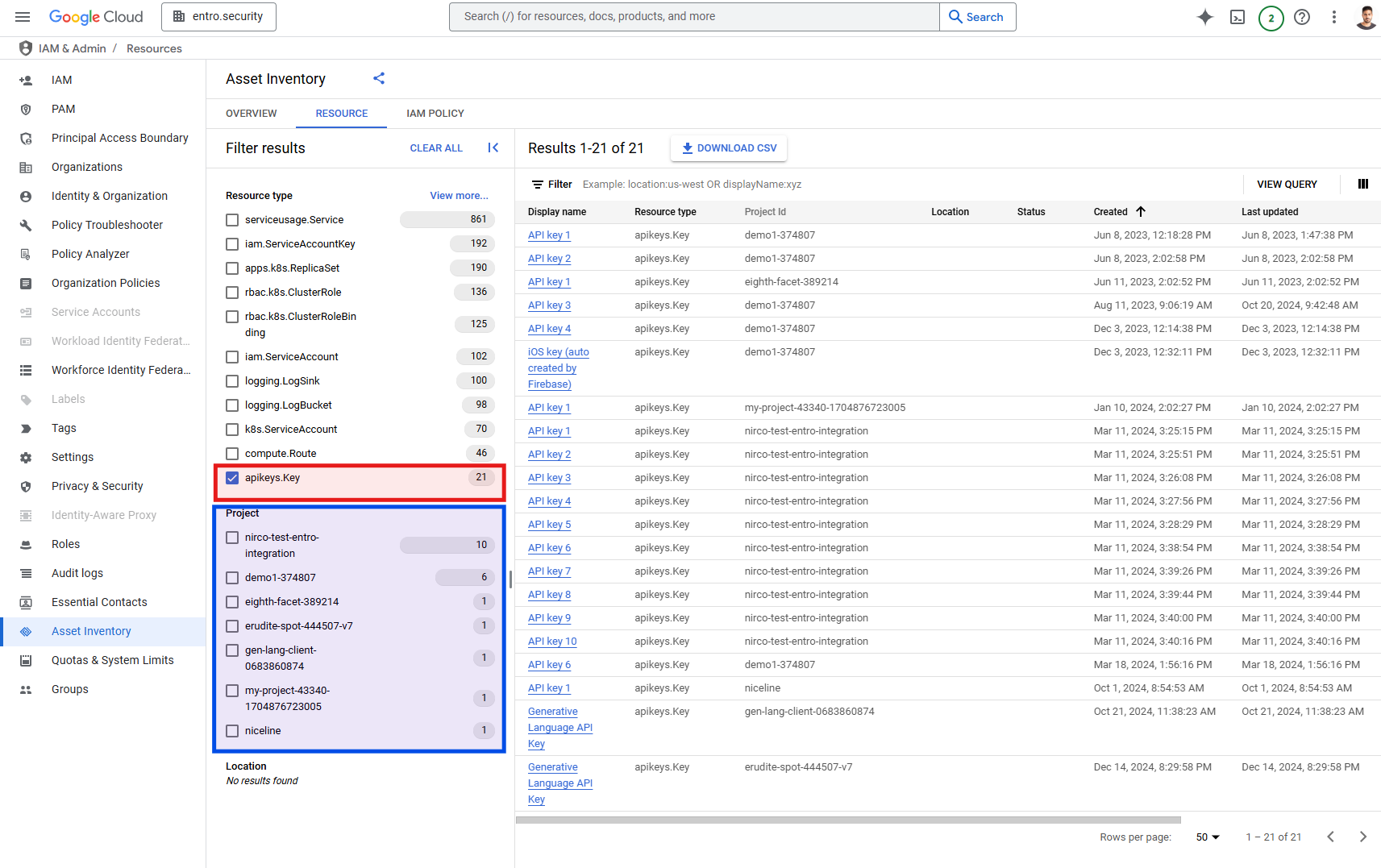
In Google Console (GCP), navigate to the Asset Inventory, select the entire organization scope and switch to the "RESOURCE" tab.
To determine which projects own keys in your organization, filter the resource type apiKeys.Key (highlighted in red). Project groupings can be viewed
under "Project" (highlighted in blue).
Open a new tab and go to the Credentials page. For each project, check the api-key values and compare them with the redacted snippet of the exposed key. You can do so by clicking on the "Show key" button.
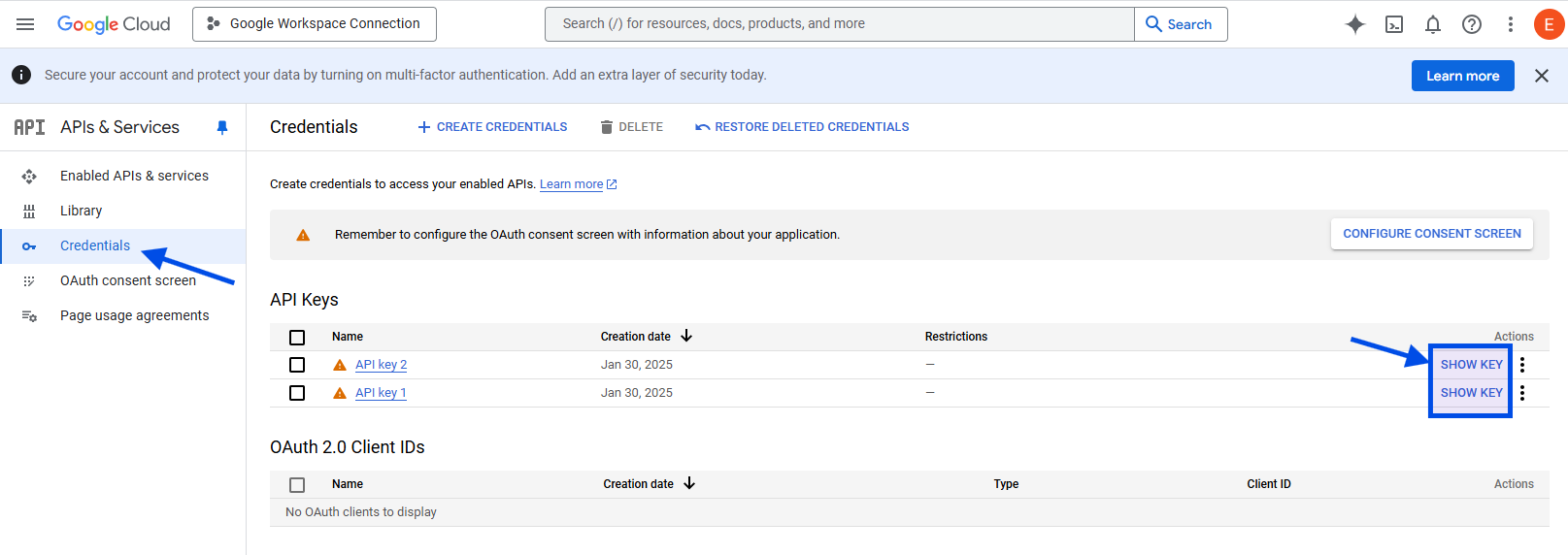
You could also check which services are granted for this API Key, to determine potential impact.
To update or remove a key, click "Edit Key," then select "Rotate Key" or "Delete." If you create a new key, copy it and share it with your applicable entity.
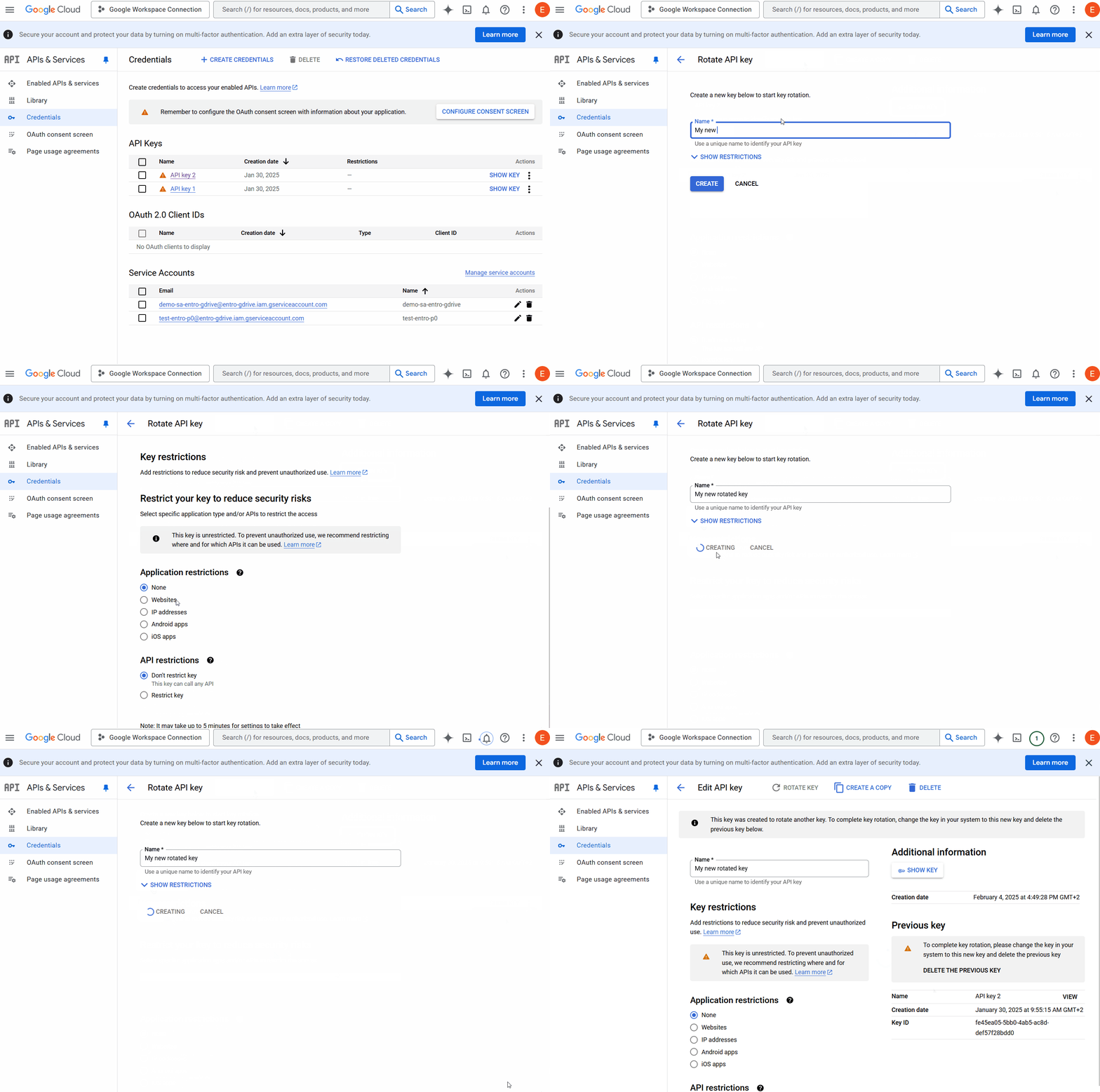
SailPoint Entro will soon automatically link exposed API keys within your environment for easy troubleshooting and remediation.