BitBucket Server Plugin App
Enforce pre-receive and PR secret scanning by installing the SailPoint Entro Bitbucket Plugin app
SailPoint Entro provides a BitBucket compatible app, follow these steps to install and enable it.
-
Go to Administration > Manage Apps
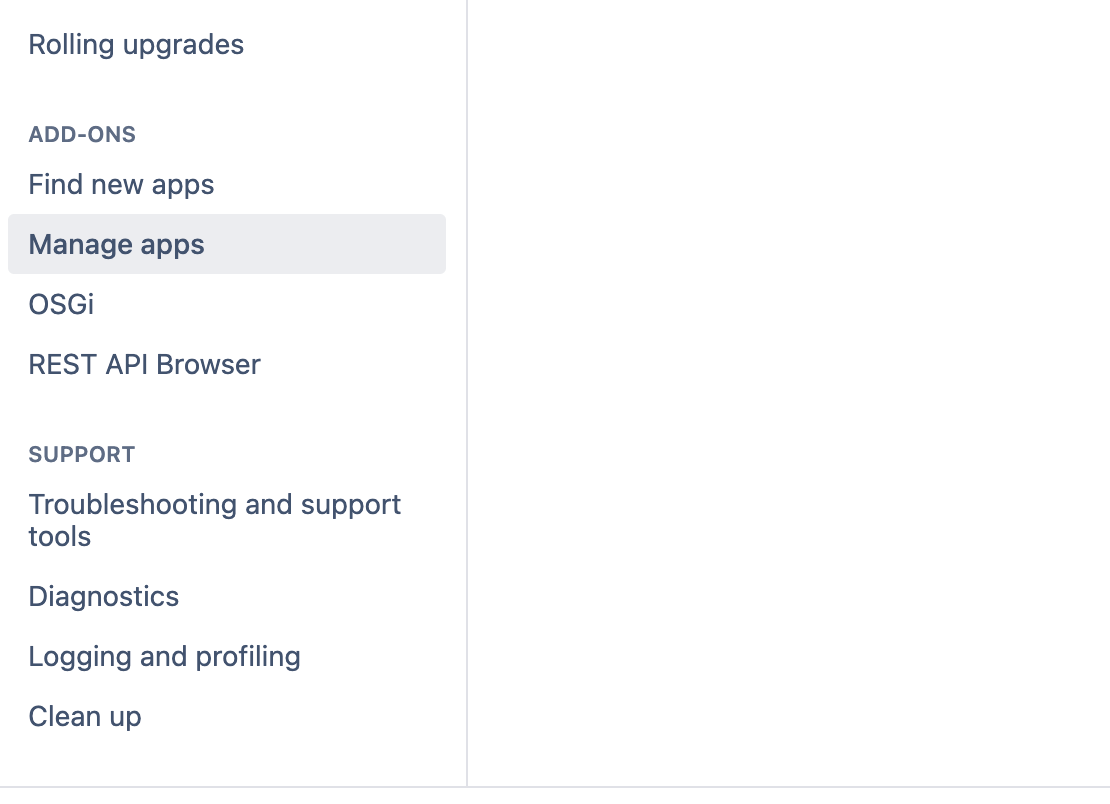
-
Select "Upload app" and upload the SailPoint Entro provided JAR app file.
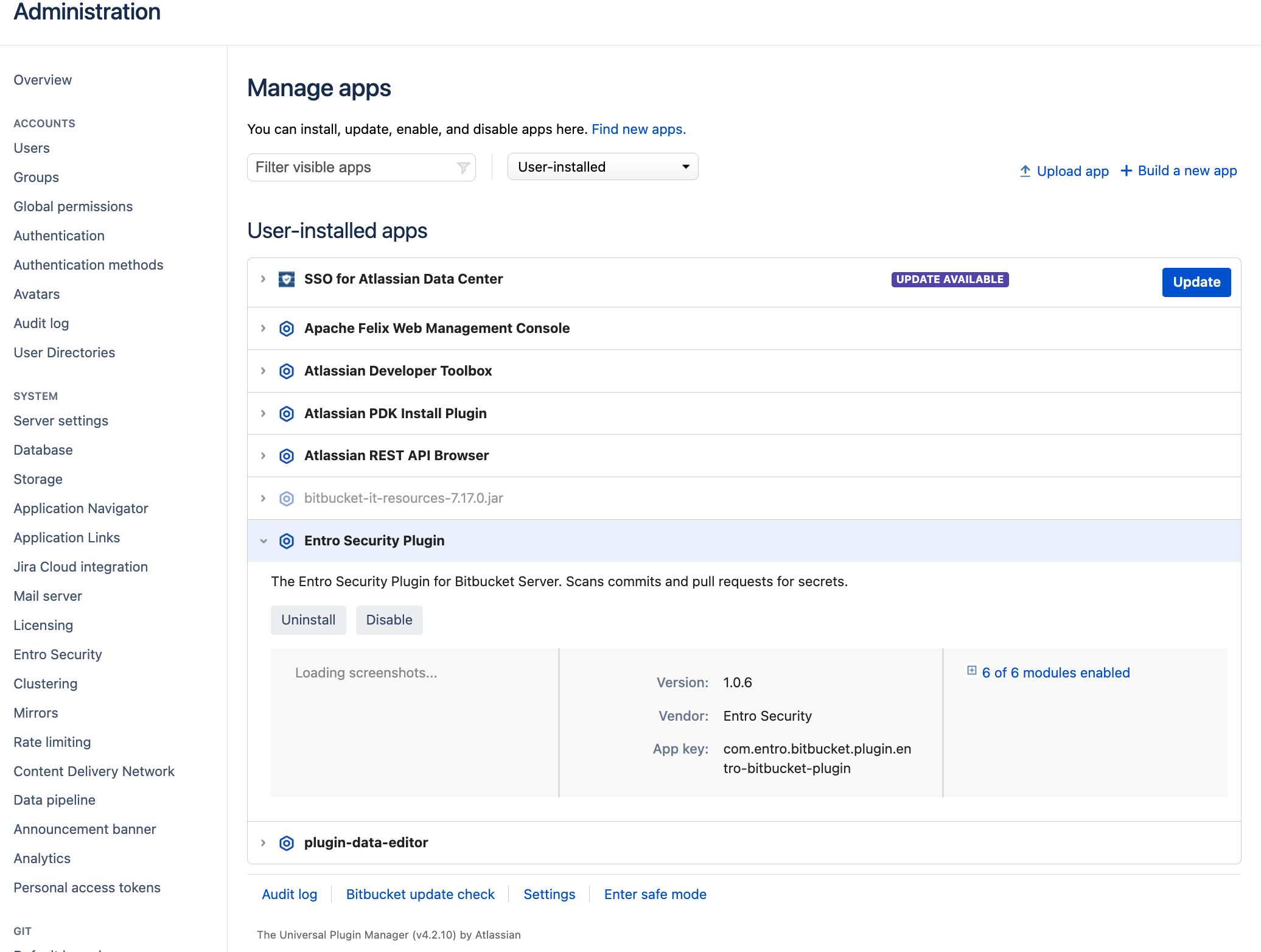
Once uploaded, ensure the plugin is enabled as can be seen above.
Note
An Entro scanning API key is required.
-
Once enabled, you will be able to see "Entro" under the System settings.
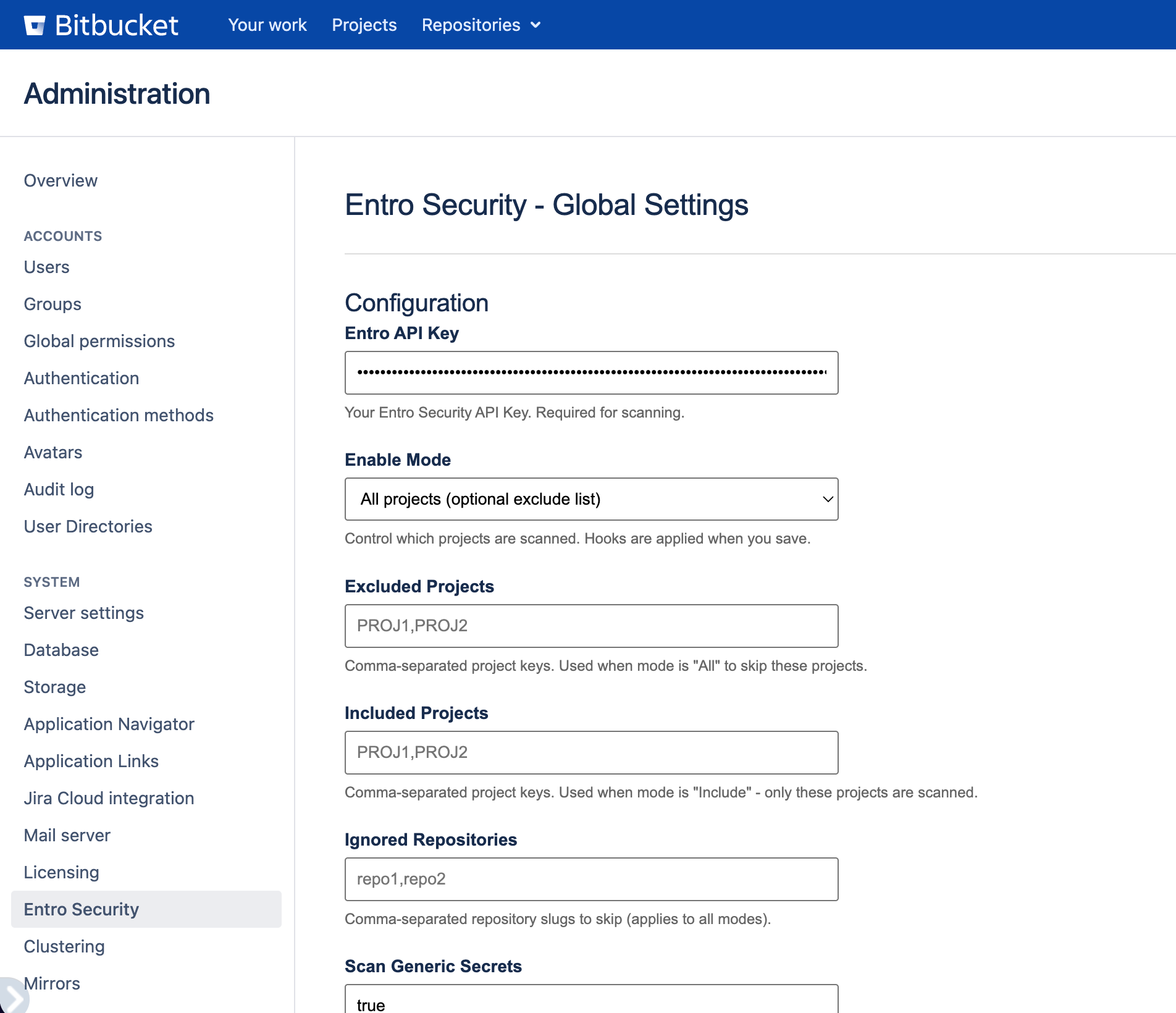
From the global administration settings you will be able to enforce scanning across all or some of your BitBucket projects. Clicking on "Save" at the bottom of the settings page will enforce these settings.
As an example, once "All projects" is selected, the "Entro Push Scan" hook will be applied to all projects, as can be seen below.
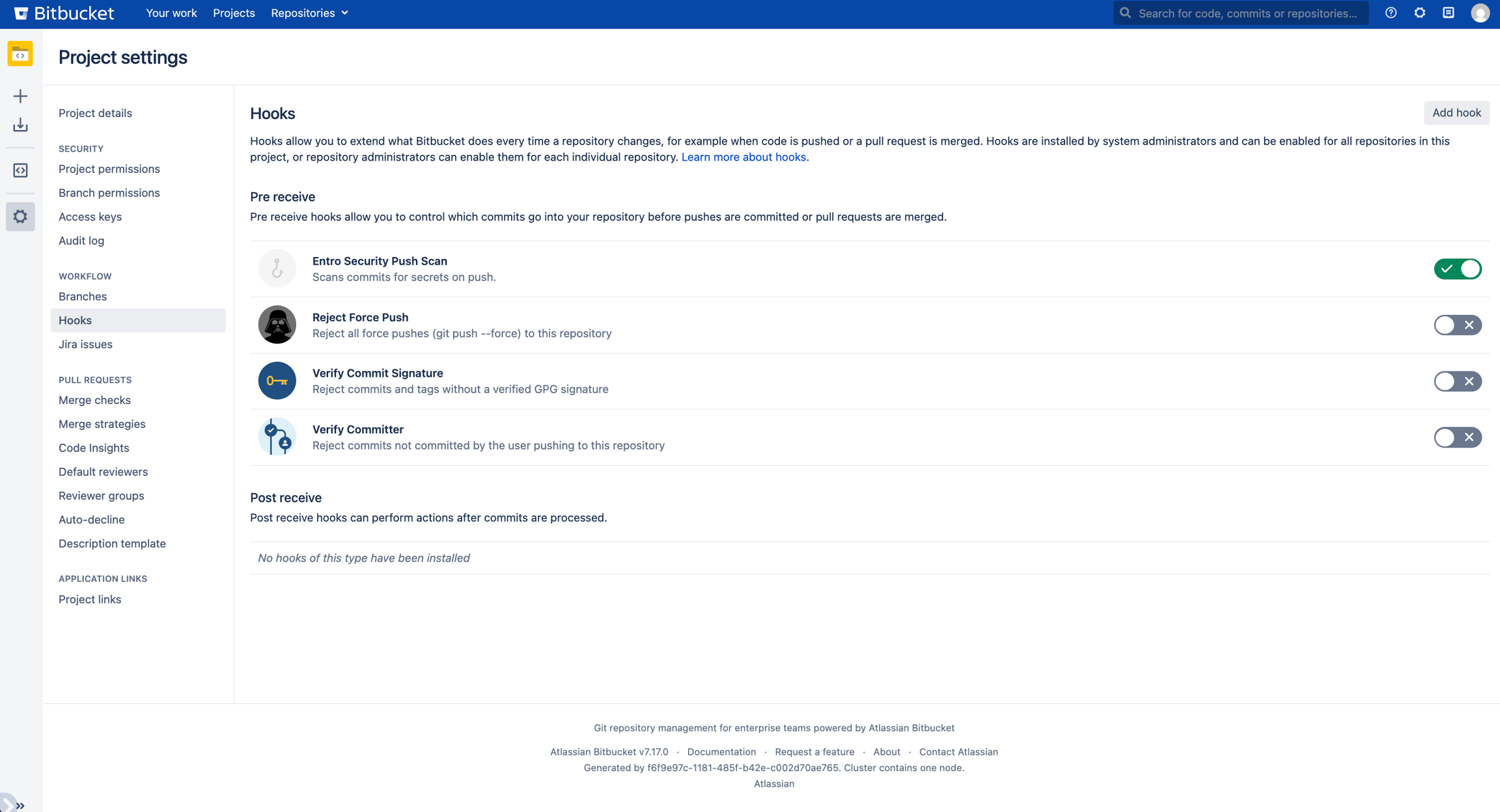
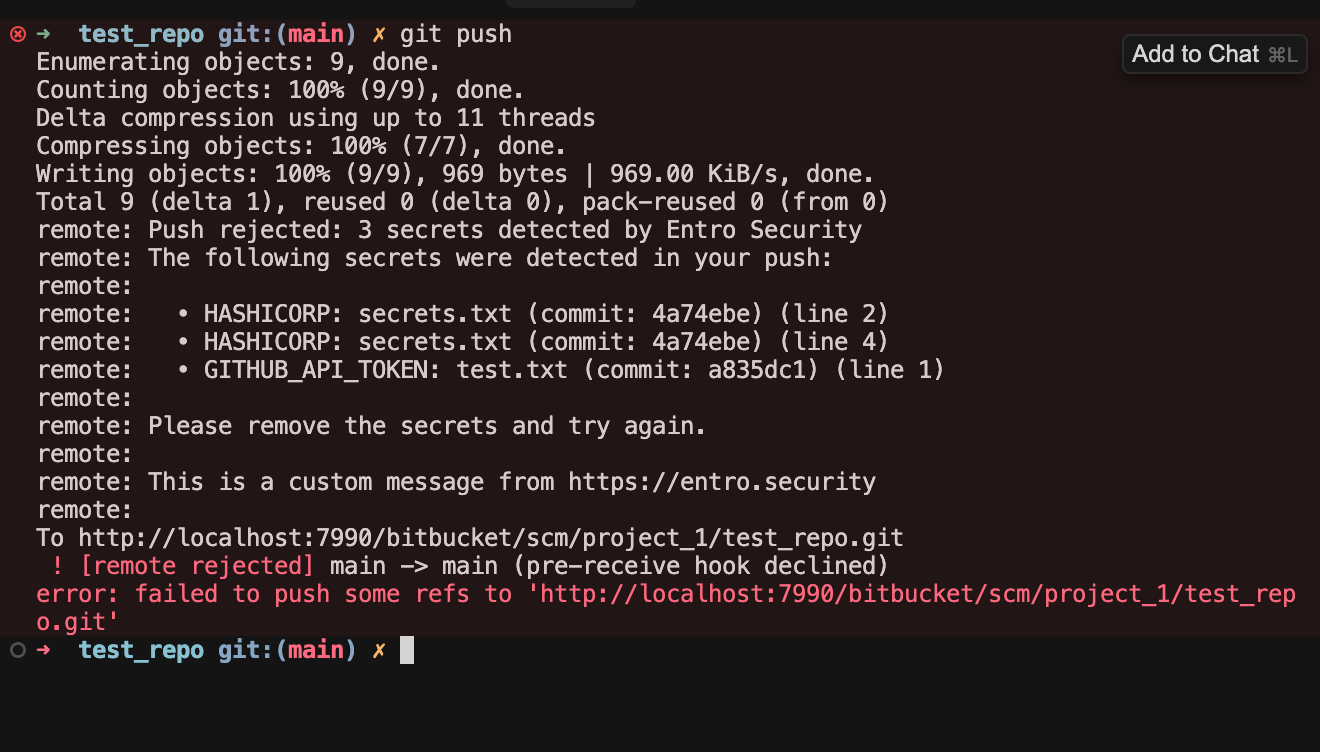
Which will yield the following output when an employee tries to push a commit with secrets to a repo.
API Key
An Entro scanning API key is required for the scanner to call SailPoint Entro’s API.
Global Settings
Once the app is enabled, open Entro under System settings (global administration). From there you can:
-
Enforce scanning across all projects or only selected projects (and related options on that page).
-
Click Save at the bottom to apply settings. Saving applies hooks according to your choices (for example, the Entro Push Scan hook on the repos/projects you configured).
Example: All Projects
If you choose All projects, the push scan hook is registered broadly across your instance (as shown in the hook list for each relevant repository).
What Developers See
As seen above, when someone pushes commits that contain detected secrets, the push can be rejected with a message that lists the findings (behavior depends on your SailPoint Entro and Bitbucket configuration).
Optional: Explicitly Bypassing a Scan
Line Ignore Comments
Before content is sent to SailPoint Entro, any line that contains one of these ignore markers (with optional spaces around entro-secret-ignore) is stripped for that scan:
-
# entro-secret-ignore(also the form#entro-secret-ignore) -
// entro-secret-ignore -
/* entro-secret-ignore */on a single line -
<!-- entro-secret-ignore -->. You can also use<!-- entro-secret-ignore -->. Use these when a secret-like string is safe, and you want that line excluded from the payload sent to the API.
Path Allow-List File (Repository Root)
To skip whole files or paths (for example generated assets or paths where inline comments are not possible), add a file named **entro-security.yml** at the root of the repository on the default branch (main / master, etc.). Each entry is a regular expression matched against the file path (backslashes are normalized to forward slashes). If any pattern matches, that file is not sent to the SailPoint Entro scan API.
Example:
Note
Commit and merge this file to the default branch before relying on it for paths you want excluded.