AI Agents Inventory
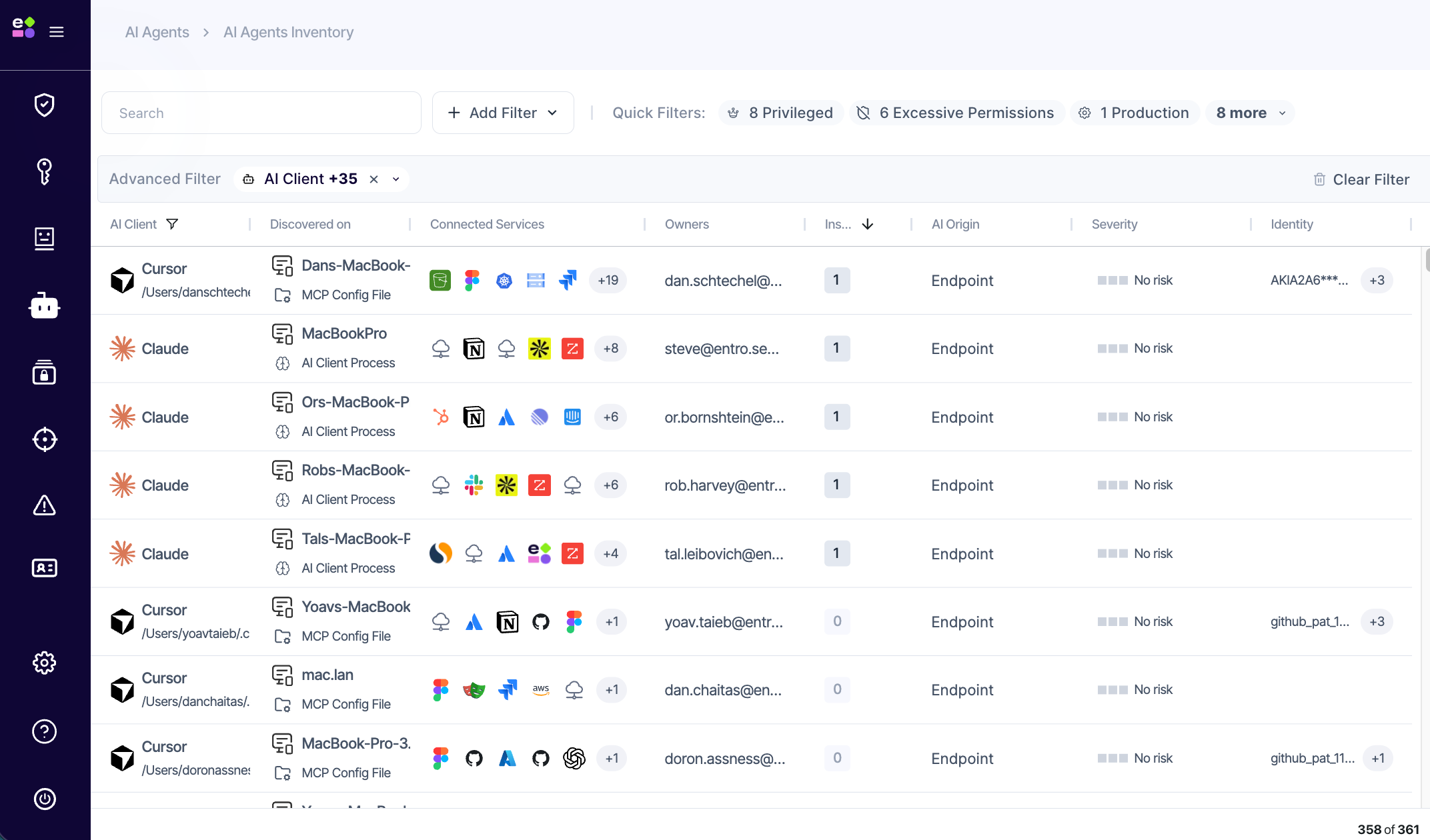
The AI Agents Inventory is the central view for every AI agent SailPoint Entro has discovered in your environment. Regardless of how an agent was found, it appears here with its source, identity, connected services, ownership, risk signals, and activity - in one unified table.
What You See per Agent
For each discovered agent, the inventory shows:
-
AI Client - the name of the agent or application (e.g. Claude, Cursor, ChatGPT)
-
Discovered On - how and where the agent was found, including the machine name and path for endpoint-discovered agents
-
Connected Services - the enterprise services the agent has access to
-
Owner - the human attributed as responsible for the connection
-
Insights - risk signals detected on this agent (see below)
-
Sessions - recorded activity for agents with active monitoring
-
AI Origin - whether the agent is Endpoint, Homegrown, Third-party, Identity, or Undetermined
-
Severity - an AI-calculated risk score
-
Identity - the NHI or credential the agent uses to authenticate, shown masked
-
Last Seen - when the agent was last active
Agent Source Types
The Discovered On column reflects exactly how each agent was detected:
| Source type | How it's discovered |
|---|---|
| NHI Consumer | An existing NHI observed being consumed by an AI client |
| AI Client Process | An AI client application detected running on an endpoint |
| MCP Config File | A configuration file found on an endpoint listing MCP server connections |
| SaaS Application | An AI app granted access to a SaaS service |
| Monitored Agent | An agent actively audited via the Agentic Plugin |
| AI Builder | An agent built and deployed on an AI builder platform |
Insights
Insights are specific risk signals SailPoint Entro detects on an agent - things like idle agents unused for over 45 days, connections made by unverified publishers, admin-level consent with broad permissions, non-technical owners managing AI connections, or malicious intent detected in session activity. Each agent shows an insight count in the table; clicking through reveals the full list with descriptions.

Lineage Map
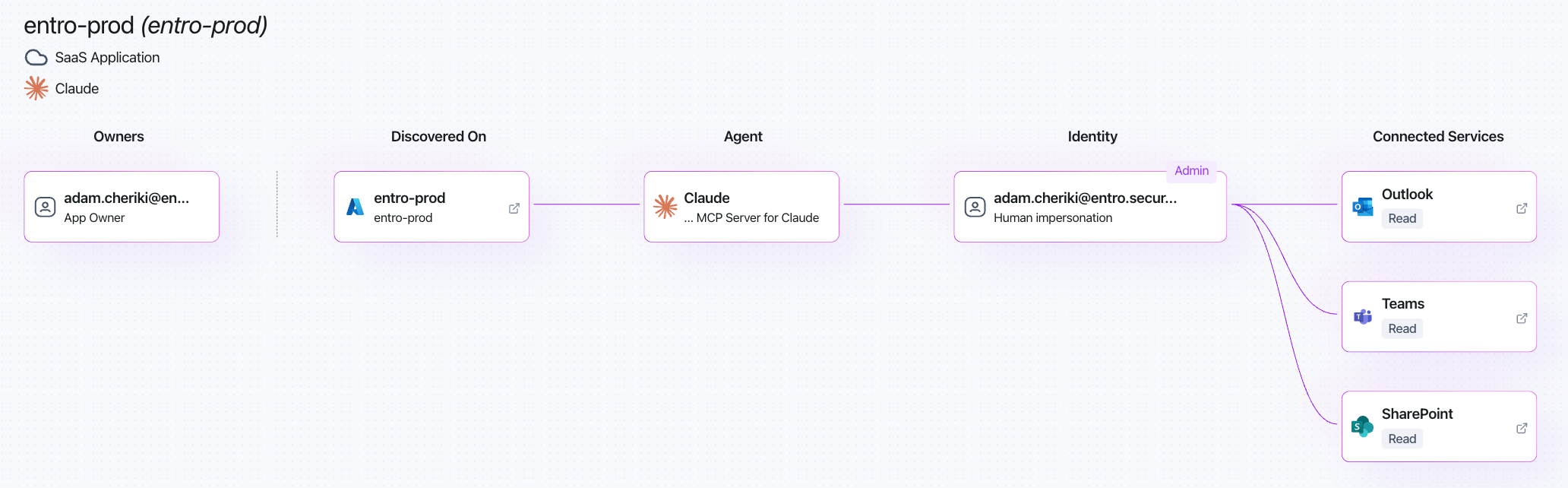
Clicking any agent opens its lineage map - an interactive graph showing the full access chain from owner through to every service the agent can reach, with permission levels and environment context on each connection.
Owner → Discovered on → Agent → Identity → Connected Services
Every node in the graph is clickable, opening a detail panel with the relevant metadata - token details, owner profile, service permissions, session history, and more.
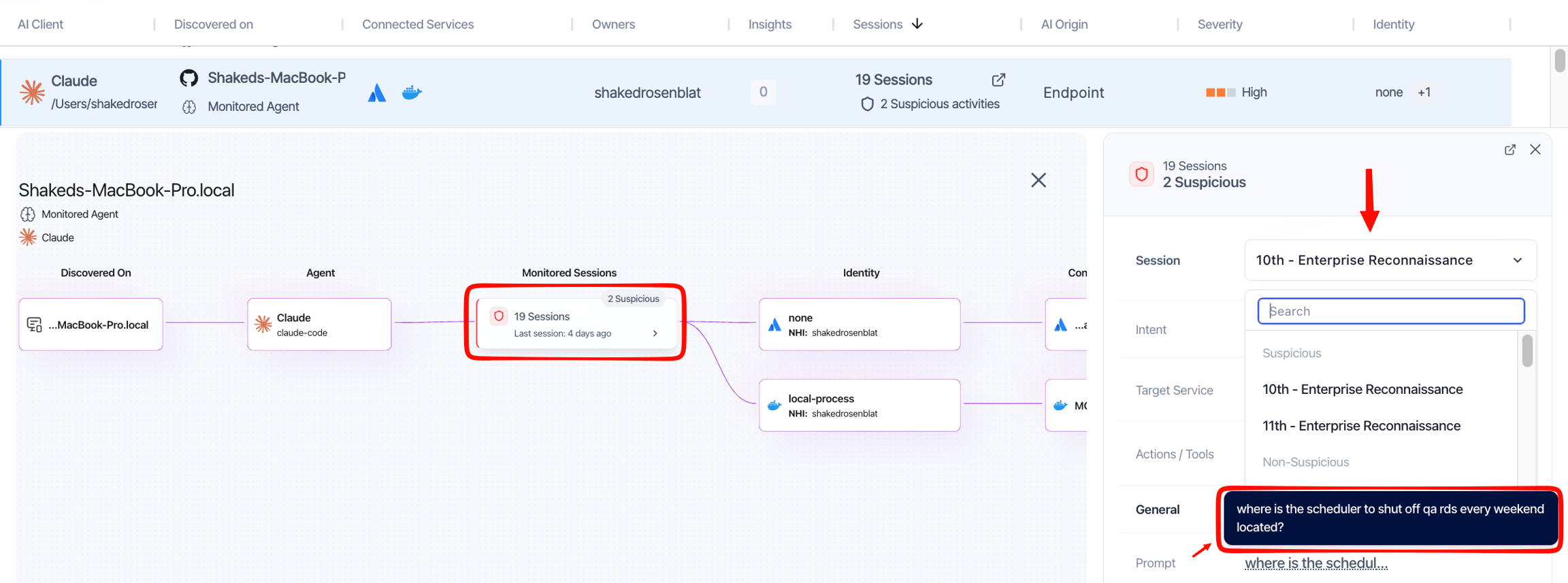
Sessions
Sessions show what an agent is actually doing, not just that it exists. There are two sources:
Plugin-sourced (Claude Code, Cursor, VS Code) - a full audit of every MCP tool call: the prompt, the tool invoked, the identity used, the result, the intent classification, and whether a policy blocked or allowed the action.
Integration-sourced (e.g. M365 Copilot) - interaction and usage data read directly from the platform. Gives visibility into how the agent is being used across the tenant. Policy enforcement does not apply to these agents.
Agents with no session data show Not Monitored.