Additional Features
Public flagging
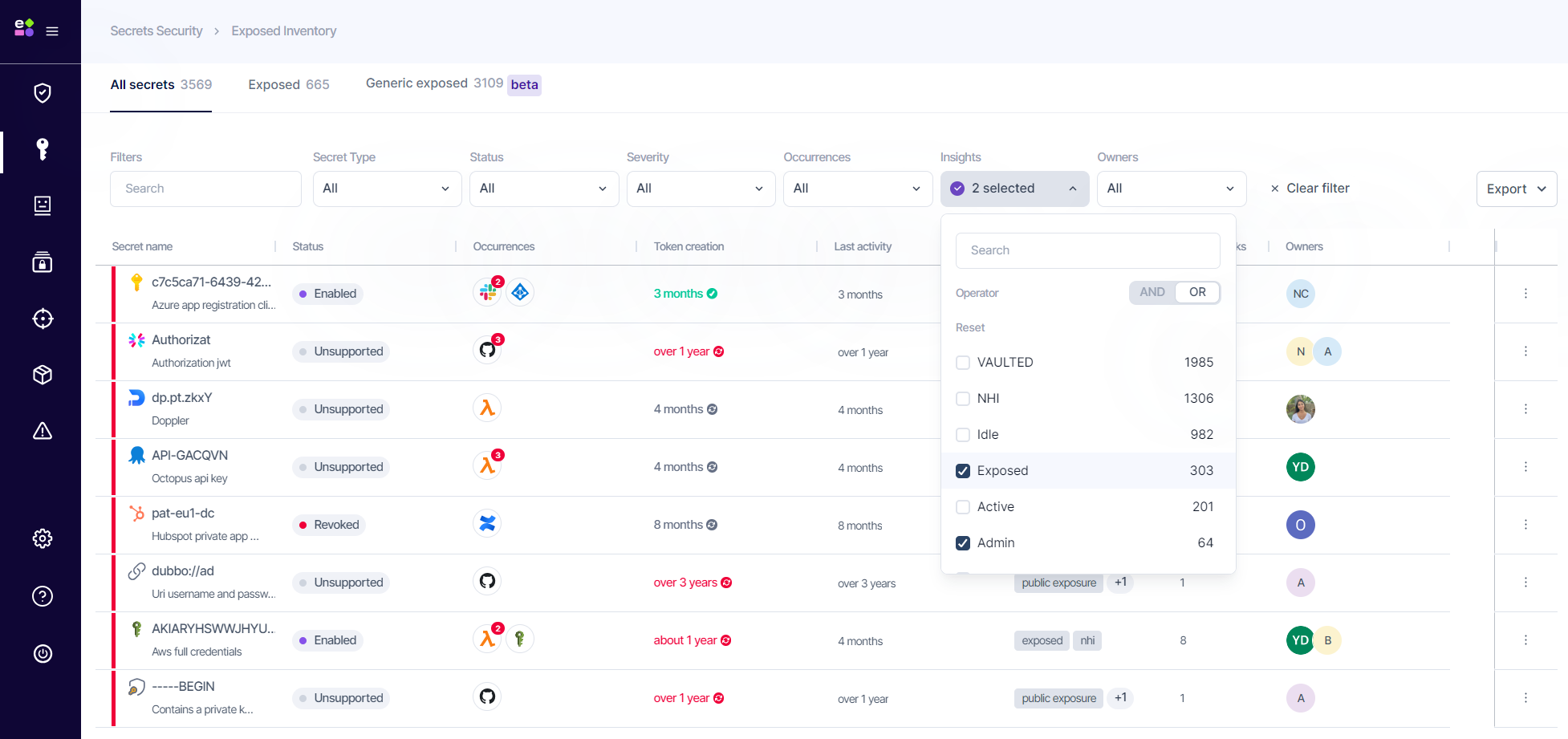
If a secret is exposed in a publicly accessed location, such as a public repository, the 'Public' tag will be added to 'Exposed Inventory', 'Risks', and 'All Secrets'. This significantly increases the severity and can lead to immediate exploitation.
External visibility flagging
If a secret is shared in a location accessible to members outside the company, such as a Slack or Microsoft Teams channel with external members, it will have the 'External visibility' tag. You can find it under the 'Exposed Inventory', 'Risks', and 'All Secrets' pages. This moderately increases the severity of the finding.
Grouping of identical secrets (All Secrets)
Identical secrets are grouped by the same secret value hash, allowing for easy identification and correlation with NHI Tokens, and Vaulted secrets.
Mitigation
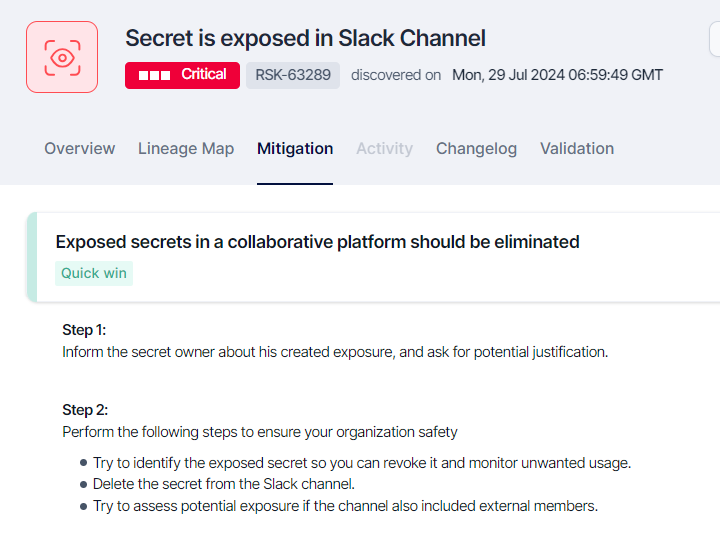
Each risk should contain mitigation steps to eliminate potential risks around the exposure. The mitigation steps are different for exposure location types.
-
Code commit exposure
-
Configuration exposure
-
CICD Log exposure
-
Collaboration platform exposure
Remediation: Exclusions, 'Not a secret', Discard Risks
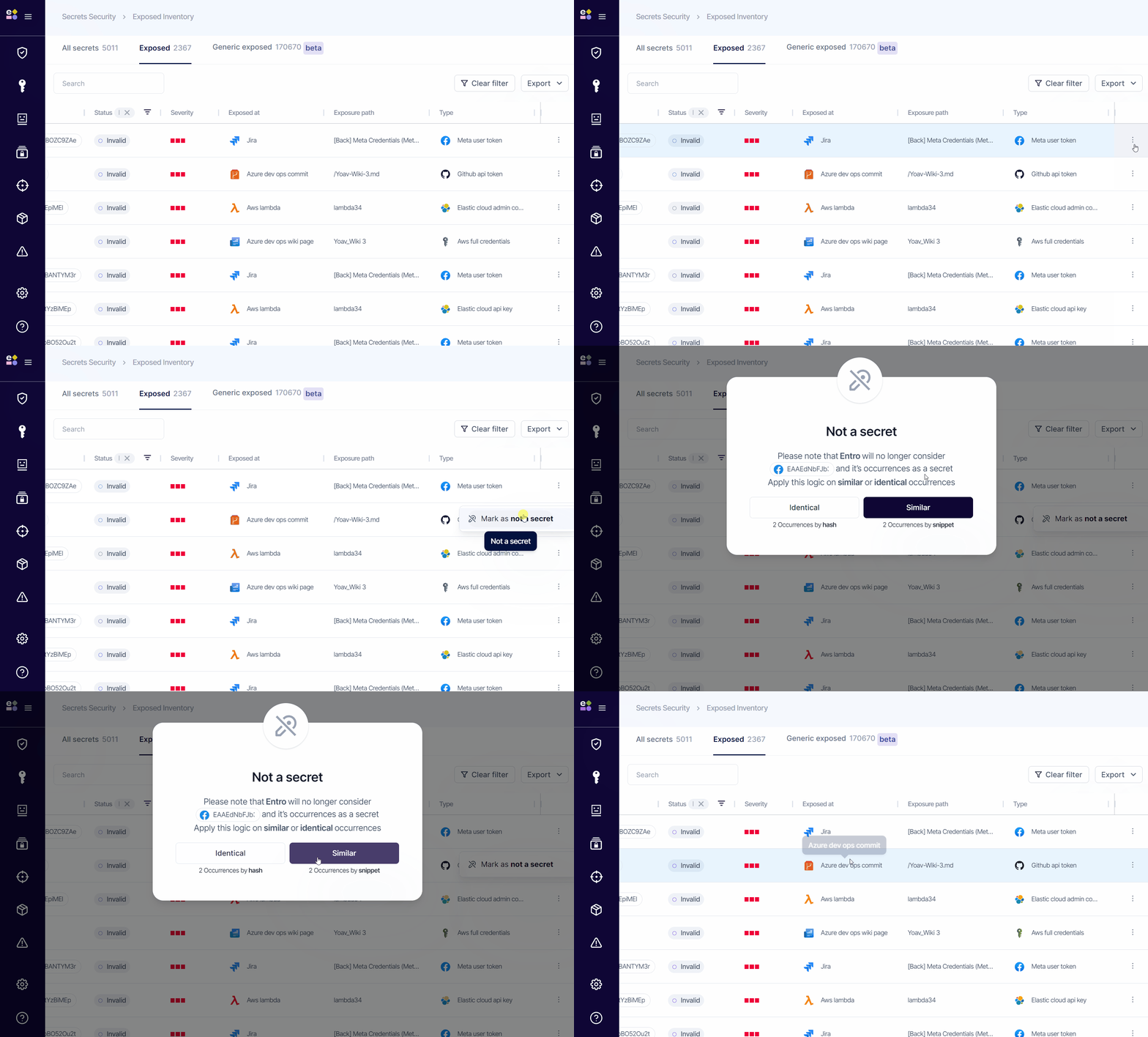
'Not a secret' - Eliminate F/P for the same finding or similar
SailPoint Entro allows users to manually exclude identical or similar secret findings from being alerted. This functionality is accessible via the 'Not a secret' button, prompting the user to select the exclusion method. Once excluded, the entries appear in the 'Exposed secrets' tab under the 'Configurations' screen. Those findings will no longer be visible in both inventory and risks screens.
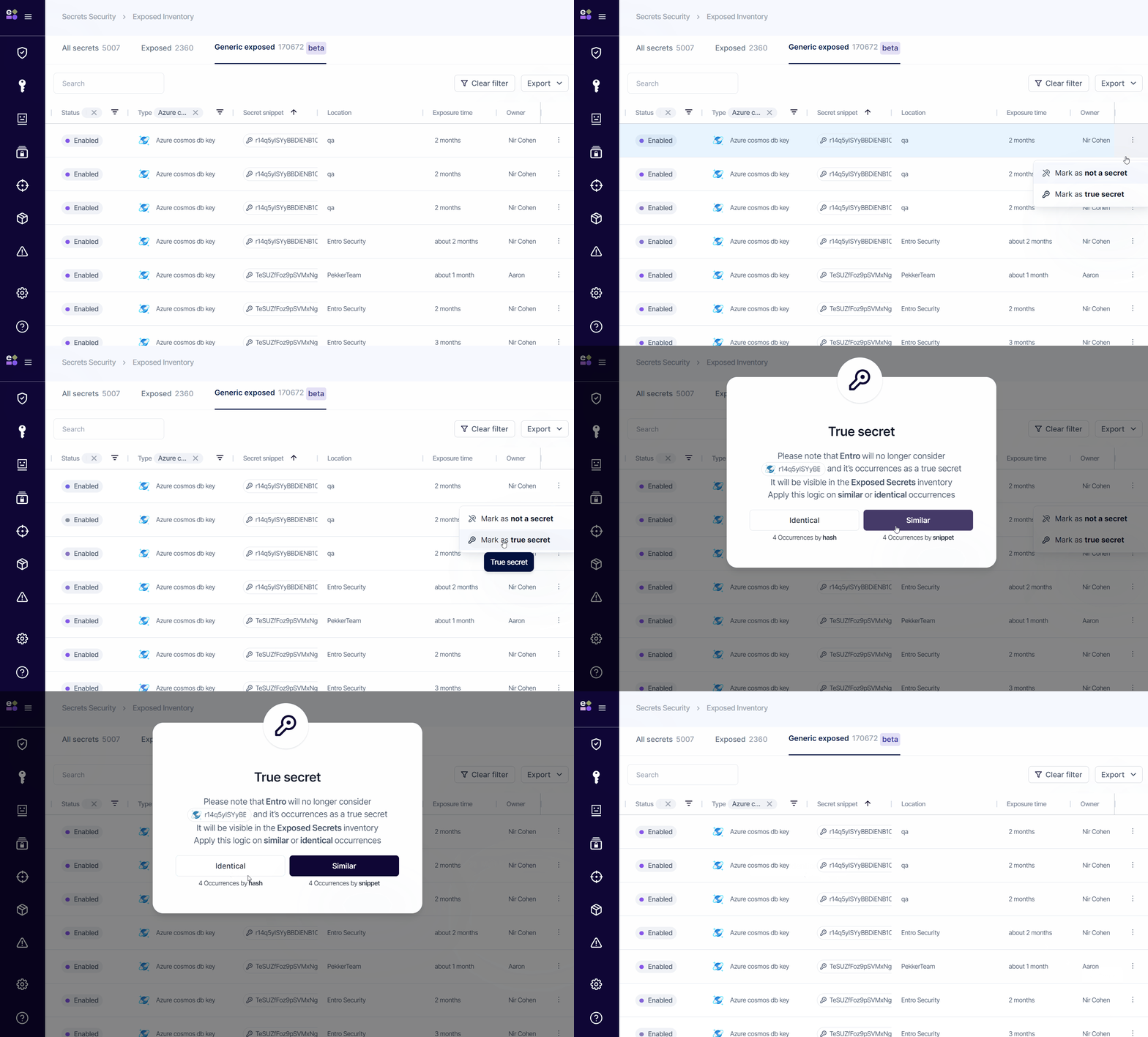
True secret - Mark T/P findings in the 'Generic exposed' finding
SailPoint Entro allows users to manually include identical or similar secret findings from being alerted. This functionality is accessible via the 'True secret' button, prompting the user to select the inclusion method. Those marked findings will be visible in both inventory and risks screens from now on. To remove it you must mark it as 'Not a secret'
Discard 'Exposed secrets' Risks
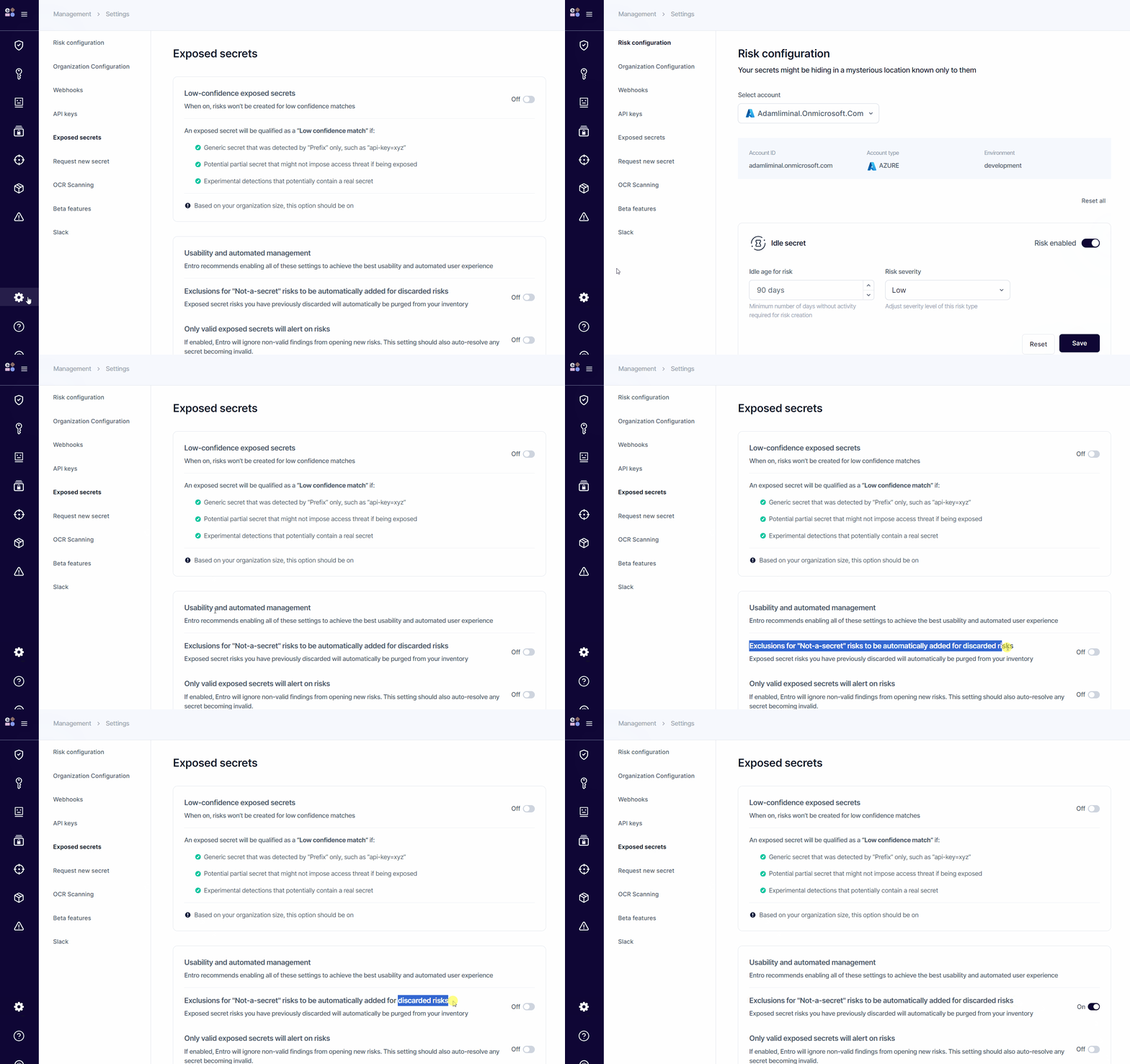
When an 'exposed secret' risk is discarded, it's possible to automatically add its linked 'exposed secret' as "False Positive - Not a secret". To do this, simply enable this setting:
Exclusions for "Not-a-secret" risks to be automatically added for discarded risks
Enable this under Settings > Exposed secrets > Usability and automated management.
Custom Tags
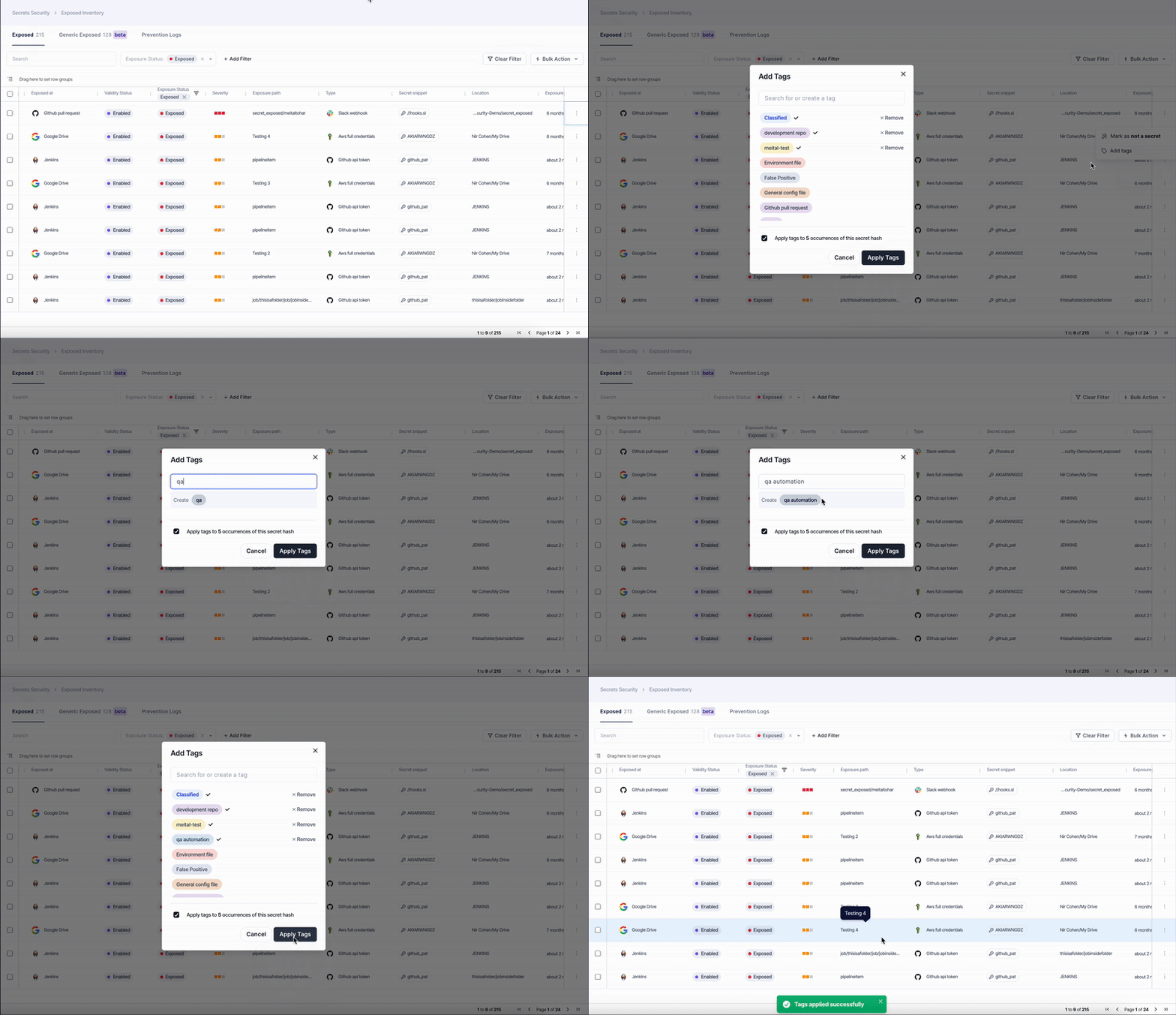
The Custom Tags feature allows adding and managing user-defined tags on exposed secrets to improve triage, ownership tracking, and reporting. Tags can be applied through the Action menu, Bulk Action menu, or the Add Tags option in the finding drawer.
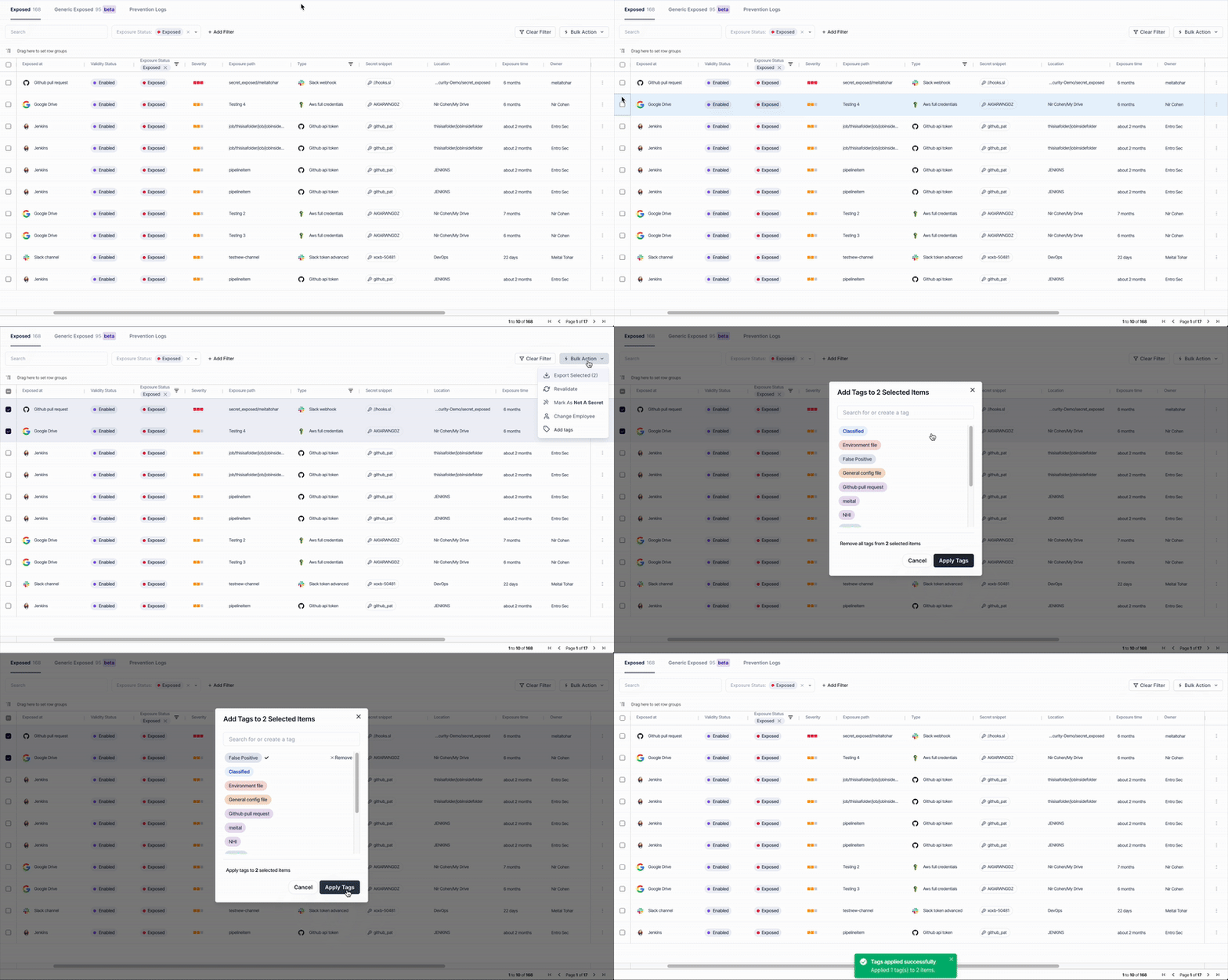
The tagging modal enables searching or creating custom tags, applying multiple tags simultaneously, and optionally applying them to all occurrences of the same secret hash. New tags are automatically saved and available for reuse across the workspace for consistent classification and easier filtering.