SMB File Share
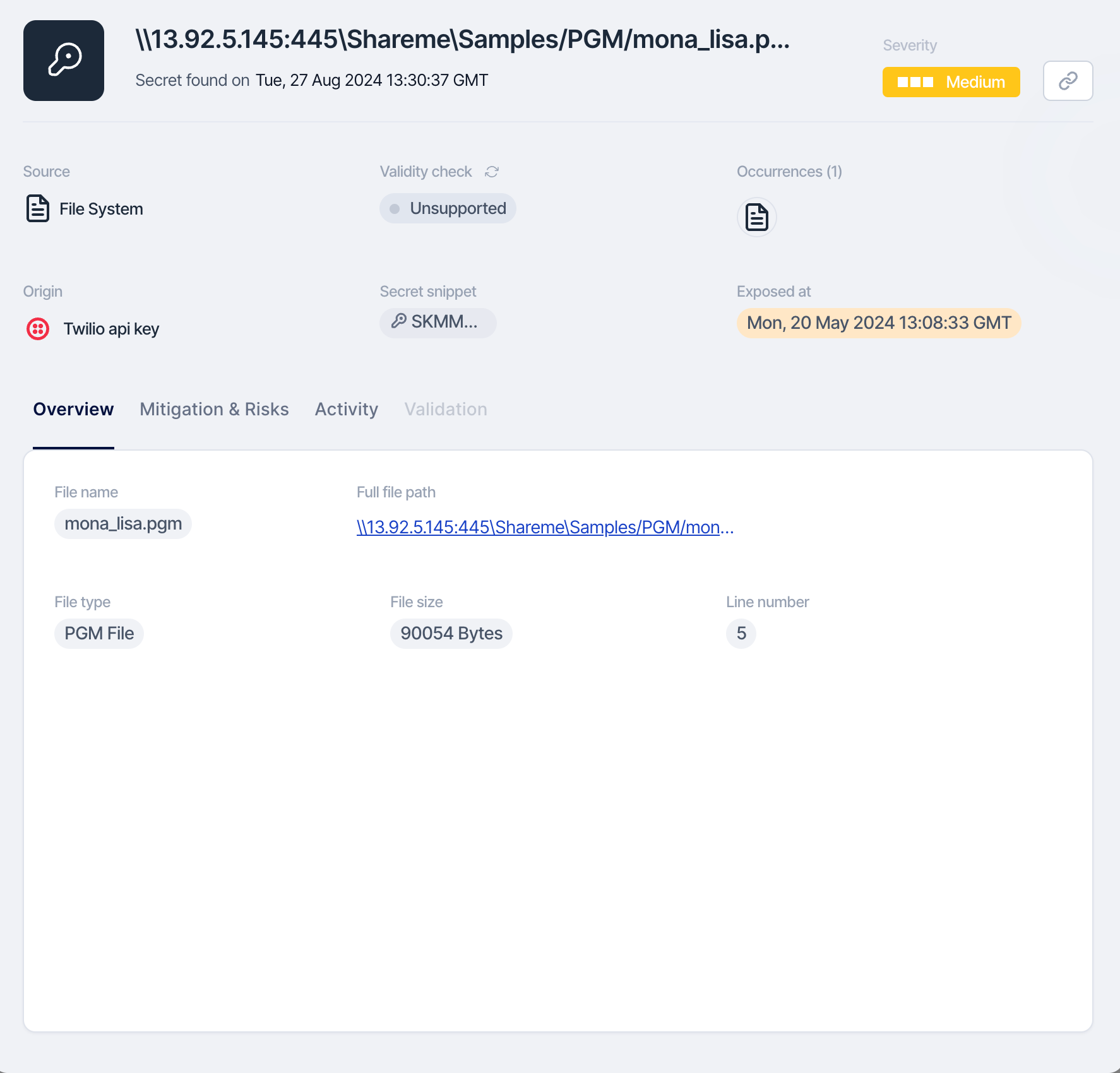
Step 1: Locate the Exposed Token with SailPoint Entro Platform
Use the file path provided by SailPoint Entro to navigate directly to the SMB file share location where the token was exposed.
Step 2: Revoke or Rotate the Exposed Token
To remediate the issue, use the RIGOR workflow:
-
Redact Sensitive Information: Access the specified file path in the SMB share and remove the exposed token from the affected files or scripts.
-
Inform the owner about the token exposure so that the practice is not repeated.
-
Generate a new token if it is still required, and ensure it is securely stored, avoiding direct exposure in files, scripts, or configurations within the SMB share.
-
Organize and take notes throughout this process as they will be necessary for a future root cause analysis, response plans, etc...
-
Revoke any exposed tokens through the issuing service based on the token type provided by SailPoint Entro. Refer to Key Rotation Best Practices.
Step 3 (optional) : Use External Secret Management
Consider integrating with an external secret management service such as AWS Secrets Manager, Azure Key Vault, or HashiCorp Vault to securely store and access tokens and other sensitive data.
Store the new token securely and reference it appropriately in scripts or processes that require access, rather than embedding it directly in the files within the file share.
Step 4: Update Scripts and Applications to Access Secrets Securely
-
Modify any scripts, applications, or processes that access the SMB file share to retrieve sensitive data from secure storage solutions like a vault service, instead of using hard-coded tokens.
-
Ensure that all configurations are updated to use securely stored secrets and that permissions are properly set to access the data without exposing it.
Step 5: Audit Access
Review GitHub’s audit logs, Pull Request history, and repository security settings to ensure that no unauthorized access occurred while the token was exposed.
Step 6: Monitor
Enable monitoring and set up Configuration notifications in GitHub or using external monitoring tools to notify you of any unusual activities related to Pull Request access or sensitive data exposure.
By following these steps, you can effectively manage the exposed token detected by SailPoint Entro in a GitHub Pull Request, ensuring secure handling of sensitive information and enhancing the overall security of your code review process.