BitBucket Cloud Onboarding
Configuration Steps
-
Create an API Token
-
Using a BitBucket admin user, go to Atlassian API Token management and select Create API token with scopes.
-
Give it a name (for example:
SailPoint Entro Integration) and select an expiration date. Select Next.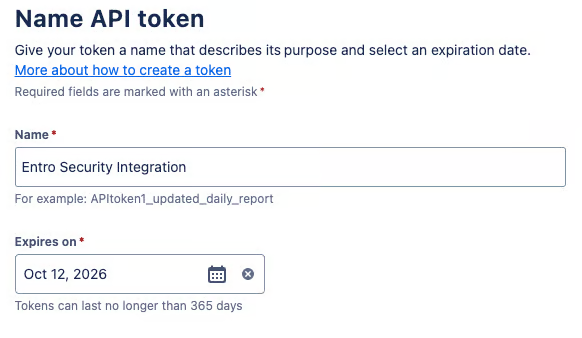
-
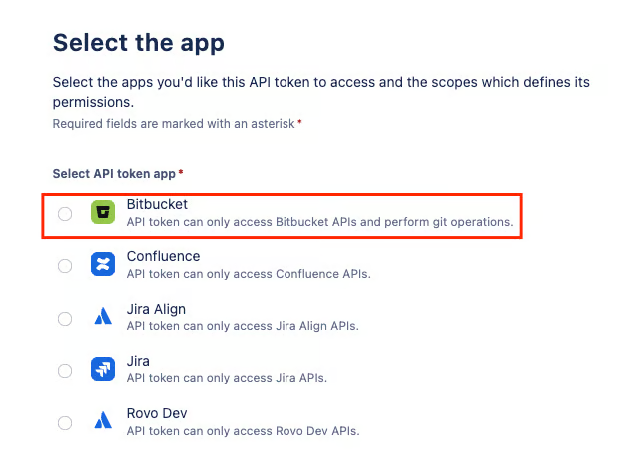
Choose the Bitbucket application, then select Next.
-
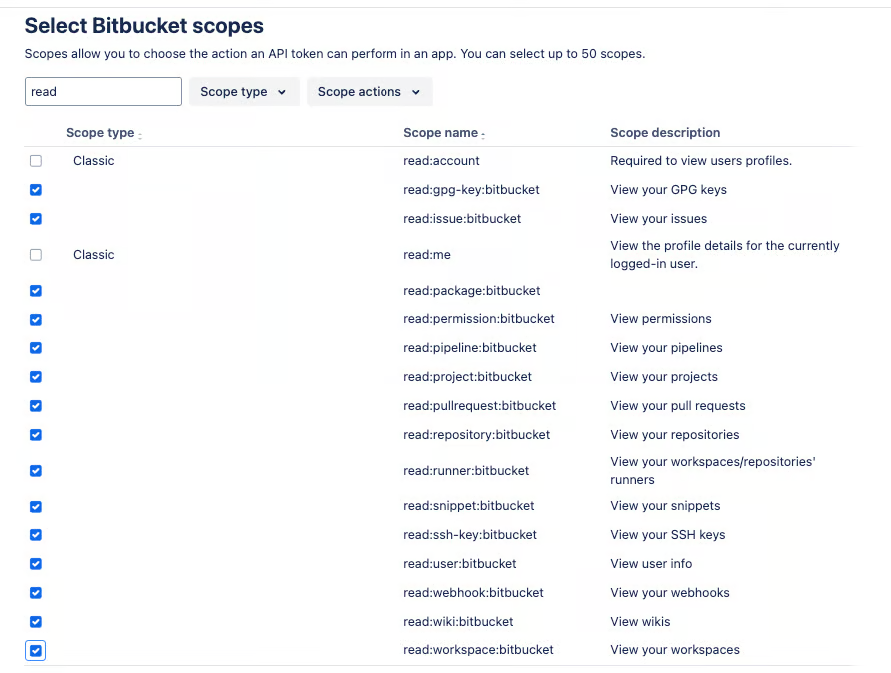
In the search box, type read and enable all read permissions that are not marked "Classic" (16 scopes total).
-
Ensure BitBucket is the chosen application and all 15 read permissions are given.
-
Select Create token. Copy the token immediately and store it securely.
-
-
Complete SailPoint Entro Onboarding Form
-
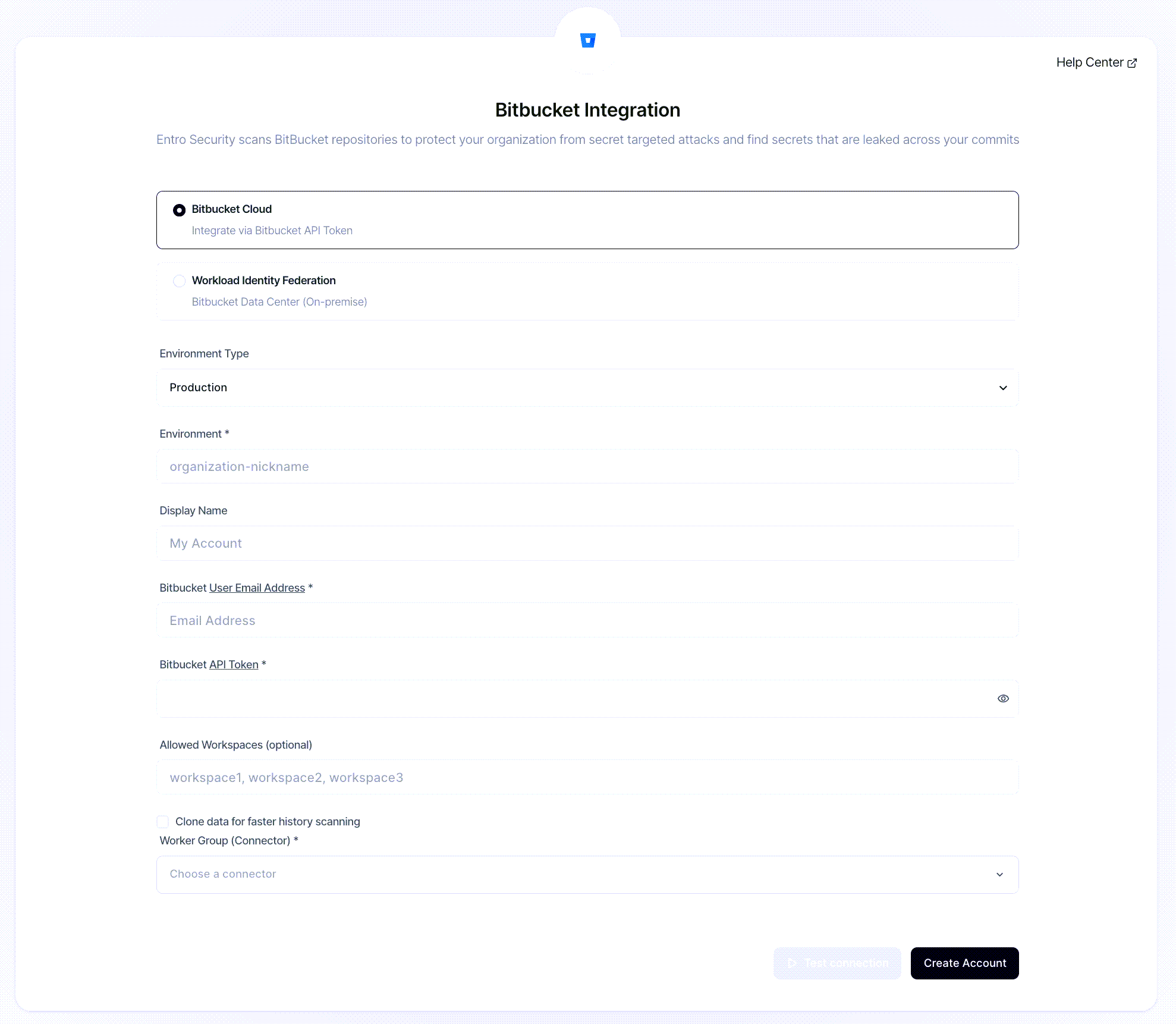
In the SailPoint Entro Platform, go to Management > Accounts & Integrations > Add new account > BitBucket. Choose BitBucket Cloud.
-
Fill in the connection form with the following fields:
-
Environment Type - choose the relevant environment for the integrated account.
-
Environment - the name you wish to give to that specific account.
-
BitBucket Username - paste the username or email address.
-
BitBucket API Token - enter the token generated in the previous step.
-
Allowed workspaces (optional) - if you wish to scan specific workspaces and not the full account.
-
Worker Group - choose the connector you wish to use for this integration.
-
-
Select Create Account.
-
Verify Integration
Once connected, SailPoint Entro will validate your credentials and start the initial repository synchronization.
-
Go to Integrations > Bitbucket in the SailPoint Entro Dashboard.
-
Confirm that the integration status is Active.
-
Verify that repositories are listed and scanning is in progress.
-
Check the Last Verified timestamp.
Your Bitbucket Cloud integration is now active.