Configuring ServiceNow for a Service Request
In the ServiceNow managed system, perform the following steps:
-
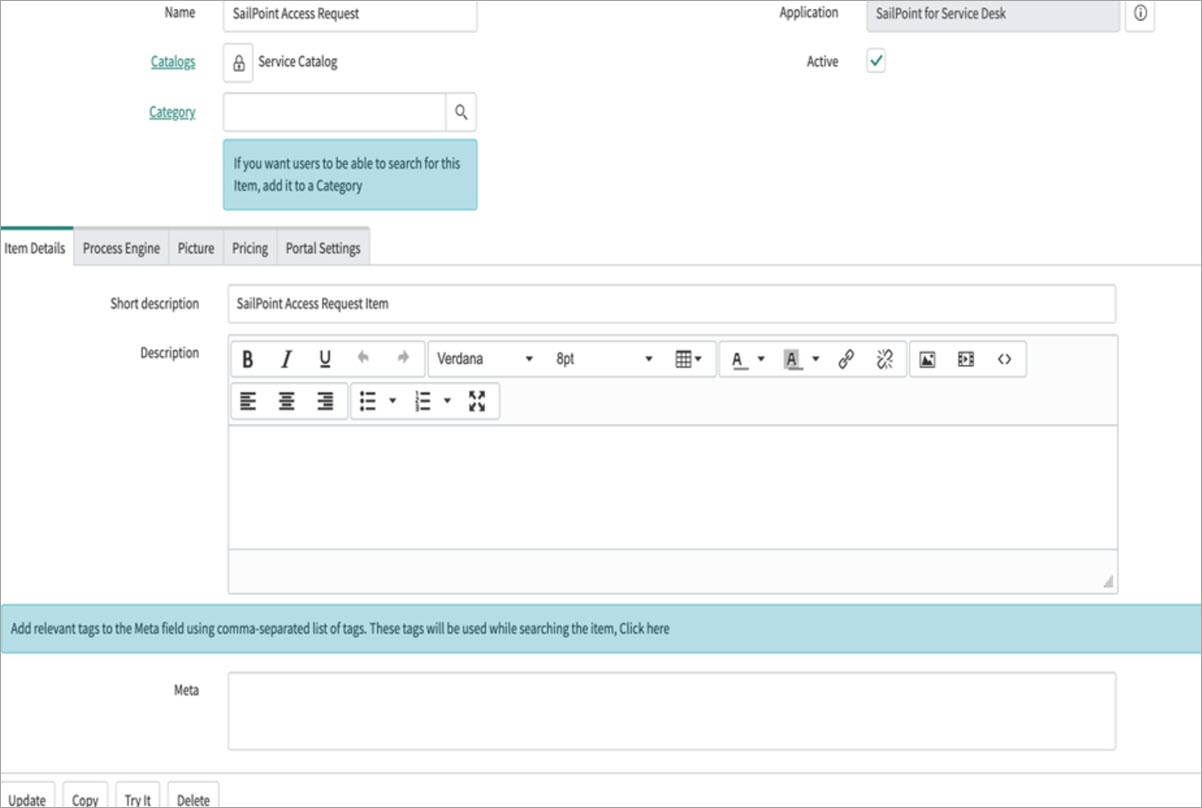
For each source that you want to integrate with, either identify the existing catalog items associated with that source, or create catalog items in ServiceNow. You can use the default catalog item named SailPoint Access Request.
Screenshot
-
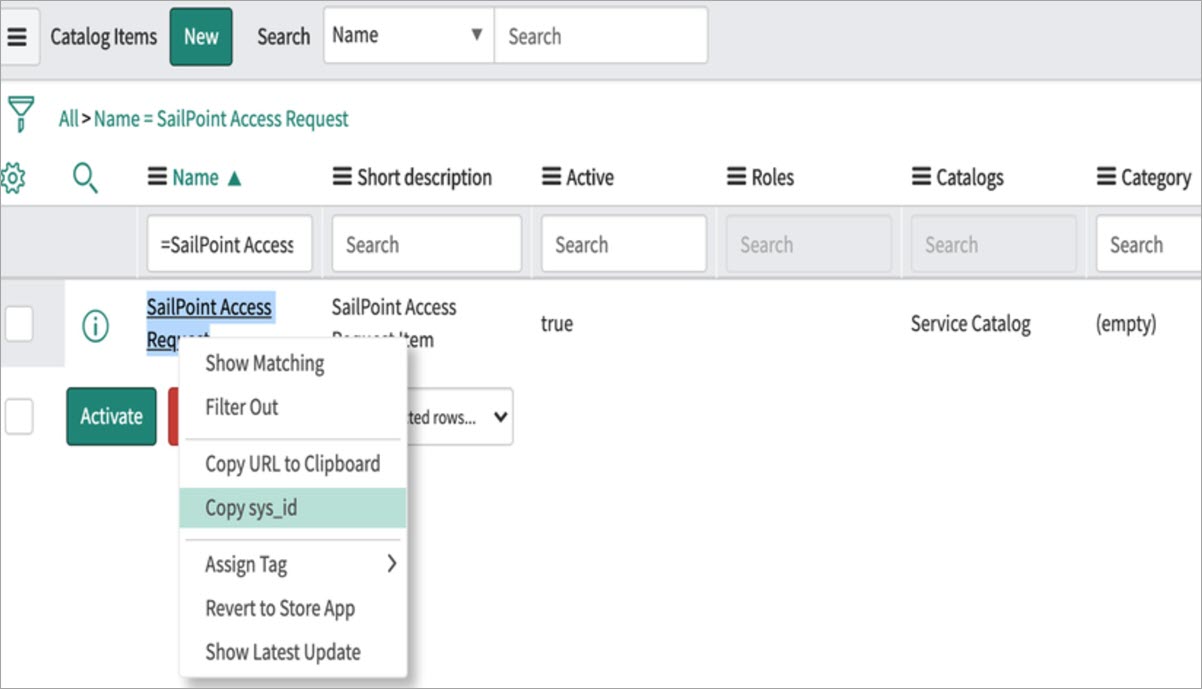
Copy the
sys_idfor each catalog item so that you can use it while defining the integration, as described in Catalog Mapping for Service Requests.Screenshot
-
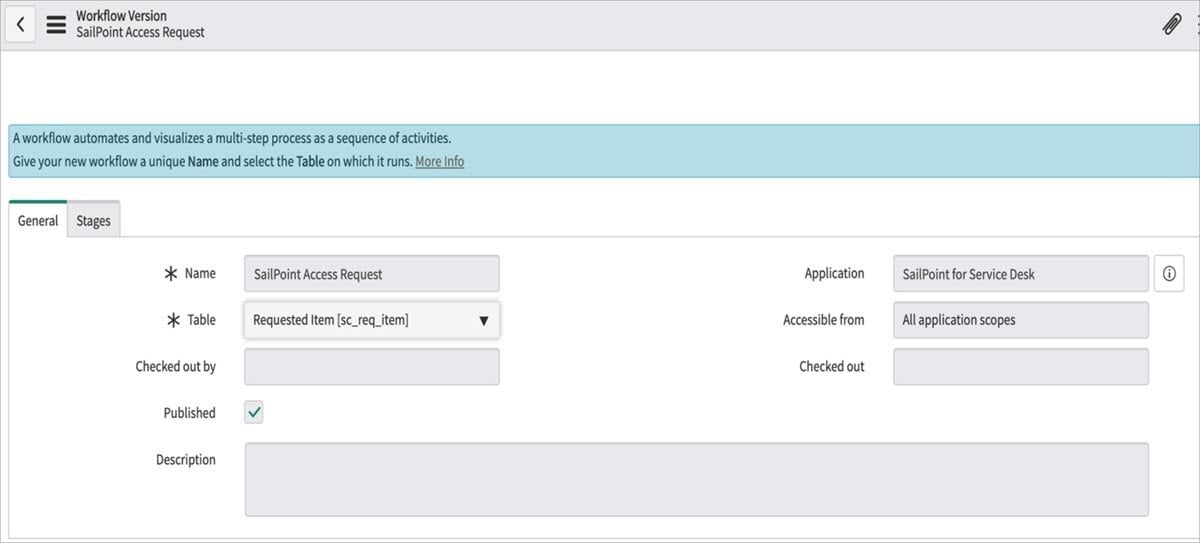
Create and publish a workflow based on the default workflow. The default example is the SailPoint Access Request workflow.
Screenshot
-
Attach the workflow to the respective catalog item to handle the Requested Item (RITM) and Service Request. The workflow must be able to create a Catalog Task.
- Repeat the previous steps for each ServiceNow instance you want to integrate with.
Note
To customize the existing workflow, refer to Workflow Customization for Task Configuration in a Service Request.
Documentation Feedback
Feedback is provided as an informational resource only and does not form part of SailPoint’s official product documentation. SailPoint does not warrant or make any guarantees about the feedback (including without limitation as to its accuracy, relevance, or reliability). All feedback is subject to the terms set forth at https://developer.sailpoint.com/discuss/tos.