Additional Information
Be sure to close all open access requests before starting the following scenarios:
- When migrating from an Integration config-based Service Desk Integration Module to an Application-based Service Desk Integration Module.
- When switching from one ticket type to another ticket type.
Workflow Customization for Task Configuration in a Service Request
You can modify the workflow of the task configuration in the ServiceNow managed system.
Important
You must have the workflow_admin role to make changes in the workflow.
To modify the workflow of the task configuration:
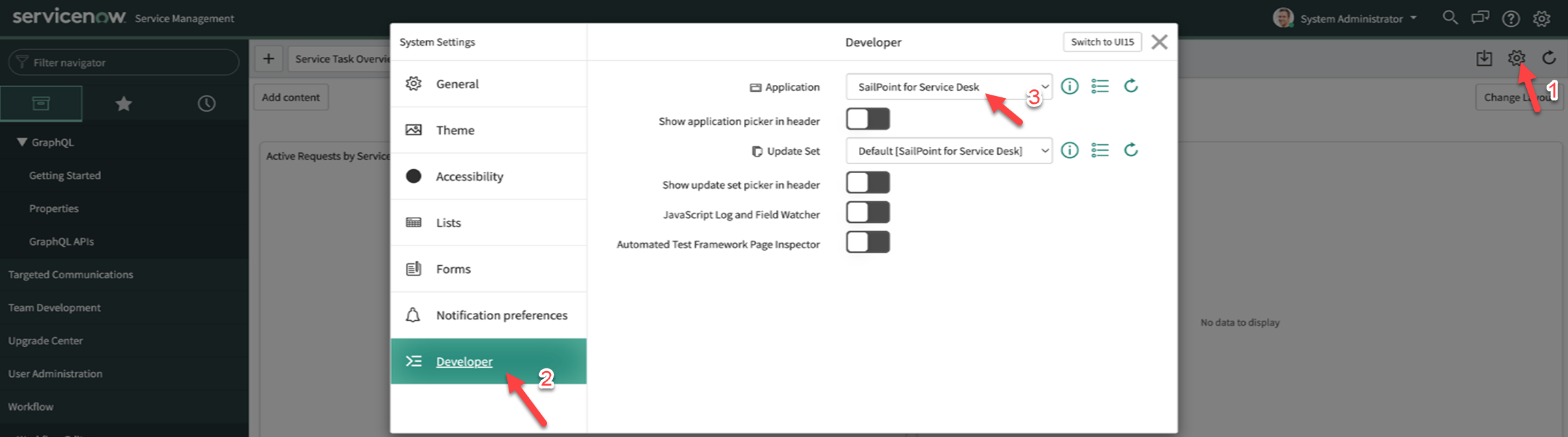
- Go to the ServiceNow application > Settings. A pop-up window for System Settings appears.
-
Select the Developer tab. In Application, ensure SailPoint for Service Desk is selected.
Screenshot
-
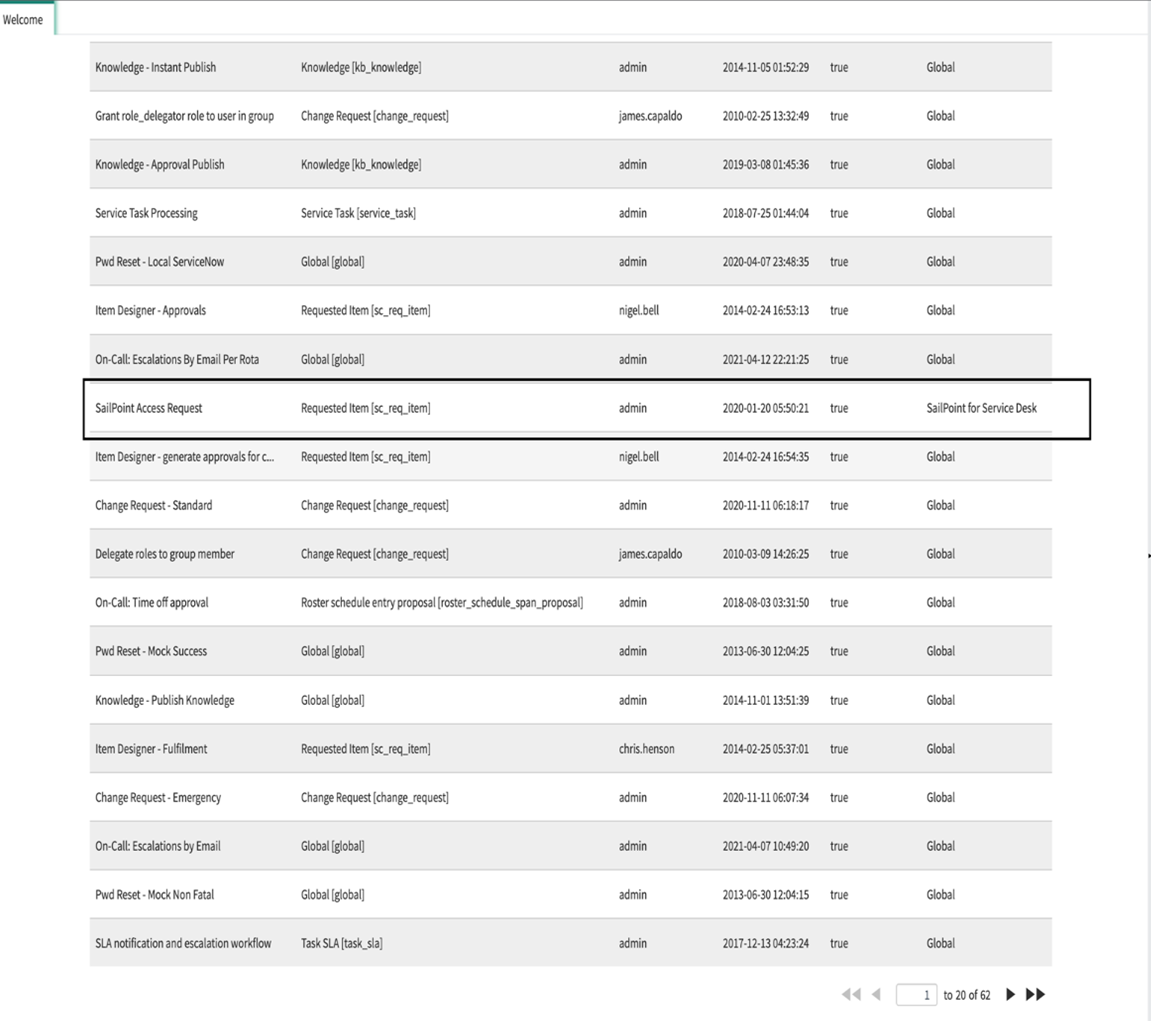
Search for and select Workflow Editor from Filter Navigator. Then, select the SailPoint Access Request name.
Screenshot
-
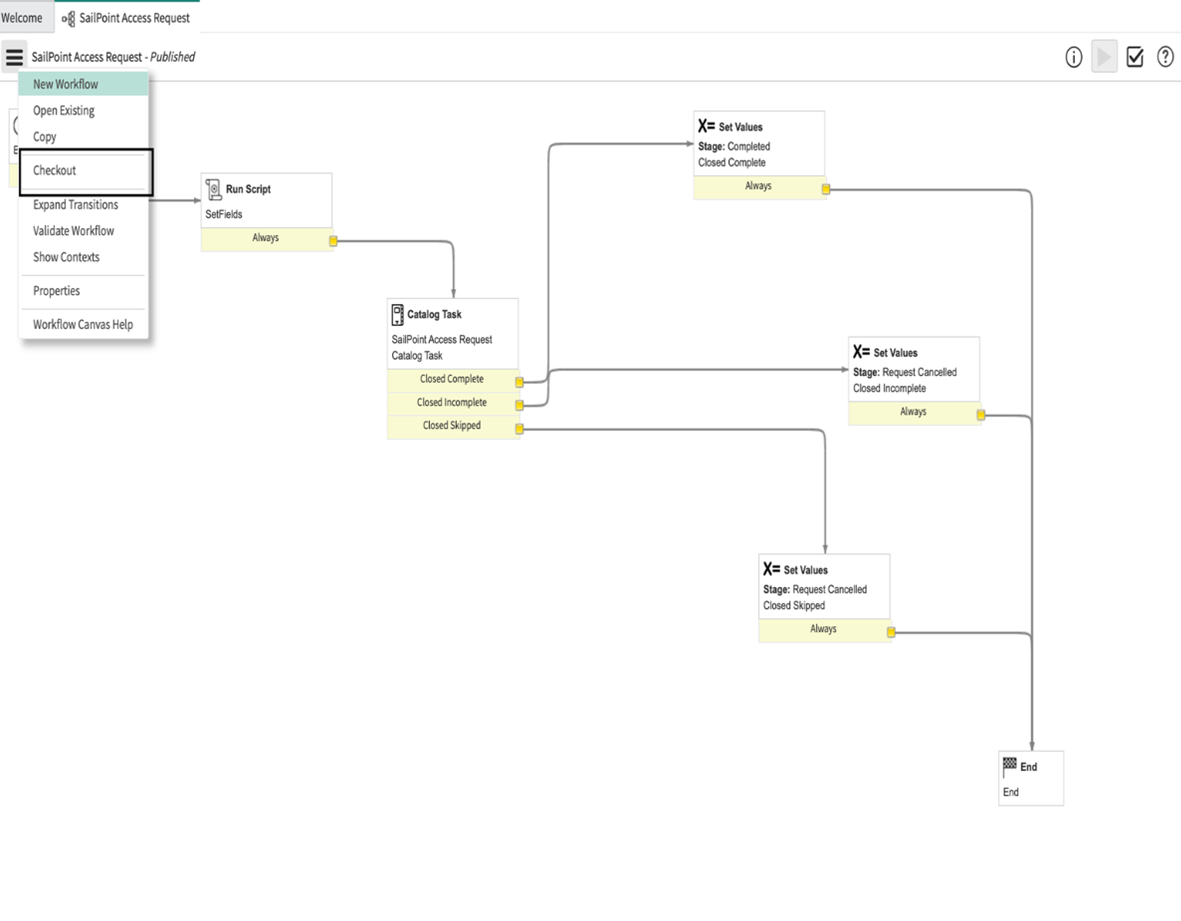
Select Checkout from the left-hand side of the Workflow Actions list.
Screenshot
-
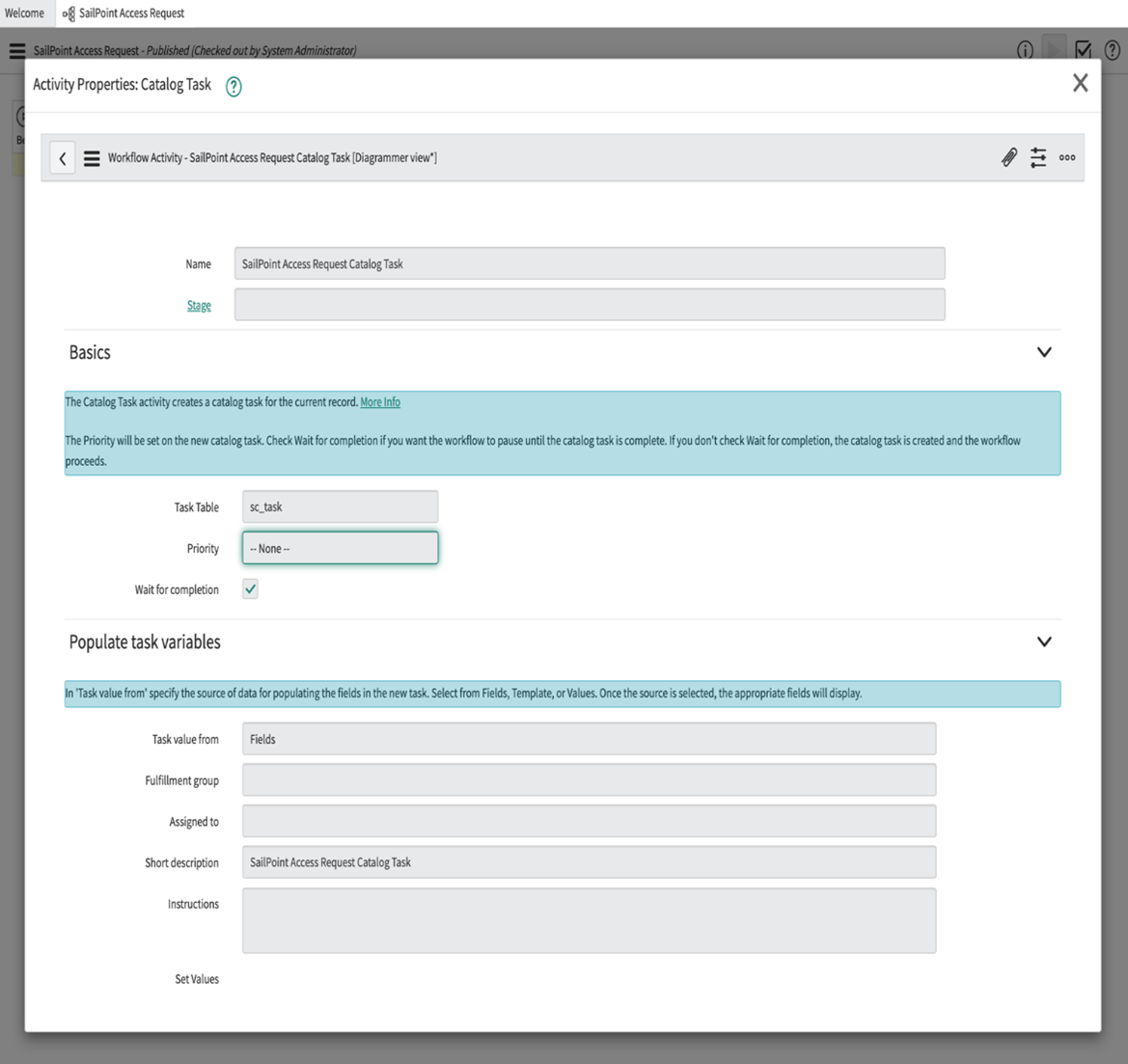
Double-click Catalog Task. A pop-up window for Activity Properties: Catalog Task appears.
Screenshot
-
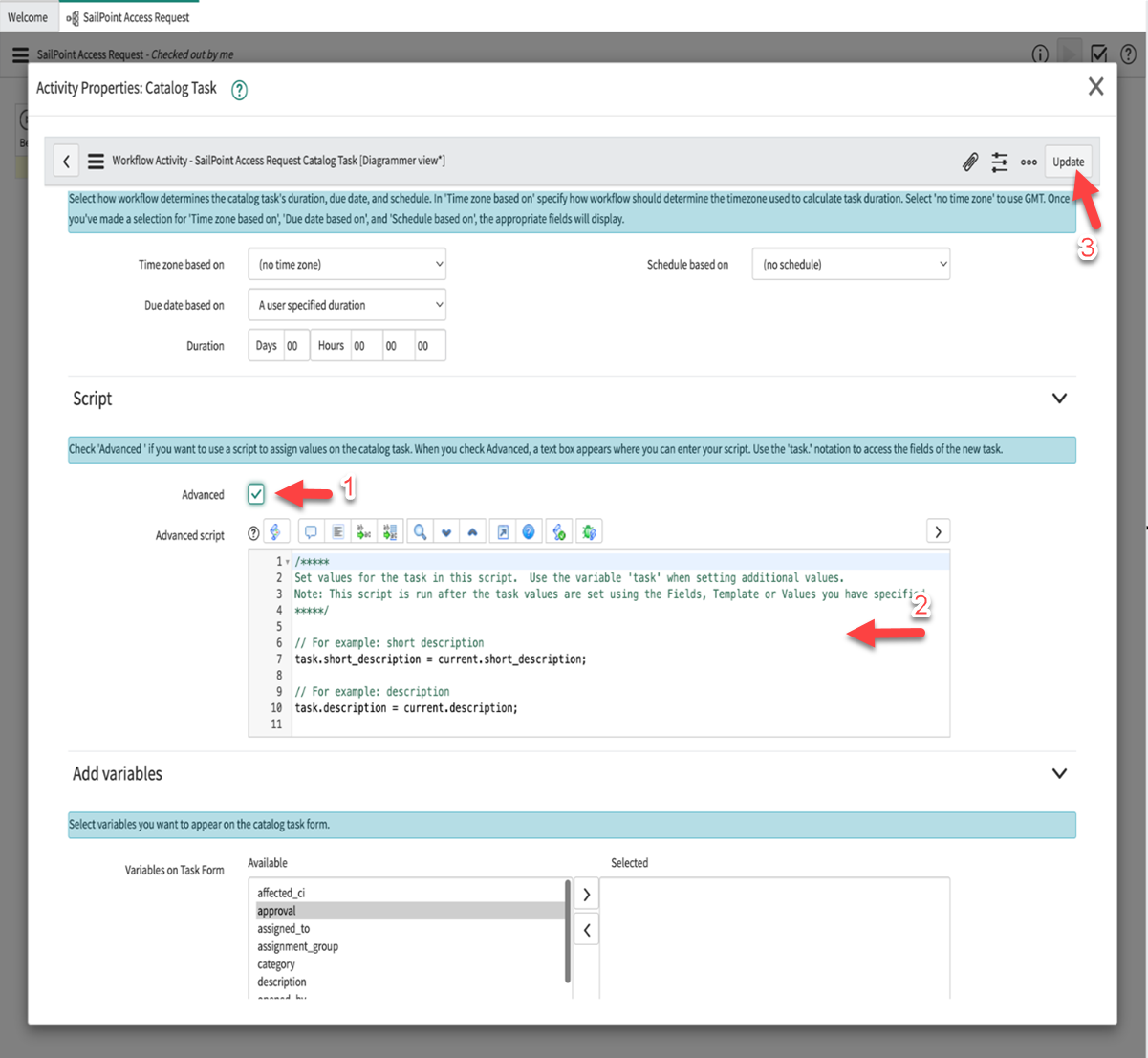
Scroll down to the Script section and select Advanced. This allows you to edit the Advanced Script. You can map as many catalog variables as you want as part of the script, and the mapping is reflected on the Task. Select Update to save the workflow changes.
Screenshot
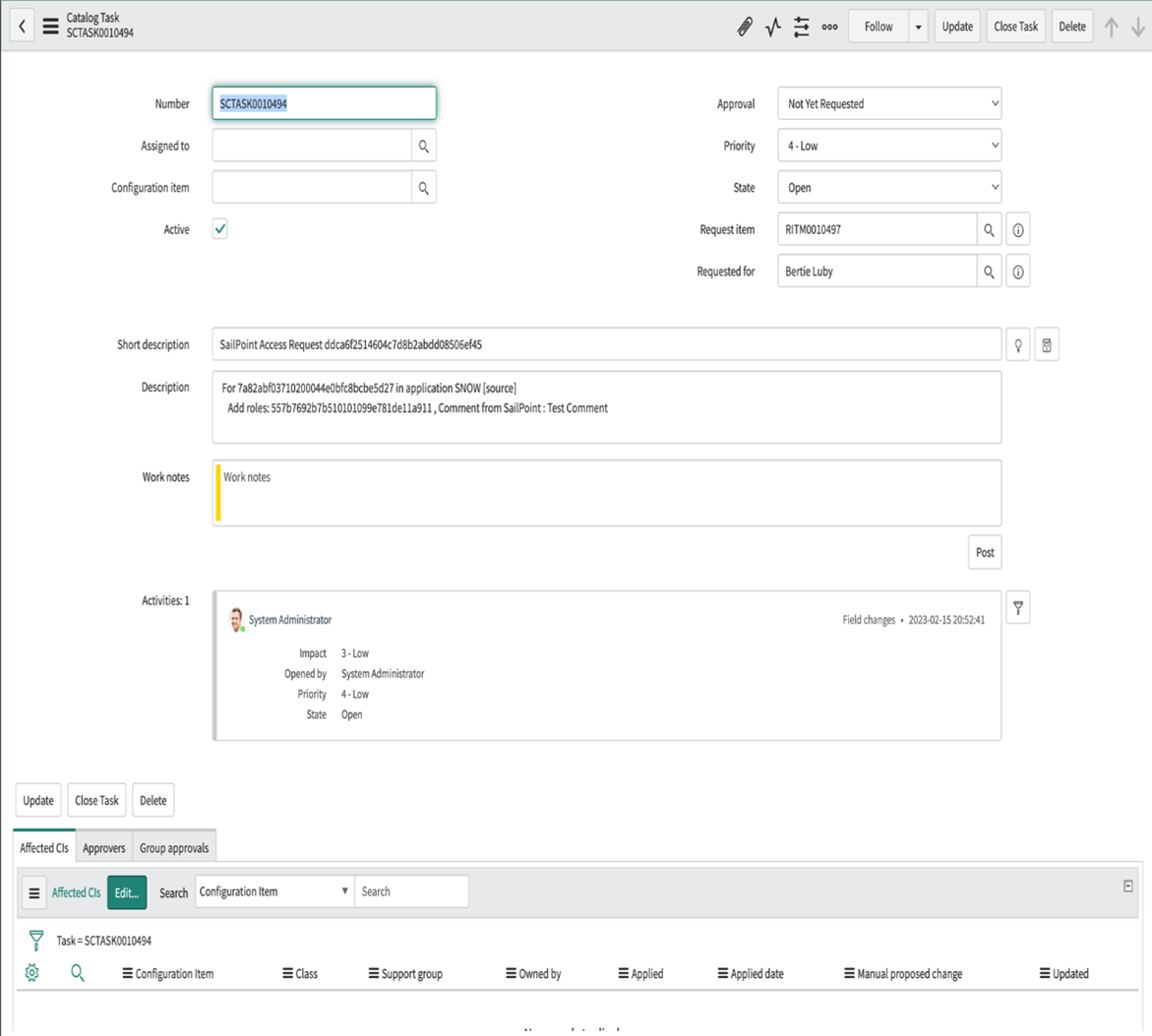
Task-level changes are reflected on the ServiceNow ticket as shown below:
Screenshot
Upgrade Considerations
This section lists points to consider when upgrading from any previous version to v1.1.0, or through v1.1.0.
Note
This section does not capture changes to the product in other versions.
If both the SailPoint for Service Catalog and SailPoint for Service Desk store applications are installed on the same ServiceNow instance, you can link the tickets created by both of these applications. For more information, refer to Linking with SailPoint Service Catalog. By default, this setup links these tickets using the parent field on tickets created by SailPoint for Service Desk. This means you can use out-of-the-box related lists (Requests > Parent) to display linked records on requested items created by SailPoint for Service Catalog. Because this linking uses the parent field, you must remove existing transform map entries for the parent field.
Documentation Feedback
Feedback is provided as an informational resource only and does not form part of SailPoint’s official product documentation. SailPoint does not warrant or make any guarantees about the feedback (including without limitation as to its accuracy, relevance, or reliability). All feedback is subject to the terms set forth at https://developer.sailpoint.com/discuss/tos.