Configuring Ivanti Cherwell Service Desk
In SailPoint, configure the following items for your Ivanti Cherwell Service Desk integration:
On the Summary page, you can review the general settings and parameters for the connectivity and authentication.
Note
All activity on the Service Desk connector appears as events in Search and on the Activity tab of an identity.
Ticket Creation
In a centralized approach spanning many users and resources to strengthen IT controls and provide proof of compliance to auditors and executive management, you can create a ticket for your integration based on your requirements. A ticket has all the relevant data filed for further processing.
The information provided in this section is used to create the payload from SailPoint to create a ticket on the managed Ivanti Cherwell instance. You can customize this information by adding fields as required.
Important
SailPoint recommends that you include the Apache Velocity variables as needed to meet your specific use cases.
Screenshot
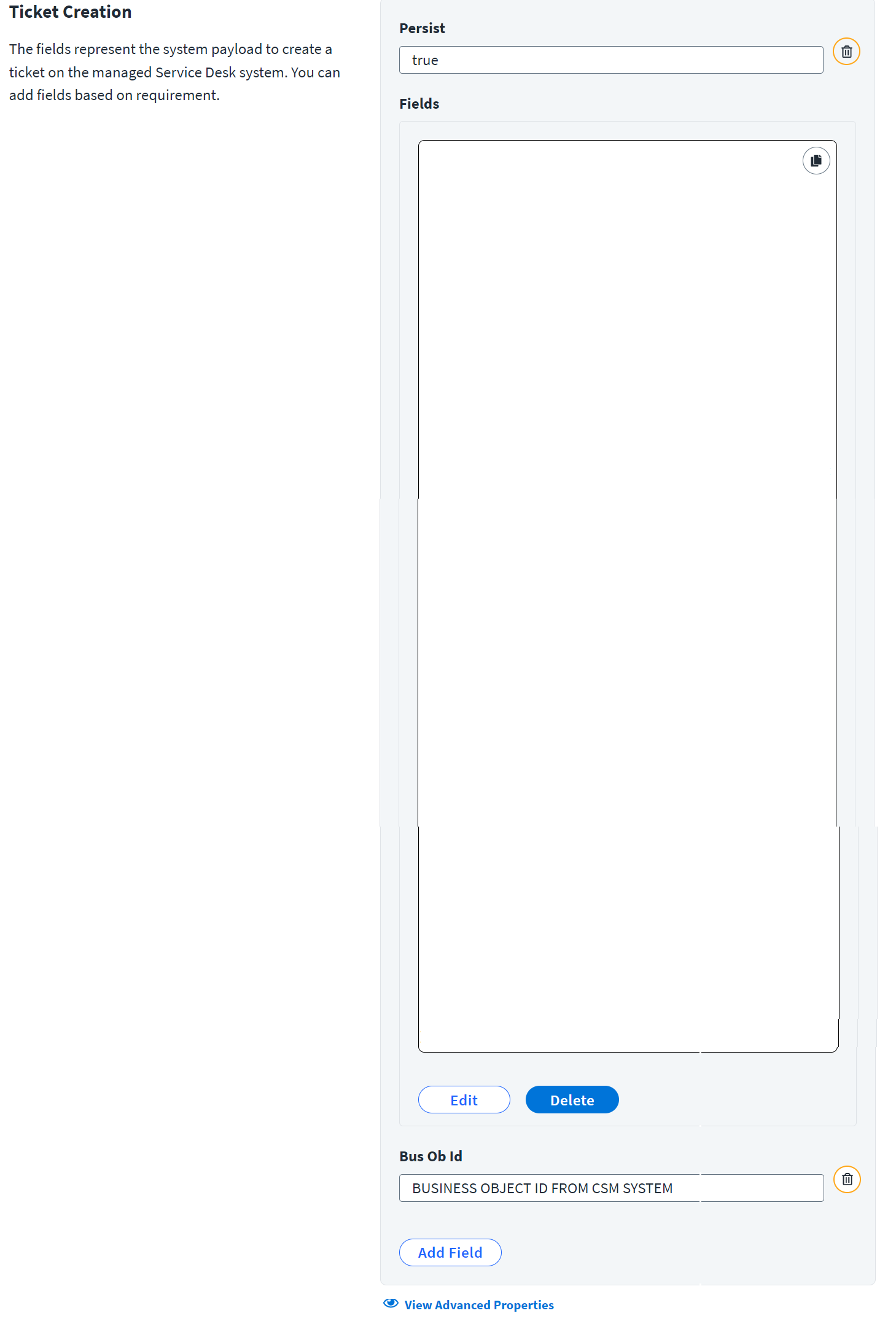
- Enter a Persist value for the ticket. Set
persist = trueto actually save the Business Object (ticket request) to disk. -
Enter the list of mapped fields and their values that are sent to the Cherwell Service Management system to create tickets. For example:
[ { "dirty": "true", "displayName": "Call Source", "name": "CallSource", "value": "Event", "fieldId": "FIELD ID FOR CALL SOURCE" }, { "dirty": "true", "displayName": "Description", "name": "Description", "value": "SailPoint Access Request $!plan.arguments.identityRequestId #if($plan.arguments.identityName) for the user $plan.arguments.identityName #end $newline $newline #foreach($req in $plan.requests) #if($req.operation == 'Create') Create Account on application $req.resource #else For $req.id in application $req.resource #end #if($req.items) $newline #foreach($item in $req.items) #if ($item.name == '*disabled*' && $item.value == 'true') Requested action from SailPoint : Disable Account #if ($request.arguments.comments), Comments : $request.arguments.comments #end $newline #elseif ($item.name == '*disabled*' && $item.value == 'false') Requested action from SailPoint : Enable Account #if ($request.arguments.comments), Comments : $request.arguments.comments #end $newline #elseif ($item.name == '*locked*' && $item.value == 'false') Requested action from SailPoint : Unlock Account #if ($request.arguments.comments), Comments : $request.arguments.comments #end $newline #else $!item.Operation $item.name: $item.value #if ($item.arguments.comments), Comment from SailPoint : $item.arguments.comments #end $newline #end #end #else $newline $!req.Operation Account #end #end", "fieldId": "FIELD ID FOR DESCRIPTION" }, { "dirty": "true", "displayName": "Status", "name": "Status", "value": "New", "fieldId": "FIELD ID FOR STATUS" }, { "dirty": "true", "displayName": "Requester ID", "name": "RequesterID", "value": "$!plan.arguments.opened_by", "fieldId": "FIELD ID FOR REQUESTER ID" }, { "dirty": "true", "displayName": "Requester", "name": "Requester", "value": "$!plan.arguments.openedByFullName", "fieldId": "FIELD ID FOR REQUESTER" }, { "dirty": "true", "displayName": "Email Notifications", "name": "EmailNotifications", "value": "Customer and Requester", "fieldId": "FIELD ID FOR EMAIL NOTIFICATIONS" }, { "dirty": "true", "displayName": "On Behalf Of", "name": "OnBehalfOf", "value": "True", "fieldId": "FIELD ID FOR ON BEHALF OF" }, { "dirty": "true", "displayName": "Incident Type", "name": "IncidentType", "value": "Incident", "fieldId": "FIELD ID FOR INCIDENT TYPE" }, { "dirty": "true", "displayName": "Service", "name": "Service", "value": null, "fieldId": "FIELD ID FOR SERVICE" }, { "dirty": "true", "displayName": "Category", "name": "Category", "value": null, "fieldId": "FIELD ID FOR CATEGORY" }, { "dirty": "true", "displayName": "Subcategory", "name": "Subcategory", "value": null, "fieldId": "FIELD ID FOR SUB CATEGORY" }, { "dirty": "true", "displayName": "Priority", "name": "Priority", "value": "3", "fieldId": "FIELD ID FOR PRIORTY" }, { "dirty": "true", "displayName": "Customer ID", "name": "CustomerRecID", "value": "$!plan.arguments.requested_for", "fieldId": "FIELD ID FOR CUSTOMER RECORD ID" } ] -
Enter the Business Object ID in Bus Ob Id for the Incident business object template from your Cherwell Service Management system. In CSM, Incidents and Service Requests are stored together in the Incident Business Object. For more information, refer to CSM 10.4.0 ITSM Practices: About Incidents and Service Requests.
Advanced Properties
To add advanced properties to the details of the ticket, select Advanced Properties.
Screenshot
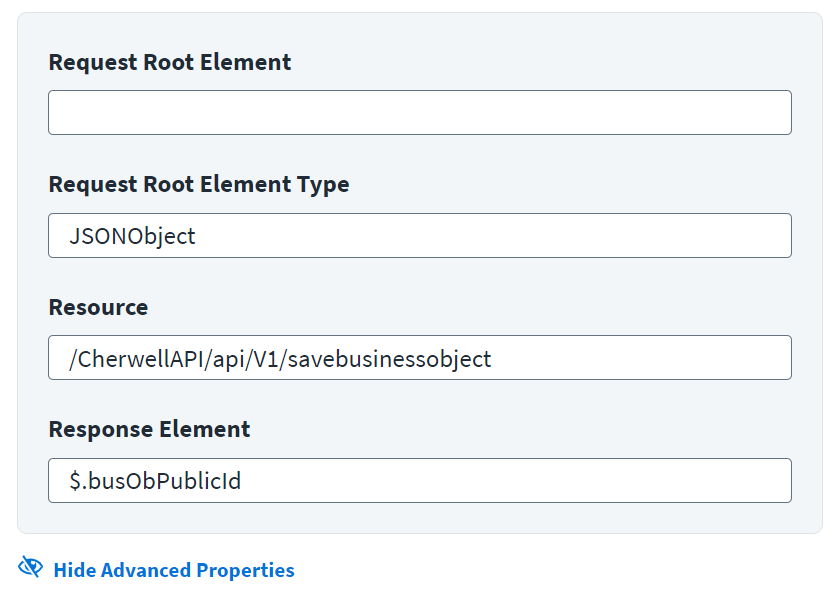
- Enter the basic JSON root element of the request ticket in the Request Root Element. For example,
Ticket. - Enter the type of the Request Root Element. For example,
JSONObject. - Enter the resource used for the request ticket in the Resource. Do not include the base URL for the instance in the value. Provide only the remaining directories for the endpoint. For example,
/CherwellAPI/api/V1/savebusinessobject. - Enter the JSON path expression that indicates the location of the ticket number in the Response Element field. For example,
$.busObPublicId.
Note
The ticket number generated on the Service Desk system for the corresponding provisioning action can be seen under Search > Account Activity details of the identity. For more information, refer to Account Activity Using Search.
Status Mapping
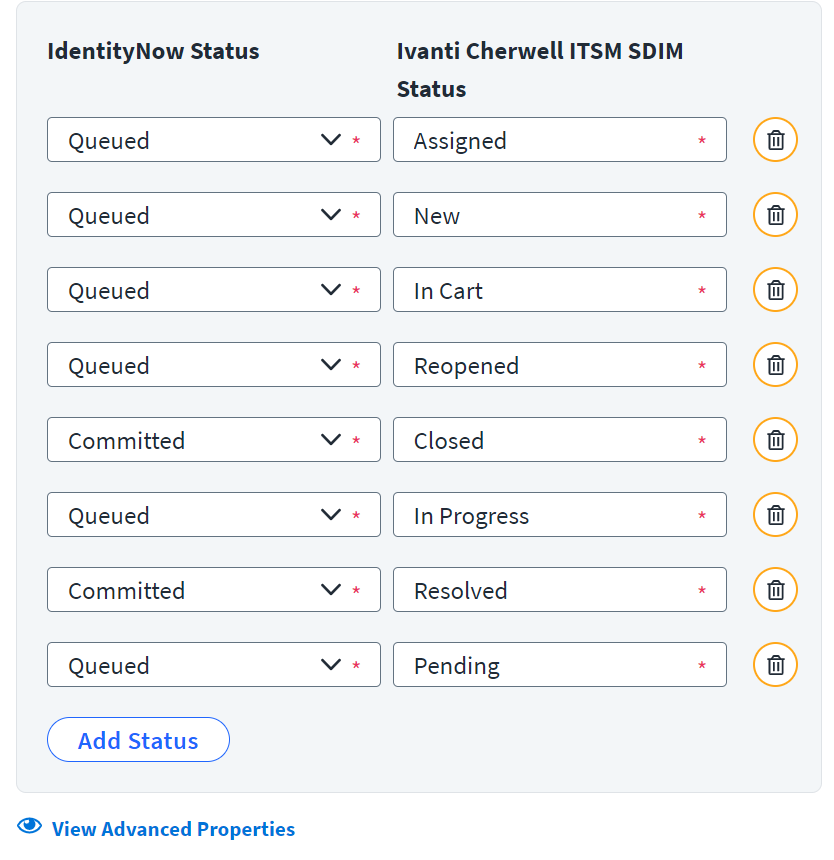
Map the status of the incident in SailPoint to the corresponding Ivanti Cherwell status. To add another row for status mapping, select Add Status. Customize the status map to meet your needs by adding or deleting rows as needed.
Screenshot
Important
Each status must have at least one mapped value. For more information, refer to Get the time check configuration of queued service desk integration module tickets and Update the time check configuration of queued SDIM tickets.
Status Mapping for Incident
If any changes are required in the mapping, change the default values in Status Mapping as mentioned in the following table:
| Entry key (Ivanti Cherwell Service Management) Status | Values (SailPoint) |
|---|---|
| Assigned | Queued |
| Closed | Committed |
| In Cart | Queued |
| In Progress | Queued |
| New | Queued |
| Pending | Queued |
| Reopened | Queued |
| Resolved | Committed |
Status Mapping for Service Request
If any changes are required in the mapping, change the default values in Status Mapping as mentioned in the following table:
| Entry key (Ivanti Cherwell Service Management) Status | Values (SailPoint) |
|---|---|
| Assigned | Queued |
| Closed | Committed |
| In Cart | Queued |
| In Progress | Queued |
| New | Queued |
| Pending | Queued |
| Reopened | Queued |
| Resolved | Committed |
Advanced Properties
To add more details to the status mapping, select View Advanced Properties.
Screenshot
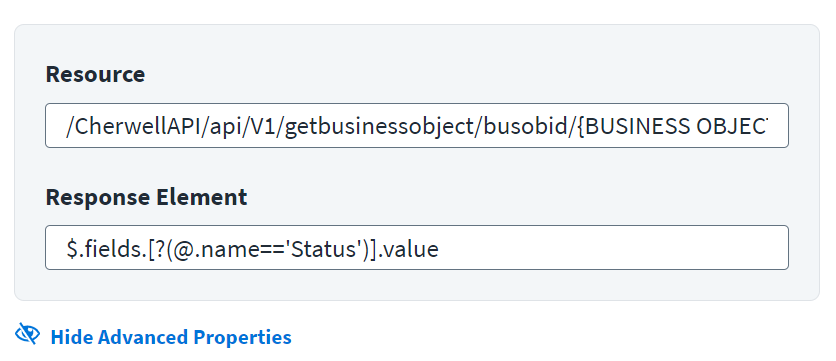
- Enter the resource used for the request ticket in the Resource. Do not include the base URL for the instance in the value. Replace
BUSINESS OBJECT ID FROM CSM SYSTEMwith the actual value of the business object ID (Bus Ob Id) for the Incident business object template provided during Ticket Creation. Provide only the remaining directories for the endpoint. For example,/CherwellAPI/api/V1/getbusinessobject/busobid/{BUSINESS OBJECT ID FROM CSM SYSTEM}/publicid/$ticketId. - Enter the JSON path in the Response Element for the status mapping. For example,
$.fields.[?(@.name=='Status')].value.
Requester Source
The Requester Source attribute expects a source name through which the Ivanti Cherwell Service Management Customer records are aggregated.
Screenshot
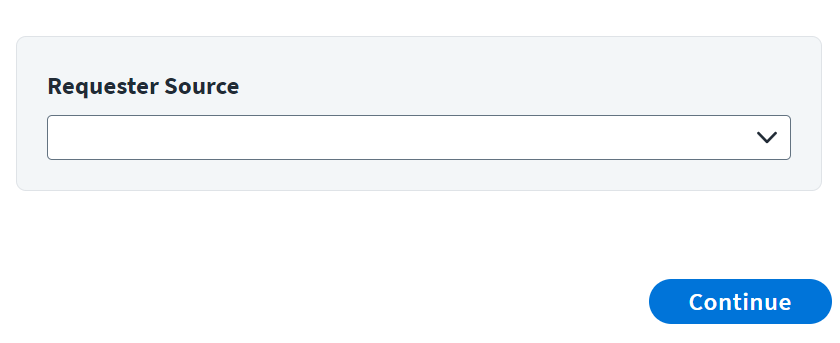
Select the source name that aggregated the Ivanti Cherwell Service Management Customer records.
Documentation Feedback
Feedback is provided as an informational resource only and does not form part of SailPoint’s official product documentation. SailPoint does not warrant or make any guarantees about the feedback (including without limitation as to its accuracy, relevance, or reliability). All feedback is subject to the terms set forth at https://developer.sailpoint.com/discuss/tos.