Installing the ServiceNow Identity Governance Connector from ServiceNow
Important
After the installation is complete, search for the x_sapo_iiq_connect.admin role. If it's not found, uninstall and reinstall the store-based application.
If you have previously installed using the update-set based application you must uninstall the application before installing the application from the ServiceNow store. For more information, refer to Uninstall Update-Set.
To install the application from the ServiceNow store, complete the following:
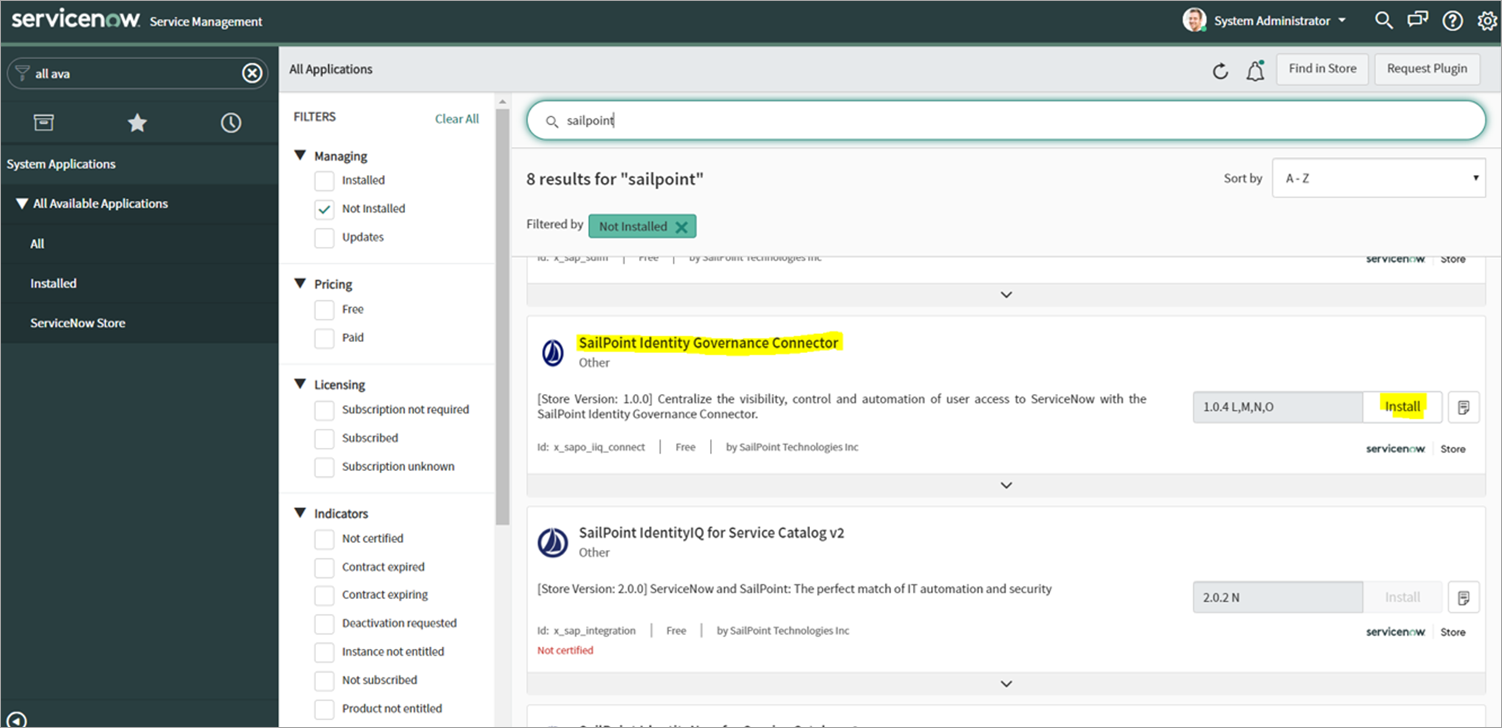
- In your ServiceNow instance, go to System Applications > All Available Applications and select All.
-
Search for SailPoint Identity Governance connector and then select Install.
Screenshot
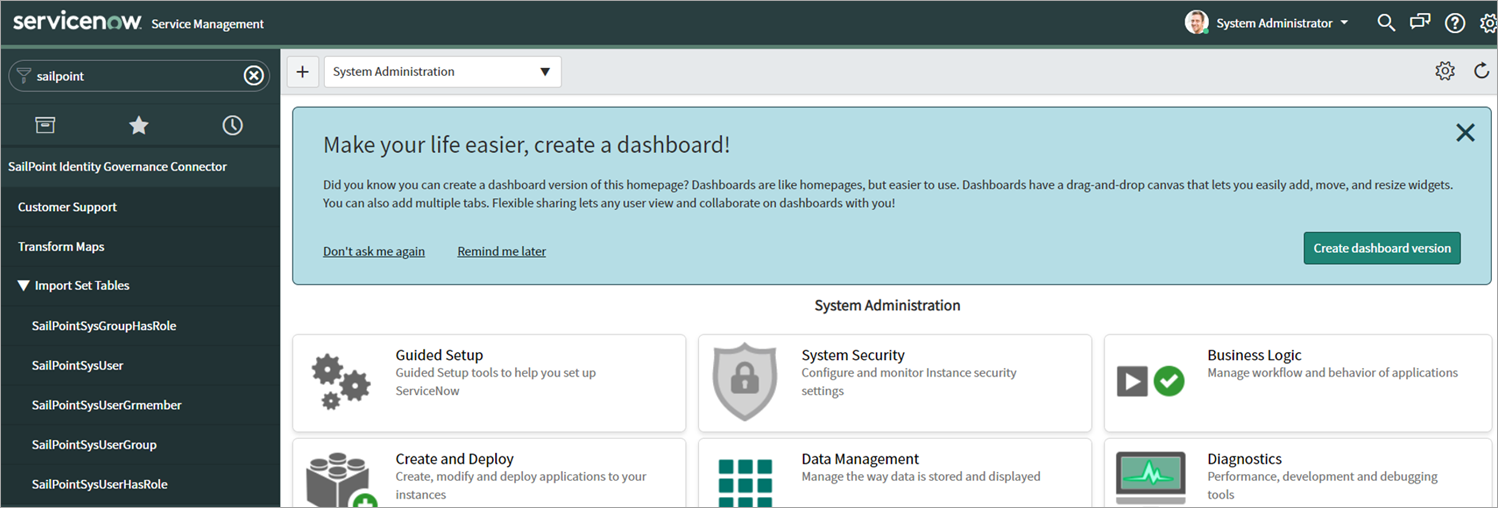
The SailPoint Identity Governance connector application installs on your ServiceNow instance and can be found in the ServiceNow left-hand navigation window or by searching for it.
Screenshot
Documentation Feedback
Feedback is provided as an informational resource only and does not form part of SailPoint’s official product documentation. SailPoint does not warrant or make any guarantees about the feedback (including without limitation as to its accuracy, relevance, or reliability). All feedback is subject to the terms set forth at https://developer.sailpoint.com/discuss/tos.