Configuring Generic Service Desk
Configure the following items for your Generic Service Desk.
On the Summary page, you can review the general settings and parameters for the connectivity and authentication.
Ticket Creation
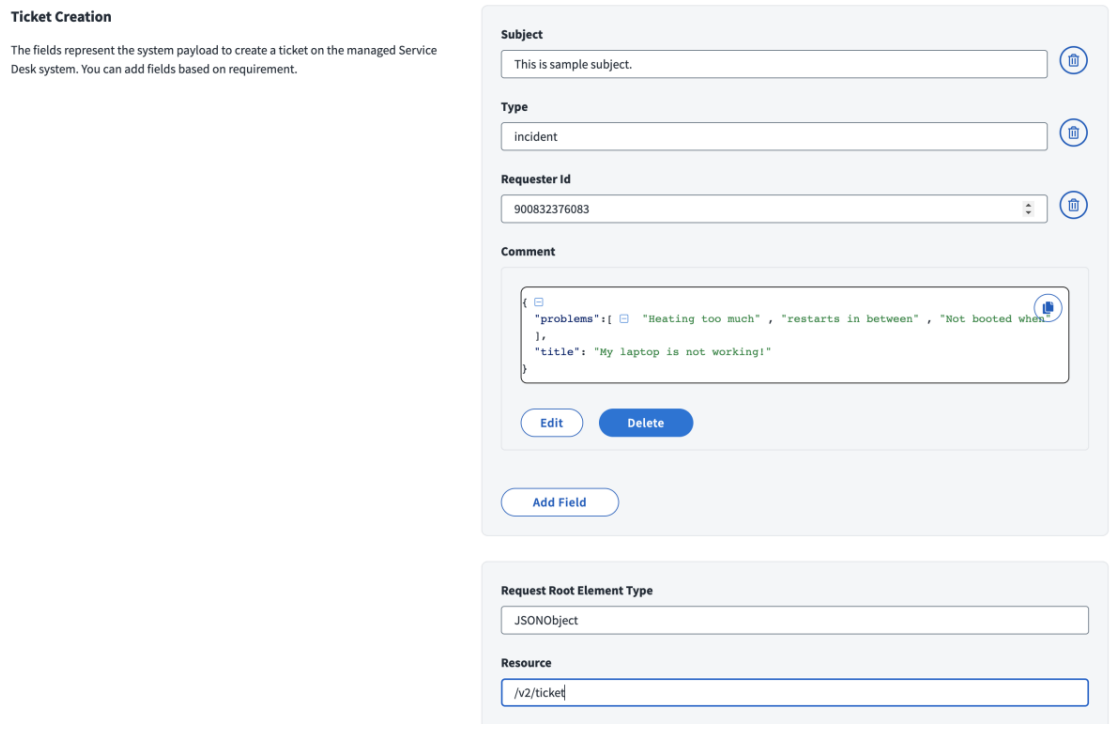
The information provided in this section is used to create a ticket on the Generic Service Desk.
These tickets contain information that can be used by IT, compliance auditors, and executive management.
Screenshot
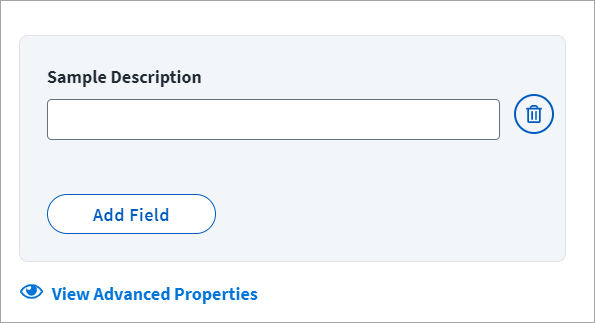
The contents of a ticket define the components of the SailPoint provisioning task that are added to the ITSM ticketing system ticket. SailPoint recommends that you include the Apache Velocity variables as needed to meet your specific use cases.
SailPoint provides a Sample Description field, however you will add required fields based on your target ITSM system, and then delete this sample field.
- To add a field, select Add Field. Select the field type and enter the required information based on the type. Options are Single Value, Number, Multi Valued Field, Grouped Key-Value Pair, and Raw JSON.
- To add additional fields, select Add Another.
- Once completed, select Save. Select the trash can icon to remove fields that are not needed.
Advanced Properties
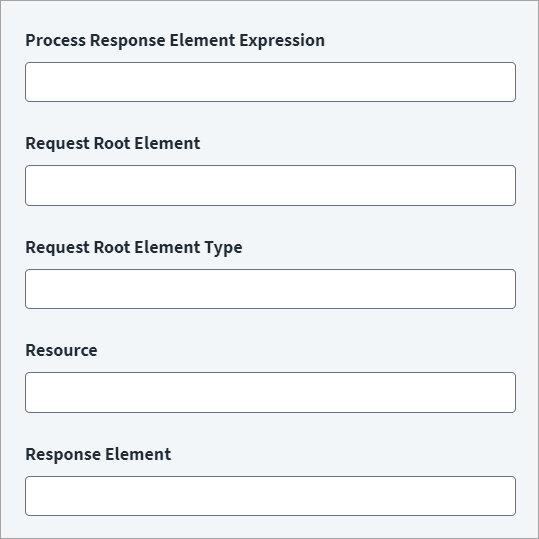
To add advanced properties, select View Advanced Properties.
Screenshot
-
Enter the Velocity Expression in Process Response Element Expression, which provides parsing logic to fetch the ticket number from the response. For example:
Note
Applicable only if the ticket creation API returns a URL containing the ticket number. Not applicable if only the ticket number itself is returned.
-
Enter the basic JSON root element of the request ticket in Request Root Element.
-
Enter the Request Root Element Type of JSON Request. For example:
-
Enter the Resource used for the request ticket. This is ticket creation REST endpoint. Do not provide the base url in the value. Base URL would be appended to this endpoint value. Provide only remaining endpoint URL. For example:
-
Enter the JSON path expression that indicates the location of the ticket number in Response Element. For example:
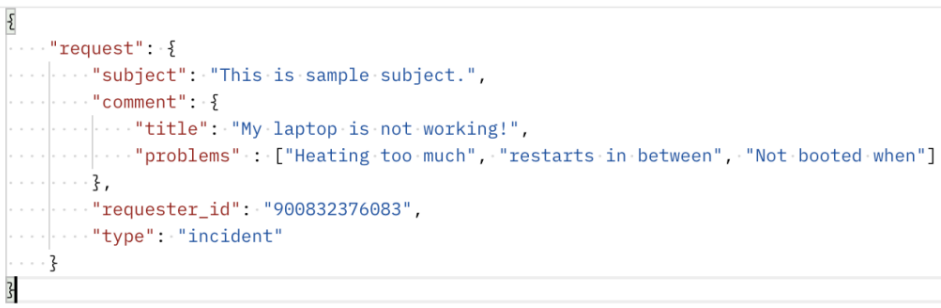
Request:
Screenshot
UI fields:
Screenshot
Note
The ticket number generated on the Service Desk system for the corresponding provisioning action can be seen under Search > Account Activity details of the identity. For more information, refer to Account Activity Using Search.
Velocity Objects to Corresponding Java Objects
| Object | Description |
|---|---|
$plan.requests |
List of ProvisioningPlan.AccountRequest objects |
$request.id |
Account native identity |
$request.items |
List of ProvisioningPlan.AttributeRequest objects |
Status Mapping
Screenshot
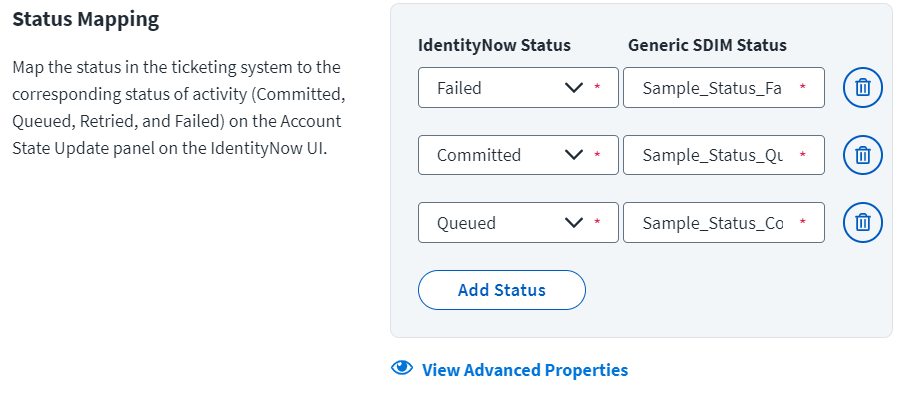
Map the status of the tickets in SailPoint to the corresponding status of the ITSM ticketing system.
Select Add Status to add new rows, or the trash can icon to remove those that are no longer needed. For the Identity Security Cloud Status, select from the drop-down list, Failed, Committed, or Queued. The Generic SDIM Status can be whatever is required based on your target ITSM system.
Advanced Properties
To add more details to the status mapping, select View Advanced Properties.
Screenshot
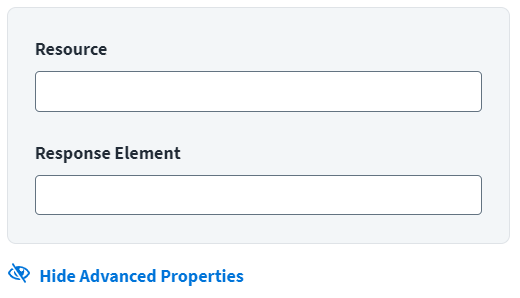
Resource: REST endpoint used to read the ticket. Do not provide the base URL in the value, the base URL is appended to this endpoint value.
Response Element: A JSON path expression that identifies the ticket number in the response from the REST endpoint. For example:
Requester Source
Screenshot
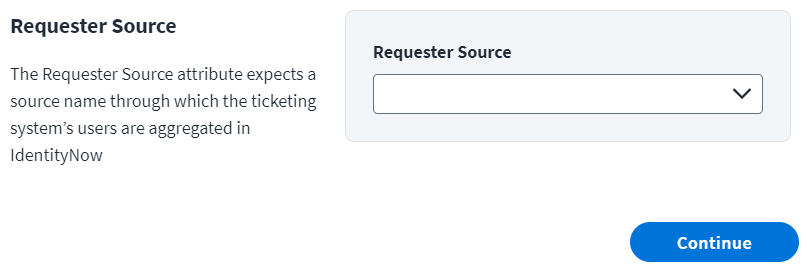
In the Requester Source dropdown list, select the source name through which the ITSM ticketing system's users are aggregated.
Documentation Feedback
Feedback is provided as an informational resource only and does not form part of SailPoint’s official product documentation. SailPoint does not warrant or make any guarantees about the feedback (including without limitation as to its accuracy, relevance, or reliability). All feedback is subject to the terms set forth at https://developer.sailpoint.com/discuss/tos.