Integrating SailPoint with SAP Concur
Integration
This is an integration and requires additional licensing or subscriptions to utilize it. For more information, contact your customer success manager.
The SAP Concur Cloud integration with SailPoint connector provides Identity Governance on Expense management services provided by Concur. The integration supports enforcing policies and permissions for granting and revoking access to systems and data based on user identities, roles, and associated groups for Expense.
Note
To view the latest features, enhancements, and fixes for all SaaS connectors, refer to the SaaS Release Notes page.
Important
SAP has announced the deprecation of the SAP Concur Spend API V4. Customers must migrate to Spend API V4.1
Note
- Sources created on or after June 1, 2026: No action is required.
-
Sources created before June 1, 2026: Manually enable V4.1 by setting the following application XML entry to
true:Before enabling this setting, review any
jsonPathMappingentries that use customData attributes.In Spend API V4.1,
customDataresponse fields use strict camel case. If mappings were configured with earlier casing, update them manually to match the new format.Example updated mapping:
Supported Features
The SAP Concur connector supports the following features:
Important
Before you can use any of the following items marked with an asterisk (*), SailPoint must activate the feature for your site.
-
Aggregation
- Aggregate users
- Aggregate Roles (predefined by Concur), and associated Groups linked to the role via user role assignment for Expense, Request, Invoice, and Reporting
-
Add / Remove Entitlement
-
*Provision the accounts
- Create, Update
- Enable/Disable
-
*Access Certifications (certification of entitlements connected to accounts)
Note
- The system supports the create an account operation only with pre-defined roles.
- The update account attributes operation is only supported for First Name, Last Name, Email, Country/Region of Residence, and Reimbursement Currency.
For more information on features, refer to Source Features.
Privilege Classification
SailPoint Privilege Classification helps organizations systematically categorize and manage the privilege levels of entitlements within their sources. By classifying entitlements as high, medium, or low, administrators can better understand the potential risk and impact associated with specific access rights. This allows automatic assignment of privilege levels based on system recommendations, custom-defined criteria, or a same level across all entitlements.
| Privilege Level | Description |
|---|---|
| High | Administrative level access to accounts |
| Medium | Administrative level access for a specific role or function |
| Low | Only basic access of data |
Note
To manage Privilege Classification, users must have administrative roles such as Org Admin, Source Admin or Source Sub-Admin.
For more information, refer to Managing Privilege Classification.
Example
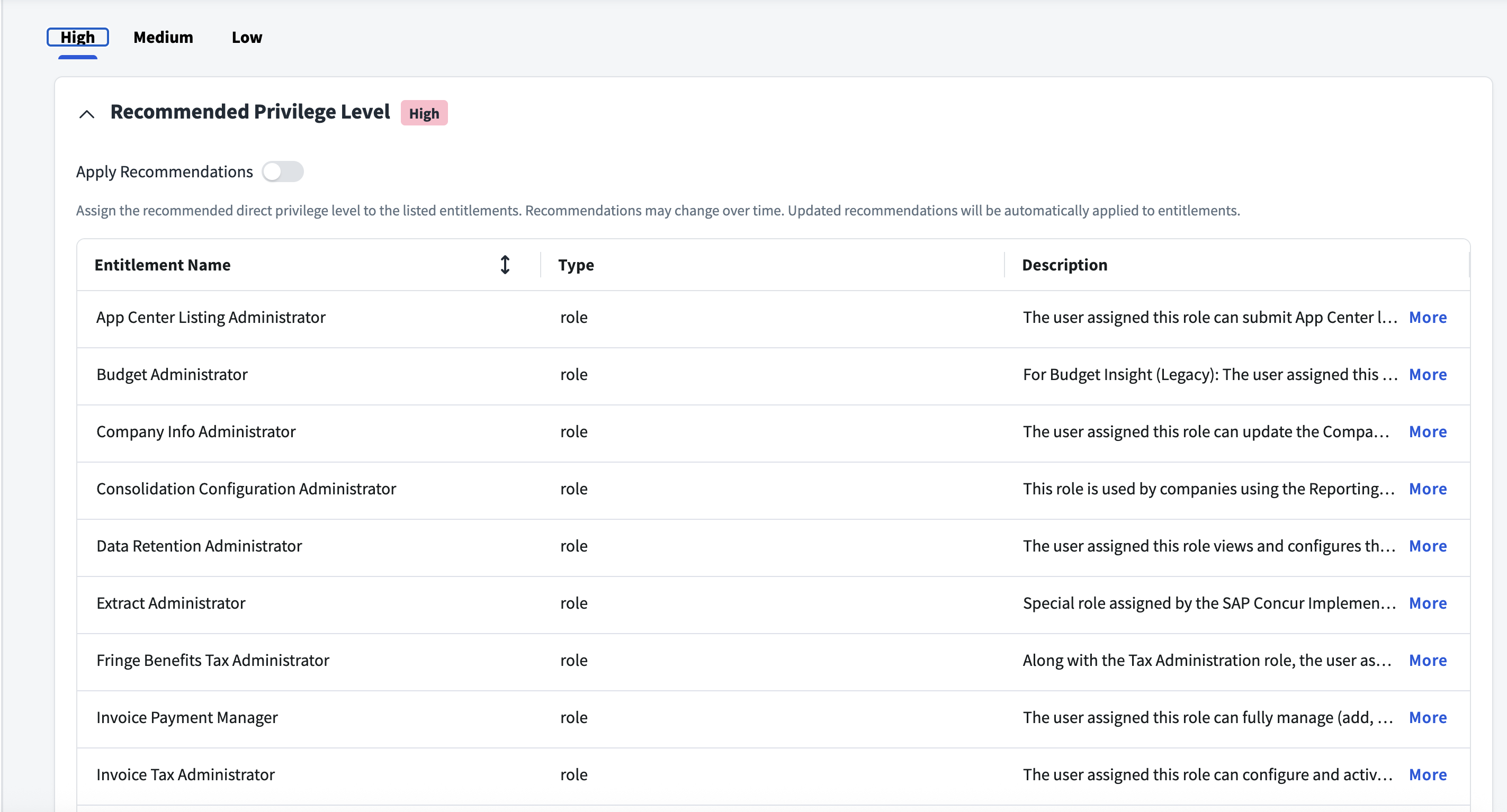
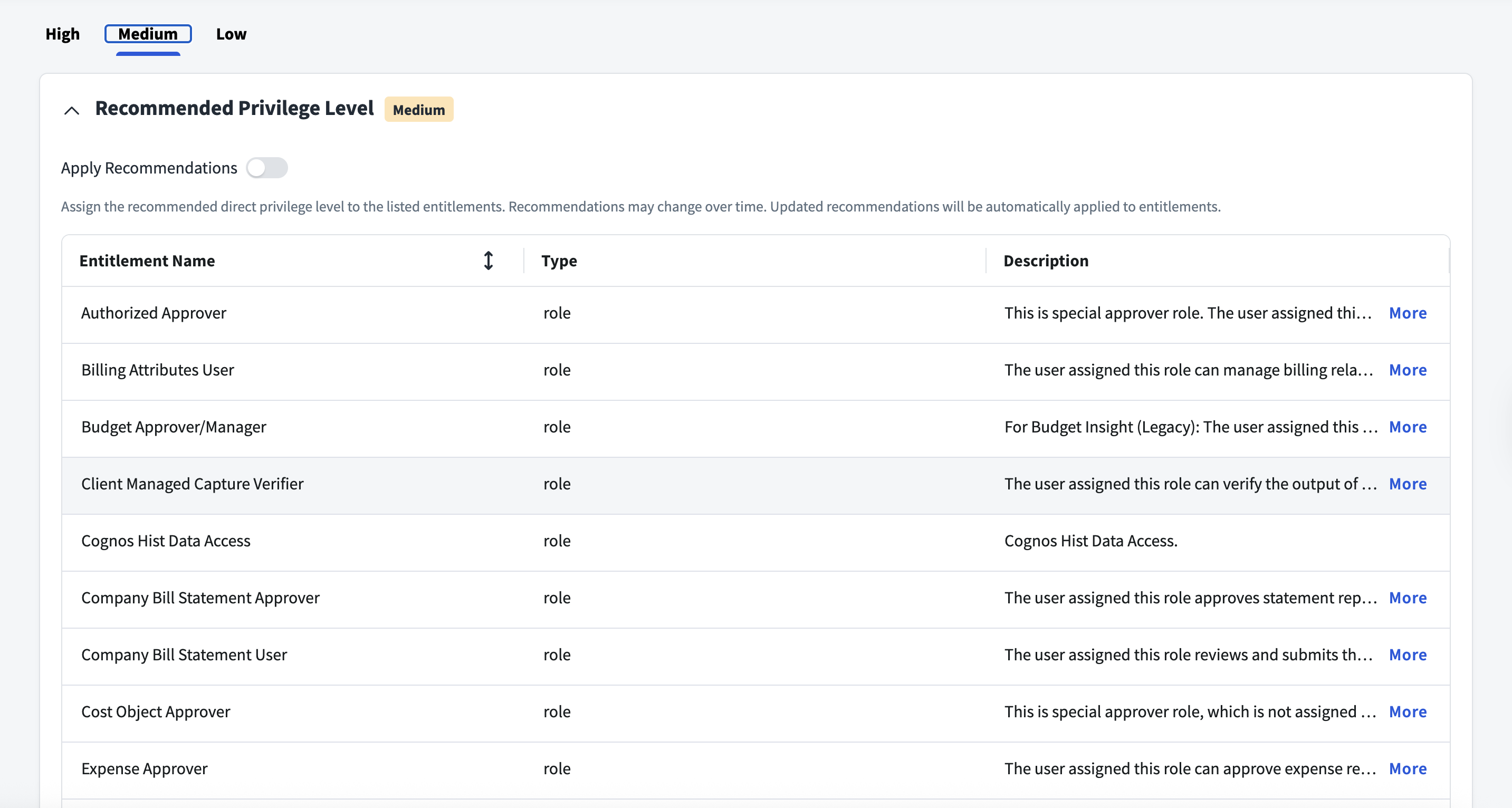
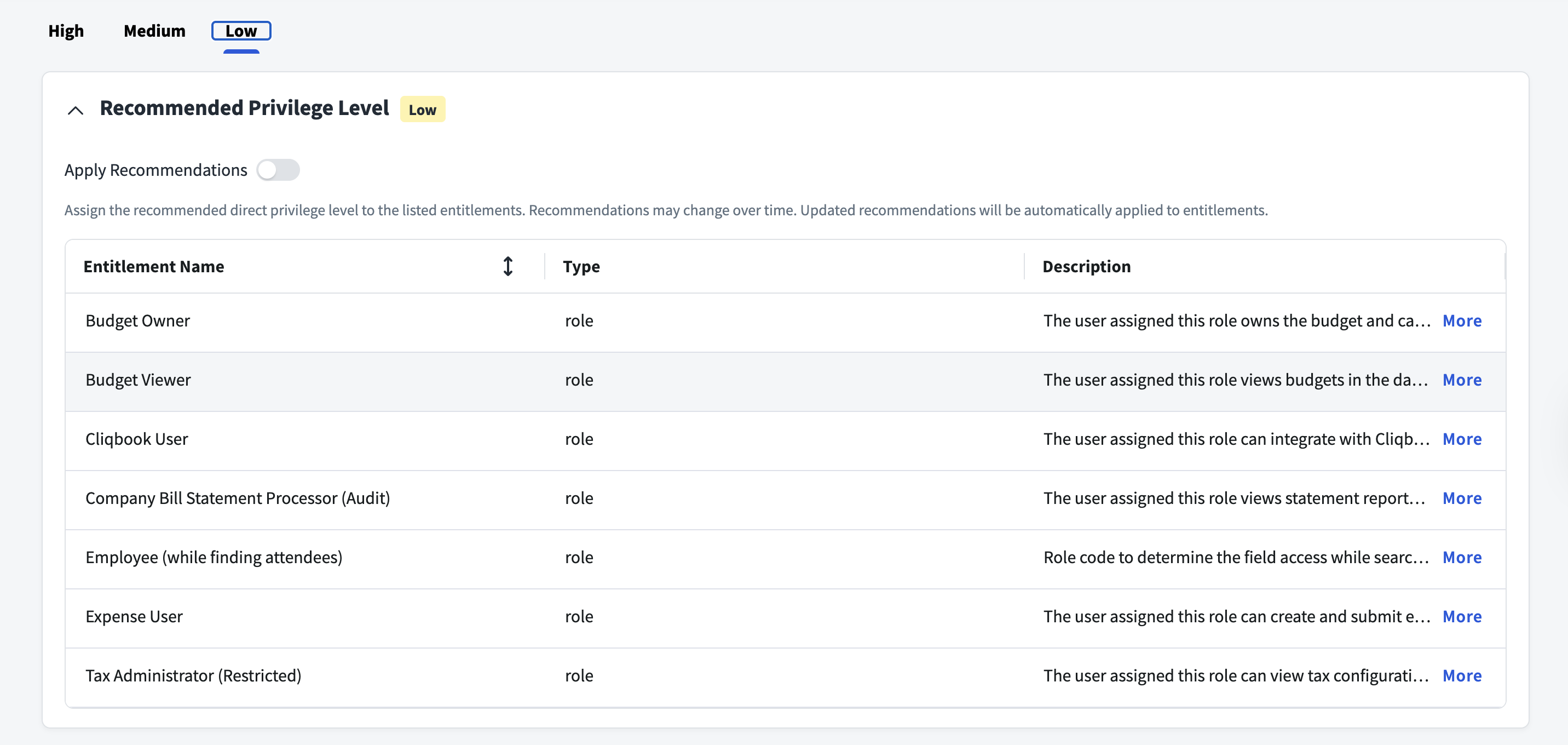
Supported Managed Systems
- Concur Expense Professional Edition
Prerequisites
-
Configure at least one virtual appliance cluster and successfully test the connection. For more information, refer to the Virtual Appliance Reference Guide.
-
You must set up a Client Application to establish Concur integration with SailPoint and perform all the operations.
Note
The client application uses the refresh_grant to request a new access token as the initial step of accessing protected resources of SAP Concur services.
Create New Application and Generate the Company Request Token
- Sign in to Concur and go to Administration > Company > Authentication Admin.
- Select OAuth 2.0 Application Management > Create New App.
- Verify that the necessary permissions (called "scopes") are in place. For more information on assigning scopes, refer to Required Permissions.
- Return to the Authentication Administration page and select Company Request Token.
- Enter the Client ID in the App ID field and select Submit.
- Upon submission, you will receive the Company UUID and the Company Request Token.
Note
The request token has a lifespan of 24 hours. It must be exchanged for a refresh token and access token by the application owner before it expires.
Obtain a Refresh Token
- Use the generated Company Request Token as a password.
-
Replace the following values and run the Password Grant CURL command to obtain an Access Token and Refresh Token.
curl -X POST 'https://eu2.api.concursolutions.com/oauth2/v0/token' \
-H 'Content-Type: application/x-www-form-urlencoded' \
--data-urlencode 'client_id=<client_id>' \
--data-urlencode 'client_secret=<client_secret>' \
--data-urlencode 'grant_type=password' \
--data-urlencode 'username=<company_UUID>' \
--data-urlencode 'password=<request_token>' \
--data-urlencode 'credtype=authtoken'
Note
If the refresh token is not used after a certain period of time, it may expire. If this happens, the authorization process will need to be reinitiated in the client application.
Required Permissions
Provide the below scopes in Concur > App Details as per your requirement.
Screenshot
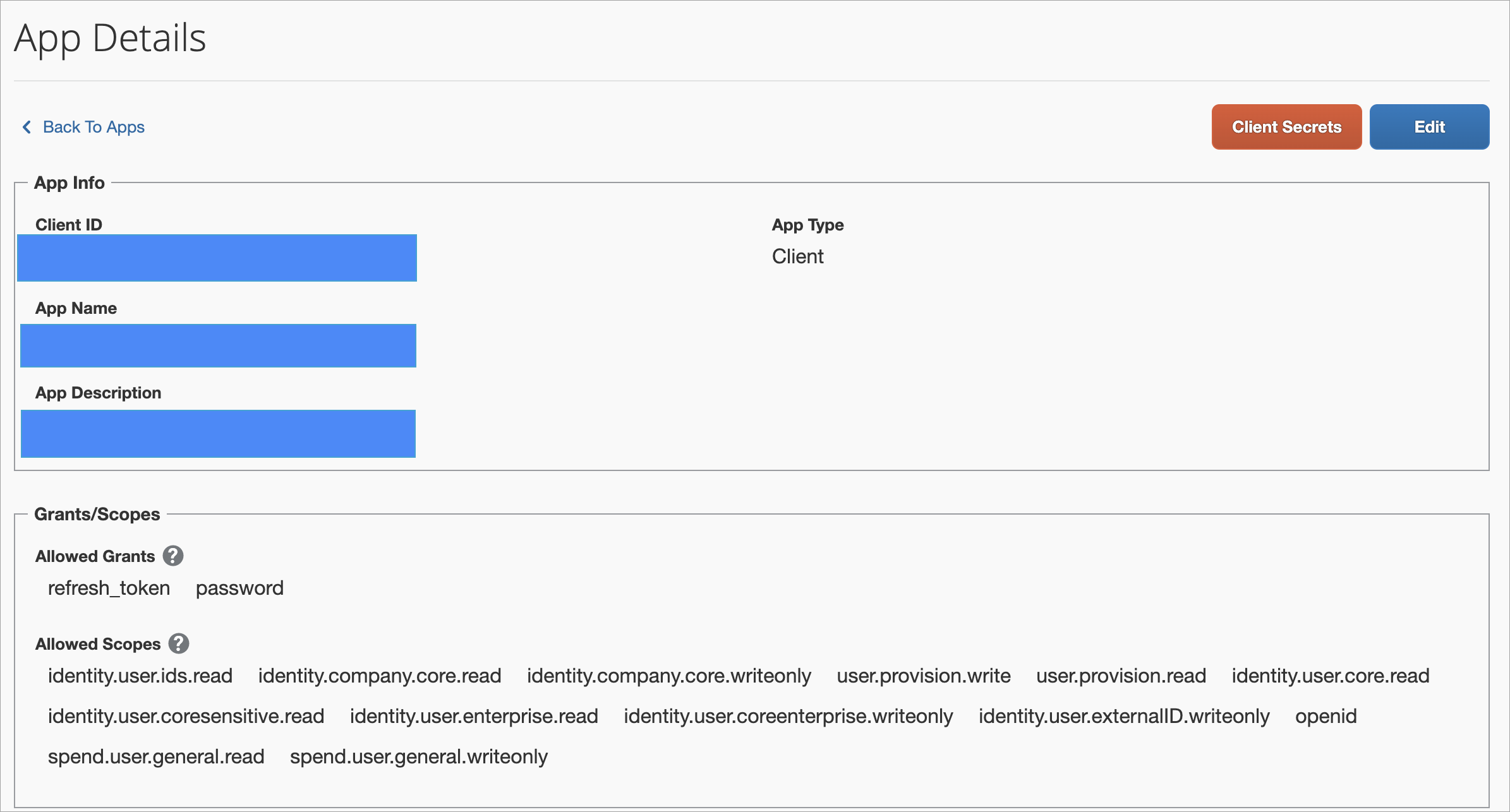
The allowed Grants are: refresh_token and Password
| Operation | Scopes |
|---|---|
| Aggregation | identity.user.ids.read, identity.company.core.read, user.provision.read, identity.user.core.read, identity.user.coresensitive.read, identity.user.enterprise.read, spend.user.general.read, openid |
| Provisioning | identity.company.core.writeonly, user.provision.write, identity.user.coreenterprise.writeonly, identity.user.externalID.writeonly, spend.user.general.writeonly |
Documentation Feedback
Feedback is provided as an informational resource only and does not form part of SailPoint’s official product documentation. SailPoint does not warrant or make any guarantees about the feedback (including without limitation as to its accuracy, relevance, or reliability). All feedback is subject to the terms set forth at https://developer.sailpoint.com/discuss/tos.