UiPath Aggregation Settings
Configure settings related to aggregation processes.
Before You Begin
Consider the following important points before you configure and run aggregation processes.
- SailPoint fetches data directly from the data source (Data Fabric or the CSV file).
- Before running an aggregation process, be sure that the data in the data source is up to date.
- Ensure that the data source contains all the attributes you want to aggregate.
- Ensure that the schema defined in SailPoint matches the schema in the data source exactly.
Configure API-Based Aggregation
Enter the information needed to aggregate account data from Data Fabric.
Screenshot
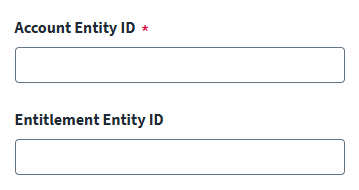
- In the Account Entity ID field, enter the unique identifier for the Data Fabric entity which stores user data.
- In the Entitlement Entity ID field, enter the unique identifier for the Data Fabric entity which stores entitlement data.
- Select Save.
Data Refresh Strategy
Your RPA workflows must keep Data Fabric updated:
- Full Refresh: Workflow runs daily, replaces all entity records.
- Incremental Update: Workflow detects changes, updates only modified records.
Configure SFTP-Based Aggregation
Configure the connector to perform aggregation with a CSV file. For instructions on how to configure SFTP-based aggregation, refer to SFTP Configuration.
Documentation Feedback
Feedback is provided as an informational resource only and does not form part of SailPoint’s official product documentation. SailPoint does not warrant or make any guarantees about the feedback (including without limitation as to its accuracy, relevance, or reliability). All feedback is subject to the terms set forth at https://developer.sailpoint.com/discuss/tos.