Integrating SailPoint with Oracle NetSuite
Oracle NetSuite is an enterprise resource planning system. Oracle NetSuite is a cloud-based Software-as-a-Service integrated business management software. Oracle NetSuite's cloud business management system includes ERP/accounting, order management/inventory, CRM, Professional Services Automation (PSA), and E-commerce. Enterprise Resource Planning (ERP) in Oracle NetSuite encompasses several areas of your business, including accounting, inventory, order management, project management, and employee management.
This guide is designed to give specific information on the Oracle NetSuite connector in SailPoint that can manage the employee data in the Oracle NetSuite ERP system.
Note
To view the latest features, enhancements, and fixes for all SaaS connectors, refer to the SaaS Release Notes page.
Supported Features
The Oracle NetSuite connector supports the following features:
- *Access Certifications (certification of entitlements connected to accounts)
- *Password management
- Pass-through Authentication
For more information on SailPoint features, refer to Source Features.
Note
Before you can use any item above marked with an asterisk (*), SailPoint must activate the feature for your site.
Oracle NetSuite supports additional attributes that are natively present on the Oracle NetSuite managed system. The Oracle NetSuite managed system supports extending the schema through Attribute Mapping.
Account Management
-
Manages Oracle NetSuite users as Accounts
-
Aggregation, Refresh Accounts, Pass Through Authentication (deprecated)
-
Create, Update
- Enable, Disable, Change Password
- Add/Remove Entitlements
Note
- The Oracle NetSuite connector only aggregates Employees.
- For Pass Through Authentication, the account should have at least one role assigned with the permissions required to perform the operation. This role must also be a Web Service enabled role.
- Pass Through Authentication is deprecated for the new NetSuite application, as Oracle NetSuite no longer supports it.
Account - Group Management
- Manage Oracle NetSuite Roles as Account-Groups
- Aggregation
Note
The Oracle NetSuite connector only aggregates entitlements that have members assigned to them.
Authentication Mechanism
- User Credentials (not supported for NetSuite version 2020.2 or later)
- Token Based Authentication
- Load and *provision Oracle NetSuite Accounts
Password Management
If Password Management is enabled for your organization, you can change the password for a user of the source. After enabling password management on the source, be aware of the following:
- The password policy defined in SailPoint applies to accounts on this source.
- If you change the password for an application connected to this source, the change will automatically be made to the source itself.
For more information on configuring password management, refer to Password Management Overview.
Privilege Classification
SailPoint Privilege Classification helps organizations systematically categorize and manage the privilege levels of entitlements within their sources. By classifying entitlements as high, medium, or low, administrators can better understand the potential risk and impact associated with specific access rights. This allows automatic assignment of privilege levels based on system recommendations, custom-defined criteria, or a same level across all entitlements.
| Privilege Level | Description |
|---|---|
| High | Administrative level access to accounts |
| Medium | Administrative level access for a specific role or function |
| Low | Only basic access of data |
Note
To manage Privilege Classification, users must have administrative roles such as Org Admin, Source Admin or Source Sub-Admin.
For more information, refer to Managing Privilege Classification.
Example
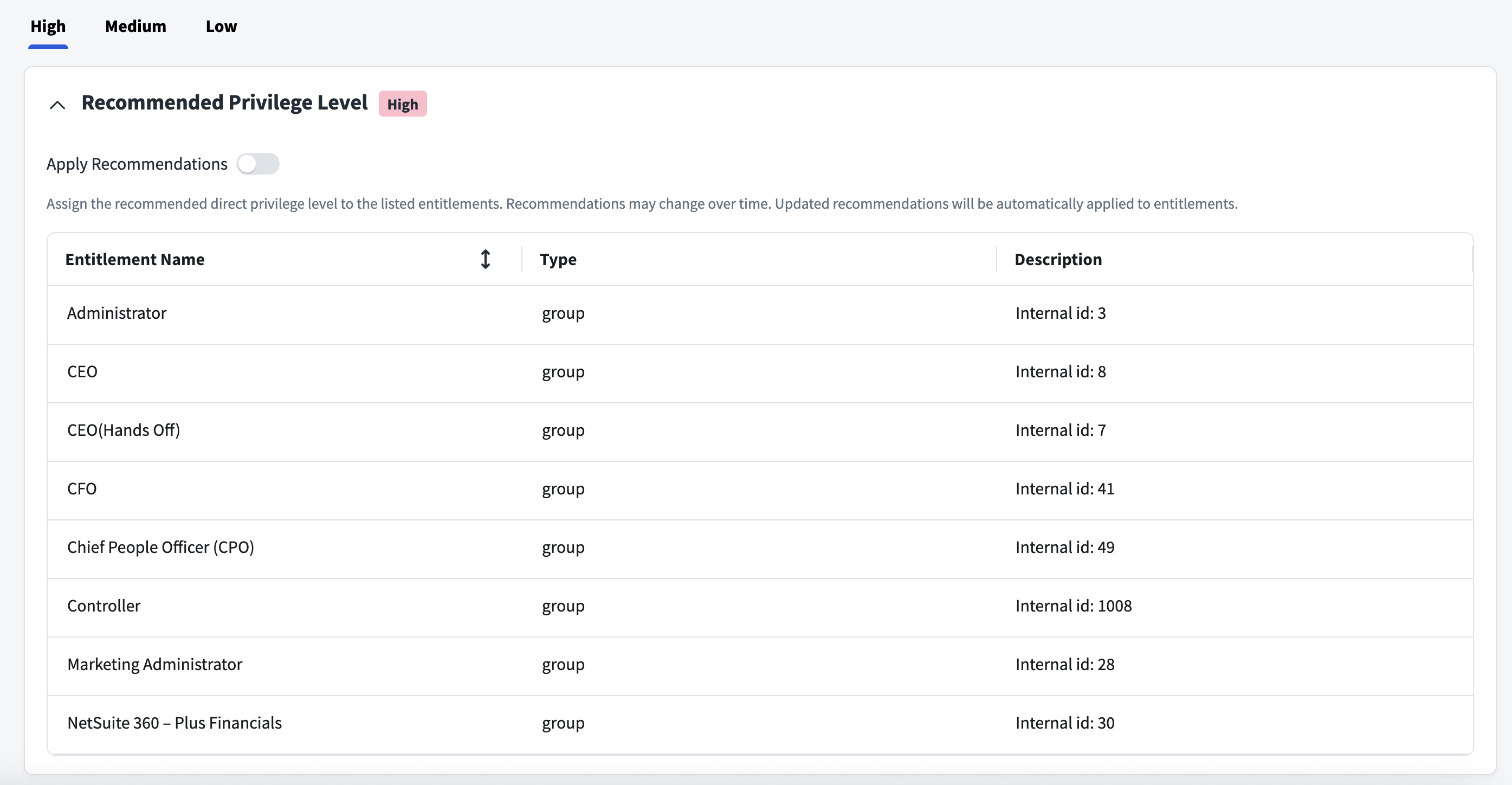
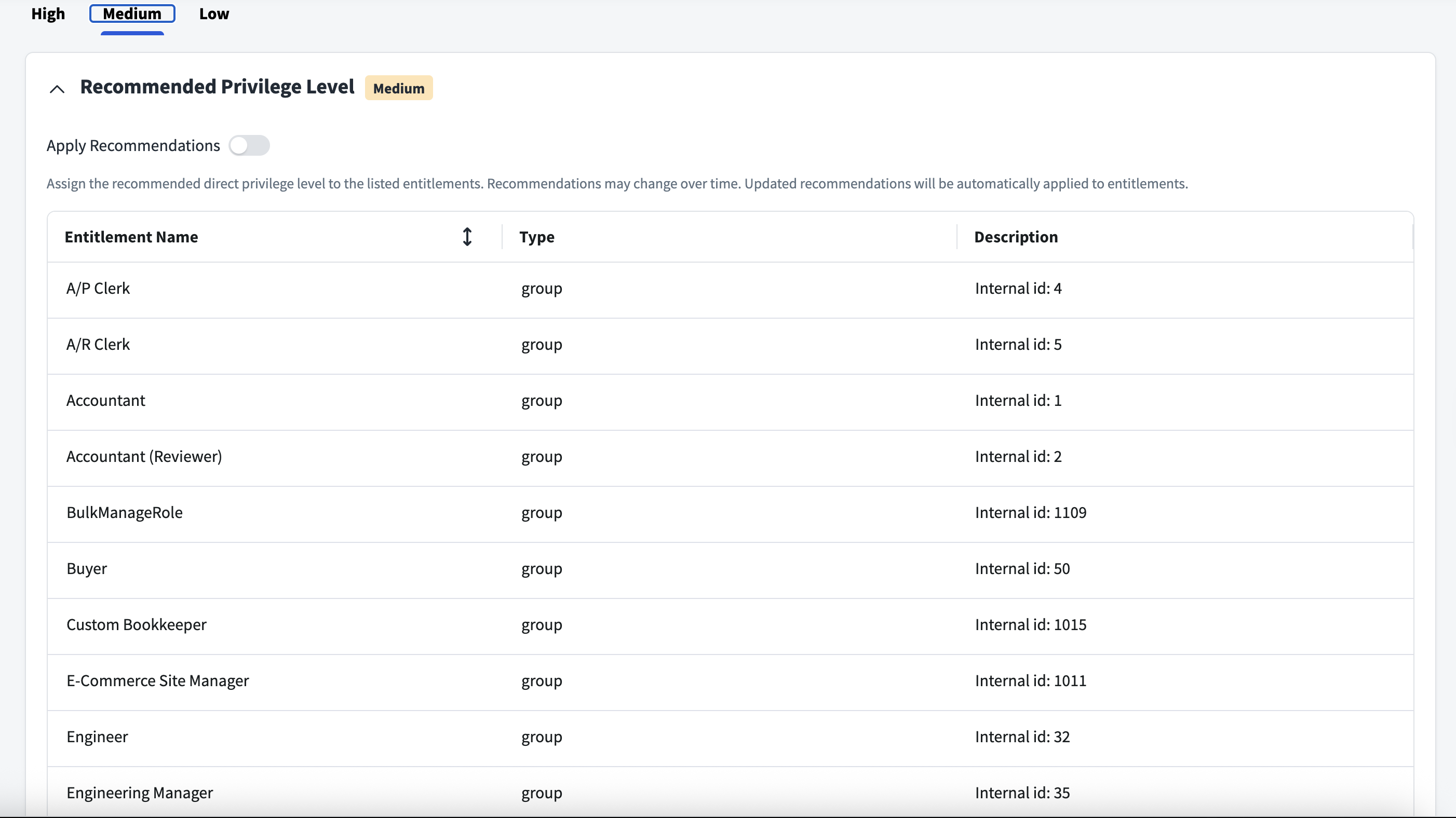
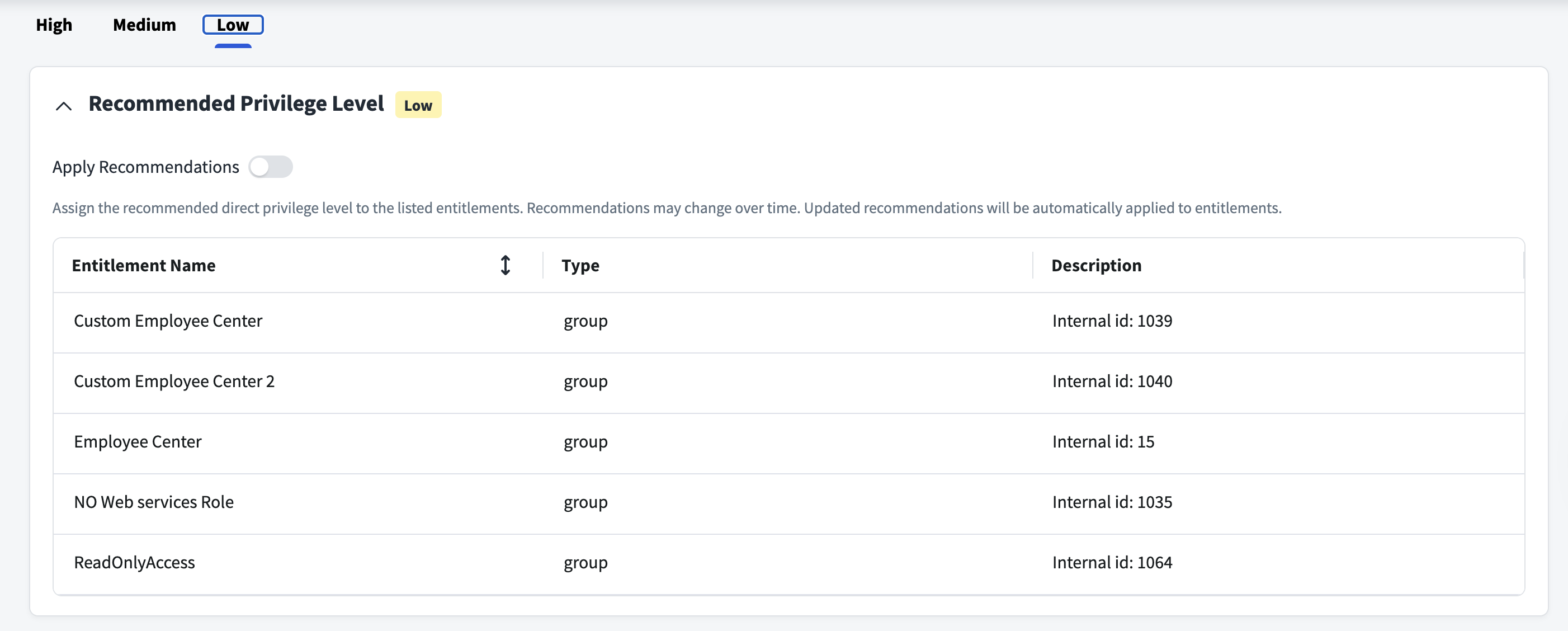
Supported WSDL Versions
The Oracle NetSuite connector supports the following WSDL versions:
- Oracle NetSuite that supports the WSDL_v2019_1_0 (will be deprecated soon)
- Oracle NetSuite that supports the WSDL_v2023_1_0
Prerequisites
- Configure the required permissions. For more information, refer to Required Permissions.
- Configure at least one virtual appliance cluster and successfully test the connection. For instructions, refer to the Virtual Appliance Reference Guide.
Create Users on the Oracle NetSuite Managed System
You must create a user on the Oracle NetSuite managed system to manage User Credentials or Token Based Authentication.
Important
For the following process, you must log in to the Oracle NetSuite managed system using the Oracle NetSuite account. This section is a reference for the Oracle NetSuite managed system and provided as a guideline only.
- Go to Lists > Employees > Employees > New.
-
Enter the appropriate values in the following fields:
- Name
Note
After you create the employee, you must assign the roles based on the authentication types as mentioned below. After the role assignment, the employee is termed as the
user. -
Select Save.
Authentication Type
Configure an Authentication Type. You can select Token Based Authentication or User Credentials.
Token Based Authentication
The following details are required to configure Oracle NetSuite using Token Based Authentication:
- Consumer Key and Consumer Secret
- Token ID and Token Secret
Enable Token Based Authentication
- Log in to your Oracle NetSuite account.
- Go to Setup > Company > Enable > SuiteCloud > Manage Authentication.
- Check the TOKEN-BASED AUTHENTICATION checkbox.
Create an Integration Record and Generate a Consumer Key and a Consumer Secret
- Go to Setup > Integrations > Manage Integrations > New.
- Provide the name of the application to integrate with Oracle NetSuite.
-
If required, add a Description. For example, SailPoint Token Based Application.
Note
The State of the application is enabled by default.
-
If required, add a Note.
- Check the Token-based Authentication checkbox in the Authentication sub tab.
-
Save the provided details. The Consumer Key and Consumer Secret are generated for the application.
Important
Save the generated Consumer Key and Consumer Secret to use in the configuration as Client ID and Client Secret respectively.
The only time the Consumer Key and Consumer Secret values are displayed is on the confirmation page. These values can't be retrieved from the system after you exit the confirmation page. If the Consumer Key and Consumer Secret values are lost, then repeat steps 1 through 3 in the Create an Integration Record and Generate a Consumer Key and a Consumer Secret process to generate new values.
Create a Role with Permission to Generate a Token
Note
This process is only applicable when you don't have a role which has token related permissions.
- Go to Setup > User/Roles/ > Manage Users > New and create a new Role. For example, Token Based Role.
- Select EDIT and go to Permissions > Setup > Add and add the following roles:
- SOAP Web Services
- User Access Tokens
- Log in using Access Tokens
Generate Token
- Go to Setup > User/Roles/ > Access Tokens > New.
- Select the created APPLICATION NAME for Token Based Authentication and select User.
- Select the created ROLE for Token Based Authentication and select Save.
- If required, edit the TOKEN NAME.
- Save the provided details. The Token ID and Token Secret are generated for the application.
- Copy the Token ID and Token Secret for use in configuration.
Important
The only time the Token ID and Token Secret values are displayed is on the confirmation page. These values can't be retrieved from the system after you exit the confirmation page. If the Token Id and Token Secret values are lost, then repeat the Generate Token process to generate new values.
User Credentials
Perform the following to obtain an Oracle NetSuite Application ID:
- Log in to your Oracle NetSuite account.
- Go to Setup > Integrations > Manage Integrations > New.
-
Provide the name of the application that will integrate with Oracle NetSuite.
Note
Ensure that Token Based Authentication is unchecked and that only User Authentication is selected.
-
Save the provided details. The Application ID is generated for the application.
-
Save the generated Application ID to use during the configuration.
Note
User Credential Authentication is deprecated for the new NetSuite application, as Oracle NetSuite no longer supports it. Token Based Authentication is the default option.
Required Permissions
The Oracle NetSuite connector must be able to perform the following operations on Oracle NetSuite employee data:
- Search
- Create
- Update
- Access Custom Attributes
Since a role is required that has the permissions to the necessary operations, you must create a role in Oracle NetSuite that has the following permissions for User Credentials and Token Based Authentication.
The following table lists the minimum permissions for User Credentials:
| Permission | Level | Sub-section of Permission Tab |
|---|---|---|
| SOAP Web Services | Full | Setup |
| Employees | Full | Lists |
| Employee Record | Full | Lists |
| Custom Record Entries | Full | Lists |
| Custom Entity Fields | Full | Setup |
The following table lists the minimum permissions for Token Based Authentication:
| Permission | Level | Sub-section of Permission Tab |
|---|---|---|
| User Access Tokens Or Log in using Access Tokens |
Full | Setup |
| SOAP Web Services | Full | Setup |
| Employees | Full | Lists |
| Employee Record | Full | Lists |
| Custom Record Entries | Full | Lists |
| Custom Entity Fields | Full | Setup |
Permissions for Optimized Aggregation
The following permissions must be set if the optimisedAggregation flag is set to true for both User Credentials and Token Based Authentication.
| Permission | Level | Sub-section of Permission Tab |
|---|---|---|
| Control Suite Script and Workflow Triggers in Web Service Request | Full | Setup |
Permissions for Additional Attributes
The following permissions must be added to provision the additional attributes for both User Credentials and Token Based Authentication.
| Permission | Level | Sub-section of Permission Tab |
|---|---|---|
| Departments | view | Lists |
| Currency | view | Lists |
| Classes | view | Lists |
| Subsidiary | view | Lists |
| Location | view | Lists |
Documentation Feedback
Feedback is provided as an informational resource only and does not form part of SailPoint’s official product documentation. SailPoint does not warrant or make any guarantees about the feedback (including without limitation as to its accuracy, relevance, or reliability). All feedback is subject to the terms set forth at https://developer.sailpoint.com/discuss/tos.