System Bypass Configuration
The System Bypass Configuration enhancement supports customer use cases where a SAP GRC connected system needs to be skipped during all operations, such as:
-
Aggregation
-
Provisioning
-
Modifying
With this configuration, you can selectively govern the systems that you intend to use with SailPoint. There are two modes available for use:
-
Systems to Bypass for All Operations: To configure systems where all operations need to be skipped.
-
Systems to Bypass for Provisioning Operations: To configure systems where only provisioning operations need to be skipped.
 Screenshot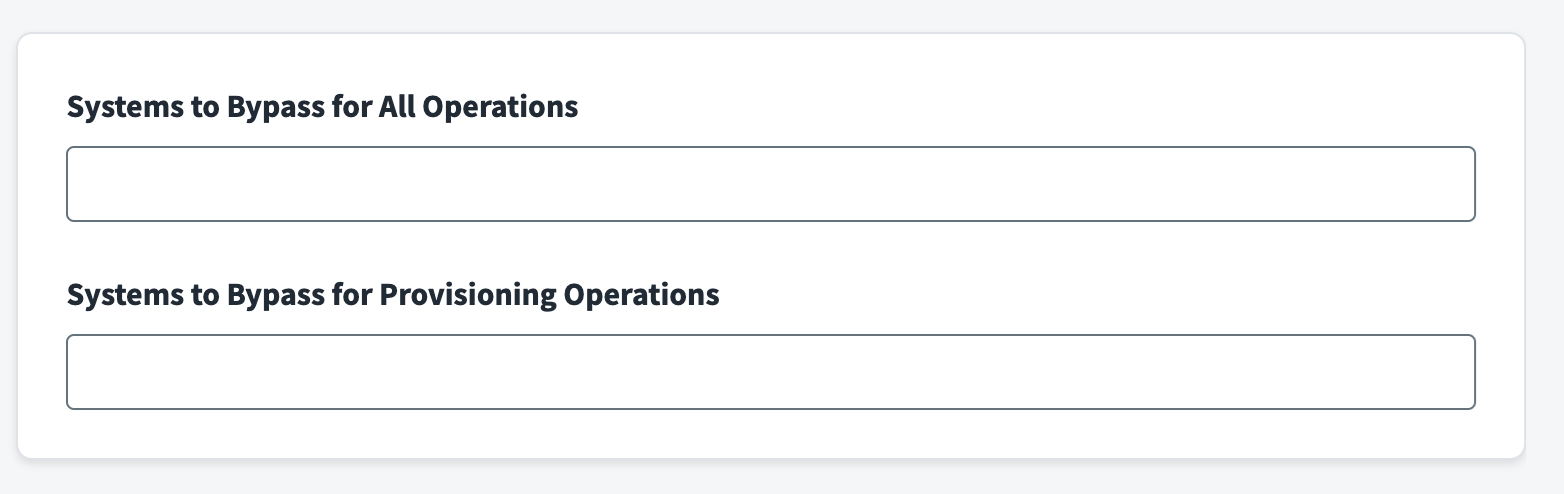
Use the Systems to Bypass for All Operations field to specify one or more systems that are connected to SAP GRC, and need to be bypassed during all connector operations. For example, aggregation, provisioning, or modifying users, attributes, and entitlements.
-
Specify the system names separated by a new line for each system name. The expected outcome for the specified systems are as follows:
-
Account Aggregation
-
Users will not be aggregated if all the roles associated with it belong to the systems being bypassed.
-
Users will be aggregated if they have roles from multiple systems and any one of the roles is not set to be bypassed. In this case, the connector will only fetch the roles from systems that are not being bypassed.
-
Users and associated business roles will be aggregated if there is a business role that gives access to users from multiple systems and any one of the roles is not set to be bypassed. If all the roles inside a business role belong to the bypassed system, the business role will not be aggregated.
-
-
Group Aggregation
-
Entitlements associated with systems that are set be bypassed will not be aggregated.
-
-
Provisioning
-
All provisioning operations will fail for systems specified in the Systems to Bypass for All Operations field.
-
Provisioning for business roles will fail if the business role contains any role from the systems that are set to be bypassed.
-
Use the Systems to Bypass for Provisioning Operations field to specify one or more systems that are connected to GRC that need to be bypassed during the provisioning operation (mostly read-only systems).
-
Specify the system names separated by a new line for each system name. The expected outcome for the specified systems are as follows:
-
Provisioning
-
All provisioning operations will fail for systems specified in the Systems to Bypass for Provisioning Operations field.
-
Provisioning for business roles will fail if the business role contains any role from the systems that are set to be bypassed.
-
The connector (by default) aggregates all the users, entitlements, and attributes from all of the SAP GRC connected systems unless explicitly configured to bypass under Aggregation Settings.
-
Note
SailPoint recommends running full account and group aggregation tasks after configuring these settings.
Configuration Summary Table
The following table lists the expected behavior when a particular system is added to Systems to Bypass for All Operations and/or Systems to Bypass for Provisioning Operations.
|
Systems to Bypass for All Operations |
Systems to Bypass for Provisioning Operations |
Expected Behavior |
|---|---|---|
|
Present |
Present |
Aggregation will exclude users/roles from systems to be bypassed. Provisioning will be restricted for bypassed systems. |
|
Not Present |
Present |
Provisioning will be restricted for bypassed systems. |
|
Present |
Not Present |
Aggregation will exclude users/roles from systems to be bypassed. Provisioning will be restricted for bypassed systems. |
|
Not Present |
Not Present |
No restrictions. All users/roles will be aggregated. |
Configuring for Existing Sources
If systems are configured to be bypassed for an existing
-
For the account aggregation task, enable the option to
-
For entitlement aggregation, entitlements can't be deleted directly in Identity Security Cloud. To remove entitlements that are associated with the system to be bypassed, delete them directly from the source and then run an entitlement aggregation. For more information, refer to Managing Entitlements.