Aggregate User Groups and User Group as an Entitlement
Aggregating the User Group and User Groups entitlements provides native support for user group attributes during account aggregation and provisioning. For newly created sources, these entitlements are managed by default using the User Group ID.
How to Enable the Feature for an Existing Source
If you are using an existing source, you must manually update the source configuration using the REST API to enable this feature and apply the required schemas.
-
Add the User Group Schema
Ensure the source includes the following usergroup schema configuration:
{ "aggregationType": "group", "displayAttribute": "User Group", "identityAttribute": "User Group", "nativeObjectType": "UserGroup", "objectType": "usergroup", "attributeDefinitions": [ { "name": "User Group Auth", "type": "string", "description": "User Group Id" }, { "name": "Language", "type": "string", "description": "Language of the group" }, { "name": "Description", "type": "string", "description": "Description of the user group auth" } ] } -
Add the User Groups Schema
{
  "aggregationType": "group",
  "displayAttribute": "User Groups",
  "identityAttribute": "User Group",
  "nativeObjectType": "UserGroups",
  "objectType": "usergroups",
  "attributeDefinitions": [
    {
      "name": "User Group",
      "type": "string",
      "description": "User Group Id"
    },
    {
      "name": "Language",
      "type": "string",
      "description": "Language of the group"
    },
    {
      "name": "Description",
      "type": "string",
      "description": "Description of the user group assigned"
    }
  ]
}
Updating Account Schema Attribute Types
After you add the UserGroup and UserGroups entitlement schemas to an existing source, update the corresponding account schema attributes so their types match the entitlement schemas.
Note
New sources created with User Group entitlements enabled use the correct attribute types by default. Verify the account schema before making changes.
To update account schema attribute types:
<AttributeDefinition entitlement="true" managed="true" multi="true" name="User Group" schemaObjectType="usergroup" type="string">
        <Description>User Group Auth assignment</Description>
</AttributeDefinition>
<AttributeDefinition entitlement="true" managed="true" multi="true" name="User Groups" schemaObjectType="usergroups" type="string">
        <Description>User Group Assignments of the user</Description>
</AttributeDefinition>
- Log in to SailPoint.
- Select the Admin tab and provide the necessary credentials if prompted.
- Go to Connections > Sources.
- Select the SAP Direct source.
- Go to Account Schema.
- Select the User Group attribute.
-
Set Type to
usergroup.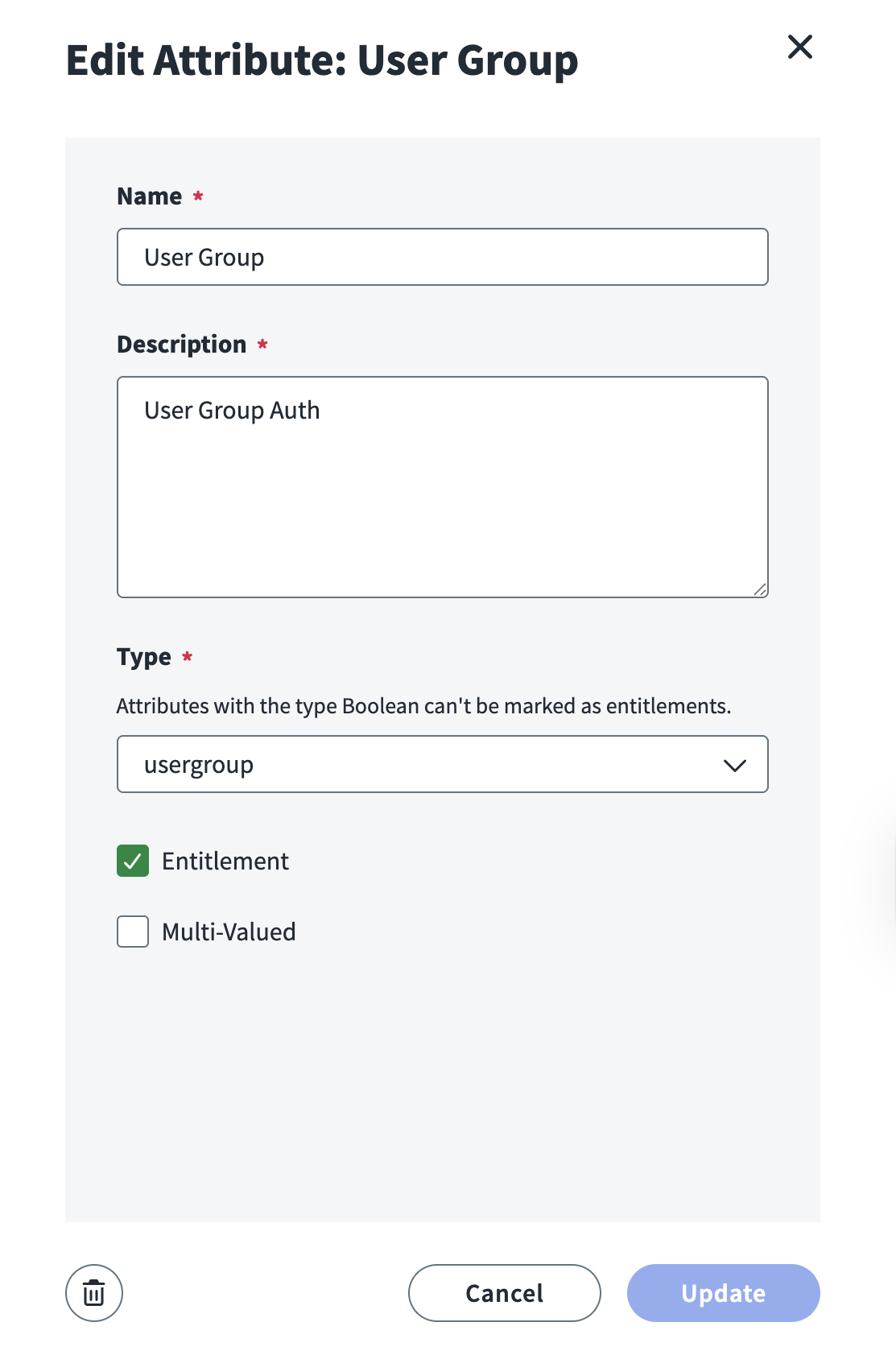
-
Save the attribute.
- Select the User Groups attribute.
-
Set Type to
usergroups.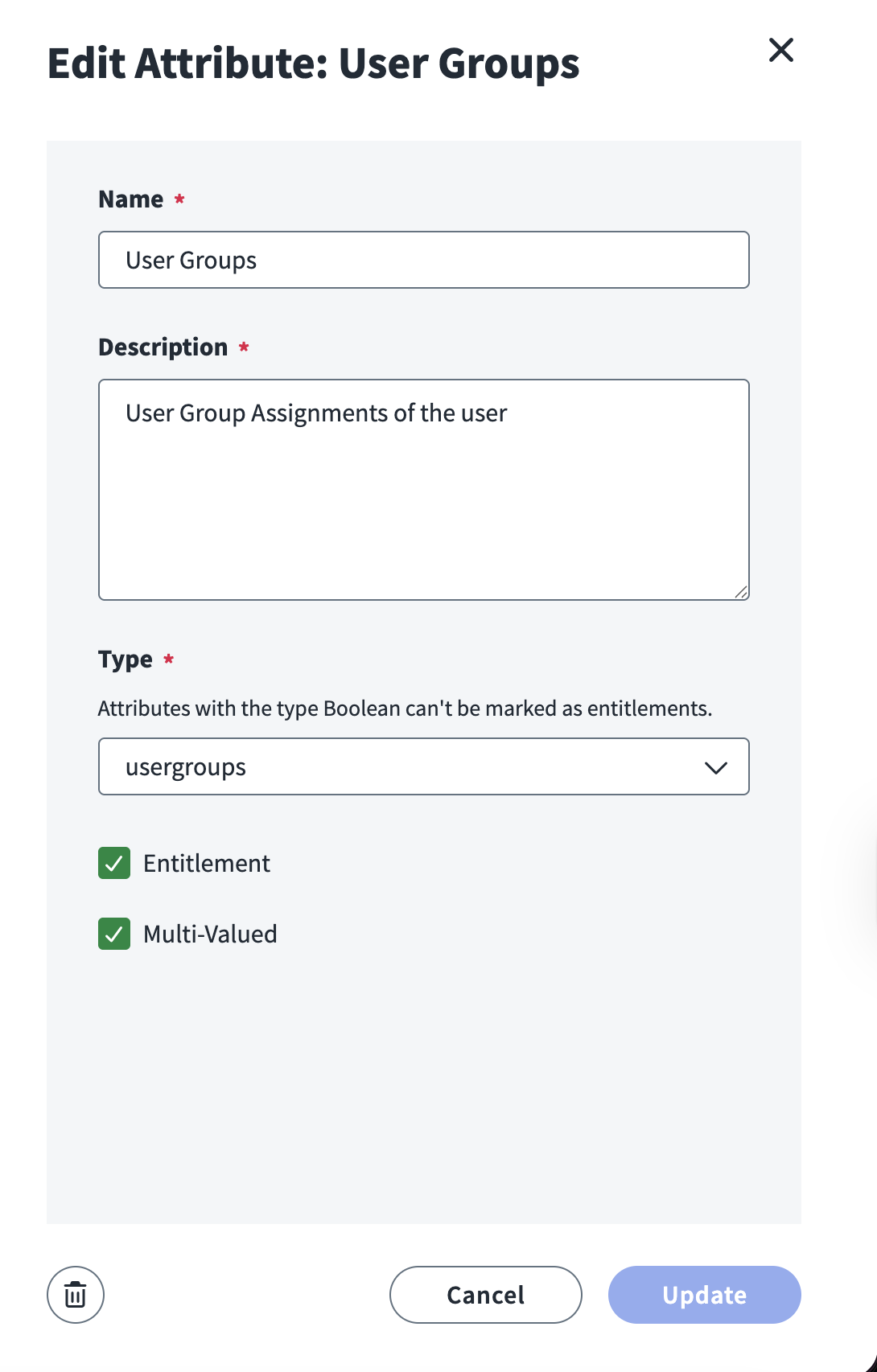
-
Save the attribute.
Documentation Feedback
Feedback is provided as an informational resource only and does not form part of SailPoint’s official product documentation. SailPoint does not warrant or make any guarantees about the feedback (including without limitation as to its accuracy, relevance, or reliability). All feedback is subject to the terms set forth at https://developer.sailpoint.com/discuss/tos.